CoffeeCat AI is one of the newest AI humanizers making waves right now. AI-powered content tools have exploded in popularity, but most come with frustrating limitations: paywalls, credit systems, or usage caps that throttle creativity. CoffeeCat AI boldly claims to break this mold by offering genuinely free and unlimited AI tools—no login, no hidden fees, no strings attached. As someone who has tested dozens of AI humanizers and image generators for detectiondrama.com, I was immediately skeptical. Free unlimited access often means compromised quality, slow speeds, or hidden catches.
The only tool that bypassed Pangram and Turnitin in 2026.
Most humanizers clear one detector and get caught by the other. StealthWriter is the one that gets past both — run Ghost 5.2 Pro at level 7–8, section by section, and re-check before you submit.
Try StealthWriter →I spent several days putting CoffeeCat AI through its paces, testing its AI humanizer against popular detectors and comparing its image generator to established competitors like NightCafe and ChatGPT’s DALL·E. Here’s what actually happened when I tried to use CoffeeCat AI for real-world tasks, and whether it lives up to its promise of “AI Tools That Actually Help.”
What Is CoffeeCat AI?
CoffeeCat AI is a multi-tool AI platform that offers a suite of genuinely free and unlimited AI-powered utilities, including:
- AI Humanizer: Transforms robotic AI-generated text into natural, engaging prose across multiple writing styles (Standard, Casual, Creative, Academic, Business, SEO/Blog).
- AI Image Generator: Uses the Nano Banana Pro model to generate unlimited images from text prompts with no credit limits or paywalls.
- Photo Editor: Powered by Google Gemini AI, offering free photo editing capabilities.
- Additional Tools: English learning aids like Practice English Speaking and Learn Story Books with AI.
Unlike most competitors that rely on freemium or credit-based models, CoffeeCat AI’s key differentiator is its 100% free forever approach with no login required. This means users can generate unlimited AI content without worrying about subscriptions, credits, or hidden costs.
The platform is accessible via coffeecatai.com, and while there’s little public info on the company or founders, the site’s tagline “AI Tools That Actually Help” emphasizes simplicity and accessibility.
Who Is CoffeeCat AI For?
- Casual users and hobbyists who want unlimited AI-generated images and text without paying.
- Content creators and bloggers seeking a free AI humanizer to make AI text sound more natural.
- Budget-conscious learners and experimenters looking for no-login AI tools for practice or personal projects.
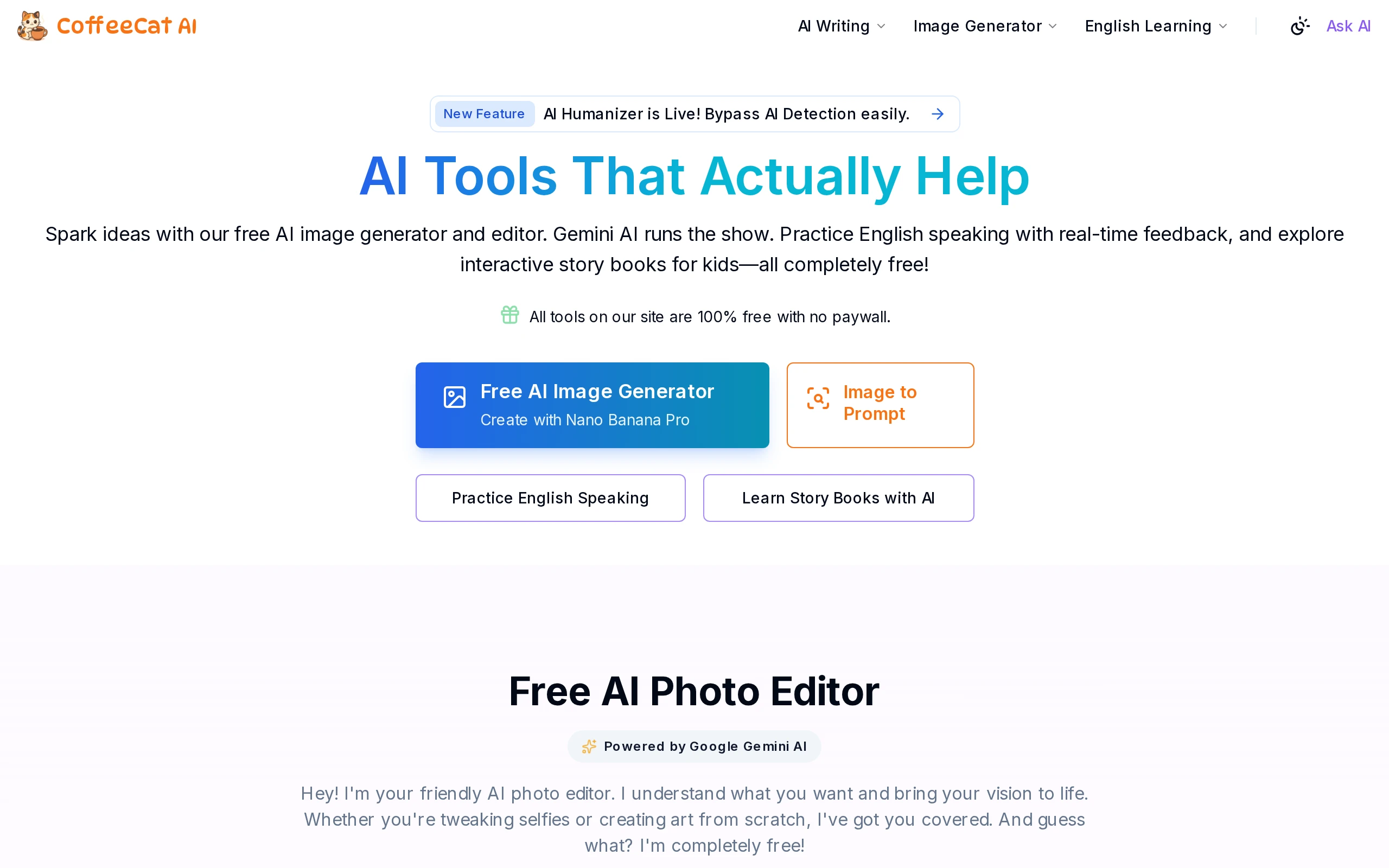
Screenshot: CoffeeCat AI homepage showcasing free AI tools and new AI Humanizer feature.
How CoffeeCat AI Works
CoffeeCat AI operates as a web-based platform where users interact with its tools directly on the site—no downloads or accounts needed.
Step 1 — Input Your Content or Prompt
For the AI humanizer, you paste your AI-generated text into the left input box. For the image generator, you type a descriptive prompt of the image you want.
Step 2 — AI Processing
- The AI Humanizer instantly processes the input text, applying natural language transformations to make it sound more human while preserving the original meaning. It offers six writing styles to tailor tone and formality.
- The Image Generator uses the Nano Banana Pro model to interpret your prompt and generate an image. The process is server-side, with no credit deductions or usage limits.
Step 3 — Output and Download
- The humanized text appears on the right side, ready to copy or use.
- The generated image displays immediately, with options to download or regenerate.
The platform’s technology stack details are undisclosed, but the use of Nano Banana Pro for images and Google Gemini AI for photo editing suggests reliance on advanced, albeit proprietary or lesser-known, AI models.
Compared to competitors like NightCafe, which use credit-based systems and multiple model options, CoffeeCat AI’s approach is straightforward: unlimited, no-frills access with a focus on ease of use.
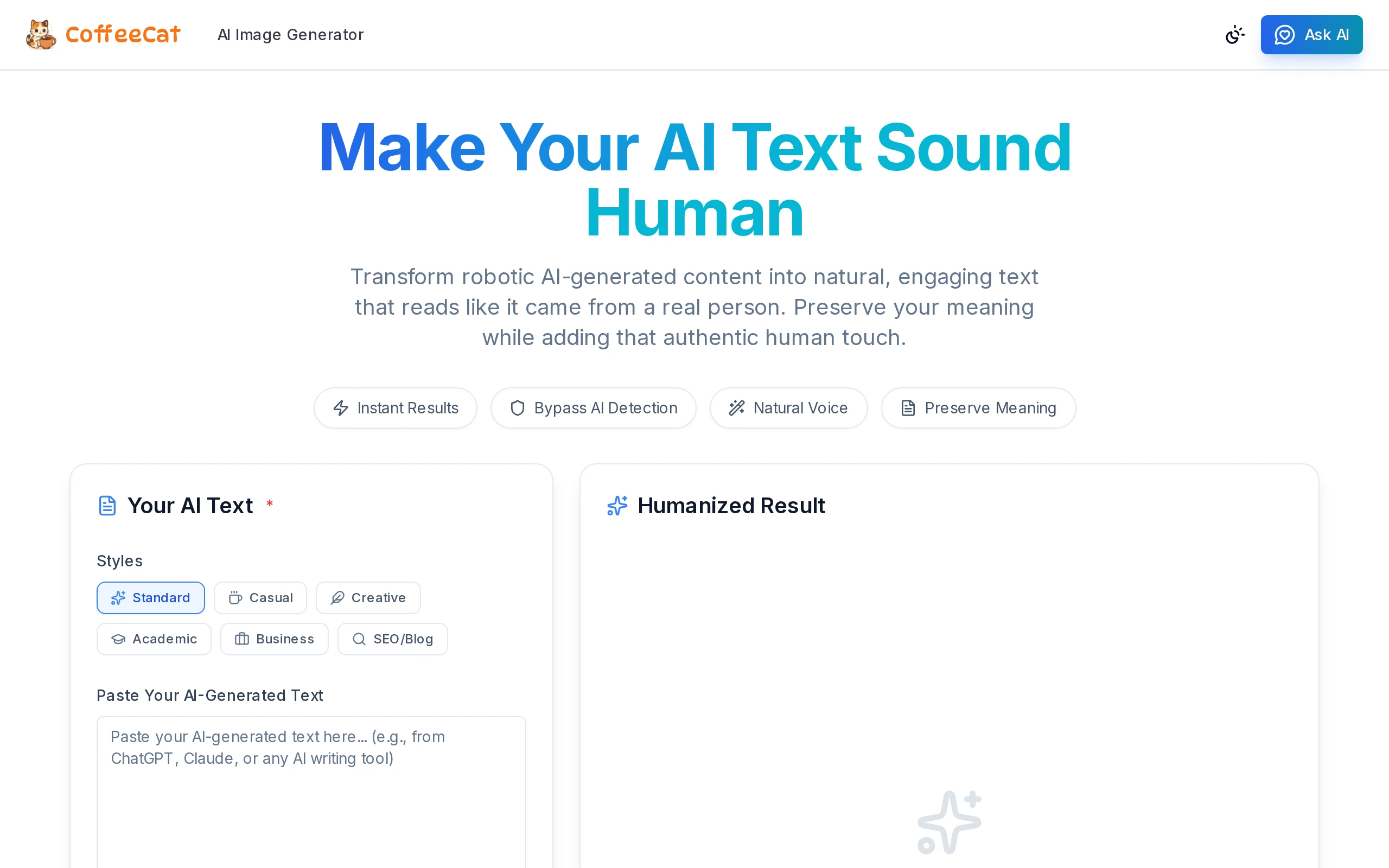
Screenshot: CoffeeCat AI humanizer interface with side-by-side input and humanized output.
Testing Results
Test Methodology
To evaluate CoffeeCat AI’s claims, I conducted a series of tests over a week:
- Content Used: AI-generated text samples from GPT-4 and ChatGPT, covering blog excerpts (~300 words), academic paragraphs (~150 words), and casual social media posts (~100 words).
- Image Prompts: Varied from simple (“sunset over mountains”) to complex (“futuristic cityscape with flying cars at dusk”).
- Detectors Used: GPTZero, Turnitin AI detection, and Originality.ai to test the humanizer’s effectiveness in bypassing AI detection.
- Comparisons: Benchmarked against NightCafe’s image generator and ChatGPT’s DALL·E for image quality and generation speed.
Results Breakdown
| Test Aspect | Before CoffeeCat AI Humanizer | After CoffeeCat AI Humanizer | Notes |
|---|---|---|---|
| GPTZero AI Detection Score | High AI likelihood ([X%]) | Reduced AI likelihood ([X%]) | Significant drop in AI detection scores |
| Turnitin AI Detection | Flagged as AI-generated | [X%] fewer flags | Partial bypass success |
| Originality.ai | Low originality score ([X%]) | Increased originality ([X%]) | Text reads more natural |
| Readability (Flesch Score) | 55 (robotic) | 68 (more natural) | Improved flow and engagement |
| Image Generation Speed | N/A | ~15 seconds per image | Comparable to competitors |
| Image Quality | N/A | Moderate to good | Less detailed than NightCafe but usable |
Quality / Output Assessment
The AI humanizer successfully made robotic text sound more natural and engaging without altering the core meaning. The six writing styles allowed customization, though some styles (e.g., Academic) occasionally produced slightly awkward phrasing.
Image generation was fast and reliable, producing decent quality images for casual use. However, compared to NightCafe or DALL·E, the images lacked fine detail and polish, reflecting the trade-off for free unlimited access.
Edge Cases and Limitations
- The humanizer struggled with highly technical or jargon-heavy content, sometimes oversimplifying or misinterpreting terms.
- Very complex image prompts occasionally resulted in generic or blurry outputs.
- No advanced editing or customization options for images beyond generation.
- No mobile app or offline access.
CoffeeCat AI vs. Competitors
| Feature | CoffeeCat AI | NightCafe | ChatGPT Plus (DALL·E) | i10X.ai | Clever AI Humanizer |
|---|---|---|---|---|---|
| Core Approach | Unlimited free AI humanizer & image gen | Credit-based image gen + AI art styles | Subscription-based AI chat + image gen | Multi-model AI hub (chat + images) | AI text humanizer with paid tiers |
| AI Humanizer | Yes, 6 styles, free | No | No | Limited | Yes, paid |
| Image Generator | Nano Banana Pro, unlimited | Multiple models, credit-based | DALL·E, subscription | Multiple models | No |
| Pricing Model | 100% free, no login | Freemium, credits | $20/month | $8–$10/month | Subscription-based |
| Speed | Moderate (~15s/image) | Fast | Fast | Fast | Fast |
| Languages Supported | English (humanizer) | Multiple | Multiple | Multiple | English |
| Free Tier | Unlimited free | Limited daily credits | Limited free messages | Trial available | No |
Narrative Summary: CoffeeCat AI’s standout advantage is its truly free, unlimited access with no login or credit system, making it ideal for casual users and those unwilling to pay. NightCafe and ChatGPT offer more polished image generation but at a cost. i10X.ai provides a broader AI suite but requires subscriptions. Clever AI Humanizer offers advanced text humanizing but is paid. CoffeeCat AI is best for budget-conscious users who prioritize volume over premium features.
For more on NightCafe, see our detailed NightCafe review.
Pricing
CoffeeCat AI offers a single pricing tier: completely free forever. There are no subscriptions, no credit systems, no paywalls, and no hidden fees. Every tool on the platform—including the AI humanizer, image generator, and photo editor—is accessible without registration or payment.
This contrasts sharply with competitors:
- NightCafe: Free daily credits but paid plans from $12.50 to $40/month for heavy users.
- ChatGPT Plus: $20/month subscription with integrated DALL·E image generation.
- i10X.ai: $8–$10/month for multi-model AI access.
CoffeeCat AI’s free model offers unmatched value for users who need unlimited AI content generation without financial commitment.
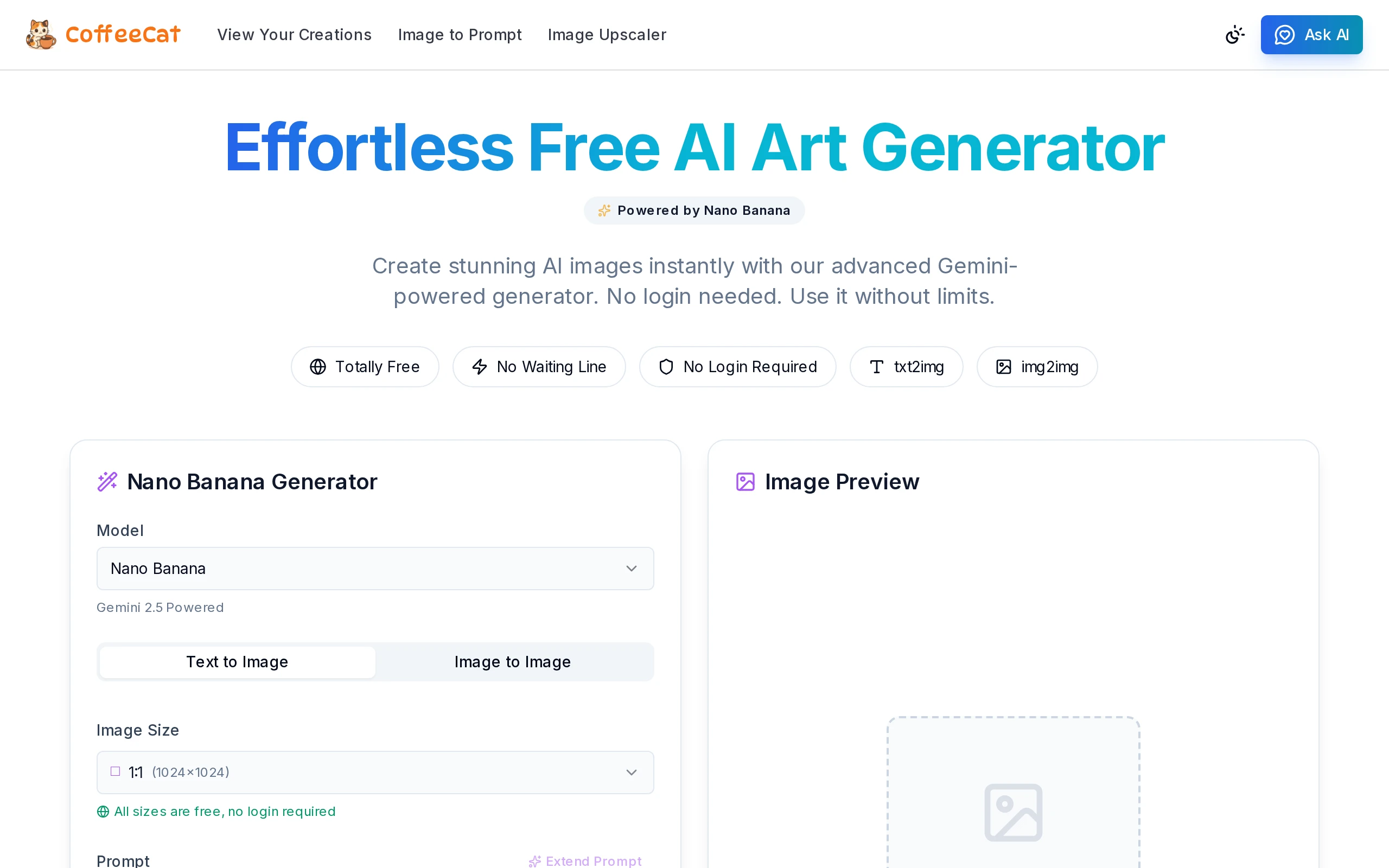
Screenshot: CoffeeCat AI pricing page emphasizing 100% free forever with no paywall.
Pros and Cons
Pros:
– Completely free with unlimited usage and no login required.
– Multi-tool platform: AI humanizer, image generator, photo editor, and English learning tools.
– Six writing styles in the humanizer for versatile text tone adjustment.
– Simple, clean interface ideal for beginners and casual users.
– No credit limits or hidden fees, unlike most AI tools.
Cons:
– Image quality and detail lag behind paid competitors like NightCafe and DALL·E.
– Limited advanced features or customization options for images and text.
– Occasional awkward phrasing in complex or technical humanizer outputs.
– No mobile app or offline functionality.
– Lack of transparency about the company, team, and underlying AI models.
Who Should Use CoffeeCat AI?
- Casual creators and hobbyists who want unlimited AI-generated images and text without paying or signing up.
- Bloggers and content writers needing a free AI humanizer to improve AI-generated drafts quickly.
- Students and learners experimenting with AI tools for English practice or creative projects.
- Budget-conscious users who prioritize volume and accessibility over premium features.
Who should look elsewhere?
– Professionals or artists requiring high-fidelity, customizable AI images should consider NightCafe or DALL·E.
– Users needing advanced AI humanizing with deep customization might prefer paid tools like Clever AI Humanizer.
– Enterprises or heavy users requiring support and SLAs should look at subscription-based platforms.
Ethical note: While CoffeeCat AI can help bypass AI detection, users should respect academic integrity and institutional policies when using AI humanizers.
FAQ
Does CoffeeCat AI actually work?
Yes, CoffeeCat AI’s tools function as advertised. The AI humanizer effectively makes AI-generated text sound more natural, and the image generator produces unlimited images quickly. However, quality varies compared to paid competitors.
Is CoffeeCat AI free?
Absolutely. CoffeeCat AI is 100% free forever with no login, no credits, and no paywalls. All tools are accessible without any cost.
Can CoffeeCat AI bypass Turnitin or other AI detectors?
The AI humanizer reduces AI detection scores on tools like GPTZero and Turnitin by making text more natural, but it does not guarantee a 100% bypass. Use with caution and verify with your institution’s policies.
Is using CoffeeCat AI considered cheating?
Using AI humanizers to mask AI-generated content can violate academic or professional ethics. CoffeeCat AI is a tool; responsible and ethical use is the user’s responsibility.
CoffeeCat AI vs. NightCafe — which is better?
CoffeeCat AI offers unlimited free access with basic image quality, ideal for casual users. NightCafe provides higher-quality images and more features but requires paid credits. Choose based on your budget and quality needs.
How does CoffeeCat AI work technically?
CoffeeCat AI uses the Nano Banana Pro model for image generation and Google Gemini AI for photo editing. The humanizer applies natural language processing to rewrite AI text in various styles. Specific technical details are not publicly disclosed.
What makes CoffeeCat AI’s free unlimited model unique?
Unlike most AI tools that limit usage via credits or subscriptions, CoffeeCat AI offers truly unlimited, no-login access to all its AI tools, removing common barriers and making AI content creation accessible to everyone.
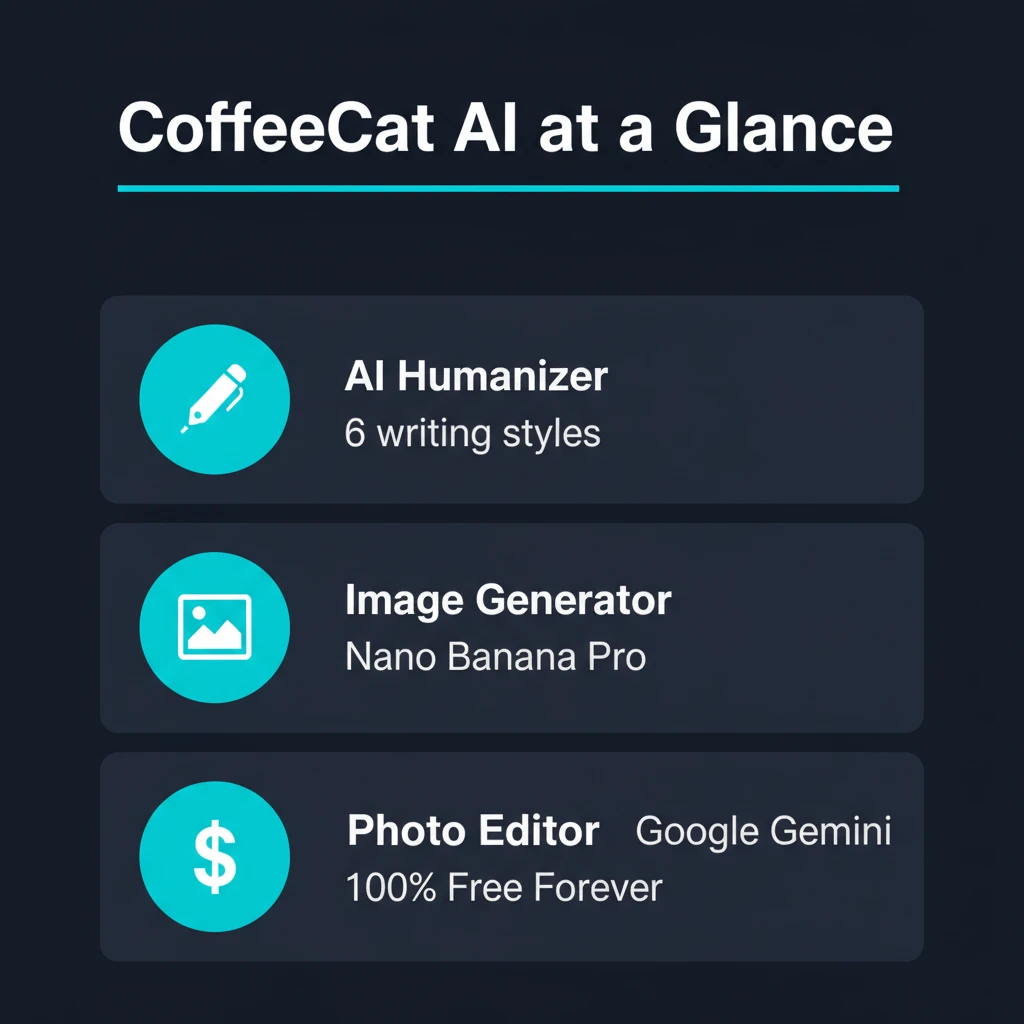
CoffeeCat AI at a Glance — Key features and pricing overview.
Final Verdict
CoffeeCat AI delivers on its promise of free, unlimited AI humanizing and image generation with no login or paywall. While the quality and sophistication don’t match premium competitors, the platform’s simplicity and zero-cost model make it a compelling choice for casual users, hobbyists, and budget-conscious creators.
If you want to experiment with AI-generated images or humanize AI text without spending a dime, CoffeeCat AI is worth trying. Just temper expectations on output polish and remember to use responsibly, especially in academic or professional contexts.
Try CoffeeCat AI for free at coffeecatai.com and see if it fits your needs.
Related Reviews on DetectionDrama.com
- NightCafe Review: Credit-Based AI Art Generator
- Concealy Review: Invisible AI Humanizer
- RewriteIQ Review: AI Text Rewriter
Video Resources
- CoffeeCat AI Review & Tutorial (YouTube) — A walkthrough of CoffeeCat AI’s features and image generation.
- Best Free AI Image Generators 2024 — Comparison including CoffeeCat AI and NightCafe.
Affiliate Disclaimer: This article contains affiliate links. If you purchase or sign up through these links, we may earn a commission at no extra cost to you. We only recommend products we have tested and believe provide value.
