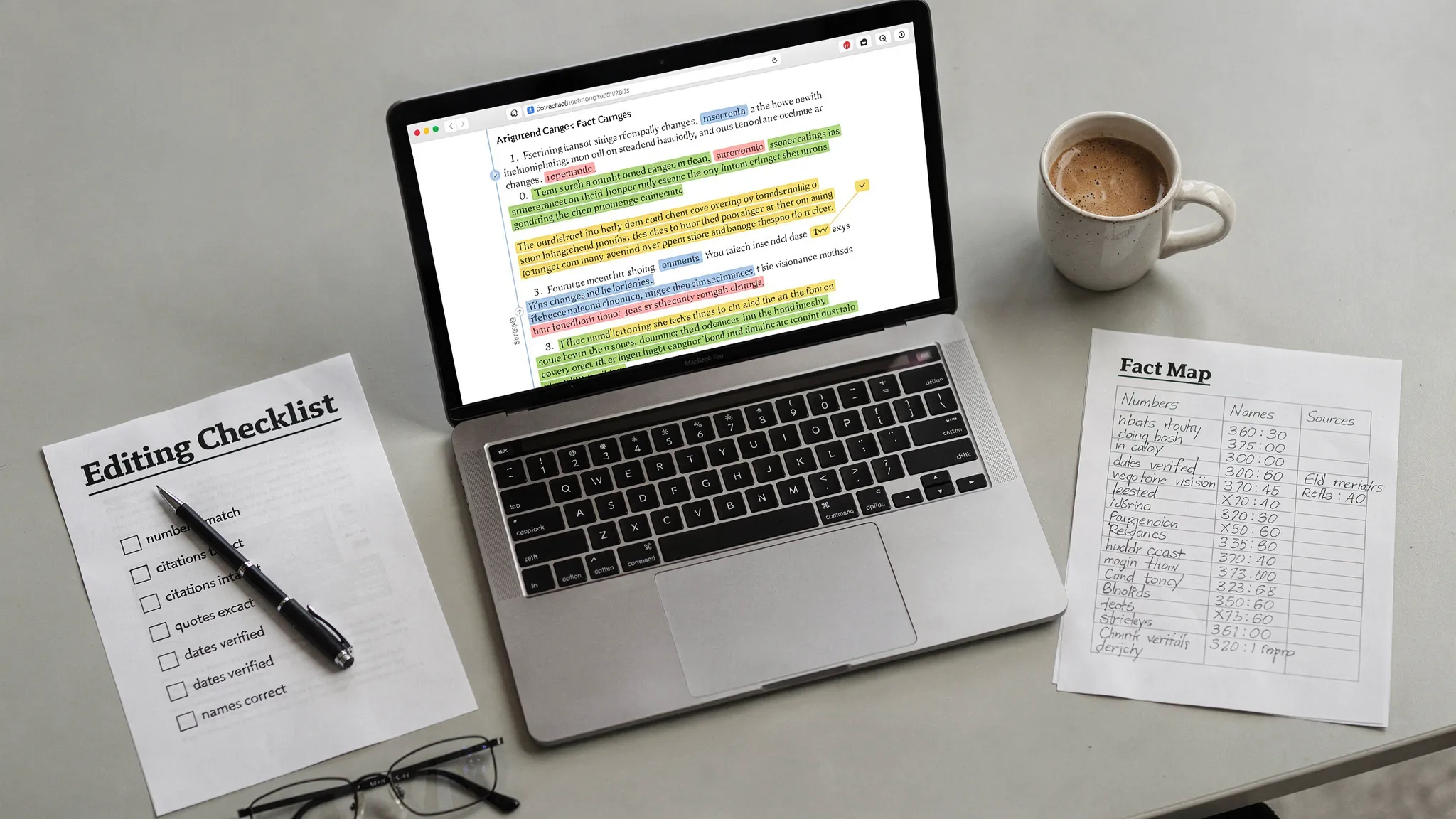
Some AI humanizers do more than “change the writing style.” They quietly change the meaning. A date becomes a different year, a study sample size drifts, a medical claim gets overstated, or a “not” disappears, flipping the conclusion. The scary part is that the output still reads smoothly, so the mistake looks credible.
If you are rewriting AI-generated content to sound more human (or to reduce AI detection risk in tools like Turnitin), factual accuracy has to be the non-negotiable constraint. This guide shows a practical, repeatable workflow to rewrite without errors, even when using a humanizer.
Why AI humanizers ruin facts (even when they “pass” detectors)
Most humanizers are optimized for pattern disruption, not truth preservation. They aim to change signals that detectors look for (predictable phrasing, uniform sentence rhythm, repetitive transitions), and the easiest way to do that is aggressive rewriting.
Here are the most common ways facts get damaged:
- Numeric drift: numbers get rounded, rewritten as approximations, or swapped for “about,” “roughly,” or a different value.
- Entity swaps: a tool replaces a proper noun with a “nearby” one (agency names, authors, frameworks, medications, company products).
- Negation flips: “does not” becomes “does,” or cautious language (“may,” “suggests”) becomes certainty (“proves”).
- Citation erosion: humanizers remove parentheses, years, DOIs, quotation marks, or turn referenced claims into untraceable statements.
- Scope creep: a statement about a specific population becomes universal (“in this sample” becomes “in general”).
- Definition drift: technical terms get swapped for casual synonyms that are not equivalent.
Detectors do not validate truth. A humanizer can generate text that looks human while being factually wrong.
| What breaks | Typical humanizer change | Why it happens | What to do instead |
|---|---|---|---|
| Numbers and units | “3.7%” becomes “around 4%” or “a few percent” | Style smoothing, rounding, reducing specificity | Lock exact values and units, rewrite the sentence around them |
| Names and titles | “National Institutes of Health” becomes “national health agency” | Avoid repetition, shorten phrasing | Keep proper nouns verbatim, only restructure nearby clauses |
| Caution/hedging | “associated with” becomes “causes” | More “confident” tone reads human | Keep epistemic language (may, suggests, correlates) intact |
| Quotes | Quotation becomes paraphrase | Humanizer tries to avoid exact-match patterns | Do not humanize quotes, preserve exact wording and citation |
| Methods/steps | Procedure order changes | Reordering for flow | Keep sequences fixed, rewrite transitions not steps |
Step 1: Build a “fact map” before you rewrite
If you do one thing from this article, do this. Before any humanizing pass, extract the claims that must not change. Think of it like creating guardrails.
Create a small table (in a doc or spreadsheet) and paste the “source of truth” next to each key claim.
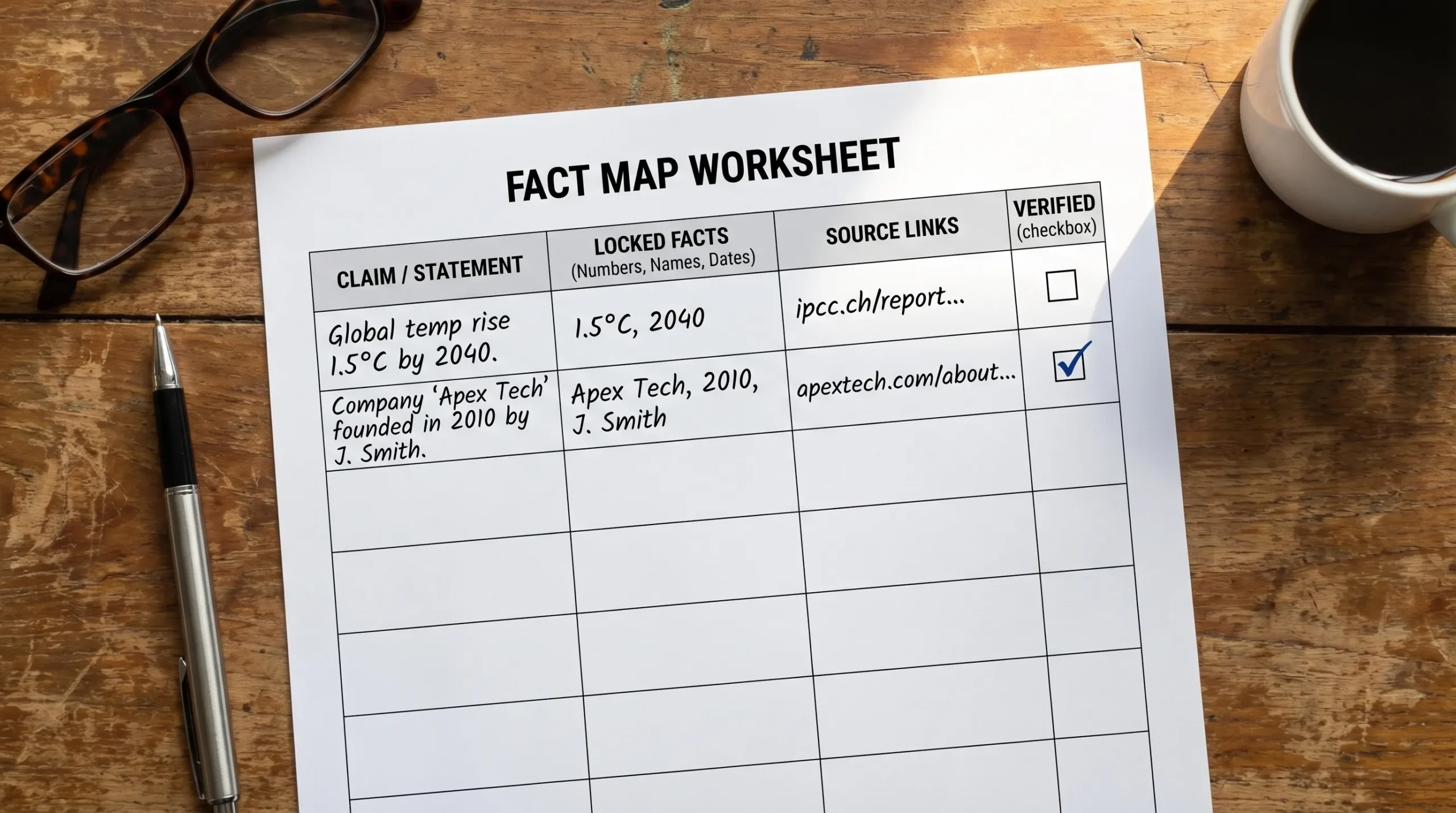
Use this structure:
| Fact type | Locked element | Where it appears | Source of truth | Verified after rewrite? |
|---|---|---|---|---|
| Number | 18.2% (not “about 18%”) | Paragraph 2 | Link or PDF page | ☐ |
| Proper noun | Turnitin AI writing indicator | Intro | Vendor doc | ☐ |
| Citation | Author (Year) format | Paragraph 4 | Paper | ☐ |
| Claim | “correlation, not causation” | Conclusion | Notes | ☐ |
What should go in the fact map?
- Numbers, units, thresholds, dates, and time windows
- Names (people, universities, tools, policies)
- Definitions and technical terms
- Claims that express causality vs correlation
- Anything that could harm someone if wrong (health, legal, financial)
- Direct quotes and the exact citation attached to them
Step 2: Choose the safest rewrite mode (less is more)
Fact damage usually scales with rewrite intensity. If your goal is “more human,” you often do not need a full semantic rewrite of every sentence.
A safer approach is:
- Light rewrite first (sentence rhythm, transitions, minor phrasing)
- Manual edits second (add specificity, personal reasoning, domain context)
- Only then consider a stronger humanizer pass for stubborn sections
If a tool offers strength levels or modes, start at the lowest setting that improves readability. Strong settings are where you see more meaning drift.
Step 3: Protect “do-not-change” tokens (practical techniques)
Many humanizers ignore your intent unless you make constraints explicit. These techniques reduce accidental edits to facts:
Keep proper nouns and numbers as anchors
Rewrite around the anchor, not through it.
- Risky: “The study included 1,243 participants” gets rewritten and the number changes.
- Safer: Keep “1,243 participants” intact and only rework the surrounding phrasing.
Use consistent units and formatting
If you use mg, %, °C, p-values, or currency, keep formatting consistent across the whole document. Humanizers often “normalize” formatting in inconsistent ways.
Avoid letting the tool “improve” citations
For academic writing, citations are part of factual accuracy. If your citation format must match a style guide, do that formatting yourself after rewriting.
For Turnitin users, remember that similarity checking and AI writing indicators are different systems. If you need clarity, see Turnitin AI % vs Similarity %.
Step 4: Rewrite in two passes (meaning, then voice)
A reliable rewrite process separates correctness from style.
- Pass A (meaning-preserving rewrite): Focus only on clarity. Keep every claim, number, and constraint identical.
- Pass B (voice and human-ness): Add natural variation, but only in areas that are not factual claims (introductions, transitions, framing, examples you personally verify).
This reduces the chance that “sounding human” becomes permission to change the underlying information.
Step 5: Do a fast “diff check” to catch hidden meaning changes
After rewriting, compare original vs rewritten text like an editor, not like a reader.
What to look for:
- A missing “not,” “unless,” “only,” “may,” “often,” “in this sample,” “statistically significant”
- A new number that was not in the original
- A stronger verb (causes, proves, guarantees) replacing a cautious one (suggests, may)
- An added claim that lacks a source
Practical ways to do it quickly:
- Use your word processor’s compare feature (Google Docs or Word) to highlight changes.
- Read only the rewritten topic sentences and any sentence containing numbers.
- Search the rewritten doc for symbols like %, $, mg, “(” to jump between citations and quantitative claims.
Step 6: Verify facts with a checklist (especially for Turnitin-risk contexts)
If this is for school, publishing, compliance, or client work, treat verification like a pre-flight check.

Here is a simple checklist that works:
- Numbers and units: match exactly (including decimals)
- Named entities: spelling, capitalization, and official names unchanged
- Citations: still attached to the same claim, not shifted
- Quotes: unchanged and still in quotation marks
- Claims: no new causal language introduced
- Definitions: technical terms preserved
If you are doing academic submission, also preserve authorship evidence. Version history, drafts, and notes are often more persuasive than any detector score. See Is Google Docs or Word Version History Enough as Proof?.
Step 7: Run detectors last (and interpret them correctly)
AI detection tools can be useful as a diagnostic, but they are not proof of authorship. Even Turnitin positions its AI writing indicator as an indicator, not a courtroom-grade verdict (see Turnitin’s resources and FAQs at Turnitin).
If you use detectors in your workflow:
- Check after factual verification, not before.
- Treat the score as a signal to review the highlighted sections for overly uniform phrasing.
- Do not “chase the number” by repeatedly re-humanizing until the content becomes unreliable.
When you should not use an AI humanizer (or should humanize manually)
Some content types are inherently fragile. If accuracy is the product, automation is risky.
Avoid humanizers, or restrict them to light edits, when the text includes:
- Medical, legal, or financial guidance
- Safety instructions (dosage, warnings, compliance steps)
- Dense technical specs (APIs, formulas, research methods)
- Direct quotations, statutes, policy excerpts
- Anything where one altered word changes the meaning
In these cases, a better pattern is manual rewriting with your fact map open, plus a strict verification pass.
A safer mindset: rewrite to be human, not to be “undetectable”
A lot of fact loss happens when the only target is bypassing AI detection. The rewrite becomes adversarial, and truth becomes collateral damage.
A more defensible goal is:
- Make the writing clearly yours through specificity, reasoning, and structure
- Keep a transparent creation trail (outlines, drafts, notes)
- Use AI tools as editing support, not as a substitute for accountability
If you are already dealing with an accusation or a Turnitin flag, rewriting after the fact can backfire. In many academic processes, it is better to preserve evidence and explain your process. (Related: Accused of AI Use: What to Do in the Next 24 Hours.)
Frequently Asked Questions
Why do AI humanizers change numbers and facts? Many humanizers prioritize pattern disruption and readability. That often involves paraphrasing, rounding, or rewording that accidentally alters meaning, especially with technical content.
How do I humanize AI text without introducing hallucinations? Build a fact map first, rewrite in a light pass, then verify with a diff check and a structured checklist. Keep quotes, citations, numbers, and names locked.
Should I humanize text before or after adding citations? Draft and structure first, then add citations, then do only light humanizing if needed. After any rewrite, re-verify that each citation still supports the exact sentence it is attached to.
Can a text be factually wrong and still pass Turnitin AI detection? Yes. AI detection focuses on authorship likelihood signals, not factual accuracy. A fluent, human-sounding paragraph can still contain incorrect data.
What is the fastest way to catch meaning flips after rewriting? Compare the original and rewritten versions, then scan specifically for negations (not, never), hedging words (may, suggests), numbers, and named entities.
Want a rewrite that sounds human without destroying the facts?
If you are using AI in your writing process, the goal should be clarity and credibility first, then detection hygiene. Detection Drama offers free bypass guides and instant-access tools to humanize AI text and review detection signals.
Start with the workflow in this article, then test your draft with the tools on DetectionDrama.com (no email required). If a humanizer output looks “too smooth,” run the fact map check before you trust it.
