
College writing got more complicated in the AI era, not because good students suddenly became dishonest, but because policies, tools, and expectations are changing faster than most syllabi. A “safe” AI workflow is less about beating a detector and more about doing work you can defend: clear policy compliance, solid citations, and a documented writing process that shows your thinking.
This guide gives you a practical, repeatable workflow for using AI responsibly in college, while protecting yourself from false positives and misunderstandings.
What “safe AI writing” actually means (and what it does not)
A safe workflow is built around three pillars:
- Drafts: your work shows authentic development (outline, messy first pass, revisions).
- Proof: you can demonstrate authorship with artifacts (version history, notes, sources, timestamps).
- Policy: you follow your course and institution rules, including disclosure if required.
What it is not: a plan to submit AI-written work as your own, or to manipulate AI detection scores. Even if a tool can change how text “looks” to detectors, that does not change academic integrity rules, and it can backfire if an instructor asks you to explain your argument, sources, or process.
If you are already dealing with a dispute, see: Accused of AI Use: What to Do in the Next 24 Hours.
Step 0: Know your policy before you open ChatGPT
Policies vary by school, department, and instructor. Some allow AI for brainstorming only, some allow grammar correction, some require disclosure, and some prohibit AI for graded writing entirely.
Your safest move is to translate the policy into a one-sentence personal rule you can follow every time.
Common policy patterns and the “safe default”
| Policy language you might see | What it usually means in practice | Safe default if you are unsure |
|---|---|---|
| “AI tools are prohibited” | No generative drafting, paraphrasing, or rewriting | Do not use AI on the assignment at all |
| “AI allowed for brainstorming” | Idea generation is okay, writing must be yours | Use AI for outlines and questions, not paragraphs |
| “AI allowed with disclosure” | You can use AI, but must describe how | Keep a usage log and add an AI statement if requested |
| “Proof of process may be required” | You may be asked to show drafts and history | Write in a tool with version history, save artifacts |
If your instructor’s rule is vague, ask a simple, non-accusatory question like: “Is it okay if I use AI to brainstorm an outline and then write the draft myself?” Getting a quick yes in writing (email, LMS message) is itself a form of proof.
Why AI detectors are a risk signal, not a courtroom verdict
Many colleges use Turnitin and similar systems. It is important to understand what these tools are designed to do.
- Turnitin Similarity matches text to sources in its database.
- Turnitin AI writing indicator attempts to predict whether text resembles AI-generated patterns.
Those are different measurements, and they can move independently. If you want the clearest explanation, read: Turnitin AI % vs Similarity %: What’s Actually Different?.
Detectors can also be biased against certain writing styles, especially for non-native English writers. Stanford HAI researchers showed higher false positive rates on TOEFL-style essays in widely used detectors (Liang et al., 2023). A deeper breakdown is here: AI Detection Bias Against ESL Students: Research & Evidence (2026).
Bottom line: the best protection is not “lowering a score,” it is documenting a real writing process.
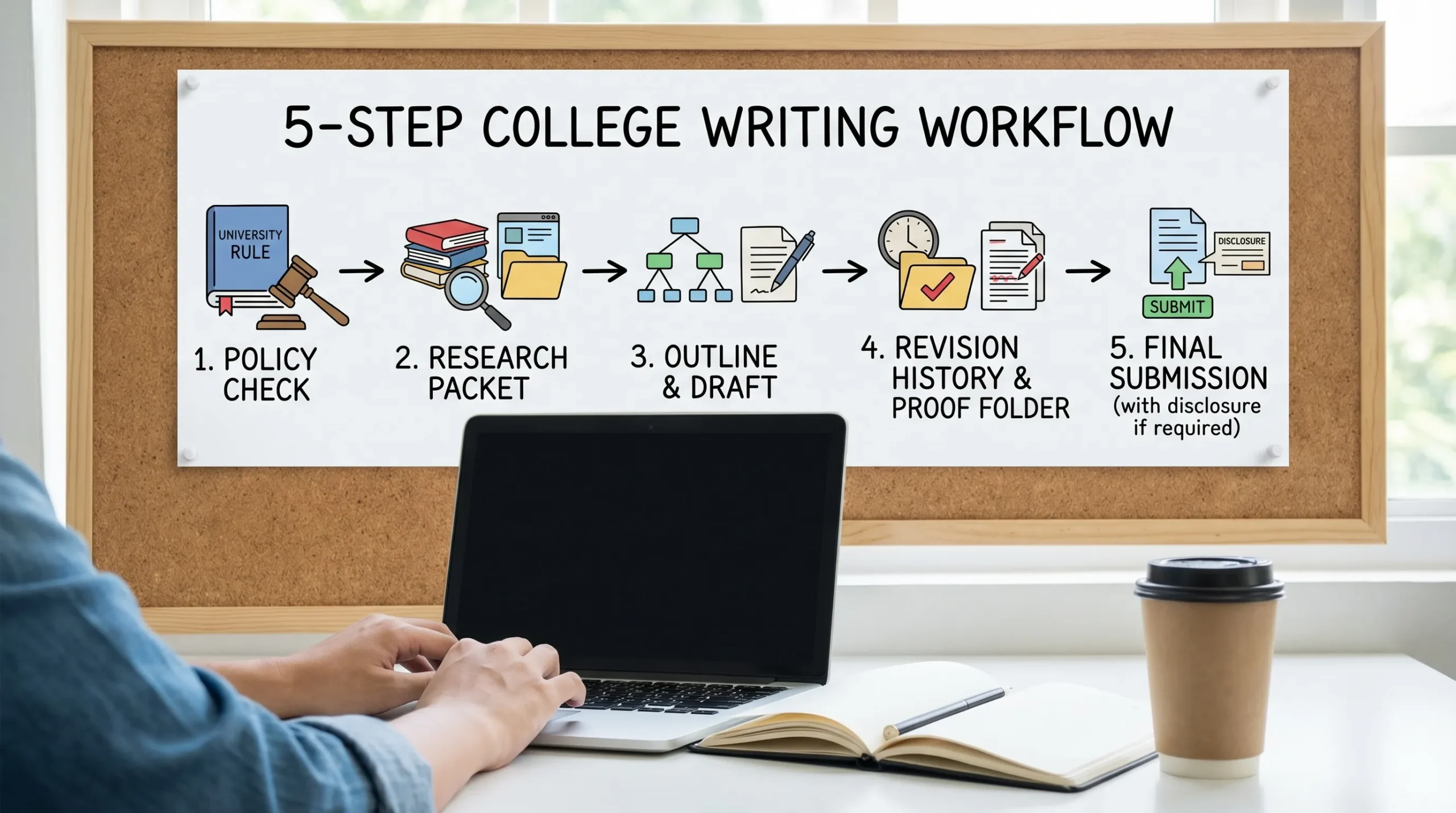
The safe AI writing workflow (Drafts, Proof, Policy)
1) Start with a “source-first” research packet
Before drafting, build a lightweight folder that proves you did real academic work.
Include:
- The assignment prompt (PDF or screenshot)
- Your thesis options (a quick note is fine)
- 3 to 8 credible sources (library database links, PDFs, or citations)
- A short annotated bibliography (2 to 4 lines per source)
AI can help here safely by:
- Generating search queries (not sources) based on your topic
- Summarizing articles you already have (and you verify)
- Helping you compare arguments across your chosen sources
Avoid using AI to “find citations” you have not personally opened. Fabricated citations are one of the fastest ways to create an integrity issue.
2) Use AI to plan your outline, then write the draft yourself
A simple rule that keeps you safe in most classrooms: AI can help you think, but you write the sentences.
Good AI uses at the outline stage:
- Turning the prompt into a checklist of requirements
- Brainstorming counterarguments you should address
- Proposing a structure (sections, topic sentences)
- Suggesting transitions you can rewrite in your own voice
Then, write your first draft in a document with strong revision tracking (Google Docs or Microsoft Word with OneDrive). If you want to understand what version history can and cannot prove, read: Is Google Docs or Word Version History Enough as Proof?.
3) Build “human evidence” into the writing itself
When instructors suspect AI misuse, it is often because a paper feels generic, unusually polished, or oddly detached from the course.
Make your work defensible by adding things AI usually cannot fake convincingly without your context:
- Course-specific references (lecture concepts, assigned readings, class discussions)
- Precise claims tied to your sources (“In Smith’s 2022 study of X, Table 3 shows…”)
- Your reasoning steps (why this evidence supports your claim)
- Constraints and tradeoffs (what you are not claiming, and why)
- Personal process details when appropriate (lab choices, coding decisions, methodology notes)
This also improves the grade. A detector score is rarely the real problem. A vague paper is.
If you want to avoid writing patterns that can look machine-like even when the work is yours, see: Normal Writing Habits That Can Trigger Turnitin AI Flags.
4) Edit in passes (and keep the trail)
A safe revision process looks like multiple small edits over time, not one massive rewrite.
Use a two-pass approach:
- Pass 1: Content (argument, evidence, structure). Move paragraphs, strengthen claims, add citations.
- Pass 2: Clarity (grammar, concision, transitions). This is where tools like Grammarly can help.
Important: if you use Grammarly or AI rewriting, keep your version history intact and avoid “replace the entire paper” edits. These can create a suspicious-looking change log.
If Grammarly triggered an AI flag for you (or you are worried it might), read: Grammarly Triggered Turnitin AI: How to Prove Authorship.
5) Assemble a “proof folder” as you work (not after)
Create a folder (local or cloud) and drop artifacts in as you go. This takes minutes and can save you weeks.
| Artifact to save | Examples | Why it helps |
|---|---|---|
| Planning notes | prompt analysis, thesis options | Shows independent thinking |
| Outline drafts | messy and improved versions | Shows development over time |
| Source notes | highlights, annotations, Zotero library export | Shows real research |
| Drafts | v1, v2, v3 or version history screenshots | Shows authorship trail |
| Feedback | peer review, writing center notes | Shows human process |
| AI usage log (if allowed) | prompts used, what you accepted or rejected | Supports transparency |
If your course allows AI with disclosure, a short usage log is your best friend. Keep it simple: date, tool, purpose, and what changed.
6) Do a pre-submission integrity check (the right way)
If your school uses Turnitin, you generally cannot see the exact same view your instructor sees, and there is no magic “real” hidden percentage. This is explained here: Can Teachers See Your Real Turnitin AI Percentage?.
What you can do safely before submitting:
- Plagiarism check your citations (Similarity risk is usually easier to fix ethically)
- Verify every quote and paraphrase points to a real source
- Read your paper out loud and fix awkward, overly uniform phrasing
- Make sure your argument matches the assignment prompt (many “AI-looking” papers fail here)
If your instructor requires an AI disclosure statement, add it. If not required, do not overshare. Keep your proof folder private unless asked.
What to do if you get flagged anyway
If you receive a message like “Turnitin says 35% AI,” treat it as an administrative problem, not a moral accusation.
Do this:
- Preserve your files immediately (do not rewrite the whole paper in panic)
- Request the highlighted report or the specific concerns
- Bring your proof folder and a one-page timeline of your writing process
- Offer a verification method (oral defense, in-class writing sample)
A targeted walkthrough is here: Flagged 35% AI on Turnitin: What Proof Can Clear You?.
Where “humanizer” tools fit (and where they do not)
Some websites market “humanizers” as a way to bypass AI detection. In a college context, using a humanizer to conceal AI authorship can violate academic integrity rules, even if your institution allows AI assistance.
A safer perspective is:
- If you used AI within policy (brainstorming, outlining, grammar help), your goal should be clarity, accuracy, and proof, not detector manipulation.
- If you did not use AI and fear a false positive, focus on evidence of process and improving specificity.
Detection Drama publishes research and tools around AI detection behavior and authenticity analysis. If you use any tool, use it to understand risk and improve writing quality, not to misrepresent authorship.
Frequently Asked Questions
Is it allowed to use AI for college papers? It depends on your instructor and institution. Some allow brainstorming and grammar help, others require disclosure, and some ban it entirely. When unsure, ask and keep the answer.
What is the best proof that I wrote my paper? Version history plus supporting artifacts (outline drafts, research notes, annotated sources, and timestamps). A single final document is weak proof by itself.
Can Turnitin’s AI score be wrong? Yes. AI detectors are probabilistic and can produce false positives and false negatives. That is why drafts and process documentation matter.
Can Grammarly trigger AI detection? It can in some cases, especially if heavy rewriting makes the text more uniform. If you use Grammarly, keep your revision trail and prioritize content-first edits.
Should I use an AI humanizer to avoid getting flagged? If your goal is to hide AI authorship, that can violate policy and create bigger consequences. A safer approach is to follow the policy, write in your own voice, cite properly, and keep proof of process.
Try a safer, evidence-based approach before you submit
If you want to reduce risk without guessing, use tools that help you analyze your writing and keep your workflow defensible.
Detection Drama offers instant-access resources and authenticity checks designed to help students understand how AI detection works, document their process, and avoid avoidable flags. Start here: DetectionDrama.com.
