
Turnitin can highlight a perfectly legitimate quote and still label it as “matched” in the Similarity Report. That is not Turnitin accusing you of cheating, it is simply doing what it is designed to do: text matching.
Want to bypass Turnitin in 2026? Grab the free prompt pack.
Get the exact text-humanization prompts I use to drop an AI score by hand — copy, paste, submit. Free, straight to your inbox.
Send me the free prompts →The real problem is when quoted material inflates the Similarity % so much that it looks suspicious, or when the quote is not recognized as a quote (so it does not get excluded by filters). This guide walks through the Turnitin settings that usually fix it, plus the formatting tweaks that make those settings work.
Quotes Marked as Plagiarism in Turnitin: First, what Turnitin is actually flagging
Turnitin’s Similarity Report compares your submission against sources in its databases (web pages, publications, and student papers, depending on your institution’s license/settings). If your paper contains text that also exists in those sources, Turnitin highlights it and adds it to the similarity total.
That includes:
Properly quoted sentences (especially famous lines, definitions, and textbook phrasing)
Correctly cited passages (citations do not “cancel out” a match)
Templates, assignment instructions, and common lab-report phrasing
Reference entries (if bibliography exclusions are not enabled or not recognized)
If you are mixing up similarity with AI writing indicators, it helps to separate the concepts: similarity is text overlap, AI indicators are authorship-likelihood signals. (Related: Turnitin AI % vs Similarity %: What’s Actually Different?)
The Turnitin settings that most often fix quotes being “plagiarism”
In most Turnitin workflows, you can apply “filters” (sometimes called exclusions) to adjust the displayed Similarity %. These do not delete anything from the report, they change what’s included in the calculation view.
Here are the settings that matter most when quotes are driving your score.
Turnitin setting (Similarity filters)
What it changes
When it helps most
Important caveat
Exclude quotes
Removes text detected inside quotation marks from the similarity calculation
You have many short quotes properly wrapped in quotation marks
Often relies on quotation marks, block quotes without quotation marks may still count
Exclude bibliography
Removes the reference list from similarity calculation
Reference entries are being matched heavily
The bibliography must be recognizable as a bibliography section
Exclude small matches
Removes matches under a chosen word count or percentage threshold
You have lots of tiny matches from common phrases
Too aggressive a threshold can hide meaningful copying
Exclude sources
Lets you exclude specific sources from the similarity calculation
One source is dominating due to a template or a permitted source
Excluding sources can be misused, instructors may not allow it
Where these settings appear (and who can change them)
In many classes, students cannot change the Similarity settings. Instructors (or administrators) control what the report shows and what is excluded.
In general, the workflow looks like this:
Open the Similarity Report
Find a “Filters and Settings” (or similar) option
Toggle exclusions (quotes, bibliography) and optionally set a small-match threshold
Apply changes
If your Similarity % suddenly shows an asterisk after filters are applied, that is normal. It usually indicates the displayed percentage is based on a filtered view. If you want the exact meaning, see: What Does the Turnitin Asterisk % Mean? (Explained).
This is the most common frustration: you used quotes and citations, yet Turnitin still counts them, and excluding quotes does not drop the score.
1) Your “quote” is formatted as a block quote (and may not be recognized)
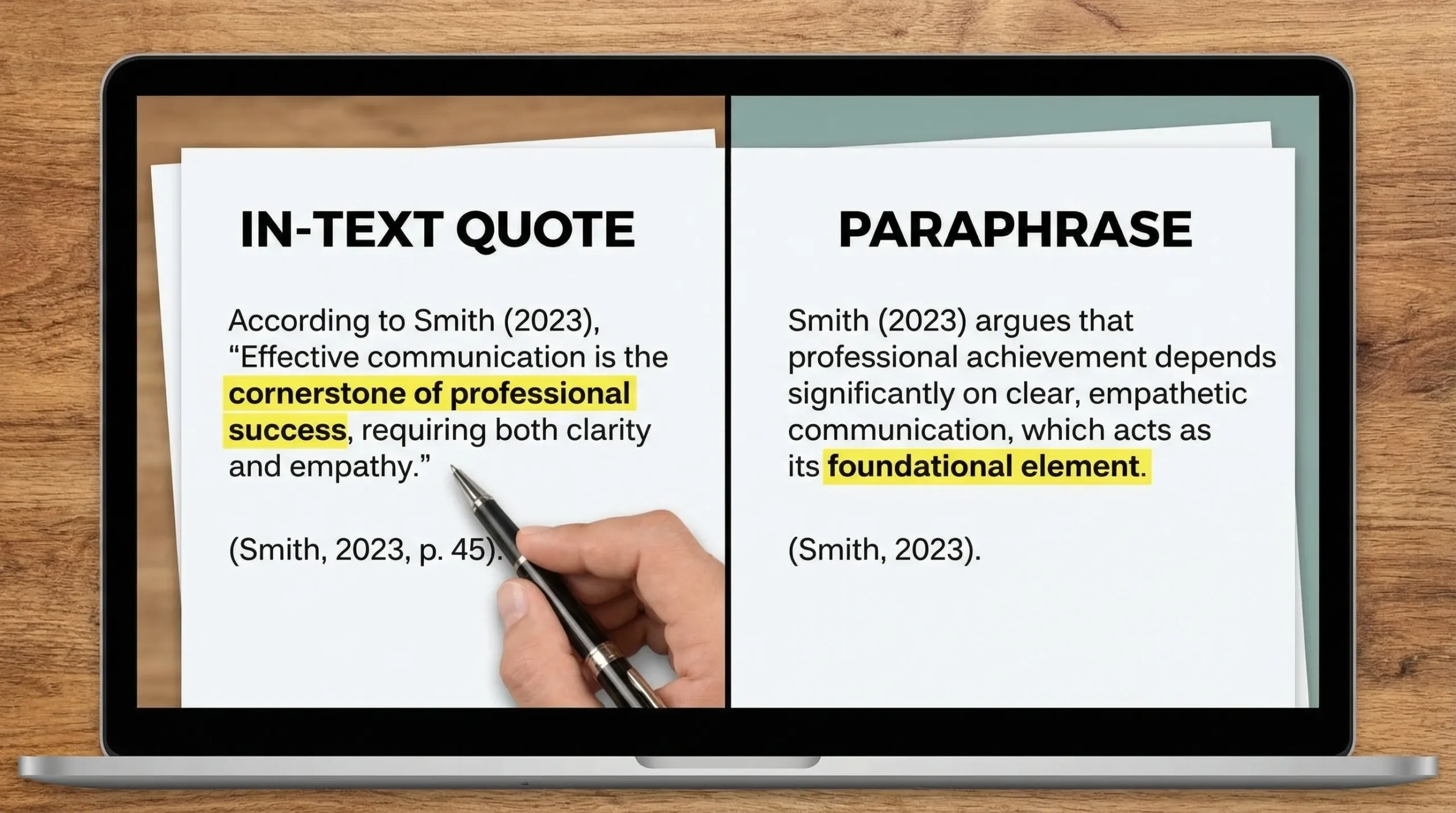
Depending on how Turnitin detects quoted material, indented block quotes without quotation marks can remain included. Many citation styles allow block quotes without quotation marks, but Turnitin’s quote exclusion may be more literal.
What to do:
- Confirm whether your instructor expects block quotes to be excluded or simply interpreted as acceptable similarity.
- If your style guide allows it (or your instructor permits it), consider adding quotation marks even in block quotes.
- Reduce reliance on long verbatim passages and increase your analysis around them.
2) The text is not actually inside quotation marks
Common causes:
- You used apostrophes or single quotes inconsistently
- You copied text that includes “smart quotes” mixed with straight quotes
- Part of the passage is outside the closing quotation mark
Practical fix: in Google Docs or Word, retype the quotation marks around the passage (yes, manually) so the boundaries are unambiguous.
3) The match includes more than the quote
Turnitin highlights “matches,” which can include a chunk of surrounding text. If you quote a sentence but the sentences around it are very close to the source, the overall highlighted section may still be substantial.
This is a writing issue, not a settings issue. The fix is to:
- Paraphrase the non-quoted parts genuinely
- Add original framing, critique, or application specific to your assignment
- Use the quote sparingly, only where the exact wording matters
Quotes Marked as Plagiarism in Turnitin: How to make “Exclude bibliography” work reliably
A lot of quote-driven similarity is actually bibliography-driven similarity. This happens when references match database entries.
To increase the chance Turnitin recognizes your reference list:
- Use a clear heading like “References” or “Bibliography”
- Keep the reference list at the end (not scattered)
- Use consistent formatting (APA/MLA/Chicago) and avoid mixing styles
- Avoid pasting references with broken line spacing or odd characters
If you are an instructor, Turnitin’s own help center documentation is the most accurate place to verify how your specific integration handles exclusions (for example, Turnitin Feedback Studio in an LMS can look different from the web interface). Start here: Turnitin Help Center.
A “good” similarity score can still be a problem (and a “bad” one can be fine)
Similarity is contextual. Two papers can both show 25% and have completely different risk profiles.
- A 25% score made of properly quoted passages and references may be acceptable.
- A 12% score made of one long copied paragraph can be a serious issue.
That is why instructors often review the match breakdown rather than relying on the headline number.
Student-side fixes when you cannot change Turnitin settings
If your institution locks filters (common), focus on making quotes clearly legitimate and clearly limited.
Use quotes only when the exact wording is necessary
A strong academic pattern is:
- Paraphrase the idea in your own words
- Cite the source
- Add a short quote only if a term, definition, or phrasing is critical
Add analysis that is unique to your assignment
Turnitin does not reward “more originality,” it simply flags matching text. Your best defense against a quote-heavy report is original contribution:
- Explain why the quote matters
- Connect it to your specific research question
- Contrast it with another author
- Apply it to your case study, dataset, or scenario
Avoid patchwriting around quotes
Patchwriting is when you keep the source’s sentence structure and swap a few words. It often triggers large matches even if you cite correctly.
Instead:
- Close the source
- Write the idea from memory
- Reopen the source to verify accuracy
- Cite it
Keep documentation in case you need to explain the report
If you think you are being unfairly flagged, process evidence helps:
- Outline notes
- Earlier drafts
- Version history (Google Docs)
- Annotated bibliography
This is especially helpful when similarity comes from quotes, templates, or required sources.
Quick troubleshooting: what you see vs what to change
| What you’re seeing in Turnitin | Likely reason | Best fix |
|---|---|---|
| Quotes are highlighted and count toward Similarity % | That is normal text matching | Ask instructor to review match types, not just the % |
| Excluding quotes barely changes the score | Quotes are block quotes or the match includes surrounding non-quoted text | Add clear quotation marks (if allowed) and rewrite the surrounding text |
| References are heavily highlighted | Bibliography exclusion is off or references are not recognized | Use a proper “References” heading and consistent formatting, ask for “Exclude bibliography” |
| One source accounts for a large chunk | Template language, required reading, or common database entry | Instructor can exclude that source (if policy allows) |
| Lots of tiny matches everywhere | Common phrases and academic boilerplate | Instructor can use “Exclude small matches” carefully |
A note on ethics and “fixing” similarity
It is fine to use Turnitin feedback to clean up formatting, reduce over-quoting, and strengthen paraphrasing. It is not fine to use “settings” or tricks to disguise copied work.
If you are also worried about AI writing flags (separate from plagiarism similarity), make sure you are following your institution’s AI policy and can show your drafting process. Detection Drama publishes practical Turnitin explainers and provides tools for analyzing writing authenticity, but you should always prioritize compliance with your school or publisher.
Frequently Asked Questions
Why are my cited quotes marked as plagiarism in Turnitin? Turnitin does not determine intent. It highlights text that matches a source, even when you used quotation marks and citations correctly.
What Turnitin settings fix quotes being counted in the Similarity %? The key filter is usually Exclude quotes. In many cases, Exclude bibliography and Exclude small matches also reduce quote-driven similarity.
Can students change the “Exclude quotes” setting? Often no. Many institutions restrict Similarity filters to instructors or administrators.
Do block quotes count as quotes in Turnitin? Not always. If the passage is not inside quotation marks, Turnitin’s quote exclusion may not remove it, even if it is formatted as a block quote.
What does an asterisk next to the Turnitin Similarity % mean? It typically means filters are applied (for example, quotes or bibliography are excluded). See: What Does the Turnitin Asterisk % Mean? (Explained).
Is a high Similarity % always bad if it’s mostly quotes? Not necessarily. Instructors usually check whether the matches are legitimate quotations, references, or properly attributed passages, and whether your own analysis dominates the paper.
Want a second opinion before you submit?
If your Turnitin report is being driven by quotes, the goal is not to “beat” the report, it’s to make your writing clearly original and your sourcing clearly legitimate.
You can also use Detection Drama to sanity-check your draft with free tools and guides (no email required) and learn how Turnitin reports are interpreted in real classrooms. Start here: DetectionDrama.com and explore the Turnitin-related articles in the blog.
