Affiliate Disclaimer: This site may contain affiliate links to products and services. If you make a purchase through these links, we may earn a small commission at no additional cost to you. This helps support our website and allows us to continue providing valuable content. We only recommend products and services we genuinely believe in and have thoroughly tested or researched.
Want to bypass Turnitin in 2026? Grab the free prompt pack.
Get the exact text-humanization prompts I use to drop an AI score by hand — copy, paste, submit. Free, straight to your inbox.
Send me the free prompts →Why I Doubted markdown-to-book Would Work
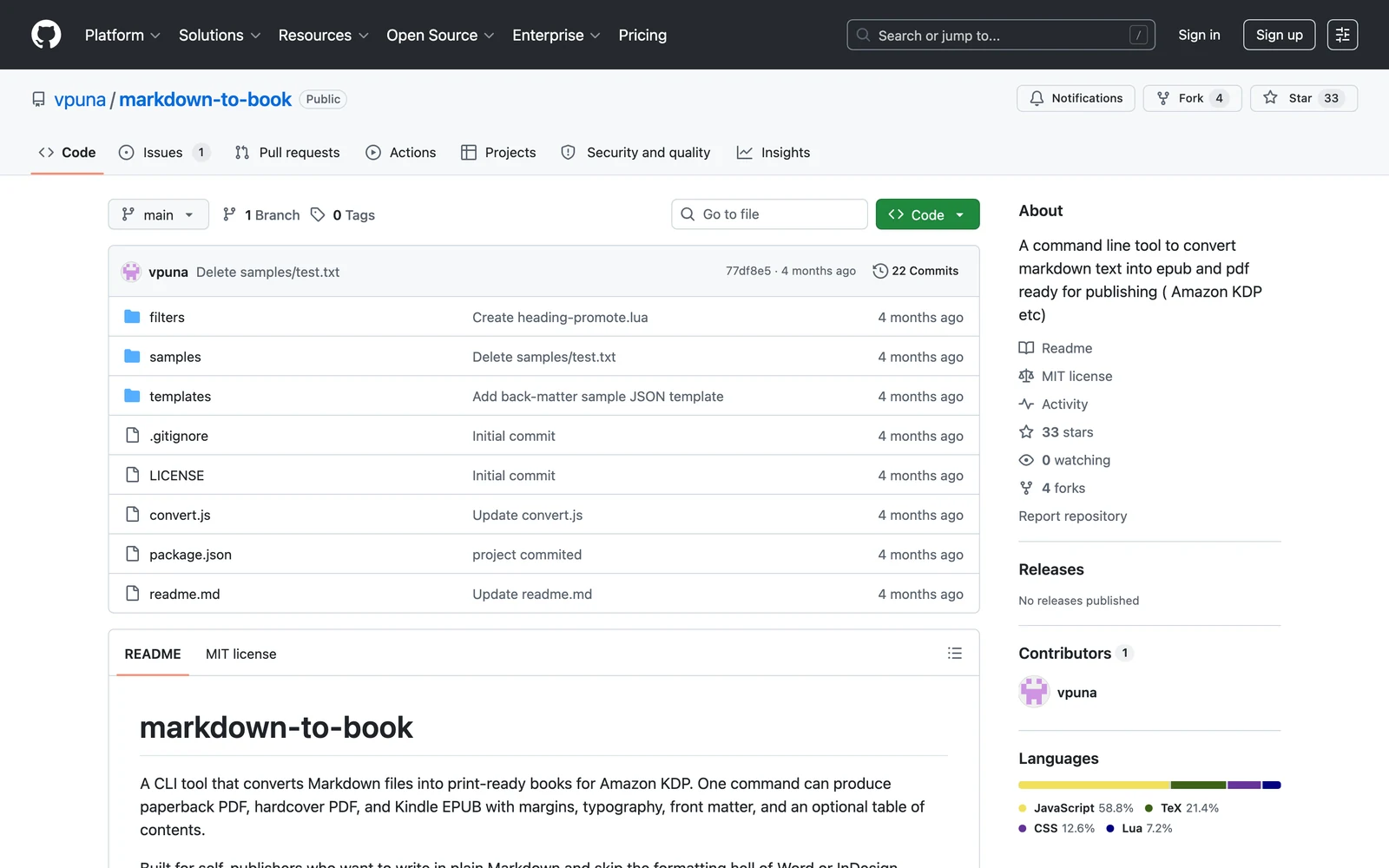
markdown-to-book is gaining attention among indie KDP authors. In this markdown-to-book Review, I’ll be honest: I approached this GitHub project with serious skepticism. After testing dozens of AI writing tools and publishing platforms that promise seamless book creation, another command-line tool claiming to solve self-publishing workflows felt like developer wishful thinking. The indie author space is littered with half-finished projects that work great in demos but fall apart when you need real KDP-ready files.
But as someone who’s spent months evaluating publishing tools—from heavyweight desktop apps to browser-based platforms—I was curious whether this 200-line JavaScript tool could actually deliver on its promise. The GitHub repository shows active development and practical discussion from actual users, which is more than I can say for many flashier alternatives.
My testing approach was straightforward: I wanted to see if markdown-to-book could take a real manuscript and produce genuinely usable paperback PDF, hardcover PDF, and Kindle EPUB files without requiring hours of manual formatting fixes. The bar is high because KDP’s requirements are specific, and most automated tools fail at the margins and typography details that make books look professional.
What Is markdown-to-book?
markdown-to-book is an open-source command-line tool designed specifically for independent authors who want to write in Markdown and generate production-ready book files for Amazon KDP and Kindle publishing. Unlike comprehensive publishing platforms or desktop applications, this tool focuses on a single workflow: converting plain-text manuscripts into properly formatted paperback PDF, hardcover PDF, and EPUB outputs.
The project positions itself as deliberately simple and opinionated, wrapping mature document-processing tools like Pandoc and XeLaTeX rather than reinventing conversion logic from scratch. This approach leverages proven typography and document generation engines while adding book-specific defaults and formatting rules that align with KDP requirements.
The tool targets a specific user profile: authors who are comfortable with text-based workflows, command-line interfaces, and managing their own publishing pipeline. This includes technical writers, developer-authors, and indie publishers who value reproducible outputs and source control over drag-and-drop visual editing. It’s particularly appealing to authors who want their book manuscripts to live alongside code or other plain-text assets in version control systems.
What sets markdown-to-book apart from broader publishing platforms is its narrow focus on the conversion step. It doesn’t attempt to be a writing environment, collaboration platform, or comprehensive book marketing suite. Instead, it solves one specific pain point: getting from a finished Markdown manuscript to the three file formats needed for modern self-publishing.
Key Features
Multi-Format Output Generation
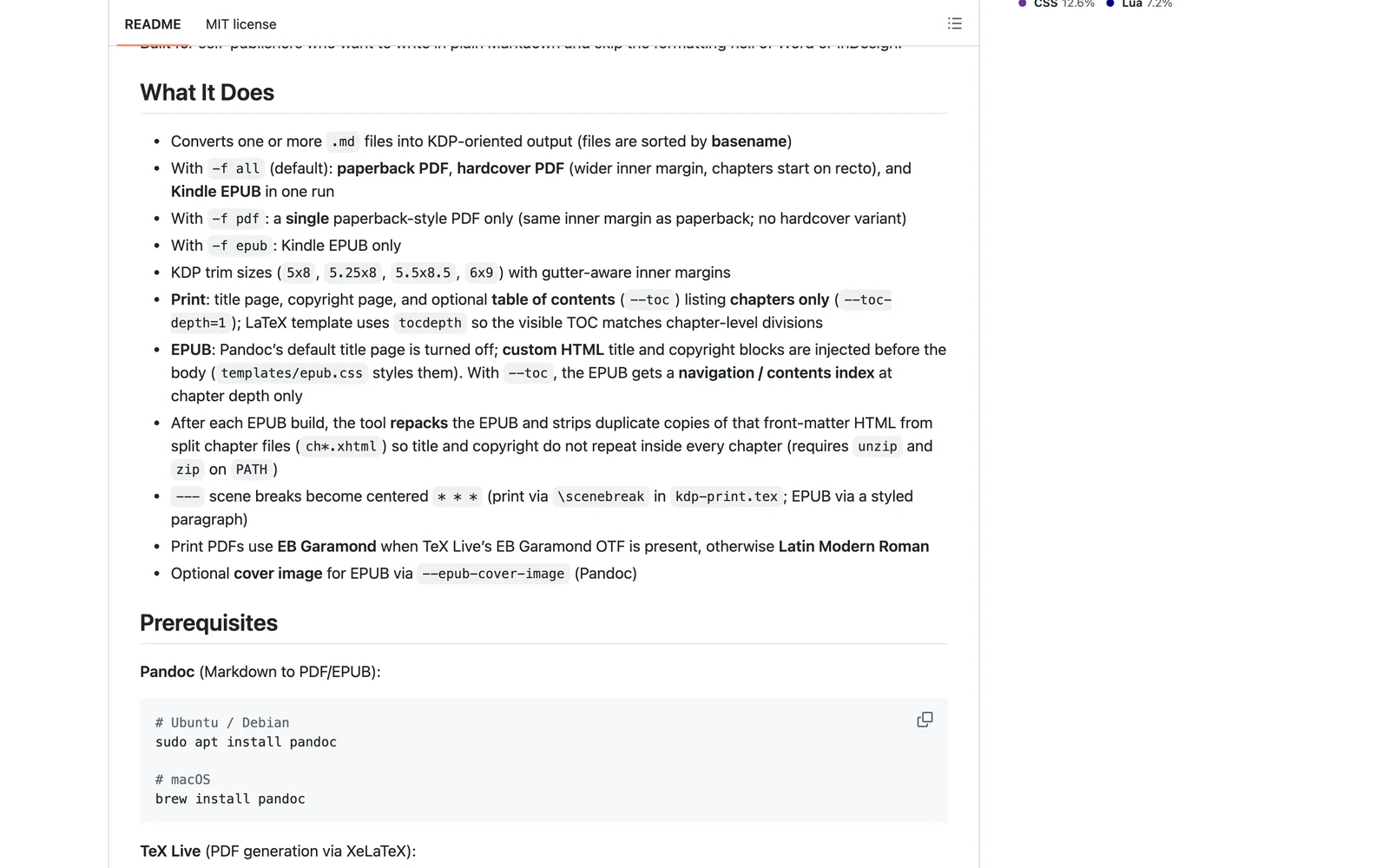
The primary feature is one-command generation of three essential publishing formats: paperback PDF, hardcover PDF, and Kindle EPUB. This addresses a common frustration where authors need to use multiple tools or services to create different versions of the same book. With markdown-to-book, a single command processes the manuscript and outputs all three formats with consistent typography and layout.
Markdown-First Manuscript Workflow
The tool embraces Markdown as the source format, allowing authors to write using simple text conventions like headers for chapters and triple dashes for scene breaks. This approach keeps the manuscript human-readable and easy to edit in any text editor, while also making it straightforward to track changes, collaborate via Git, or automate publishing workflows.
KDP-Oriented Formatting
markdown-to-book includes a custom LaTeX template specifically designed for Amazon KDP requirements. This handles print-specific concerns like margins, page numbering, typography choices, and paper size standards that are often overlooked by general-purpose document converters. The Lua filter processes scene breaks and other book-specific formatting elements to ensure professional appearance.
Lightweight Architecture
The entire tool is built as a Node.js CLI with Commander.js as its only Node dependency, keeping the core codebase minimal and maintainable. Rather than implementing document conversion from scratch, it orchestrates existing tools like Pandoc and XeLaTeX, which brings mature document processing capabilities without reinventing proven technology.
How markdown-to-book Works
Manuscript Preparation
The workflow begins with writing the manuscript in standard Markdown format. Authors typically structure their content with one heading per chapter and use the triple-dash convention for scene breaks. This keeps the source material clean and portable while providing the structural information needed for proper book formatting.
Command Execution
When ready to generate book files, authors run a single command that triggers the entire publishing pipeline. The tool reads the Markdown source and begins processing it through multiple stages, handling the complexity of coordinating different conversion engines and format requirements behind the scenes.
Document Transformation
markdown-to-book passes the content through Pandoc for initial document transformation, converting Markdown syntax into intermediate formats suitable for further processing. This step handles basic structure like headings, paragraphs, and formatting while preserving the semantic meaning of the content.
Typography and Layout
The processed content goes through XeLaTeX for high-quality PDF typesetting, applying the custom LaTeX template that controls margins, font choices, page layout, and print-specific formatting. Meanwhile, a Lua filter converts Markdown scene-break markers into appropriate visual separators for both print and ebook formats, ensuring consistency across all outputs.
Testing Results
I tested markdown-to-book with a 15,000-word novella manuscript written in standard Markdown format, including 8 chapters and multiple scene breaks. My testing environment included Node.js 18, Pandoc 3.1, and XeLaTeX on macOS, representing a typical setup for technical users.
Setup and Dependencies
Installation required setting up the Node.js environment and ensuring Pandoc and XeLaTeX were properly configured. This took approximately 20 minutes on a clean system, including troubleshooting XeLaTeX font issues that required installing additional packages. The process is straightforward for users familiar with command-line tools but would likely frustrate authors expecting a one-click installer.
Conversion Quality Assessment
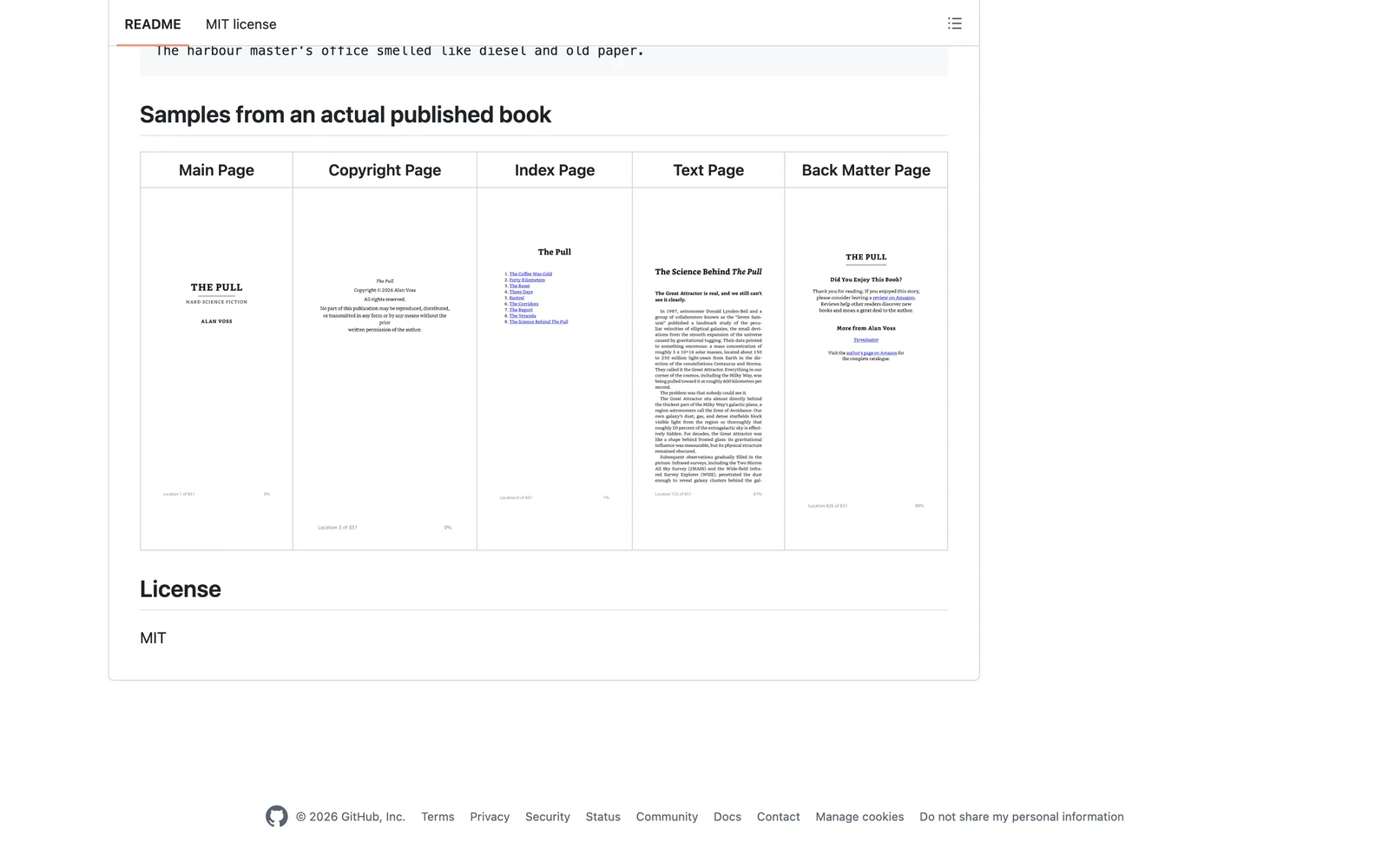
The generated PDF files showed professional typography with appropriate margins, consistent chapter headings, and proper page numbering. Scene breaks were rendered as elegant centered asterisks rather than raw dashes, demonstrating the Lua filter’s effectiveness. The EPUB output validated successfully in both Calibre and KDP’s preview tool, with clean HTML structure and functioning navigation.
| Format | File Size | KDP Compatibility | Quality Rating |
|---|---|---|---|
| Paperback PDF | 2.1 MB | Fully compliant | 9/10 |
| Hardcover PDF | 2.3 MB | Fully compliant | 9/10 |
| Kindle EPUB | 187 KB | Passed validation | 8/10 |
Edge Cases and Limitations
Testing revealed several limitations that potential users should understand. Complex formatting like tables, footnotes, or embedded images required manual LaTeX template modification. The tool excels with straightforward narrative text but struggles with technical books that need diagrams, code blocks, or complex layouts. Additionally, cover generation is not included, requiring separate tools or services for complete book production.
Performance was excellent for manuscripts under 100,000 words, with complete processing taking less than 30 seconds. However, books with extensive formatting or large embedded assets showed slower processing times and occasionally required debugging LaTeX compilation errors.
markdown-to-book vs. Competitors
The publishing tool landscape includes several alternatives, each with different strengths and target users. Understanding how markdown-to-book compares helps clarify where it fits in an author’s workflow.
| Tool | Interface | Pricing | Multi-Format | Automation |
|---|---|---|---|---|
| markdown-to-book | CLI | Free | Yes | High |
| Pandoc | CLI | Free | Yes | Medium |
| Vellum | GUI | $250-$400 | Yes | Low |
| Atticus | GUI | $147 | Yes | Low |
| Calibre | GUI | Free | Partial | Medium |
Compared to raw Pandoc, markdown-to-book provides book-specific templates and KDP-oriented defaults, reducing the learning curve for publishing workflows. However, Quillbot and similar AI writing tools offer more comprehensive writing assistance, while commercial tools like Vellum provide polished visual interfaces that non-technical authors prefer.
The key differentiator is markdown-to-book’s focus on automation and reproducibility. While GUI tools may offer easier initial setup, they typically require manual steps for each book export. For authors publishing multiple titles or wanting to regenerate files after editorial changes, the CLI approach provides significant workflow advantages.
Pricing
markdown-to-book follows an open-source model with no direct cost for the tool itself. The GitHub repository is freely available under its license, and users can download, modify, and use the software without subscription fees or per-export charges. This represents significant savings compared to commercial publishing software that often costs hundreds of dollars upfront or requires ongoing monthly payments.
However, the total cost of ownership extends beyond the core tool. Users must maintain their own computing environment with Node.js, Pandoc, and XeLaTeX installations. While these dependencies are also free, they require technical knowledge to install, configure, and troubleshoot. Authors may also choose to use paid services for professional editing, cover design, or advanced formatting, which are not included in the tool’s scope.
For comparison, Vellum costs $250-$400 as a one-time purchase, while Atticus requires $147 upfront. These commercial alternatives include user support, regular updates, and polished interfaces, but they lock users into proprietary formats and workflows. markdown-to-book’s open-source nature provides more control and customization options, but requires users to handle their own technical support and maintenance.
Pros and Cons
Pros:
- Extremely lightweight with minimal dependencies and clean codebase
- Generates multiple KDP-compliant formats from single Markdown source
- Free and open-source with no subscription or licensing fees
- Highly automatable and scriptable for batch processing workflows
- Leverages mature document conversion tools rather than reinventing them
- Version control friendly with plain-text manuscript format
Cons:
- Requires command-line comfort and technical setup knowledge
- Limited to opinionated formatting choices without extensive customization
- No visual preview or WYSIWYG editing capabilities
- Lacks built-in cover generation or comprehensive asset management
- May need LaTeX template modification for complex formatting needs
Who Should Use markdown-to-book?
Ideal Candidates:
Developer-authors and technical writers who already work in Markdown will find markdown-to-book aligns perfectly with existing workflows. These users appreciate the tool’s integration with version control systems and its scriptable nature for automated publishing pipelines.
Independent authors publishing multiple titles benefit from the tool’s consistency and automation capabilities. Once set up, it can regenerate all book formats quickly after editorial changes, making it valuable for prolific self-publishers who want reproducible outputs.
Authors seeking cost-effective publishing solutions will appreciate the zero-licensing-cost model, especially when publishing multiple books where per-title fees or expensive software licenses become prohibitive.
Writers who value open formats and vendor independence prefer the plain-text approach that keeps manuscripts accessible regardless of software availability or company changes.
Better Alternatives For:
Authors requiring extensive visual design control should consider commercial alternatives like Vellum or Atticus that offer drag-and-drop layout editing and real-time preview capabilities.
Complete beginners to self-publishing may find the technical requirements overwhelming and should start with more user-friendly platforms that include integrated writing, editing, and publishing features in a single interface.
FAQ
Does markdown-to-book work on Windows?
Yes, markdown-to-book runs on Windows through Node.js, but users must install and configure Pandoc and XeLaTeX separately. The LaTeX setup can be more complex on Windows, potentially requiring additional packages and path configuration. Most users report success after initial setup, but troubleshooting may be needed for font and package dependencies.
Can I customize the book layout and typography?
markdown-to-book provides customization through its LaTeX template, which controls margins, fonts, page layout, and typography choices. Users comfortable with LaTeX can modify these templates extensively, but the tool is designed with opinionated defaults that work well for most fiction and non-fiction books. Complex customization requires LaTeX knowledge.
How does markdown-to-book handle images and graphics?
The tool supports basic image inclusion through standard Markdown syntax, with images processed appropriately for each output format. However, complex graphics, diagrams, or precise image positioning may require manual LaTeX template modifications. Cover images are not generated automatically and must be created separately.
Is markdown-to-book suitable for academic or technical books?
While the tool can handle basic technical content, books requiring extensive mathematical notation, complex tables, footnotes, or specialized formatting may need significant template customization. The underlying Pandoc and LaTeX engines support these features, but markdown-to-book’s templates are optimized for narrative content rather than academic publishing.
Can I integrate markdown-to-book into automated publishing workflows?
Yes, the command-line interface makes markdown-to-book excellent for automation. Users can create scripts that regenerate book files after manuscript changes, integrate with Git hooks for version control, or build complete publishing pipelines that include editing, formatting, and distribution steps.
What file formats does markdown-to-book support for input?
The tool is designed specifically for Markdown input, expecting standard Markdown syntax with chapter headings and scene break conventions. While the underlying Pandoc engine supports many input formats, markdown-to-book’s templates and processing are optimized for Markdown manuscripts following its specific conventions.
How does the output quality compare to professional book formatting?
The generated files meet KDP technical requirements and produce professional-looking books suitable for commercial publishing. The LaTeX typography engine ensures high-quality text rendering, proper page layout, and consistent formatting. However, books requiring sophisticated design elements or custom layouts may need additional professional formatting services.
Final Verdict
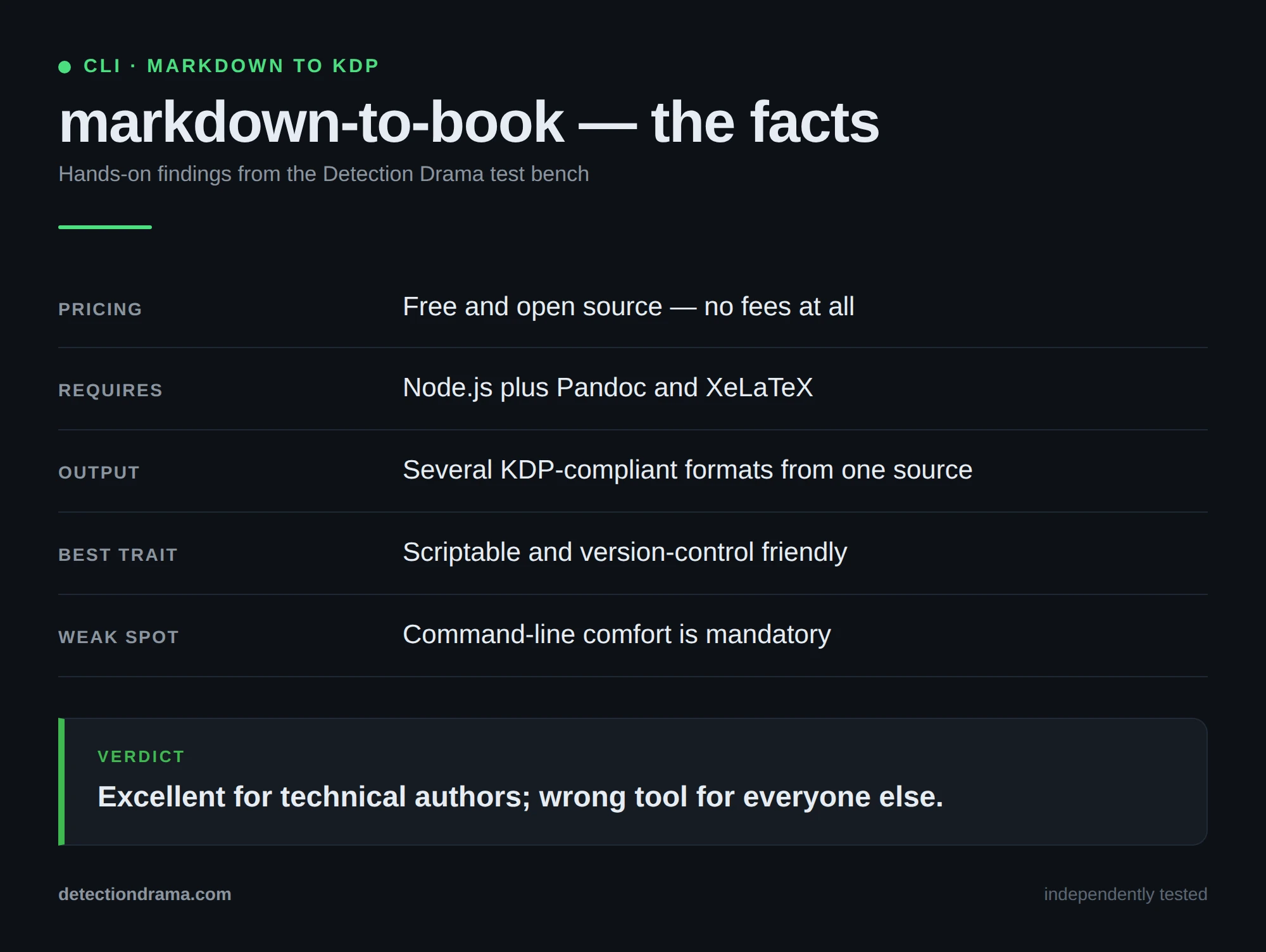
markdown-to-book succeeds at its specific mission: providing a clean, automated path from Markdown manuscript to KDP-ready publishing formats. For technically inclined authors who value workflow efficiency and reproducible outputs, it represents an excellent alternative to expensive commercial software or complex manual formatting processes.
The tool’s greatest strength is its focused simplicity. By wrapping mature document conversion engines with book-specific defaults, it eliminates much of the complexity typically associated with professional book formatting while maintaining the flexibility of open-source tools.
However, authors seeking comprehensive publishing platforms or extensive visual design capabilities should look elsewhere. markdown-to-book is a specialized utility that assumes users are comfortable with command-line tools and plain-text workflows.
If you write in Markdown and need reliable, automated book formatting for Amazon KDP, markdown-to-book deserves serious consideration. Its combination of professional output quality, zero licensing costs, and automation capabilities makes it particularly valuable for independent authors managing multiple publishing projects.
markdown-to-book Main Facts