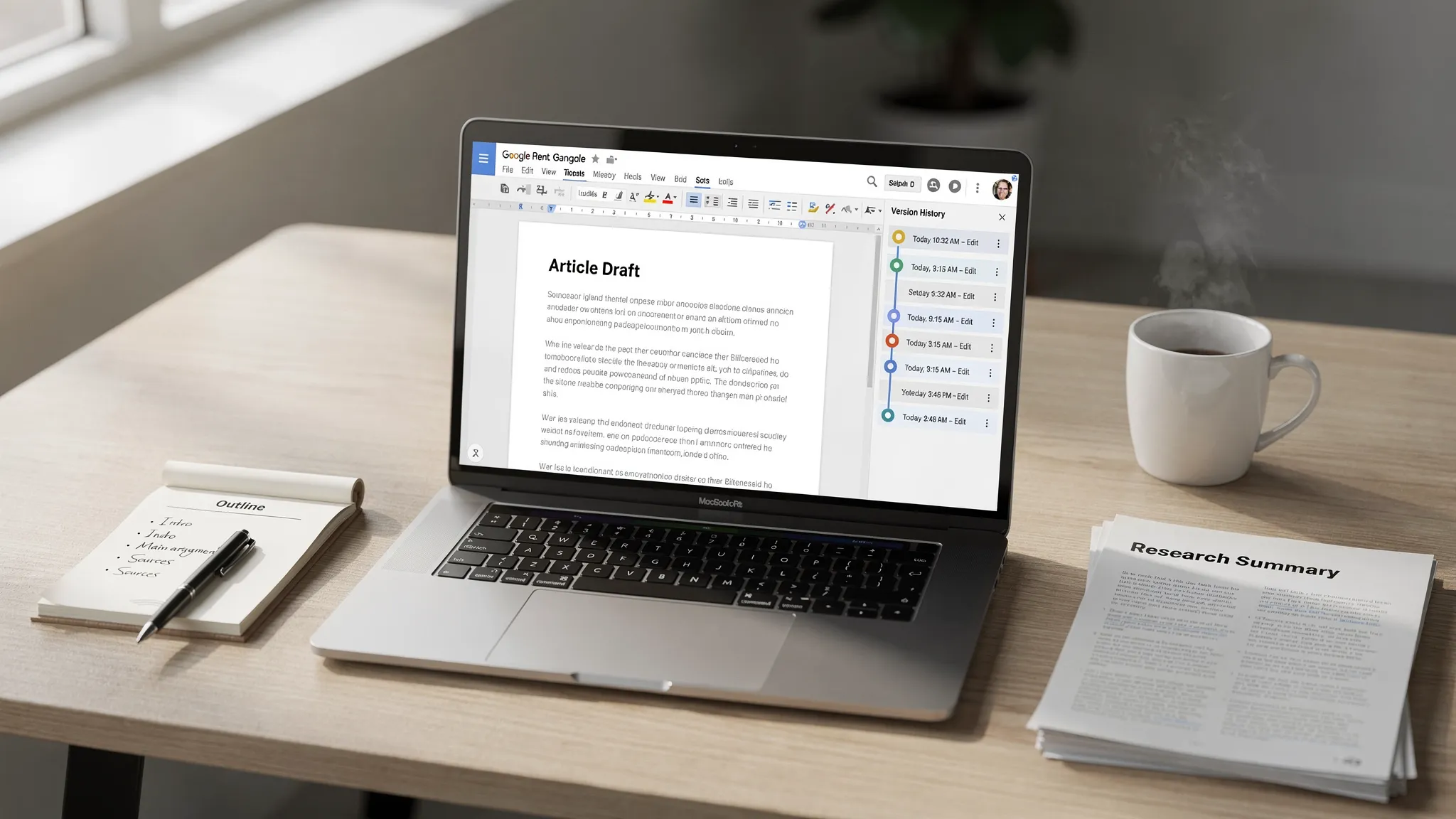
When AI detectors started showing up in classrooms and workplaces, “prove you wrote this” became a real problem. If you are trying to defend your work, Google Docs and Microsoft Word version history can help, but it is rarely a slam-dunk on its own.
Want to bypass Turnitin in 2026? Grab the free prompt pack.
Get the exact text-humanization prompts I use to drop an AI score by hand — copy, paste, submit. Free, straight to your inbox.
Send me the free prompts →The short reality is this: version history is supporting evidence of process, not definitive proof of authorship. It can strengthen your case a lot when it shows a natural drafting pattern, but it can also look inconclusive (or even suspicious) when it shows one big paste and a few minor tweaks.
Is Google Docs or Word Version History: What “version history” actually proves (and what it does not)
What it can prove
If your document history shows:
gradual growth over time (sentences added, paragraphs reworked)
normal “messy” drafting (reordering, deleting, rewriting)
multiple sessions across days
comments, suggestions, and edits that match your voice
…then version history becomes strong evidence that you had an authentic writing process.
It is especially persuasive when someone can watch the evolution of your ideas, not just the final text.
What it cannot reliably prove
Version history usually cannot prove:
that every sentence originated from your mind (you could paste text in chunks)
that the account holder is the person typing (shared accounts, co-writing, or someone else using your laptop)
that AI was not used at some stage (AI-assisted drafting can still be edited “naturally”)
In other words, version history is not a cryptographic signature. It is a timeline of changes.
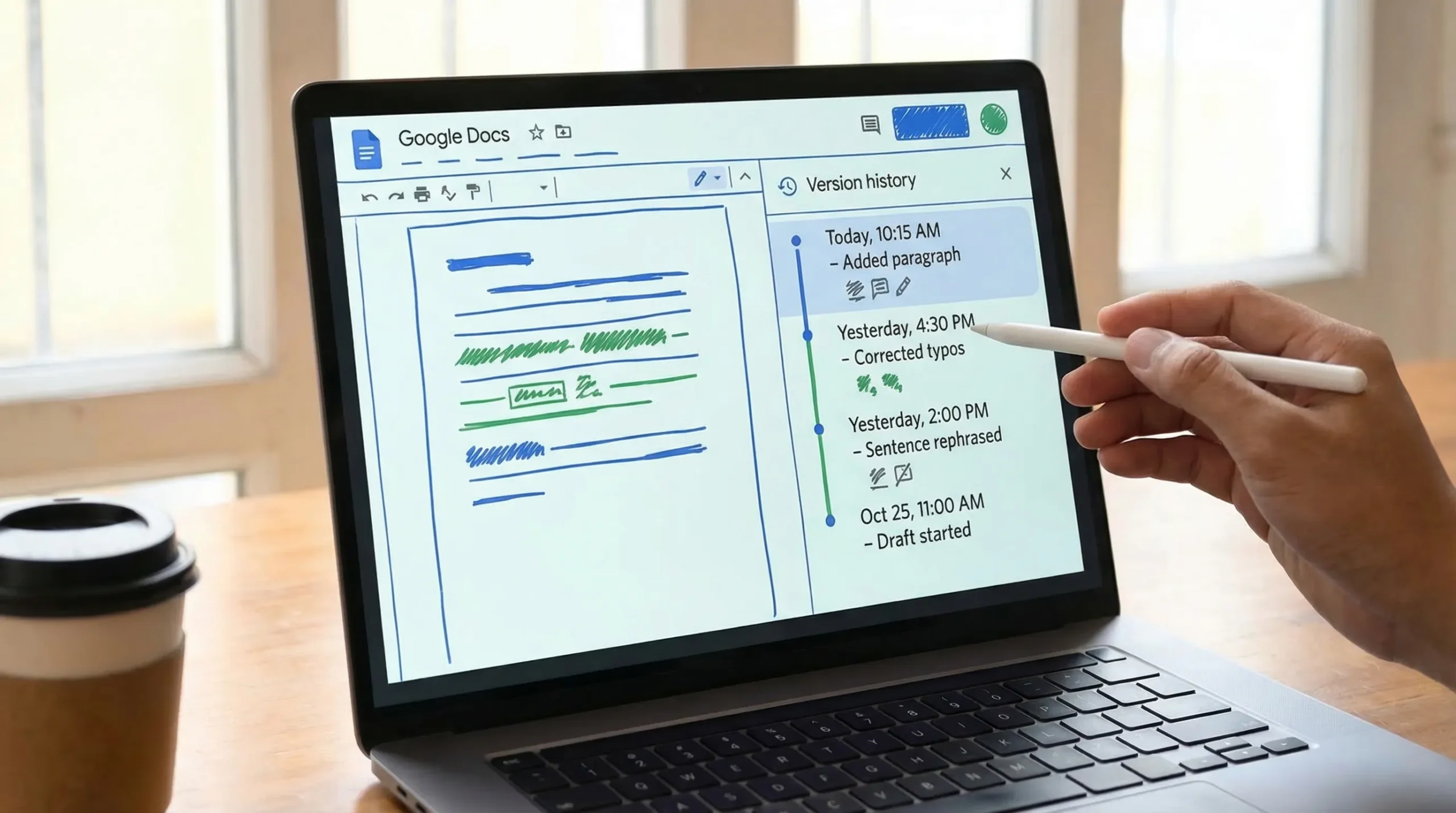
Google Docs has one of the most persuasive histories because it is cloud-first and captures frequent autosaves.
You can reference Google’s official instructions here: See version history in Google Docs.
When Google Docs history is “enough”
In disputes, Docs history tends to be convincing when it shows:
- many small edits (not one large insertion)
- multiple writing sessions
- revision patterns consistent with real drafting (rephrasing, reorganizing, tightening)
- named versions (if you used “File → Version history → Name current version”)
If you wrote the piece in Docs from scratch (or close to it), history is often enough to satisfy a reasonable reviewer.
When Google Docs history is not enough
Docs history becomes weak evidence when:
- the document appears suddenly (first meaningful version is already complete)
- most of the content is added in one paste
- there is minimal rewriting, just light synonym swaps
- the writing process happened elsewhere (offline, another editor, another account) and the final was copied in
That last point is common: people draft in Notes, ChatGPT, Grammarly, or another app, then paste into Docs. Your history may be real, but it will not look like writing.
Is Google Docs or Word Version History Enough as Proof: Microsoft Word version history: depends on where the file lives
Word can mean two different things:
- Word in OneDrive/SharePoint (Microsoft 365): solid version history
- Word file saved locally: limited “proof” unless you also used Track Changes and consistent backups
Microsoft’s overview is here: Restore a previous version in Word.
Word + OneDrive version history: what it shows well
If AutoSave was enabled and the file lived in OneDrive, Word’s version history can show:
- snapshots of changes over time
- who edited (in shared environments)
- restoration points that demonstrate gradual drafting
This can be helpful, but reviewers often find Google Docs easier to interpret because its timeline is more “play-by-play.”
Local Word files: why metadata is weak
A local .docx file might have:
- a creation date
- a modified date
- author metadata
But these are easy to change and rarely persuasive in a serious dispute. If your only evidence is “my file says it was created last week,” do not expect that to settle anything.
Why version history sometimes fails as “proof” in AI disputes
AI writing accusations often hinge on patterns like:
- unusually consistent tone and structure
- low variation in sentence length
- high “fluency” without the normal friction of drafting
- mismatch between your prior writing and the submitted piece
A reviewer comparing your final output to your history might ask: “Where is the struggle?” Real drafts typically include tangents, partial paragraphs, reorganizations, and revisions that change meaning, not just wording.
Also, AI detectors are not courtroom-grade instruments. Even vendors acknowledge limitations and false positives. For example, Turnitin has published guidance and FAQs about AI writing detection and its intended use as one signal among many (not a single-source verdict): Turnitin AI writing detection FAQ.
A practical standard: “enough” usually means “enough combined evidence”
In the real world, the strongest defense is a small bundle of evidence that tells one coherent story: you researched, outlined, drafted, revised, and finalized.
Here is a simple way to think about evidence strength.
| Evidence type | What it demonstrates | Typical persuasiveness | Common weakness |
|---|---|---|---|
| Google Docs version history | Incremental drafting and revision timeline | High | Looks weak if you pasted the whole draft |
| Word version history (OneDrive) | Time-based snapshots and edits | Medium to high | Less granular and depends on settings |
| Track Changes (Word) | Specific edits, deletions, rewrites | Medium | Can be turned on late |
| Outlines + research notes (dated) | Planning and source engagement | Medium to high | Must be clearly connected to the final |
| Draft exports (PDFs, doc copies) | Milestones across time | Medium | Easy to fabricate if isolated |
| Browser history / reading log | You actually read sources | Medium | Privacy concerns, not always available |
| “Explain your writing” oral review | You understand and can defend the ideas | Very high | Stressful, subjective |
How to make your version history genuinely persuasive (Google Docs)
If you are writing something that may be questioned (academic work, grant writing, high-stakes reports), set your workflow up so the history tells the truth clearly.
Draft inside the same document from the start
Start with:
- a rough outline
- a list of sources
- a placeholder thesis or goal
Then write in sessions. The goal is not to “perform authenticity,” it is to document your real process.
Name key milestones
In Google Docs:
- File → Version history → Name current version
Name versions like “Outline,” “First draft,” “Revised intro,” “Final edits.” If a reviewer looks at your timeline, those labels help them understand the progression quickly.
Avoid one-shot pasting
If you used another tool to think through ideas (including AI), avoid dropping a full finished essay in one paste. That is the pattern that most often triggers suspicion because your history shows no real drafting.
If policy allows AI assistance, a safer and more honest approach is:
- use AI for brainstorming or structure
- write the actual paragraphs yourself
- revise for clarity and citations
- disclose permitted AI use if required
How to strengthen proof in Word (especially for workplace writing)
Use OneDrive and AutoSave
If you anticipate scrutiny, a file living in OneDrive with AutoSave on is far easier to defend than a local file.
Turn on Track Changes early
Track Changes can show meaningful rewriting (not just final polishing). If you enable it only at the end, it looks like a retroactive attempt to create evidence.
Keep a simple “work log” page
Inside the same Word document (or a companion doc), maintain a short log such as:
- date, what you changed
- sources you read
- decisions you made (why you removed a section, changed the thesis, etc.)
This is surprisingly effective in disputes because it shows reasoning, not just edits.
If you already got accused: what to do next
If a teacher, editor, or manager questions your authorship, your goal is to be cooperative and evidence-driven.
Share the version history appropriately
- In Google Docs, share view-only access and point them to Version history.
- In Word, provide OneDrive version history or a copy with Track Changes.
Is Google Docs or Word Version — Offer “process artifacts,” not just t
Good supporting artifacts include:
- your outline and notes
- source PDFs with highlights
- earlier drafts (even messy ones)
- a short explanation of your argument and how you arrived at it
Be ready to explain the content verbally
A calm walkthrough of:
- your main claim
- why each source matters
- why you structured it this way
…often resolves what screenshots cannot.
Where AI humanizers fit (and where they do not)
Because Detection Drama focuses on AI detection, it is worth stating plainly: tools that “humanize” AI text are not the same thing as authorship proof.
- If you are trying to prove you wrote something, the best evidence is your writing process and your understanding.
- If you are legitimately allowed to use AI assistance (for example, marketing drafts, internal docs, ESL polishing, accessibility, or tone cleanup), “humanizing” can reduce robotic phrasing that sometimes gets flagged, but it does not replace transparency or policy compliance.
If you are working in an environment where AI use is prohibited, trying to bypass detection can create serious academic or professional consequences. Always follow your institution’s rules.
Frequently Asked Questions
Is Google Docs version history enough to prove I did not use AI? It can strongly support that you drafted and revised over time, but it cannot conclusively prove AI was never involved. It is best used alongside outlines, notes, and the ability to explain your work.
Does pasting my draft into Google Docs ruin my proof? It makes version history much less persuasive because the history will show one large insertion. If you must paste, keep other process evidence (notes, outlines, earlier drafts) and be prepared to discuss your reasoning.
Is Word “Modified date” proof I wrote it? Not usually. File metadata can be changed and does not show a drafting process. Word version history in OneDrive and Track Changes are more useful.
What if my Google Doc shows editing at 2 a.m. and my teacher thinks it is suspicious? Timestamps alone are not evidence of AI. Explain your schedule, and focus on showing incremental edits and your supporting materials.
Can AI detectors like Turnitin be wrong? Yes. AI detection is probabilistic and can produce false positives. Treat detector scores as one signal and use process evidence (like version history) to support your case.
Want a second opinion before you submit?
If you are worried your writing might be flagged (even when you wrote it yourself), it helps to check how “AI-like” it looks and then revise for clarity, specificity, and a more natural voice.
Detection Drama publishes practical guidance and offers instant, no-signup tools to help you evaluate and improve text responsibly. Start here: DetectionDrama.com.
