
GPTHuman
Undetectable AI
StealthGPT
WriteHuman
Can Teachers See Your Real Turnitin is a question many students are asking right now. A sudden “AI %” next to your Turnitin Similarity score can feel like a trap, especially if you are not even sure what it means or who can see it. The short version is this: teachers can only see what Turnitin’s interface shows them, and Turnitin’s “AI writing” percentage is not a hidden “true” number that instructors can uncover somewhere else. But there are a few important nuances (student visibility settings, what gets highlighted, and what teachers may ask you to provide outside Turnitin).
What the Turnitin “AI percentage” actually means
Turnitin’s AI writing feature is separate from plagiarism matching. Plagiarism tools look for text overlap with sources. AI writing detection tries to estimate how much of the submitted text looks like it was generated by certain large language models.
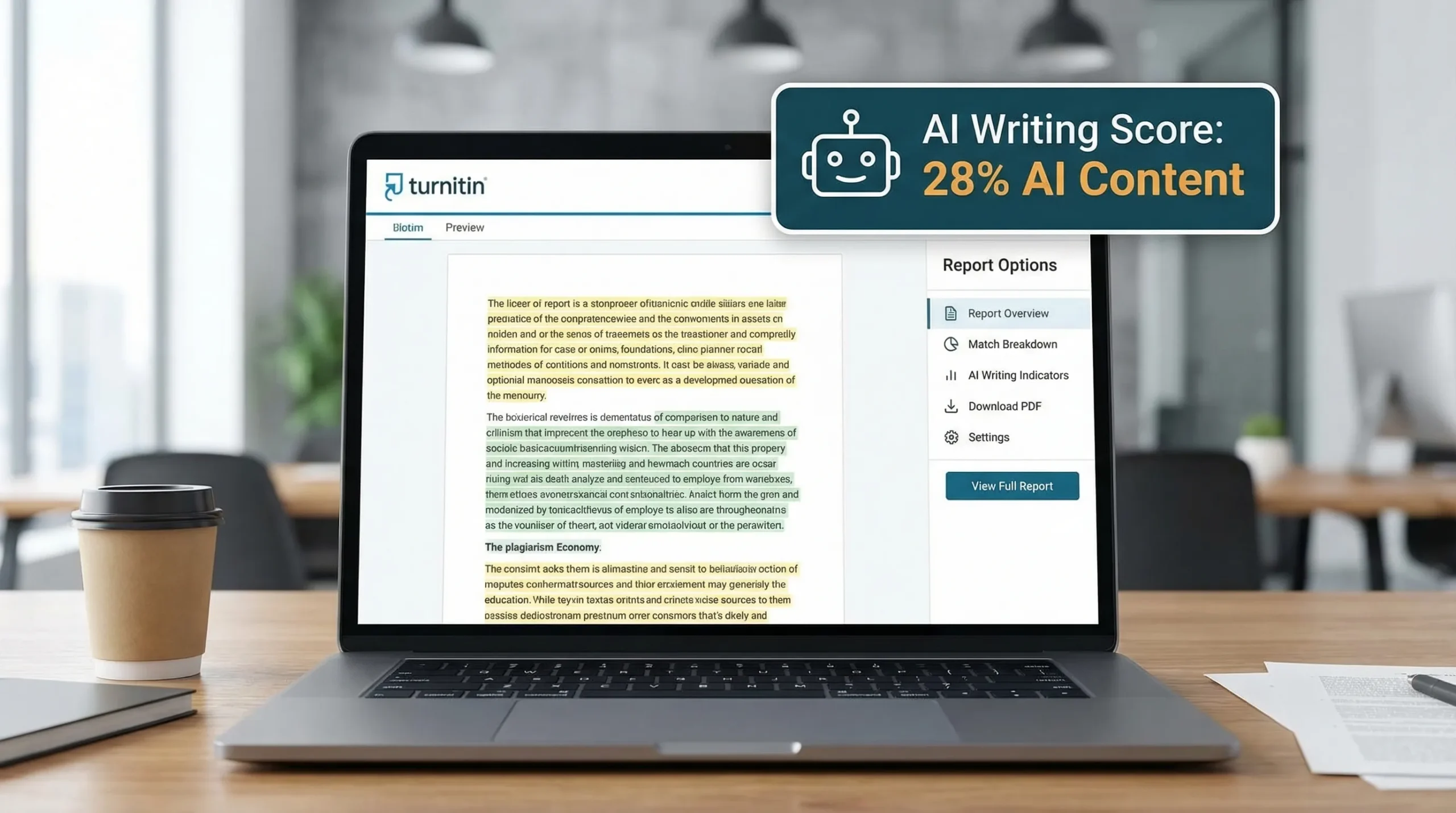
In most Turnitin setups, instructors see an AI writing indicator expressed as a percentage, plus highlighted passages that the system believes are more likely AI-written.
Two key implications:
- It is probabilistic, not definitive. An “AI 40%” does not mean Turnitin found a file named “ChatGPT_Draft.docx” or proved you used a tool. It means the model judged parts of the writing as statistically similar to AI-generated patterns.
- There is no universal “real AI %.” The only “percentage” your teacher can reference inside Turnitin is the one Turnitin outputs for that submission at that time.
Turnitin itself positions AI detection as an indicator that should be interpreted with context, not as a standalone verdict. You can read Turnitin’s own overview here: Turnitin AI writing detection.
Can Teachers See Your Real Turnitin — What teachers can see in Turniti
Most of the confusion comes from students assuming there is a student-facing number and a secret instructor-facing “true” number. In practice, instructors see the AI indicator and the highlighted text Turnitin provides. They do not get access to your private AI tool history.
What a teacher typically sees
While layouts vary by institution and licensing, an instructor view commonly includes:
- The AI writing percentage for the submission
- Highlighted sections associated with the AI writing report
- Your Similarity Report information (sources, matched passages) if enabled
- Submission metadata such as submission time and file details
What a teacher cannot see through Turnitin alone
Turnitin does not provide instructors with:
- Your ChatGPT (or other AI tool) prompts, conversation history, or account identity
- A “behind-the-scenes” hidden AI percentage that is more accurate than the displayed one
- Your earlier drafts unless your workflow or institution explicitly collects them elsewhere
Quick visibility table
What people can see depends on your school’s configuration, but this table reflects the most common setups.
| Item | Student (typical) | Instructor (typical) | Notes |
|---|---|---|---|
| Similarity score and matches | Sometimes | Yes | Many schools hide similarity from students to reduce gaming. |
| AI writing percentage | Sometimes | Yes | Often visible only to instructors, depending on policy and settings. |
| AI-highlighted passages | Sometimes | Yes | When student access is enabled, they usually see similar highlights. |
| Your AI prompts or chat logs | No | No | Not part of Turnitin’s data. |
| Google Docs / Word version history | No (unless you share) | No (unless you share) | Instructors can request this outside Turnitin. |
Can teachers see your “real” Turnitin AI percentage?
If by “real” you mean “a more accurate number than the one shown,” no, teachers do not have a secret backdoor number inside Turnitin.
What teachers can do is interpret the same report differently:
- They might focus on which sections are highlighted, not just the total percentage.
- They may compare the writing with your prior work (voice, errors, structure).
- They might use institutional procedures (viva, drafts, outline checks) to validate authorship.
So, instructors cannot “reveal” a hidden AI percent, but they can still challenge the work based on the report plus context.
Can teachers see if you used AI even when the percentage is low?
Sometimes teachers raise concerns even at low AI scores. This usually happens because:
- The writing style is unusually formal, generic, or “template-like”
- The structure looks like a typical AI essay pattern (high-level claims, smooth transitions, limited personal specificity)
- The citations look inconsistent (correct formatting but weak connection to the claims)
Also, AI detectors can produce false positives and false negatives. A low number is not a guarantee that no AI was used, and a high number is not proof that it was.
Can teachers see your prompts, drafts, or editing history?
Prompts and chat history
No. Turnitin is not connected to your ChatGPT account (or similar tools) in a way that reveals your prompts.
Drafts and version history
Not through Turnitin by default.
However, teachers can ask you to provide evidence of process, for example:
- Google Docs version history
- Microsoft Word version history
- Your outline, notes, research annotations
- A short oral explanation (sometimes called a viva) of your argument and sources
If your course uses tools that track drafting (or requires staged submissions), then your instructor may have more than a final Turnitin file, but that comes from the course workflow, not from a “hidden Turnitin AI dashboard.”
GPTHuman
Undetectable AI
StealthGPT
WriteHuman
Why the Turnitin AI percentage can look “wrong”
Students often search “can teachers see your real Turnitin AI %” after seeing a surprising number. There are legitimate reasons the indicator can feel inaccurate.
Common causes of higher AI indicators
- Heavily normalized academic phrasing (common in introductions and literature reviews)
- Formulaic structure (thesis, three points, conclusion in a very predictable rhythm)
- Overly consistent sentence length and tone
- Over-editing a draft until it becomes smooth but generic
- Non-native writing patterns that resemble simplified, uniform constructions
Why “human editing” does not always reduce the score
Paradoxically, shallow edits can keep the same underlying statistical signals. Swapping synonyms or lightly rephrasing can leave sentence structure and idea flow looking AI-like.
If you are trying to avoid misunderstandings, the safest approach is not “beat the detector,” it is make your authorship easy to demonstrate.
What to do if a teacher questions your Turnitin AI %
If you are challenged, your goal is to move the conversation from a single metric to evidence of process and understanding.
A practical evidence checklist
| What you can provide | Why it helps |
|---|---|
| Outline and thesis evolution | Shows planning and independent decision-making. |
| Annotated sources / reading notes | Demonstrates real engagement with materials. |
| Drafts with timestamps (Docs/Word history) | Shows incremental writing, not one-shot generation. |
| “Explain your argument” summary in your own words | Confirms understanding beyond polished prose. |
| Citation trail (why each source is used) | Reduces suspicion of invented or misused references. |
If your institution has an academic integrity office, follow their process. Keep communication calm and factual. Avoid trying to “prove Turnitin is wrong” in general terms, focus on demonstrating your own workflow.
Can you lower the risk of a high AI % (without playing games)?
If your school allows AI-assisted drafting for certain tasks, or you used AI in a permitted way (brainstorming, outlining, grammar help), you can reduce misunderstandings by making the final work more distinctly yours.
The most defensible improvements are writing improvements, not obfuscation:
- Add assignment-specific details (class readings, lecture references, required frameworks)
- Include your own reasoning steps (why you chose a method, what you ruled out)
- Use precise claims supported by specific citations (and verify every citation)
- Vary sentence length naturally and avoid “perfectly smooth” generic transitions
- Keep artifacts of your process (notes, drafts, revision history)
If your policy prohibits AI-generated text entirely, the safest option is to write from scratch and use allowed support only (for example, tutoring or instructor feedback).
Where Detection Drama can help (responsibly)
If you are trying to understand what your submission might trigger, Detection Drama provides instant-access resources and tools that can help you review how AI-like your writing appears.
- Explore Detection Drama for AI detection explainers and resources.
- If you used AI in a permitted way and want the final draft to read more naturally, the site also offers a free humanizer tool (no email required) plus authenticity analysis and detailed detection reports.
Important note: policies differ by school and course. Use any writing tool in line with your academic integrity rules, and prioritize producing work you can explain and defend.
Frequently Asked Questions
Can teachers see your real Turnitin AI percentage? Teachers can see the AI writing percentage Turnitin shows in their report. There is not a separate hidden “real” percentage they can secretly access.
Do students see the Turnitin AI percentage too? Sometimes. Student visibility depends on your institution’s Turnitin configuration and course settings. Some schools show it, others restrict it to instructors.
Can teachers see your ChatGPT prompts through Turnitin? No. Turnitin does not provide your prompts or chat history. Instructors may still ask you for drafts or version history separately.
If my Turnitin AI score is high, does that prove I cheated? Not by itself. AI detection is an indicator with known limitations. Instructors typically combine it with course context, writing consistency, and process evidence.
Why would Turnitin flag my writing if I did not use AI? False positives can happen, especially with formulaic academic phrasing or uniform style. If challenged, provide drafts, notes, and version history to show your process.
Want a clearer picture before you submit?
If you are worried about what an instructor might see, do a quick pre-check and tighten the parts of your draft that sound generic or overly polished. You can use the free tools and guides on Detection Drama to review AI-authenticity signals, then revise for clarity, specificity, and a voice you can confidently stand behind.
