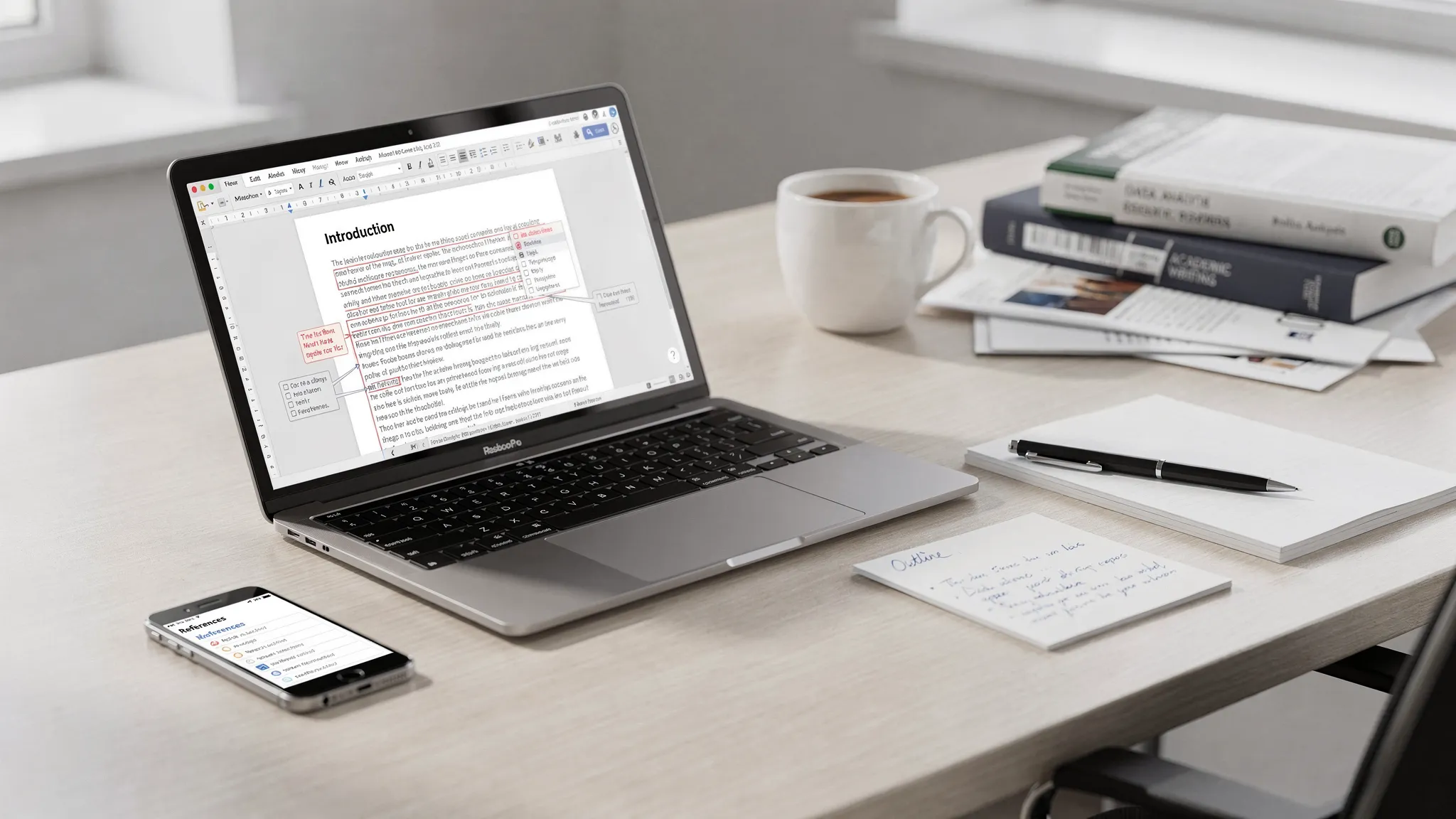
AI Content Writing Tools What’s Worth Using in is making waves in the AI humanizer space. AI Content Writing Tools is a topic worth understanding in 2026. Free AI writing is in a very different place in 2026 than it was even two years ago. Most “free” tools can now draft decent first passes, fix grammar, suggest structure, and even help with citations. The hard part is choosing tools that are actually reliable (and safe) for the way you write, especially if your work will be uploaded to an AI content detector like Turnitin.
This guide breaks down which free AI content writing tools are worth using in 2026, what to avoid, and how to build a practical workflow that produces writing that sounds like you (not like a template).
AI Content Writing Tools: What “free” really means for AI writing tools in 2026
When a tool claims it’s free, it usually falls into one of these buckets:
Free tier: Enough to test the product, but with daily limits, smaller models, or capped word counts.
Unlimited free with restrictions: Often limited by max characters per run, fewer modes, or slower processing.
Free but paid with your data: Your inputs may be logged for training, product improvement, or analytics.
Before you commit a draft to any platform, check three things:
Privacy: Is there a clear policy about storing prompts and outputs?
Export control: Can you copy clean text without formatting artifacts?
Consistency: Does the tool produce stable quality across different topics, or does it “smooth” everything into the same voice?
That last point matters because overly polished, uniform writing can raise flags in AI detection contexts. Even genuine writing can be misclassified, and detectors can disagree with each other. (OpenAI itself discontinued its public AI Text Classifier because of low reliability, which is a useful reminder that detection is not definitive.)
A quick “pick the right tool” map
Use this table to match your goal to the tool category that usually works best.
Your goal
What to use (free options)
What to watch for
Brainstorm topics and outlines
General chat assistants (free tiers)
Hallucinated facts, generic structure
Write cleaner sentences
Grammar and style editors
Over-rewriting that removes your voice
Rephrase a rough AI draft into your natural voice
Paraphrasers and text humanizer tools
Meaning drift, citation distortion
Add citations and manage sources
Reference managers + search tools
Fake citations, missing page numbers
Reduce risk before submitting to Turnitin
Multi-check approach (detectors + evidence)
False positives, misplaced confidence
Worth using: free drafting and ideation tools (with guardrails)
Free chat assistants are still the fastest way to get unstuck, especially for:
Generating a few angles for a prompt
Producing an outline with section headers
Creating a list of counterarguments
Turning bullet notes into a readable paragraph
What makes them “worth it” in 2026 is not that they write perfectly, but that they compress the blank-page phase.
How to use them without getting generic output
Instead of prompting “Write an essay about X,” feed the assistant your real constraints:
Your audience (professor, client, blog readers)
Required structure (rubric, word count, sources)
Your stance (what you actually think)
Specific details (examples you plan to use)
Then treat the output as a draft scaffold. The more you overwrite the draft with your own specifics, the less it resembles mass-generated AI copy.
Worth using: free research and citation support (the “trust layer”)
If you publish or submit academic work, the most valuable free tools are often not writing generators. They’re the tools that keep your work verifiable.
Use AI for discovery, not for fabricating sources
Many AI writing tools still invent plausible-sounding citations. Your safer workflow is:
Use AI to discover what to search for
Use real databases to retrieve what actually exists
Use a reference manager to store and format citations
Two dependable building blocks:
Google Scholar for discovery and citation trails.
Zotero (free) for collecting, organizing, and generating citations.
If your writing will be checked by a plagiarism checker or reviewed closely, correct citations do more to protect you than any stylistic trick.
Worth using: free editing tools (grammar, clarity, readability)
Editing tools are where “free” is often plenty. The best use is after you’ve written in your own voice.
The big risk: over-smoothing
Some editors can make writing so uniform that it looks “algorithmic,” especially when:
Sentence lengths become too consistent
Transitions become repetitive
Vocabulary becomes unnaturally neutral
This is one reason tools like Grammarly can sometimes be part of an AI-flag story, depending on how heavily the text is rewritten. If you’re dealing with that situation (or want to avoid it), see: Grammarly Triggered Turnitin AI: How to Prove Authorship.
A practical editing sequence
A simple order that tends to preserve voice:
Do a grammar pass first
Do a clarity pass second
Do a human “read it out loud” pass last
That final pass is where you add natural variation, small imperfections, and specific detail that generic AI text lacks.
Worth using: free paraphrasers and text humanizer tools (when you need your voice back) — AI Content Writing Tools What’s Worth Using in
If you start from AI-generated content, a paraphraser or text humanizer can help remove the telltale patterns that detectors often associate with AI-generated content.
But “worth using” depends on two things:
- Meaning preservation: Does it keep technical claims and citations intact?
- Control: Can you keep the tone appropriate for your context?
Here are free or strongly free-leaning options that Detection Drama has tested or documented in 2026 (useful if you want specifics rather than marketing promises):
| Tool (review) | Free access style (as documented) | Best for | Main caution |
|---|---|---|---|
| Clever AI Humanizer | Large free monthly allowance (120,000 words/month) | High-volume creators testing humanization | Still review for accuracy on stakes-sensitive work |
| UnAIMyText | Free sessions (up to 1,000 words/session) | Quick, privacy-leaning rewrites | Premium tools may perform better on hard cases |
| Super Humanizer | Free web tool (500-word cap per use) | Short passages and student revisions | No bulk processing, can require multiple runs |
| CoffeeCatai AI Humanizer | Completely free (1,000-character limit) | Tiny rewrites and quick experiments | Too limited for long-form drafts |
If you want an option that’s designed specifically around detection context, Detection Drama also provides a free humanizer tool with instant access and no email required, plus AI authenticity analysis and reporting. You can start from the Detection Drama homepage and choose the workflow that matches your use case.
Worth using: “preflight checks” before Turnitin or other AI content detectors
If your content will be evaluated by Turnitin (or you’re publishing somewhere that uses an AI content detector), your goal should not be chasing a mythical “0% AI” score. Your goal should be:
- Ensure the writing is genuinely yours in ideas and structure
- Ensure citations are real and properly formatted
- Reduce obviously synthetic patterns
- Preserve proof of authorship
Two key reminders about AI detection in 2026
-
Detectors disagree. A text can look human to one model and suspicious to another. Detection thresholds, training data, and preprocessing vary.
-
A single percentage is not proof. Even Turnitin’s AI indicator is best treated as a signal, not a verdict. If you want a deeper explanation of what those numbers mean, read: Turnitin AI % vs Similarity %: What’s Actually Different?.
If you’ve seen Turnitin flag content that other tools don’t, this breakdown is also helpful: Why Turnitin Flags AI When Other Detectors Don’t.
The strongest “free” safety tactic: authorship evidence
If you’re writing for school or regulated environments, keep:
- Outline versions
- Research notes
- Draft iterations
- Google Docs or Word version history
That evidence often matters more than any tool result. (Related: Is Google Docs or Word Version History Enough as Proof?.)
A free workflow that actually works (and doesn’t waste time)
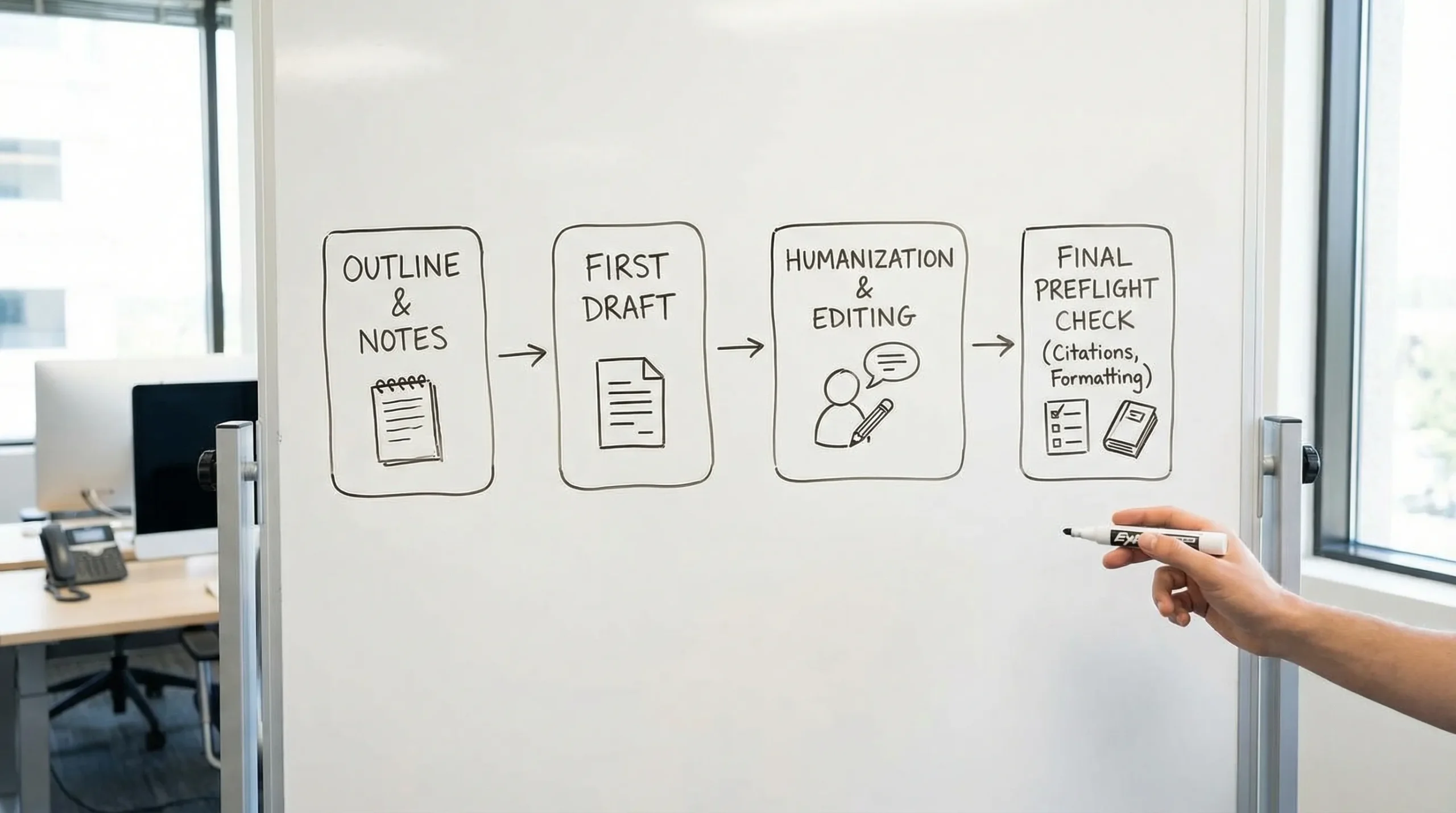
Here’s a clean, repeatable workflow that uses free tools effectively without over-optimizing for detectors.
- Start with your own outline: Even a messy outline forces original structure.
- Use AI for a rough draft, not a final: Ask for multiple options, then merge pieces.
- Insert specific details early: Course concepts, brand specifics, data points, personal rationale.
- Edit for voice: Vary sentence length, avoid repetitive transition patterns, keep your natural phrasing.
- Humanize only where needed: Humanizer tools are most useful on passages that sound templated.
- Do a preflight check: Verify citations, run light detection checks if relevant, and fix formatting.
If you’re writing in an academic context, also review common patterns that accidentally increase suspicion, even in genuine work: Normal Writing Habits That Can Trigger Turnitin AI Flags.
Not worth using: common “free tool” traps in 2026
Some free AI writing tools cost you time, quality, or risk.
1) Vaporware and fake tools
If you can’t verify a real product, real users, or a consistent web presence, skip it. Detection Drama documented one such case here: PoeWrites Review: Missing AI Tool or Marketing Mystery?.
2) Tools that claim “100% undetectable” with no trade-offs
In practice, tools that push extreme rewriting often:
- Distort meaning
- Break citations
- Introduce factual errors
- Create unnatural phrasing that triggers different flags
3) Hidden-character or formatting hacks
Some “bypass AI detection” approaches rely on invisible characters or encoding tricks. These can backfire by:
- Breaking paste behavior in LMS systems
- Triggering formatting anomalies
- Raising integrity concerns even if the text reads fine
If you’re submitting work under an academic integrity policy, focus on authentic writing, transparent assistance, and proof of process.
Frequently Asked Questions
What are the best free AI content writing tools in 2026? The best free stack is usually a general AI assistant for outlining and drafting, a free editor for clarity, and a citation manager like Zotero. Add a free text humanizer only if you’re starting from AI-generated content and need a more natural voice.
Can free AI writing tools help you bypass AI detection? Some free tools can reduce obvious AI patterns, but no tool can guarantee results across all AI content detectors. Use them to improve readability and originality, and keep authorship evidence.
Is Turnitin AI detection accurate in 2026? It can be useful as a signal, but it is not definitive proof of AI authorship. False positives and mismatches across detectors still happen, especially with formulaic academic writing.
What’s the difference between an AI detector and a plagiarism checker? A plagiarism checker looks for text overlap with existing sources. An AI detector estimates the likelihood a passage matches AI-generated patterns. They measure different things and can produce confusing combinations.
Do paraphrasers and humanizers risk changing meaning? Yes. The main risk is meaning drift, especially in technical sections, quoted material, or citation-heavy writing. Always review outputs line by line and re-verify claims.
What’s the safest way to use AI writing tools for school? Follow your institution’s rules, use AI for brainstorming and structure, write the core analysis yourself, keep drafts and version history, and be prepared to explain your process.
Try Detection Drama’s free tools (no signup)
If your main concern is how AI-generated content behaves under modern detectors like Turnitin, start with Detection Drama’s free resources. You can humanize text, run authenticity analysis, and explore bypass guides without creating an account.
Visit Detection Drama to test your text and build a workflow that’s focused on quality, proof, and realistic expectations, not hype.
