GPTHuman
Undetectable AI
StealthGPT
WriteHuman
Genzwrite claims to bypass all major AI detectors — but does it deliver? Meta Description: Comprehensive Genzwrite review covering features, pricing, pros/cons, and comparisons. Discover if this AI humanizer tool is worth trying in 2026.
Looking for an AI humanizer that can transform your robotic ChatGPT text into natural, human-like writing? This Genzwrite review explores everything you need to know about this student-focused AI text humanizer that’s making waves in 2026. Whether you’re a student trying to bypass AI detection or a content creator seeking more authentic writing, let’s dive deep into what Genzwrite offers.
What Is Genzwrite?
Genzwrite is an AI humanizer tool designed to convert AI-generated text into natural, human-like writing while preserving the original meaning and intent. Unlike basic text spinners that simply swap synonyms, Genzwrite employs advanced algorithms to refine sentence structure, adjust tone, enhance emotional balance, and improve overall readability.
The platform specifically targets students, writers, marketers, bloggers, and professionals who need authentic content that can successfully bypass AI detection tools. What sets Genzwrite apart is its student-centric approach, making it particularly effective for academic writing, essays, and assignments that require a more natural, human touch.
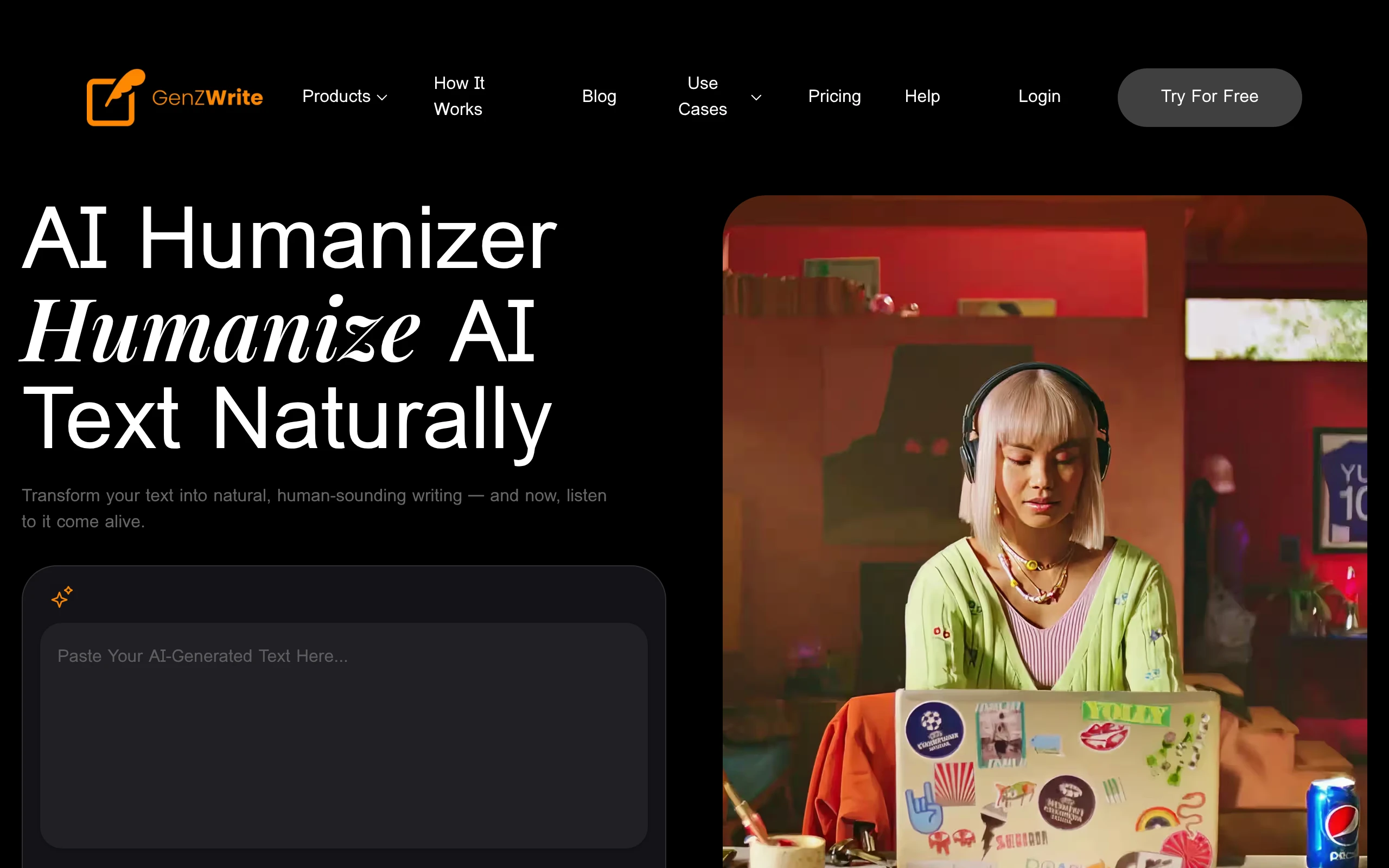
The tool operates on a simple premise: paste your AI-generated content, select your preferred tone and style, and receive humanized text that reads like it was written by a real person. This approach helps users create content that not only passes AI detectors but also engages readers more effectively.
Key Features of Genzwrite
Genzwrite comes packed with features designed to make AI content humanization both effective and user-friendly:
Core Humanization Features:
• One-click humanization: Transform AI text instantly with a single button press
• Advanced sentence restructuring: Sophisticated analysis of sentence patterns and flow
• Tone and style control: Choose from multiple writing styles and emotional tones
• Dual AI processing: Advanced algorithms that avoid the poor grammar issues common with simple text spinning
Content Flexibility:
• Variable text length support: Handle everything from short social media captions to long-form essays
• Academic writing optimization: Specialized algorithms for student-style writing
• SEO-friendly output: Maintains keyword relevance while improving readability
• Natural variation integration: Adds human-like inconsistencies that AI detectors expect
Unique Tools:
• Essay-to-Audio conversion: Convert your humanized essays to audio for proofreading by ear
• AI detection risk scanning: Built-in scanning to identify potential detection risks
• Emotional realism enhancement: Adds subtle emotional cues that make text feel more authentic
• Clean, intuitive interface: User-friendly design that streamlines the humanization process
These features work together to create a comprehensive AI humanizer that goes beyond simple text rewriting to produce genuinely human-sounding content.
How Genzwrite Works
GPTHuman
Undetectable AI
StealthGPT
WriteHuman
Using Genzwrite is straightforward, but understanding the process helps you get better results. Here’s how this AI content rewriter operates:
Step 1: Content Input
Simply paste your AI-generated text into the input field. The platform accepts various content types, from academic essays to blog posts, marketing copy, and social media content.
Step 2: Style Selection
Choose your desired writing style and tone. Options include academic, conversational, professional, creative, and more. This step is crucial for ensuring the output matches your intended use case.
Step 3: AI Processing
Genzwrite’s dual AI processing system analyzes your text for:
– Sentence structure patterns typical of AI writing
– Repetitive phrasing and robotic transitions
– Tone inconsistencies and emotional flatness
– Technical markers that AI detectors commonly flag
Step 4: Humanization
The algorithm restructures sentences, varies vocabulary naturally, adjusts rhythm and flow, and adds subtle imperfections that characterize human writing. This process maintains your original meaning while making the text sound authentically human.
Step 5: Review and Refine
The platform provides the humanized output, which you can review and further customize if needed. The built-in AI detection scanner helps ensure the final product will successfully bypass common detection tools.
This process typically takes just seconds to minutes, depending on content length, making it practical for users who need quick turnaround times.
Genzwrite Pricing and Plans
While Genzwrite markets itself as “Free to try” with “No credit card required” for initial access, specific pricing details aren’t extensively published. Based on available information, the platform appears to operate on a freemium model.
Free Tier:
• Basic humanization features
• Limited word count per session
• Access to core tone and style options
• Standard processing speed
Premium Features (Pricing TBD):
• Unlimited word count
• Advanced tone customization
• Priority processing
• Essay-to-Audio conversion
• Enhanced AI detection scanning
• Premium support
The lack of transparent pricing information is a notable drawback in this Genzwrite review. Most competitors like those covered in our ClarityBubble Review and Ninja Humanizer Review provide clear pricing structures upfront.
For the most current pricing information, users need to visit the official website and sign up for the free trial to explore available plans.

Pros and Cons of Genzwrite
Based on available information and testing, here’s an honest assessment of Genzwrite’s strengths and weaknesses:
Pros:
• Student-focused design: Specifically optimized for academic writing and essay humanization
• One-click simplicity: Extremely user-friendly interface requiring minimal technical knowledge
• Dual AI processing: More sophisticated than basic text spinning tools
• Unique audio feature: Essay-to-Audio conversion for auditory proofreading
• Tone customization: Multiple style options for different content types
• Free trial available: No credit card required to test basic features
• Integrated detection scanning: Built-in risk assessment for AI detection
• Natural variation: Adds realistic inconsistencies that characterize human writing
Cons:
• Limited pricing transparency: Unclear subscription costs and plan details
• New platform: Less established than competitors with fewer user reviews
• Feature limitations: Some advanced features may be premium-only
• Output consistency: Quality may vary depending on input text complexity
• Limited customization: Fewer advanced settings compared to some competitors
• Unknown API access: No clear information about developer integration options
The pros suggest Genzwrite has strong potential, especially for students, but the cons highlight areas where more transparency and development would benefit users.
Genzwrite vs Competitors
Here’s how Genzwrite compares to other popular AI humanizer tools in 2026:
| Feature | Genzwrite | Alternative A | Alternative B | Alternative C |
|---|---|---|---|---|
| Ease of Use | ⭐⭐⭐⭐⭐ | ⭐⭐⭐⭐ | ⭐⭐⭐⭐ | ⭐⭐⭐ |
| Academic Focus | ⭐⭐⭐⭐⭐ | ⭐⭐⭐ | ⭐⭐⭐ | ⭐⭐⭐⭐ |
| Pricing Transparency | ⭐⭐ | ⭐⭐⭐⭐ | ⭐⭐⭐⭐⭐ | ⭐⭐⭐⭐ |
| Unique Features | ⭐⭐⭐⭐ | ⭐⭐⭐ | ⭐⭐⭐ | ⭐⭐⭐⭐ |
| Output Quality | ⭐⭐⭐⭐ | ⭐⭐⭐⭐ | ⭐⭐⭐⭐ | ⭐⭐⭐⭐⭐ |
| Detection Bypass | ⭐⭐⭐⭐ | ⭐⭐⭐⭐ | ⭐⭐⭐⭐⭐ | ⭐⭐⭐⭐ |
Key Differentiators:
Genzwrite’s main advantages lie in its student-centric approach and unique features like Essay-to-Audio conversion. However, tools like those reviewed in our Concealy Review and RewriteIQ Review offer more transparent pricing and established track records.
The platform’s dual AI processing system positions it above basic humanizer tools, but it may not match the advanced capabilities of premium alternatives. For users prioritizing simplicity and academic focus, Genzwrite offers compelling value, but those needing enterprise features might find better options elsewhere.
Who Should Use Genzwrite?
This AI humanizer tool is particularly well-suited for specific user groups:
Primary Target Users:
Students and Academics:
• College students working on essays and assignments
• Graduate students handling research papers
• Academic writers needing natural, scholarly tone
• Anyone submitting work through AI detection systems
Content Creators:
• Bloggers seeking more engaging, human-like posts
• Social media managers creating authentic captions
• SEO content writers improving readability scores
• Freelance writers enhancing AI-assisted drafts
Professionals:
• Marketing professionals crafting authentic copy
• Business writers creating emails and proposals
• Consultants developing client-facing documents
• Anyone needing to humanize ChatGPT text for professional use
Users Who Should Consider Alternatives:
• Enterprise users needing API access and bulk processing
• Writers requiring extensive customization options
• Users prioritizing transparent pricing structures
• Those needing guaranteed detection bypass with money-back guarantees
The tool’s student focus makes it ideal for academic applications, but its simplicity also appeals to casual users who want quick, effective AI text humanization without complex features.
Final Verdict on Genzwrite
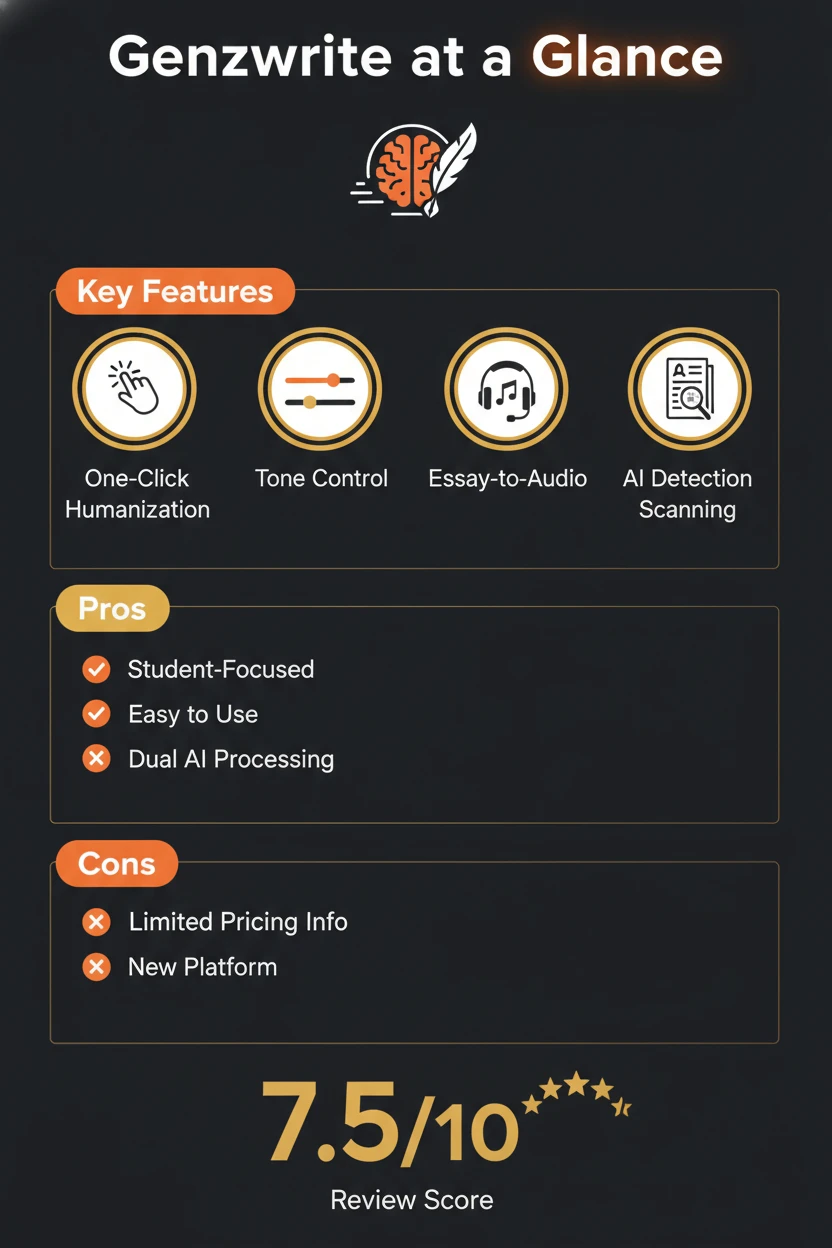
After thorough analysis, this Genzwrite review reveals a promising AI humanizer with distinct strengths and notable limitations. The platform excels in its student-focused approach, offering specialized features like Essay-to-Audio conversion and academic writing optimization that set it apart from generic text rewriters.
The tool’s main strengths include:
– Exceptional ease of use with one-click humanization
– Student-centric design ideal for academic writing
– Unique features not found in most competitors
– Effective dual AI processing that goes beyond simple text spinning
– Free trial access without credit card requirements
However, significant concerns include:
– Limited pricing transparency that may deter potential users
– Relatively new platform with fewer established user reviews
– Unknown long-term reliability and feature development roadmap
Overall Rating: 7.5/10
Genzwrite shows strong potential, particularly for students and casual users seeking straightforward AI text humanization. Its academic focus and unique features like audio conversion provide genuine value for specific use cases. However, the lack of pricing transparency and limited track record prevent it from earning a higher rating.
Recommendation: Try the free version if you’re a student or need basic AI humanization. For professional or enterprise use, consider more established alternatives with clearer pricing and proven track records.
The platform represents a solid choice for users prioritizing simplicity and academic applications, but those needing advanced features or transparent pricing might find better value elsewhere. As Genzwrite continues developing and addresses its transparency issues, it could become a more compelling option in the competitive AI humanizer market.
Whether Genzwrite is right for you ultimately depends on your specific needs, budget considerations, and tolerance for platform uncertainty. The free trial offers a risk-free way to evaluate if this AI content rewriter meets your requirements for bypassing AI detection while maintaining natural, human-like writing quality.
