
GPTHuman
Undetectable AI
StealthGPT
WriteHuman
Grammarly Triggered Turnitin AI is a question many students are asking right now. Turnitin flagging your submission as “AI-written” right after you used Grammarly can feel like getting accused of something you did not do. And because many schools treat academic integrity issues seriously, you need a calm, evidence-based way to respond.
This guide focuses on proving authorship (showing you actually wrote the work) rather than trying to “beat” a detector. If you wrote the paper and Grammarly was only used as a writing aid, you can usually build a strong case with the right documentation.
What a Turnitin AI flag actually means (and why it is not proof)
Turnitin’s AI indicator is best understood as a probability-style signal, not a definitive verdict. AI detectors infer patterns from text (predictability, phrasing regularity, syntax choices) and can be wrong, especially when:
- The writing is very formal or “clean” (common in academic prose).
- The topic uses standardized phrasing (lab reports, definitions, policy summaries).
- The student is a non-native writer who uses heavy grammar correction.
- The text has been aggressively edited, paraphrased, or “smoothed.”
Turnitin itself positions AI detection as something instructors should interpret carefully and in context, not as a standalone “gotcha.” If your institution is treating a score as conclusive proof, your goal is to redirect the conversation to process evidence: drafts, timestamps, revision history, and your ability to explain the work.
Helpful reference: Turnitin’s overview of its AI writing detection approach and limitations is published on its site (start at Turnitin’s AI writing resources).
Grammarly Triggered Turnitin AI — Why Grammarly can raise suspicion (e
Grammarly is not just a spellchecker anymore. Depending on which features you used, it can:
- Correct grammar, punctuation, and clarity.
- Suggest rephrases that change sentence structure.
- Offer tone and fluency rewrites.
- Provide generative AI assistance in some products and plans.
From a detector’s perspective, the risk is not “Grammarly = AI,” but that heavy rewriting can make your prose look unusually uniform (very consistent sentence length, predictable transitions, fewer idiosyncratic choices). That kind of smoothing can resemble machine-generated writing patterns.
If you want a platform stance to cite, Grammarly publishes guidance on responsible use in education and academic integrity contexts (see Grammarly’s academic integrity resources).
First 30 minutes after you get flagged: what to do (and what not to do)
When you discover an AI flag, your instincts might push you to rewrite the whole paper or run it through multiple tools. Pause.
Do this immediately
- Preserve everything: make a copy of the document as-is (download a PDF and a .docx). Do not overwrite your only draft.
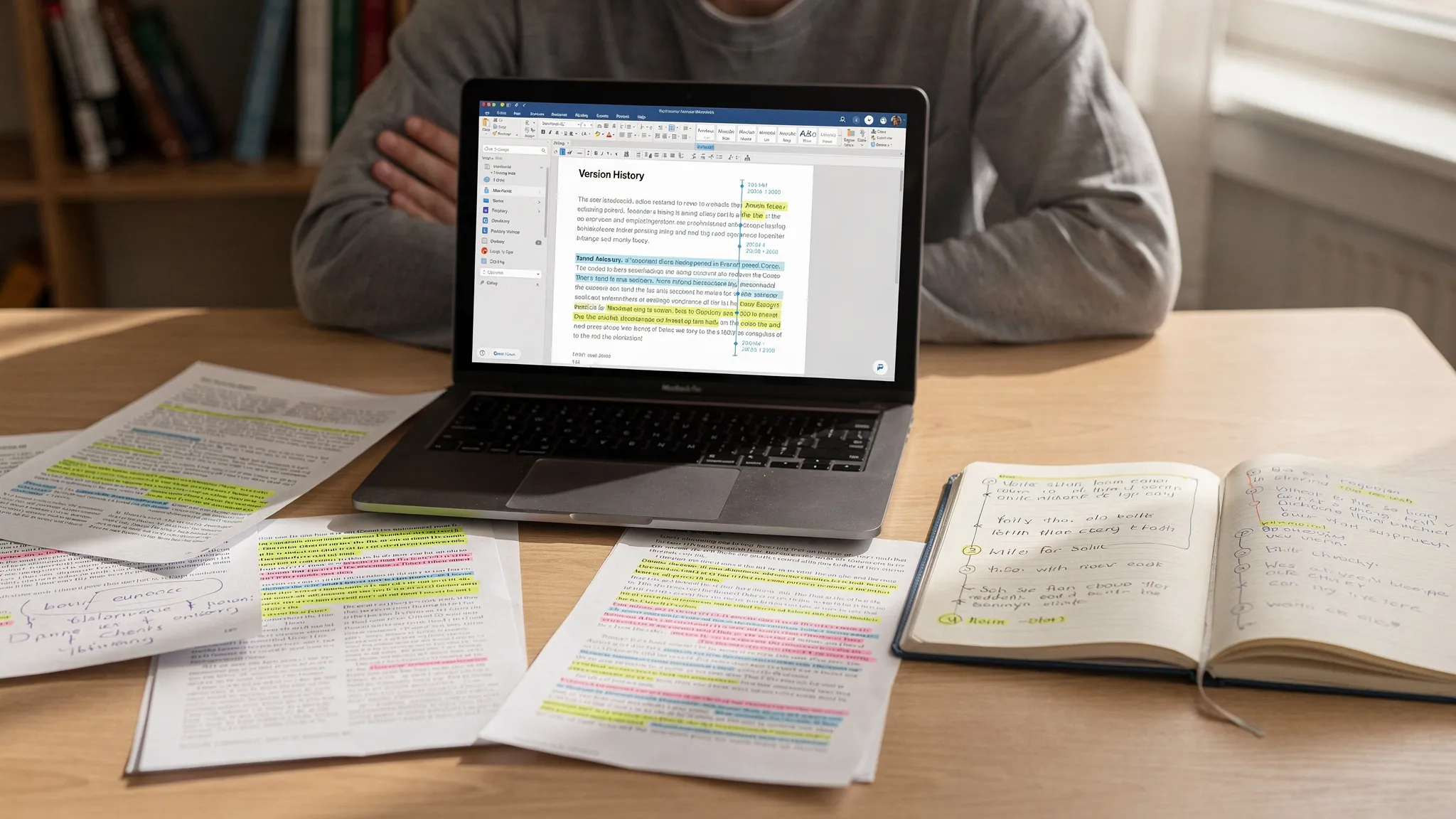
- Collect process evidence: open version history, export it if possible, and take screenshots.
- Ask for specifics: request the instructor’s report view (or a meeting where they show what they see). Different Turnitin interfaces show different indicators.
- Stay neutral and factual: “I wrote this paper. I used Grammarly for proofreading. I can share my drafts and revision history.”
Avoid these common mistakes
- Don’t try to “game” the detector by random rewriting. That can make your timeline look suspicious.
- Don’t delete Grammarly traces or conceal tools used. If asked, disclose clearly.
- Don’t argue the technology in abstract terms only. Most cases are resolved with evidence of writing process.
Build an “authorship packet” that is hard to dispute
If you only bring a verbal explanation, the conversation can turn subjective. An authorship packet makes it concrete.
Below is a practical checklist of evidence that usually carries weight with instructors and academic integrity panels.
| Evidence type | Why it helps | Where to get it (common options) |
|---|---|---|
| Version history with timestamps | Shows incremental writing, not one-time paste | Google Docs “Version history,” Microsoft Word on OneDrive/SharePoint “Version history” |
| Early outlines and brainstorming | Demonstrates original planning and idea development | Notes app, notebook photos, mind maps, planning docs |
| Research trail | Shows you actually read and selected sources | Browser history, Zotero/Mendeley library, saved PDFs with highlights |
| Draft exports (multiple dates) | Confirms evolution of content and structure | Email attachments to yourself, LMS uploads, file backup history |
| Tracked changes / comments | Shows human editing decisions and rationale | Word “Track Changes,” Google Docs comments |
| Citation build-up | AI text often has citation inconsistencies; yours should align with notes | Annotated bibliography drafts, citation manager logs |
| Writing reflections | Explains why you made choices, ties to rubric | A short process memo (1 page) you write after the fact |
How to pull version history (quick pointers)
- Google Docs: File → Version history → See version history. Rename key milestones (Outline, Draft 1, Draft 2). Take screenshots showing dates and changes.
- Microsoft Word (OneDrive/SharePoint): Open the file → File → Info → Version History. Save prior versions if available.
If your document was written offline with no history, you can still build a credible packet with drafts, notes, and research artifacts. Version history is strong evidence, but it is not the only evidence.
Prepare a short, professional “process memo”
A process memo is a one-page explanation of how you wrote the assignment. It is not a defense speech. It is documentation.
Keep it specific:
- Your timeline (when you started, major revision dates).
- Your workflow (outline → draft → revise → proofread).
- What tools you used (including Grammarly) and exactly how (spelling/grammar suggestions, clarity edits, etc.).
- Where your sources came from and how you evaluated them.
If Grammarly rewrote any sentences, say so plainly. The point is not perfection, it is transparency.
Be ready to “defend the ideas,” not just the document
In many disputes, the fastest resolution is demonstrating you understand the paper at a deep level.
Offer one of these (or accept if requested):
- A short oral explanation of your thesis, your strongest evidence, and why you rejected alternatives.
- A brief in-person writing sample on a related prompt.
- A source walk-through: open 2 to 3 citations and explain how each supports a particular paragraph.
These are high-signal because AI-generated or heavily outsourced work often breaks down when the student is asked to explain reasoning, tradeoffs, or methodology.
GPTHuman
Undetectable AI
StealthGPT
WriteHuman
If Grammarly did more than proofreading: how to explain it without making things worse
Sometimes Grammarly’s clarity rewrites (or a generative feature) meaningfully changes the text. That does not automatically mean misconduct, but you need to be precise.
Use clear categories
- Proofreading help: grammar, punctuation, spelling, minor clarity fixes.
- Editing help: rephrasing sentences you wrote, improving flow, restructuring paragraphs.
- Generation help: tool created new content (sentences/paragraphs) from a prompt.
If you stayed in the first two categories, say that directly. If you crossed into generation, your best option is to follow your course policy and be honest. Many institutions treat disclosure and remediation far better than denial.
A realistic script for emailing your instructor
Keep it short and cooperative:
- State you wrote the work.
- Acknowledge Grammarly use (proofreading, clarity suggestions).
- Ask to review the report together.
- Offer your authorship packet and an oral explanation.
Example (adapt as needed):
I wrote this assignment myself and used Grammarly for proofreading and clarity suggestions. I understand Turnitin flagged AI probability, and I’d like to review the report with you. I can share my outlines, drafts, version history, and research notes, and I’m happy to explain my argument and sources in a meeting.
Why “fixing the AI score” is the wrong goal (and what to do instead)
When students panic, they often try to change the text until the detector stops complaining. That is risky for two reasons:
- It can look like you are responding to the detector rather than documenting your authorship.
- It can accidentally introduce new inconsistencies (changed claims, mismatched citations).
A better approach is:
- Preserve the original submission as your reference point.
- Prove process (draft trail, notes, sources, revision history).
- Clarify tool usage (what Grammarly changed, what it did not).
If an instructor still wants a revised submission, do it transparently and keep the edit trail.
Prevention: how to use Grammarly in a way that is easier to defend
If your school allows Grammarly, you can reduce future headaches by making your workflow auditable.
Keep your writing trace
- Draft in Google Docs or Word with cloud saving so version history exists.
- Write in sessions (even short ones) rather than pasting a full final draft at once.
- Save milestones: outline, first draft, revised draft, final proofread.
Use Grammarly like an editor, not a rewriter
- Prefer grammar and punctuation fixes over full-sentence rewrites.
- If you accept a rewrite, make sure you understand it and it still sounds like you.
- After editing, read the paper out loud and adjust phrasing to match your natural voice.
Document your sources as you go
Detectors aside, strong academic work leaves a trail: annotations, quotes, paraphrase notes, and citation decisions.
Where Detection Drama fits (useful for understanding flags, not for misconduct)
If your main problem is that a detector is raising suspicion on text you genuinely wrote, tools that provide AI authenticity analysis and detailed detection-style reports can help you identify which sections look “over-smoothed” and deserve a closer human revision for clarity and originality.
Detection Drama publishes free guides and provides instant-access tools focused on analysis and human-like writing quality (see DetectionDrama.com). If you use any tool in an academic setting, do it within your institution’s rules and be prepared to disclose your editing process.
The strongest proof is a consistent story
When “Grammarly triggered Turnitin AI,” the winning strategy is rarely arguing that detectors are flawed (even if they are). It is presenting a consistent, verifiable story:
- You can show how the paper evolved.
- Your research trail matches your citations.
- Your drafts align with your final claims.
- You can explain the argument under questioning.
If you built the work yourself, you have more evidence than you think. Gather it, organize it into an authorship packet, and approach the conversation like a documentation problem, not a debate.
