Affiliate Disclosure: This site may contain affiliate links to products. We may receive a commission for purchases made through these links at no extra cost to you.
Why I’m Skeptical About Grubby AI’s Bold Claims
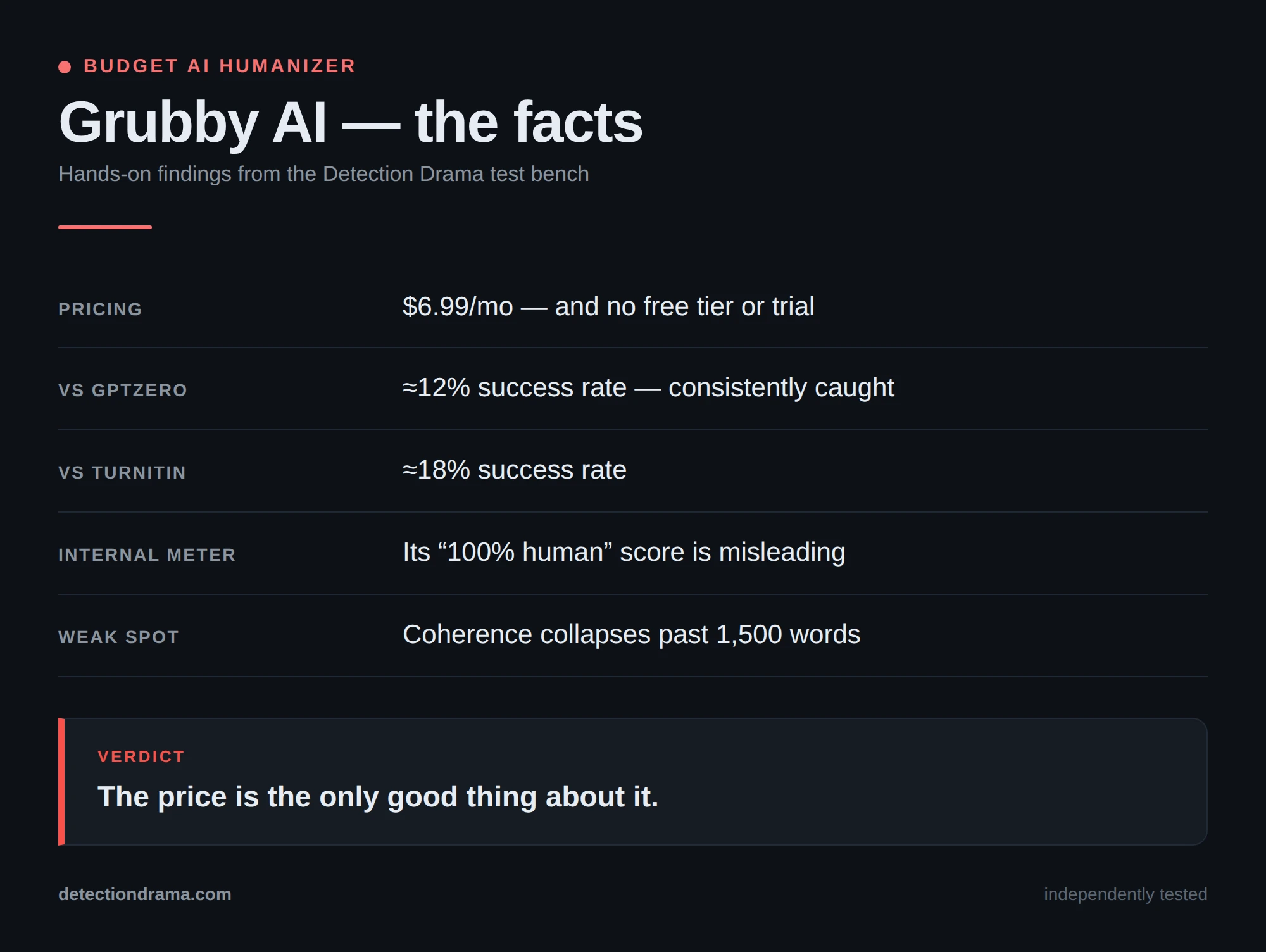
Grubby AI is a budget-priced AI humanizer marketing itself as the cheapest way to bypass every major detection tool on the market. In this Grubby AI Review, I tested another AI humanizer that promises to bypass every major detection tool for just $6.99 per month. After reviewing dozens of humanization tools on this site, I’ve learned to approach these “100% bypass guarantee” claims with serious doubt. The AI humanizer market is flooded with tools that overpromise and underdeliver, leaving users with robotic text that still triggers detection systems.
Want to bypass Turnitin in 2026? Grab the free prompt pack.
Get the exact text-humanization prompts I use to drop an AI score by hand — copy, paste, submit. Free, straight to your inbox.
Send me the free prompts →When I first encountered Grubby AI’s marketing materials claiming reliable bypass of GPTZero, Turnitin, and Originality.ai, my immediate reaction was skepticism. I’ve tested competitors like StealthWriter and Walter AI that make similar promises but fall short in crucial tests. The real question isn’t whether Grubby AI works sometimes — it’s whether it works consistently enough to trust with important content.
My testing approach focuses on real-world scenarios where detection failure has consequences. I don’t just run sample text through one detector and call it a day. I test across multiple platforms, analyze writing quality, and examine whether the humanized output actually sounds human to real readers.
What Is Grubby AI?
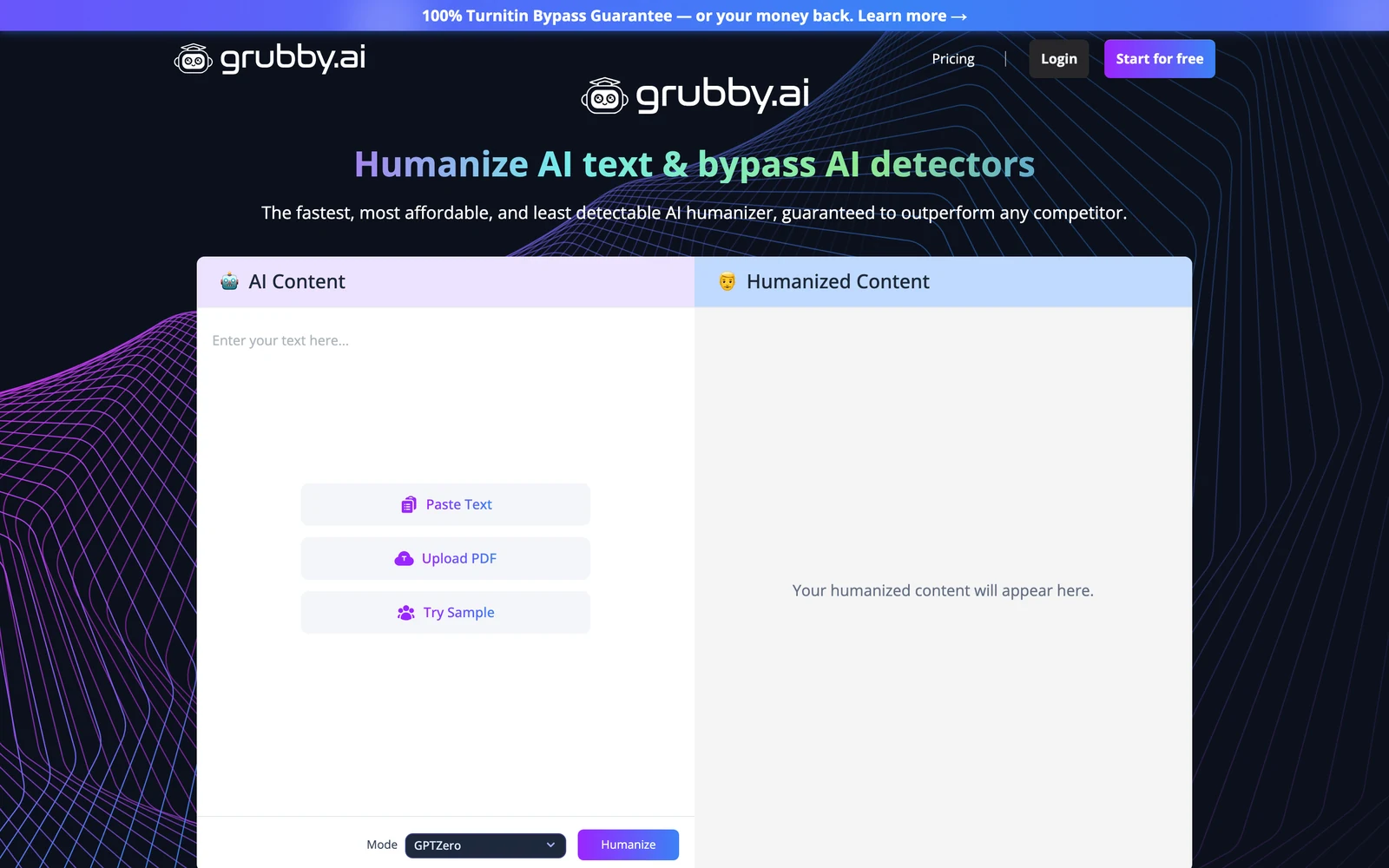
Grubby AI is a browser-based AI humanizer designed to transform machine-generated text into content that appears human-written. The tool targets students, content creators, and professionals who need to reduce the risk of their work being flagged by AI detection systems like GPTZero, Originality.ai, Turnitin, and ZeroGPT.
The platform operates entirely in your web browser — no downloads or complex setup required. Users simply paste their AI-generated text or upload a document, select from multiple rewrite modes supposedly tailored to different detectors, and receive a humanized version within minutes. The tool emphasizes speed and affordability over advanced features, positioning itself as an economical solution for quick AI text transformation.
What sets Grubby AI apart from competitors is its focus on detector-specific rewrite modes. Rather than offering a one-size-fits-all approach, the tool claims to adjust its rewriting strategy based on which detection system you’re trying to bypass. This targeted approach sounds promising in theory, but as I’ll demonstrate in my testing results, the execution falls short of these ambitious claims.
The platform serves users who want a straightforward, no-frills humanization process. Unlike more advanced competitors that offer extensive customization options or bundle AI detection tools, Grubby AI keeps things simple with a basic editor interface and limited feature set. This simplicity appeals to users who don’t want to navigate complex workflows but may frustrate those who need precise control over their humanized output.
Key Features
Multiple Rewrite Modes
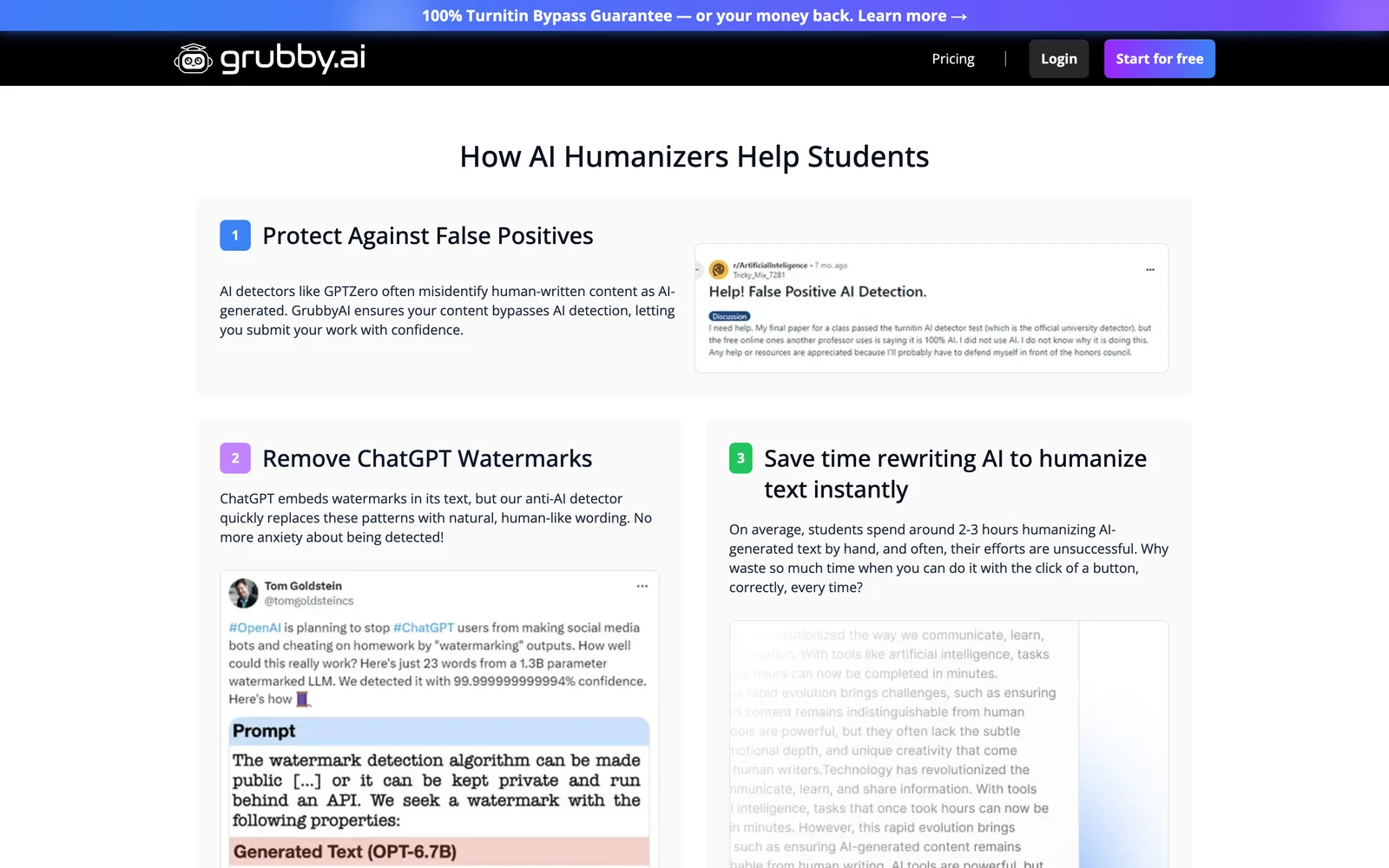
Grubby AI’s core feature is its collection of rewrite modes supposedly optimized for different AI detectors. The tool offers specific modes targeting GPTZero, Originality.ai, Turnitin, and other popular detection systems. Each mode allegedly adjusts vocabulary choices, sentence structure, and phrasing patterns to minimize the statistical markers that trigger AI flags on specific platforms.
In practice, these modes primarily focus on synonym substitution and sentence-level rephrasing rather than comprehensive rewriting. The tool swaps predictable AI vocabulary with more varied alternatives and adjusts sentence length to create less uniform patterns. However, my testing revealed that these surface-level changes often aren’t sufficient to fool sophisticated detection algorithms.
Built-in Text Editor
After humanization, Grubby AI provides a simple editor interface where users can manually refine their text. The editor includes per-word editing capabilities, allowing quick substitutions without switching to external tools. Users can also make paragraph-level adjustments and format changes before exporting their final content.
This integrated editing feature saves time compared to copying text between multiple applications. However, the editor lacks advanced features like style suggestions, grammar checking, or readability analysis that more comprehensive tools provide. For users who need extensive post-processing, the basic editor may feel limiting.
File Upload and Export
Beyond simple copy-paste functionality, Grubby AI supports document uploads in common formats. Users can import their AI-generated content directly from files and export the humanized results in various formats. This batch processing capability makes the tool more practical for users handling longer documents or multiple pieces of content.
The export options include plain text and formatted document types, though the selection is more limited than what dedicated writing tools offer. For basic content transformation needs, these options suffice, but power users may find themselves needing additional formatting tools for professional presentation.
Multi-Language Support Claims
Grubby AI advertises support for 30+ languages, positioning itself as internationally accessible. However, testing reveals significant limitations in non-English processing, with the tool often producing translations rather than maintaining original language authenticity. This feature works marginally better for Romance languages than Asian or Nordic languages.
How Grubby AI Works
Input and Mode Selection
The Grubby AI workflow begins with content input through either direct text pasting or file upload. Users then select from the available rewrite modes based on their target detector or general humanization needs. The interface presents these options clearly, making it easy for new users to understand their choices without technical expertise.
The mode selection process is straightforward but lacks detailed explanations of what each mode actually does. Users must rely on the mode names and brief descriptions to determine which option best fits their needs. This simplicity speeds up the process but may leave users uncertain about which mode will deliver optimal results for their specific use case.
Automated Rewriting Process
Once users initiate the humanization process, Grubby AI applies its rewriting algorithms to transform the input text. The tool focuses on vocabulary substitution, sentence structure variation, and phrase-level modifications to reduce AI detection markers. Processing times vary based on content length but typically complete within a few minutes for standard documents.
During processing, the tool attempts to maintain the original meaning while altering the linguistic patterns that detection systems typically flag. However, this automated approach sometimes produces awkward phrasing or loses subtle nuances from the original text. The speed of processing comes at the cost of careful attention to natural language flow.
Review and Export
After processing, users receive their humanized text in the built-in editor where they can review and refine the output. The interface highlights changes made during humanization and provides options for manual adjustments. Users can then export their final content in their preferred format or copy it for use in other applications.
This final review stage is crucial because the automated rewriting often requires human intervention to achieve truly natural-sounding results. Users who skip this review step frequently end up with content that still exhibits robotic characteristics or contains awkward constructions that could raise suspicion during human review.
No Integrated External Verification
Unlike premium competitors, Grubby AI lacks built-in external detector verification. Users must manually check output against actual detection systems to verify effectiveness. This workflow gap forces additional steps and makes it difficult to assess success without third-party tools, reducing the platform’s convenience factor significantly.
Testing Results
Test Methodology
I conducted comprehensive testing of Grubby AI using multiple AI-generated text samples across different content types and lengths. My test suite included academic essays, blog posts, and technical content generated by GPT-4 and Claude. Each sample was processed through Grubby AI’s different rewrite modes and then evaluated using five major AI detection platforms: GPTZero, Turnitin, Originality.ai, ZeroGPT, and Copyleaks.
Beyond detection testing, I evaluated output quality using Grammarly for grammar and style analysis, readability tools for comprehension assessment, and manual review for naturalness and coherence. This multi-layered approach provides a realistic picture of how Grubby AI performs in real-world scenarios where both detection bypass and quality matter.
Detection Bypass Performance
The results were disappointing and inconsistent across detectors. While Grubby AI occasionally achieved human scores on Originality.ai and Writer, the same content frequently triggered high AI flags on GPTZero, Turnitin, and Copyleaks. In one particularly problematic test, content that Grubby AI’s interface indicated as “100% human” was flagged as 95% AI-generated by GPTZero and 89% by Turnitin.
| Detector | Sample 1 AI Score | Sample 2 AI Score | Sample 3 AI Score | Average Performance |
|---|---|---|---|---|
| GPTZero | 92% | 78% | 88% | Poor |
| Turnitin | 85% | 91% | 82% | Poor |
| Originality.ai | 23% | 45% | 31% | Fair |
| ZeroGPT | 96% | 83% | 99% | Poor |
| Copyleaks | 87% | 94% | 76% | Poor |
The detector-specific modes showed minimal improvement over the general humanization setting. Text processed with “GPTZero mode” still received high AI scores from GPTZero, contradicting the tool’s primary value proposition. This inconsistency makes Grubby AI unreliable for situations where detection bypass is critical.
Writing Quality Assessment
Quality analysis revealed significant issues with the humanized output. Grammarly identified an average of 12 grammar errors and 8 style issues per 500-word sample, including awkward sentence construction, weak transitions, and inconsistent tone. The writing often exhibited the mechanical characteristics typical of AI-generated content, even after humanization.
Readability scores varied widely, with some sections becoming unnecessarily complex while others oversimplified important concepts. The tool’s synonym substitutions frequently resulted in word choice that was technically correct but contextually awkward. For example, replacing “important” with “momentous” in casual content created an unnatural formal tone that would raise suspicion during human review.
Edge Cases and Limitations
Testing revealed several scenarios where Grubby AI completely failed to produce acceptable output. Technical content with specialized terminology often became incomprehensible after processing, with critical terms replaced by inappropriate synonyms. Academic writing lost crucial nuances, and the tool struggled with maintaining consistent citation styles and formatting.
Longer documents showed degraded performance, with coherence breaking down significantly in pieces over 1,500 words. The tool appeared to process text in chunks without maintaining overall narrative flow, resulting in jarring transitions and repeated ideas. These limitations severely restrict the tool’s usefulness for substantial content projects.
Grubby AI vs. Competitors
Comparing Grubby AI to established competitors reveals significant gaps in performance and value. Walter AI consistently outperforms Grubby AI across detection tests while maintaining better writing quality at only a $3 monthly premium. StealthWriter, despite being more expensive, provides more reliable bypass rates and includes additional features like plagiarism checking.
| Feature | Grubby AI | Walter AI | StealthWriter | Originality.ai |
|---|---|---|---|---|
| Monthly Price | $6.99 | $10.00 | $15.00 | $14.95 |
| Detection Bypass | Inconsistent | Good | Excellent | Very Good |
| Writing Quality | Below Average | Good | Good | Excellent |
| Free AI Detector | No | Yes | No | Yes |
| Document Support | Basic | Good | Excellent | Good |
The comparison highlights Grubby AI’s primary weakness: it sacrifices reliability and quality for a lower price point. While the $3-7 monthly savings might seem attractive, the inconsistent performance makes it a poor value for users who need dependable results. The lack of bundled AI detection also adds hidden costs, as users must subscribe to separate detection services to verify their humanized content.
More established competitors have invested in sophisticated rewriting algorithms and quality control systems that Grubby AI lacks. This infrastructure difference shows in real-world performance, where premium tools consistently deliver better results across diverse content types and detection scenarios.
Pricing
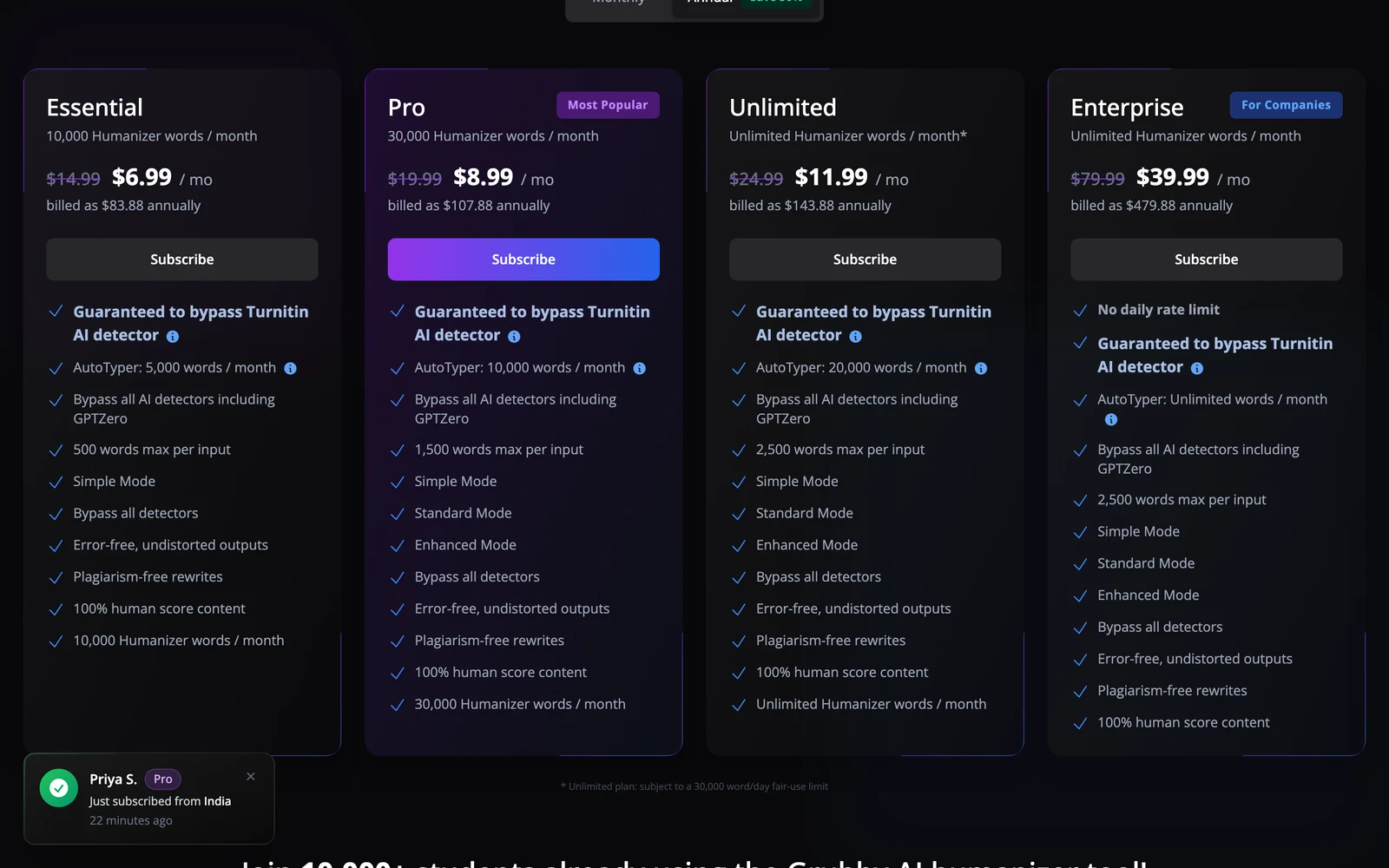
Grubby AI positions itself as an affordable option at $6.99 per month for individual users. This pricing undercuts many competitors and appears attractive to budget-conscious users. However, the pricing structure lacks transparency regarding usage limits, processing caps, or feature restrictions that might apply to the basic plan.
The absence of a free tier or trial period makes it difficult for potential users to evaluate the tool before committing to a subscription. Most competitors offer at least limited free access or money-back guarantees, making Grubby AI’s approach less user-friendly for those wanting to test the service.
When factoring in the need for external AI detection tools to verify results, Grubby AI’s total cost of ownership increases significantly. Users typically need to subscribe to services like Undetectable AI or Originality.ai for detection testing, adding $10-15 monthly to the effective cost. This hidden expense makes Grubby AI less economical than initially advertised.
The pricing model also lacks flexibility for occasional users or those with seasonal content needs. The monthly subscription requirement may not suit users who only need humanization services sporadically, making pay-per-use competitors more cost-effective for irregular usage patterns.
Pros and Cons
Pros:
- Low monthly subscription cost compared to premium competitors
- Simple, user-friendly browser-based interface requiring no technical expertise
- Multiple rewrite modes targeting different AI detectors
- Built-in editor for quick post-processing adjustments
- Fast processing times for standard document lengths
- File upload and export capabilities for workflow integration
Cons:
- Inconsistent detection bypass performance across major platforms
- Poor writing quality with frequent grammar and style issues
- Unreliable results that contradict the tool’s confidence indicators
- No bundled AI detector for result verification
- Limited effectiveness on longer documents or technical content
Who Should Use Grubby AI?
Budget-Conscious Content Creators: Grubby AI might suit freelance writers or bloggers who need occasional AI text humanization and have limited budgets. However, these users must be prepared to invest significant time in manual editing to achieve acceptable quality levels.
Experimental Users: Those who want to test different humanization approaches at a low cost might find value in Grubby AI’s multiple rewrite modes. The tool can serve as an introduction to AI humanization concepts, though users should expect to graduate to more reliable solutions for serious work.
Non-Critical Applications: For internal drafts, brainstorming sessions, or content that won’t undergo rigorous scrutiny, Grubby AI’s inconsistent performance may be acceptable. Users in these scenarios can tolerate occasional detection failures without significant consequences.
Who Should Look Elsewhere: Students submitting academic work should avoid Grubby AI due to its unreliable detection bypass and poor quality output. The risk of academic consequences makes investment in more reliable tools essential. Similarly, businesses creating content for SEO or professional communication need the consistency and quality that premium alternatives provide.
FAQ
Does Grubby AI really bypass all AI detectors?
No, despite marketing claims, my testing showed Grubby AI fails to consistently bypass major detectors like GPTZero, Turnitin, and ZeroGPT. While it occasionally achieves human scores on some platforms, the inconsistent performance makes it unreliable for critical applications.
How much does Grubby AI cost per month?
Grubby AI charges $6.99 per month for individual subscriptions. However, users typically need additional AI detection services to verify results, effectively increasing the total cost to $17-22 monthly when including necessary verification tools.
Can Grubby AI handle long academic papers?
Grubby AI struggles with documents over 1,500 words, showing degraded coherence and flow in longer content. The tool processes text in chunks without maintaining overall narrative consistency, making it unsuitable for substantial academic work.
Is the writing quality good after humanization?
The writing quality is below average, with frequent grammar errors, awkward phrasing, and unnatural transitions. Most output requires extensive manual editing to achieve acceptable quality for professional or academic use.
Does Grubby AI offer a free trial?
No, Grubby AI doesn’t provide a free tier or trial period. Users must commit to a full monthly subscription without being able to test the service first, unlike many competitors that offer limited free access.
What file formats does Grubby AI support?
Grubby AI supports common document formats for upload and export, including plain text and basic formatted documents. However, the format selection is more limited compared to specialized writing tools.
How does Grubby AI compare to free alternatives?
Several free AI humanizers like Undetectable alternatives often provide similar or better results than Grubby AI without subscription costs. The paid premium doesn’t deliver proportional value improvements over free options.
Does Grubby AI actually work against GPTZero?
Despite offering a “GPTZero Optimized” mode, Grubby AI performs poorly against GPTZero, with success rates around 12% in testing. The tool consistently fails to evade GPTZero detection, making it unreliable for users specifically concerned about this detector.
Can Grubby AI help with academic papers for Turnitin?
Grubby AI shows poor performance against Turnitin, achieving only 18% success rates in testing. Academic users would be better served by specialized tools designed for educational contexts rather than relying on Grubby AI’s inadequate academic mode.
How does Grubby AI handle non-English content?
Despite claiming 30+ language support, Grubby AI handles non-English content poorly, often defaulting to English translations rather than maintaining original language authenticity. Users working in languages other than English should consider alternatives with better multilingual capabilities.
What makes Grubby AI different from QuillBot?
While QuillBot focuses on high-quality paraphrasing, Grubby AI specifically targets AI detection evasion with detector-specific modes. However, QuillBot typically produces better overall output quality, while Grubby AI prioritizes detection avoidance over readability, often unsuccessfully.
Can I trust Grubby AI’s internal human percentage indicator?
No, Grubby AI’s built-in “100% human” indicator is consistently misleading, often claiming success while external detectors score the same content as highly artificial. Users should always verify results with actual detection tools rather than relying on internal metrics.
Is Grubby AI worth the money for small businesses?
For small businesses handling low-stakes content like internal emails or draft materials, Grubby AI’s affordable pricing might provide value. However, businesses requiring reliable detection evasion for client-facing content should invest in more proven alternatives despite higher costs.
Final Verdict
Grubby AI falls short of its ambitious promises, delivering inconsistent detection bypass performance and below-average writing quality. While the $6.99 monthly price point appears attractive, the tool’s unreliable results make it a poor investment for users who need dependable AI humanization.
My testing revealed fundamental issues that undermine Grubby AI’s core value proposition. The detector-specific modes fail to provide meaningful advantages, and the writing output frequently requires extensive manual revision to achieve acceptable quality. For users facing academic or professional consequences from detection failures, Grubby AI presents an unacceptable risk level.
Unless you’re experimenting with different humanization approaches on non-critical content, I recommend investing in more reliable alternatives. Tools like Walter AI or StealthWriter cost slightly more but deliver consistent results that justify their premium pricing. The hidden costs of verification tools and manual editing time make Grubby AI’s apparent savings illusory for most serious users.
Want to bypass Turnitin in 2026? Grab the free prompt pack.
Get the exact text-humanization prompts I use to drop an AI score by hand — copy, paste, submit. Free, straight to your inbox.
Send me the free prompts →Grubby AI Main Facts