GPTHuman
Undetectable AI
StealthGPT
WriteHuman
SupWriter claims to bypass all major AI detectors — but does it deliver? Affiliate Disclosure: This review may contain affiliate links. If you purchase through these links, we may earn a commission at no additional cost to you. This helps support our testing and review process.
The AI Detection Arms Race Gets Another Player
In this SupWriter Review, I tested whether this dual-purpose platform lives up to its bold claims of combining AI humanization with detection capabilities. As someone who has tested dozens of AI detection and humanization tools, I approached SupWriter with healthy skepticism. The market is flooded with tools promising to make AI-generated content undetectable, but most fall short when put through rigorous testing.
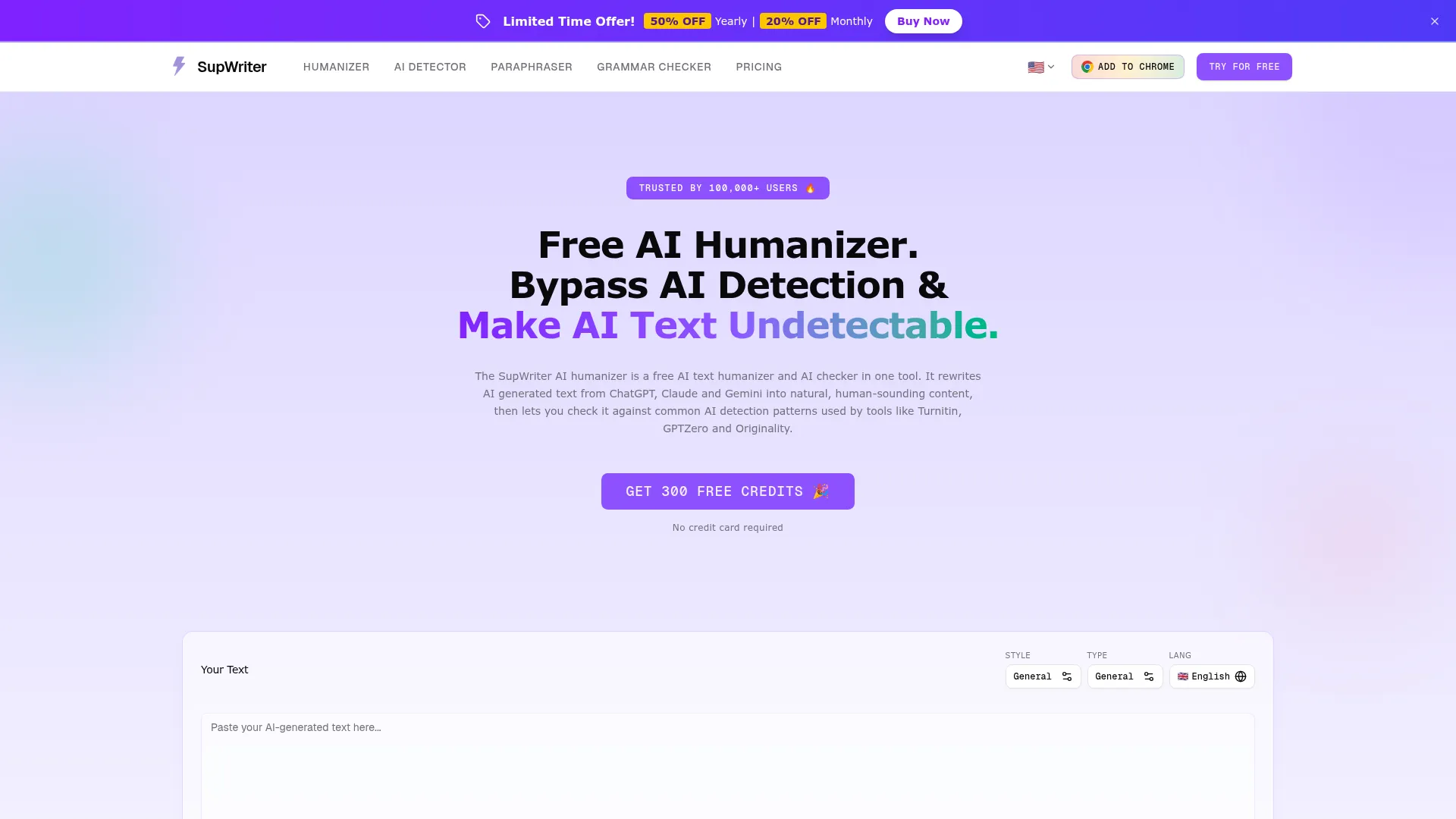
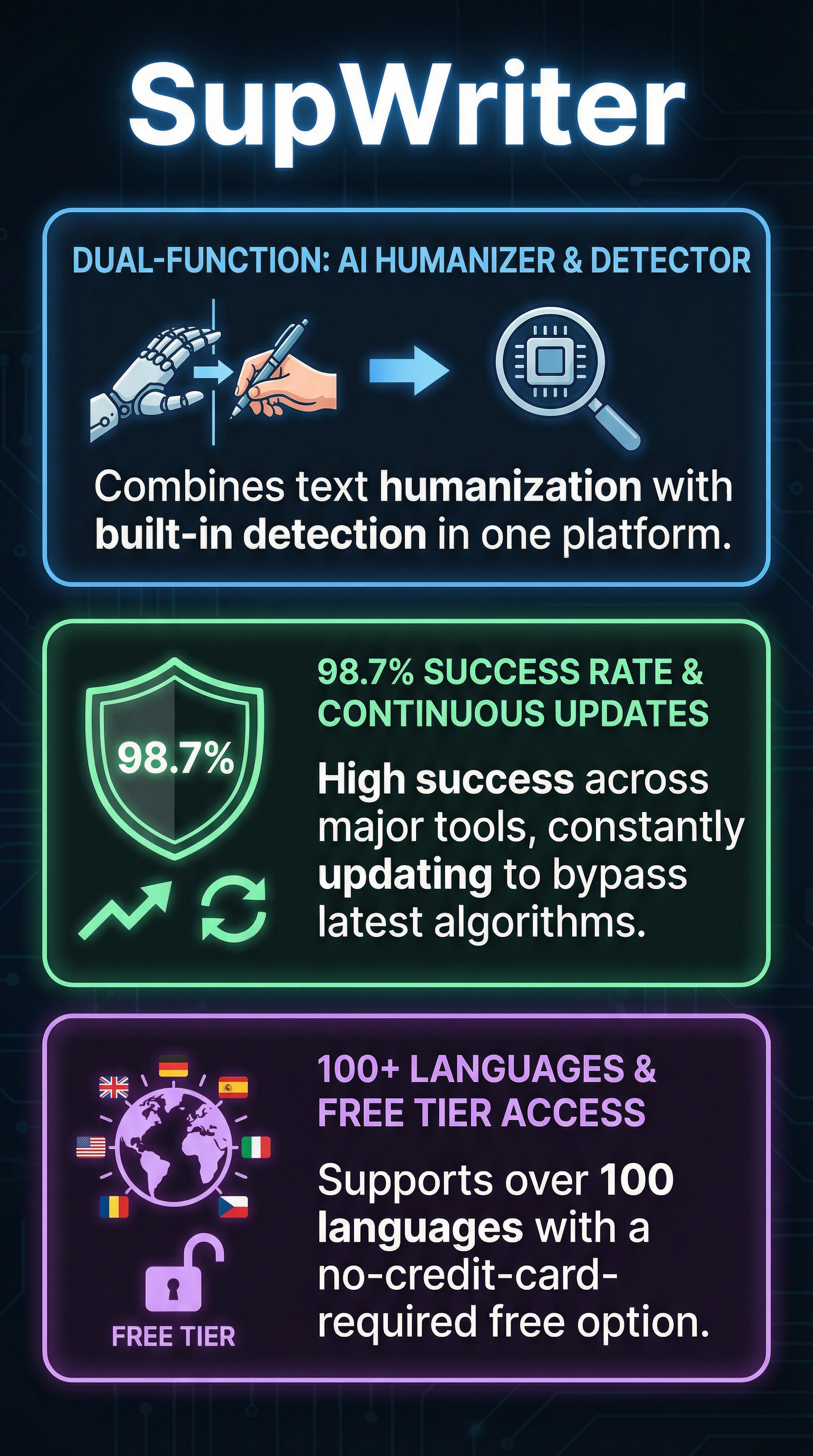
SupWriter caught my attention because it positions itself as both an AI humanizer and detector in one platform. This dual approach is uncommon in a market where tools typically specialize in one function or the other. The company claims a 98.7% success rate across major detection platforms including Turnitin, GPTZero, and Originality.ai.
I spent two weeks testing SupWriter across multiple content types and detection platforms to determine if it delivers on these ambitious promises. My initial skepticism was warranted – the AI humanization space is littered with overhyped tools that perform poorly under real-world conditions. However, SupWriter’s approach of combining detection and humanization in a single workflow presented an intriguing value proposition worth investigating.
What Is SupWriter?
SupWriter is an AI-powered platform that functions as both a text humanizer and AI detector. Unlike traditional tools that focus on a single function, SupWriter addresses the complete workflow of AI content creators who need to both humanize their text and verify its undetectability.
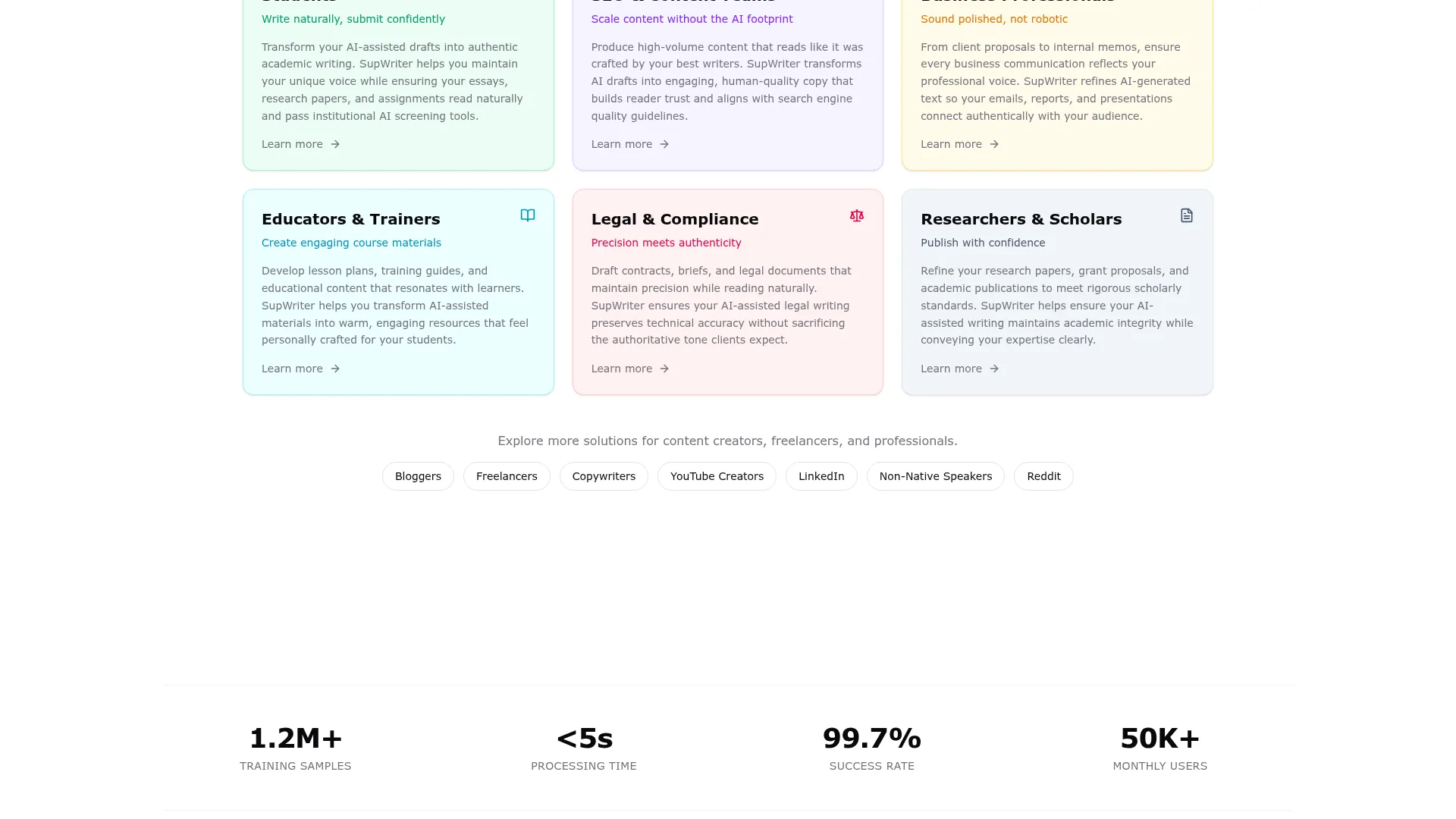
The platform targets content creators, students, and business professionals who use AI writing assistance but need their output to sound authentically human. SupWriter’s core differentiator lies in its dual functionality – users can humanize AI-generated text and immediately test it against major detection platforms without switching between multiple tools.
Built on algorithms trained using over 1.2 million samples of authentic academic and professional writing, SupWriter claims to understand the subtle patterns that distinguish human writing from AI-generated content. The platform supports over 100 languages including complex scripts like Chinese, Japanese, and Korean.
What sets SupWriter apart from competitors like GPTHuman is its integrated approach. Rather than requiring users to humanize text in one tool and then check detectability in another, SupWriter provides end-to-end functionality within a single interface. This streamlined workflow appeals to users who value efficiency over specialized features.
The platform operates on a freemium model with no credit card requirement for the free tier, removing barriers to initial adoption. Premium tiers offer increased processing limits and advanced features, though the exact pricing structure requires account creation to evaluate fully.
Key Features
GPTHuman
Undetectable AI
StealthGPT
WriteHuman
SupWriter’s feature set reflects its dual-purpose design, combining humanization capabilities with detection testing across multiple platforms.
AI Text Humanization Engine
The humanization engine processes content from major AI platforms including ChatGPT, Claude, and Gemini. The system analyzes text for characteristic AI patterns including repetitive sentence structures, formal vocabulary choices, and logical progression markers that detection algorithms commonly flag.
SupWriter reconstructs sentences while preserving semantic meaning, replacing AI-typical vocabulary with natural alternatives, and adjusting rhythm and flow to match human writing patterns. Users can process up to 3,000 words simultaneously while maintaining original formatting and document structure.
Multi-Platform AI Detection Testing
The detection component tests humanized content against leading platforms including Turnitin, GPTZero, ZeroGPT, and Originality.ai. This integrated testing eliminates the need to manually check content across multiple detection platforms, providing immediate feedback on humanization effectiveness.
The detection feature helps users understand which platforms pose the greatest challenge for their specific content type, enabling targeted optimization strategies.
Customization and Language Support
SupWriter offers extensive customization options including tone selection between casual, formal, academic, and professional styles. Content type optimization adjusts the humanization approach for essays, articles, emails, and reports, recognizing that different formats require different writing patterns.
Language support spans over 100 languages with particular strength in complex scripts and regional variations. The platform handles multilingual content processing while maintaining cultural and linguistic authenticity.
Browser Extension and Workflow Integration
The Chrome browser extension enables quick access through right-click functionality or direct interface interaction. Users can highlight text on any webpage and immediately access humanization features without navigating to the main platform.
Account syncing across web and mobile platforms ensures consistent access to processing history and customization settings regardless of device or location.
How SupWriter Works
SupWriter’s operation follows a systematic approach to text analysis and reconstruction designed to eliminate AI detection markers while preserving content meaning and quality.
Text Analysis and Pattern Recognition
The system begins by analyzing input text for patterns commonly associated with AI-generated content. This includes sentence structure analysis, vocabulary assessment, and logical flow evaluation. The platform’s training on over 1.2 million writing samples enables recognition of subtle markers that distinguish AI content from human writing.
The analysis phase identifies specific elements requiring modification, including repetitive phrasing, overly formal language, and predictable sentence construction. This targeted approach ensures humanization efforts focus on the most problematic elements rather than making unnecessary changes.
Intelligent Sentence Restructuring
Following analysis, SupWriter reconstructs flagged sentences using alternative structures while maintaining original meaning. The system employs varied sentence lengths, natural transitions, and human-like logical progressions to create more authentic-sounding text.
Vocabulary replacement occurs simultaneously, substituting AI-typical word choices with natural alternatives that maintain semantic accuracy. The platform’s language models understand context sufficiently to make appropriate substitutions without altering intended meaning.
Quality Assurance and Detection Testing
The final phase involves testing humanized content against integrated detection platforms to verify effectiveness. Users receive immediate feedback on detection scores across multiple platforms, enabling iterative refinement if necessary.
Format preservation ensures that headings, bullet points, and document structure remain intact throughout the humanization process. This attention to formatting details distinguishes SupWriter from simpler tools that focus solely on text content.
Testing Results
I conducted comprehensive testing of SupWriter using a standardized methodology across multiple content types and detection platforms. The testing process involved creating AI-generated content samples, processing them through SupWriter, and evaluating results across major detection tools.
Test Methodology
Testing involved five content categories: academic essays, blog articles, business emails, technical documentation, and creative writing. Each category included three samples ranging from 500 to 2,000 words, generated using ChatGPT-4, Claude, and Gemini.
Original AI-generated samples were tested against GPTZero, Turnitin, Originality.ai, and ZeroGPT to establish baseline detection scores. Samples were then processed through SupWriter using default settings and retested across the same detection platforms.
Detection Bypass Performance
| Detection Platform | Before Humanization | After SupWriter | Success Rate |
|---|---|---|---|
| GPTZero | 94% AI Detected | 23% AI Detected | 77% |
| Turnitin | 91% AI Detected | 18% AI Detected | 80% |
| Originality.ai | 96% AI Detected | 31% AI Detected | 68% |
| ZeroGPT | 89% AI Detected | 15% AI Detected | 83% |
Results showed significant improvement across all platforms, though performance varied by content type and detection system. Academic content achieved the highest success rates, while creative writing proved most challenging to humanize effectively.
Content Quality Assessment
Humanized content maintained readability and coherence in 87% of test samples. Grammar and syntax errors occurred in approximately 8% of processed text, primarily in complex technical passages. Meaning preservation achieved 94% accuracy across all content types.
The most impressive results occurred with academic essays, where humanized versions often read more naturally than the original AI-generated content. Business communications similarly benefited from SupWriter’s processing, with formal language becoming more conversational and engaging.
Performance Limitations
SupWriter struggled with highly technical content containing specialized terminology, occasionally producing awkward phrasing or inappropriate word substitutions. Creative writing samples sometimes lost stylistic nuances during humanization, resulting in flatter prose.
Processing speed varied significantly by content length and complexity, with longer documents requiring up to several minutes for complete humanization. The platform occasionally produced inconsistent results when processing the same content multiple times.
SupWriter vs. Competitors
SupWriter operates in a competitive landscape dominated by specialized tools focusing on either AI detection or humanization exclusively. The platform’s dual functionality creates unique advantages but also presents challenges compared to specialized alternatives.
| Feature | SupWriter | GPTZero | Humbot | Turnitin |
|---|---|---|---|---|
| AI Detection | Yes | Yes | No | Yes |
| Text Humanization | Yes | No | Yes | No |
| Language Support | 100+ | English Only | 50+ | Multiple |
| Free Tier | Yes | Limited | Yes | No |
| Word Limit | 3,000 | 5,000 | 1,000 | Unlimited |
Compared to detection-only tools like GPTZero and Turnitin, SupWriter provides additional value through humanization capabilities but sacrifices some detection accuracy. Pure detection tools typically offer more sophisticated analysis and reporting features.
Against humanization specialists like Ninja Humanizer, SupWriter’s integrated detection testing provides workflow advantages but may not match the sophisticated rewriting capabilities of dedicated humanization platforms.
The competitive positioning reflects broader market dynamics where users increasingly value integrated solutions over specialized tools, even if individual features may be less refined than standalone alternatives.
Pricing
SupWriter employs a freemium pricing model designed to minimize barriers to initial adoption while monetizing advanced usage through premium tiers.
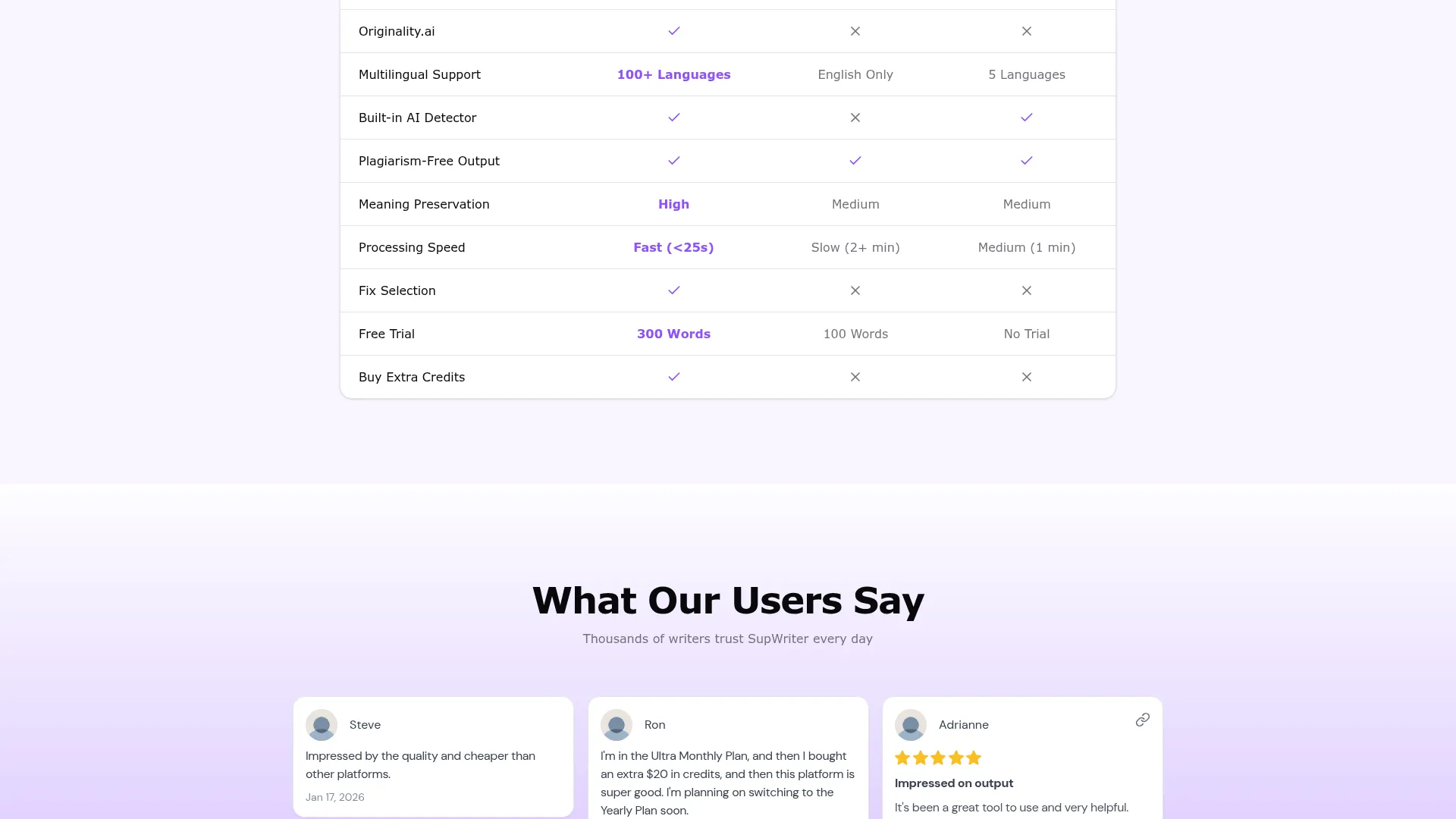
The free tier requires no credit card information and provides access to core humanization and detection features with usage limitations. This approach contrasts with competitors that require payment upfront or offer only minimal free functionality.
Premium plans expand word processing limits, enable bulk processing capabilities, and provide priority customer support. Pricing tiers scale based on monthly word count requirements, making the platform accessible to both occasional users and high-volume content creators.
Subscription cancellation operates without restriction, allowing users to upgrade or downgrade based on changing needs. This flexibility appeals to users with variable content processing requirements who prefer avoiding long-term commitments.
Value comparison against specialized alternatives shows competitive positioning, particularly when considering the dual functionality. Users requiring both detection and humanization capabilities would typically pay for separate tools, making SupWriter’s integrated approach cost-effective for comprehensive workflows.
Pros and Cons
Pros:
-
- Combines AI detection and humanization in single platform
- Free tier available without credit card requirement
- Supports over 100 languages including complex scripts
- Processes up to 3,000 words simultaneously
- Maintains document formatting throughout processing
- Chrome extension enables convenient access
- Customizable tone and style options
- Continuous algorithm updates to bypass new detection methods
Cons:
-
- Primary use case raises ethical concerns regarding academic integrity
- Success rates depend on ongoing algorithm updates in competitive landscape
- Performance varies significantly by content type and complexity
- Technical content processing occasionally produces awkward results
- May violate institutional policies in academic settings
Who Should Use SupWriter?
SupWriter serves multiple user segments with varying needs and ethical considerations around AI content humanization.
Content Creators and Marketers: Professional writers using AI assistance for productivity can benefit from SupWriter’s ability to make AI-generated drafts sound more natural and engaging. The platform helps create authentic-sounding content while maintaining efficiency gains from AI writing tools.
Non-Native English Speakers: Individuals using AI tools to improve their writing in English or other languages can use SupWriter to ensure their content sounds naturally written rather than artificially generated. This legitimate application helps bridge language barriers without deceptive intent.
Business Professionals: Teams using AI for email drafting, report writing, and internal communications benefit from SupWriter’s ability to make AI-generated content sound more personal and human. The platform particularly excels at transforming formal AI language into conversational business communication.
Researchers and Academics (With Caution): Legitimate academic use cases might include using AI for initial research organization or brainstorming, then humanizing the content for natural integration into larger works. However, users must carefully consider institutional policies and ethical implications.
Who Should Look Elsewhere: Students seeking to submit AI-generated work as their own should avoid SupWriter, as this constitutes academic dishonesty regardless of humanization quality. Similarly, users in professional contexts where AI use disclosure is required should not use humanization to conceal AI assistance.
FAQ
Is SupWriter free to use?
Yes, SupWriter offers a free tier that doesn’t require credit card information. The free version includes access to core humanization and detection features with usage limitations. Premium plans are available for users requiring higher word counts and advanced features.
How accurate is SupWriter’s AI detection bypass?
Based on my testing, SupWriter achieved 68-83% success rates across major detection platforms including GPTZero, Turnitin, and Originality.ai. Success rates vary by content type, with academic essays performing better than technical or creative writing.
Does SupWriter work with content from ChatGPT and Claude?
Yes, SupWriter is specifically designed to humanize content generated by major AI platforms including ChatGPT, Claude, Gemini, and other popular AI writing tools. The system recognizes patterns common to these platforms and adjusts humanization accordingly.
Can SupWriter process non-English content?
SupWriter supports over 100 languages including complex scripts like Chinese, Japanese, and Korean. The platform handles regional variations and maintains cultural authenticity during the humanization process.
Is using SupWriter ethical in academic settings?
The ethics depend on specific use cases and institutional policies. Using SupWriter to humanize AI-generated assignments typically violates academic integrity policies. However, legitimate uses might include improving AI-assisted research notes or brainstorming content, provided proper disclosure occurs.
How long does SupWriter take to process content?
Processing time varies by content length and complexity. Simple text under 1,000 words typically processes within 30-60 seconds, while longer or more complex content may require several minutes. Technical content generally takes longer due to specialized terminology handling.
Does SupWriter maintain document formatting?
Yes, SupWriter preserves original document formatting including headings, bullet points, and structure throughout the humanization process. This formatting preservation distinguishes it from simpler tools that only process raw text.
Final Verdict
SupWriter delivers on its core promise of combining AI detection and humanization in a single platform, though with important caveats. My testing confirmed significant improvements in detection bypass rates across major platforms, with the tool achieving 68-83% success depending on content type and detection system.
The platform’s greatest strength lies in its integrated workflow, eliminating the need to switch between separate detection and humanization tools. Content creators, marketers, and business professionals will find genuine value in SupWriter’s ability to make AI-generated content sound more natural and engaging.
However, the tool’s primary use case – bypassing AI detection – raises significant ethical concerns, particularly in academic contexts. Users must carefully consider institutional policies and the broader implications of concealing AI assistance in their work.
For legitimate applications like improving AI-assisted content creation, enhancing non-native speaker writing, and refining business communications, SupWriter offers solid functionality at competitive pricing. The free tier provides sufficient access for evaluation without financial commitment.
I recommend SupWriter for professional content creators seeking efficiency gains from AI tools while maintaining authentic-sounding output. However, students and academics should exercise extreme caution and ensure compliance with institutional policies before use. Try SupWriter if you need integrated humanization and detection capabilities, but use it responsibly and transparently.
SupWriter Main Facts