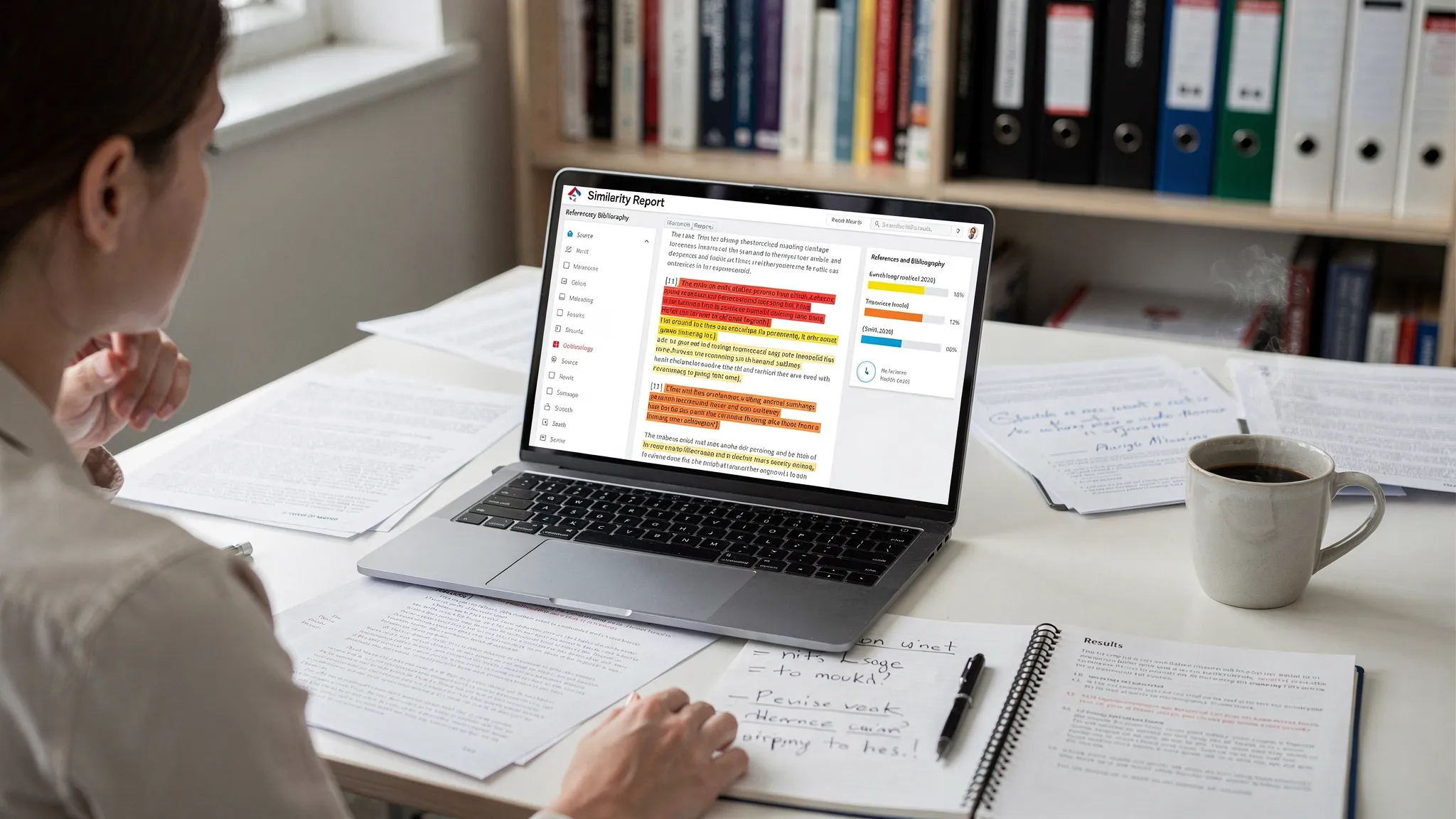
Why Turnitin Is Flagging References and is a question many students are asking right now. If you have uploaded a paper to Turnitin lately and noticed your references page, URLs, or DOI strings lighting up in the Similarity Report, you are not imagining things. A growing number of students and instructors are asking the same question: why is Turnitin flagging references/DOIs now?
In most cases, nothing “new” is being accused. What is new is how often reference sections get counted or highlighted due to settings, expanded databases, and increasingly standardized citation metadata. The key is understanding what Turnitin is actually showing you, and what you can do about it without compromising academic integrity.
What Turnitin is actually “flagging” (Similarity vs AI writing)
Turnitin commonly surfaces two different kinds of signals:
- Similarity Report (text matching): Highlights text that matches other sources in Turnitin’s databases (web pages, journals, student papers, etc.). This is where references and DOIs typically get highlighted.
- AI writing indicator (authorship likelihood): A separate feature that estimates the likelihood that text was generated by AI. Depending on institutional access and configuration, it may analyze most text that is submitted, including sections you consider “boilerplate.”
Here is why this distinction matters: a highlighted bibliography is usually a Similarity issue, not an AI issue.
| Item Turnitin highlights | Most common reason | Usually a problem? | What to check first |
|---|---|---|---|
| Full references/bibliography | Matching reference strings exist everywhere | Often no | Whether “Exclude bibliography” is enabled |
A DOI (for example, 10.1016/j...) |
DOI is a standardized identifier repeated verbatim | Usually no | Whether DOI is being counted in Similarity % |
| Reference titles and journal names | Publisher metadata is identical across sources | Sometimes | Citation formatting and whether you copied from a website |
| In-text citations (Author, Year) | Widely repeated phrases and patterns | Usually no | Filters for small matches and quoted material |
For Turnitin’s own overview of Similarity settings and exclusions, see the Turnitin Similarity Report guidance (Help Center).
Why references and DOIs match so easily
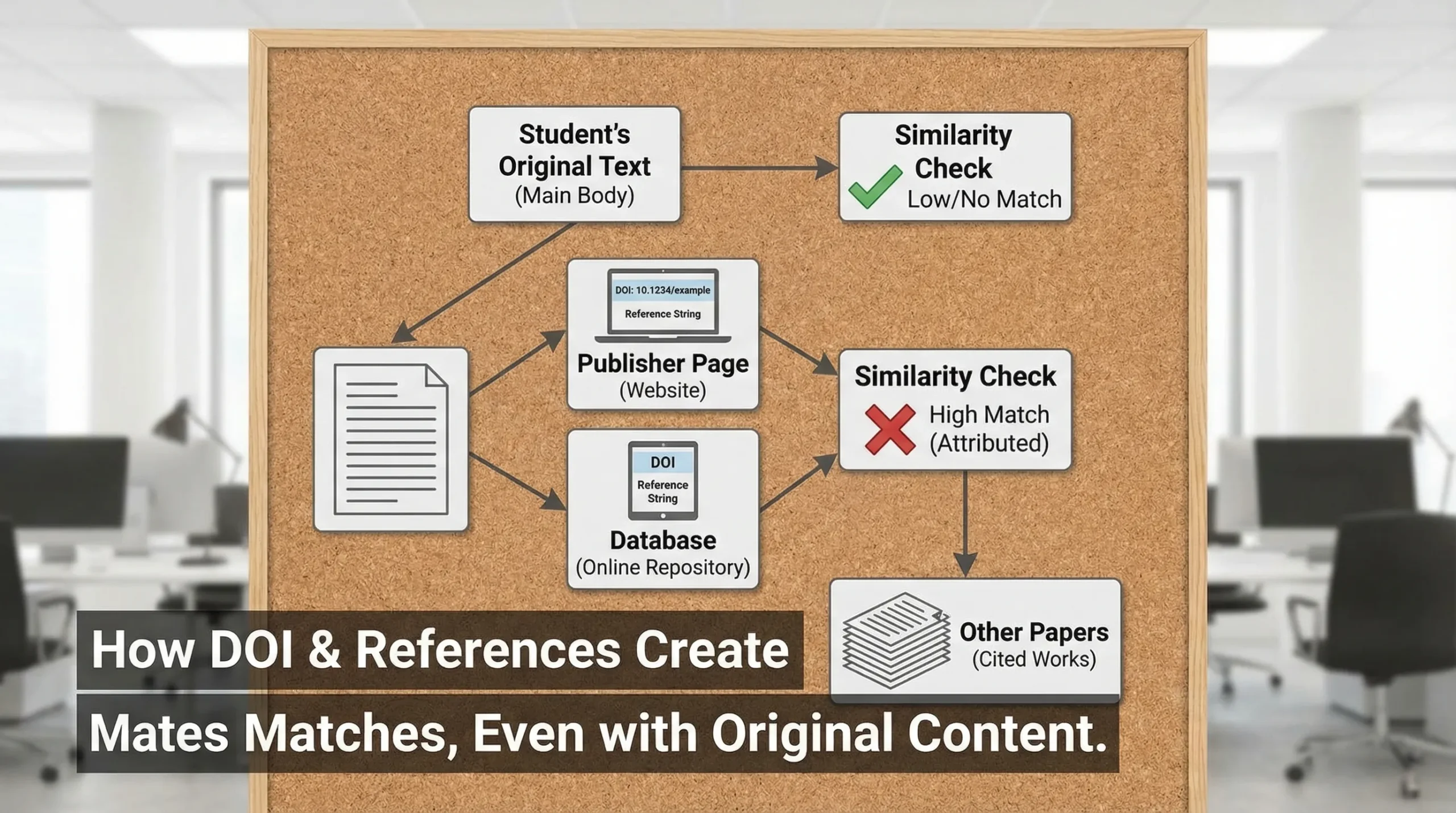
References are designed to be repeatable and consistent. That is exactly what makes them easy to match.
1) Reference entries are “standard strings”
A typical citation contains:
- Author names
- Publication year
- Article title
- Journal or publisher
- Volume/issue/pages
- DOI or URL
That combination often appears identically across:
- Publisher pages
- Google Scholar listings
- ResearchGate / Academia.edu mirrors
- Institutional repositories
- Preprint servers
- Other students’ papers using the same sources
So even if your writing is completely original, your bibliography can still produce matches.
2) DOIs are meant to be identical everywhere
A DOI (Digital Object Identifier) is a persistent identifier intended to be copied exactly, character-for-character. Crossref (one of the main DOI registration agencies) explains the DOI system and why it is designed for stable, standardized reuse on its official site.
Because DOIs are short, unique, and identical across citations, they are almost perfect “anchors” for matching.
3) Many students copy references from the same places
Even when students are not copying content, they often copy citation text from the same sources:
- The “Cite” button in Google Scholar
- Publisher “Cite this article” widgets
- Reference generators that output the same punctuation patterns
If 5,000 people copy the same citation block, Turnitin is going to match it.
4) Some citation formats add extra repeatable text
Certain styles can increase matching because they include standard phrases:
- “Retrieved from …”
- “Accessed on …”
- Long database URLs
- License notices or archive statements
This is not wrong, but it can inflate visible similarity.
Why it seems worse “now” (common 2025–2026 causes)
People tend to notice reference and DOI flagging in waves. In practice, it usually spikes for a few reasons.
1) Your institution changed Similarity filters or the view you are seeing
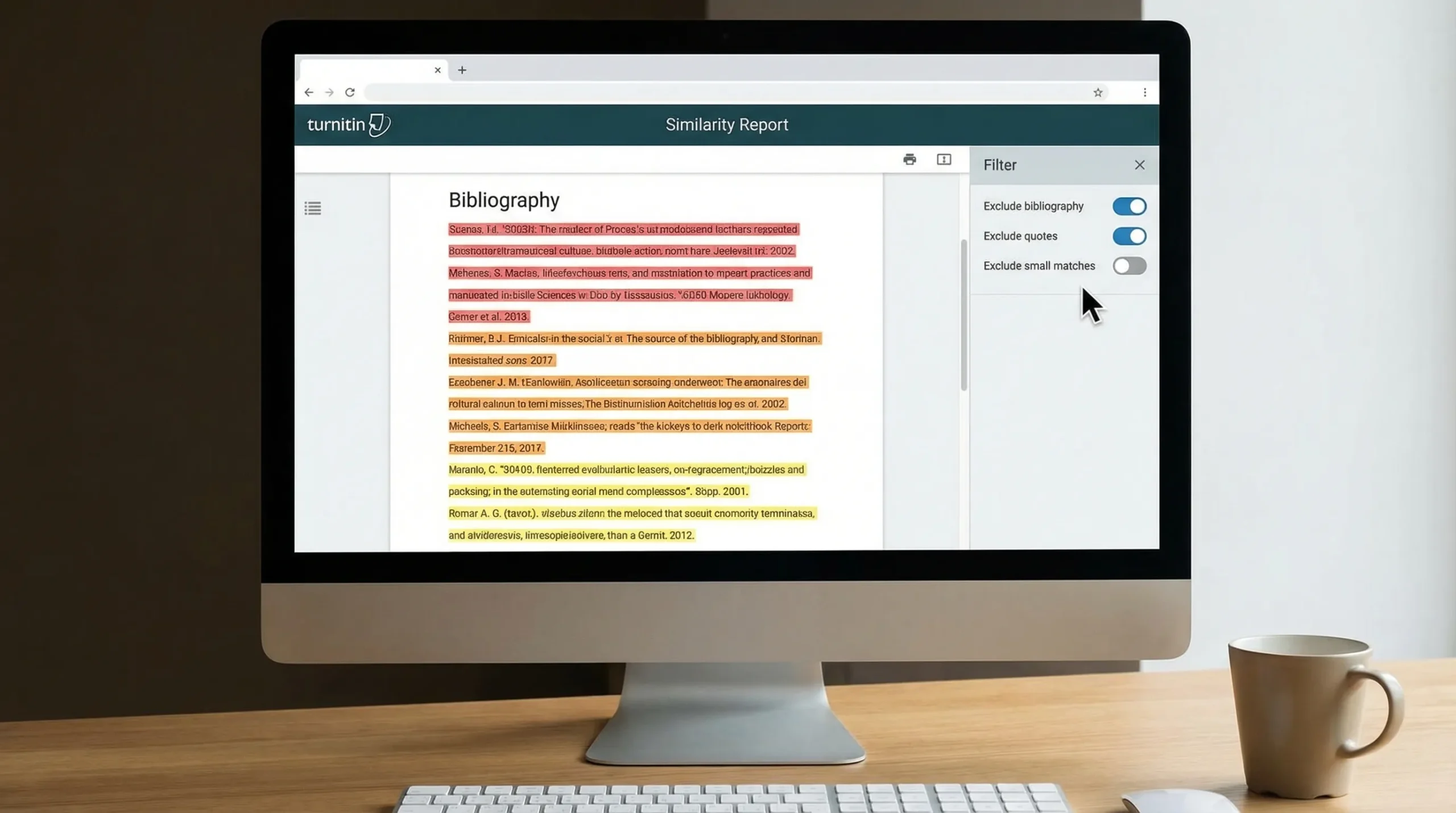
Turnitin can be configured to:
- include or exclude bibliography
- include or exclude quotes
- ignore small matches (for example, under 8–10 words)
If your school recently changed defaults, or if an instructor is viewing the report with different filters than you, references can suddenly look “flagged” when they previously did not.
If you have ever seen an asterisk next to the similarity percentage, it can also indicate you are looking at a filtered view. (Related reading: What Does the Turnitin Asterisk % Mean?)
2) Database coverage keeps expanding
Turnitin’s matching becomes more sensitive as its searchable corpus grows. The more journal metadata, repositories, and student submissions it can compare against, the more likely your bibliography strings will match something.
Even without a dramatic “algorithm update,” broader coverage makes repeats more visible.
3) Students are citing more sources, and citations are more standardized
Two trends collide here:
- More citation automation (Zotero, Mendeley, EndNote, Scholar export)
- More standardized DOI formatting (
https://doi.org/...)
Standardization improves scholarship, but it also increases matchability.
4) AI-generated reference lists are increasing (and they are often patterned)
Some students use AI to draft bibliographies. Even when the sources are real, AI-produced references can be:
- unusually uniform in structure
- missing small style-specific quirks
- incorrect in subtle ways (wrong page ranges, wrong issue numbers)
That can draw attention in review, even if Similarity matching is the main mechanism.
When a flagged references page is normal vs when it is a real concern
A highlighted bibliography is often harmless. Still, there are cases where it points to a genuine problem.
Usually normal
- Matches are concentrated in the References section.
- Matched sources are the same papers you cited, not unrelated content.
- The main body of the paper has low matching and reads like your own analysis.
Why Turnitin Is Flagging References and: Worth fixing or explaining
- Large blocks of the main body match a single source.
- Your reference list contains citations you did not use.
- References appear to match a “student paper” heavily, suggesting you copied someone else’s bibliography wholesale.
- DOI strings appear alongside suspiciously similar phrasing in the body.
For a clear explanation of how Turnitin’s Similarity % differs from its AI indicator, see: Turnitin AI % vs Similarity %: What’s Actually Different?
How to reduce reference and DOI flagging (legit, policy-safe fixes)
The goal is not to “game” the system. It is to make sure Turnitin is measuring the work you actually authored, and that your citations are accurate.
Check filters first (this solves a lot)
In the Similarity Report, look for options like:
- Exclude bibliography
- Exclude quotes
- Exclude small matches
If your similarity percentage drops dramatically after excluding bibliography, your “problem” was mostly reference matching, not copied writing.
Build references with a citation manager, not copy-paste blocks
Tools like Zotero or EndNote reduce accidental errors and weird formatting artifacts (invisible characters, line breaks, inconsistent punctuation) that can make citations look copied.
This is especially important for:
- DOIs that wrap onto the next line
- long URLs with tracking parameters
- “Cite” widgets that inject extra text
Use the DOI format required by your style guide
Different styles have different expectations:
- Some prefer the DOI as a full link (
https://doi.org/...) - Some allow the raw DOI string
Be consistent. Inconsistency can look like patchwork copying from multiple citation generators.
Avoid padding references with unnecessary template text
If your required style does not mandate “Retrieved from” or access dates for stable journal articles, do not add them. Extra boilerplate increases matchable text without adding academic value.
Add originality where it counts: your analysis and your data
If your assignment allows it, include something that is uniquely yours:
- your own mini dataset
- your own comparison table
- your own observations from a lab, project, or case study
Example: in business, economics, or personal finance coursework, using your own spending categories or budgeting outcomes can create authentic, non-generic content. A simple tool like a free expense tracker app can help you export or summarize personal data (within your privacy comfort zone) so your analysis is clearly original.
If an instructor questions your flagged DOIs or references
If the concern is about integrity, the fastest way to de-escalate is to show process evidence.
Good evidence typically includes:
- Draft history (Google Docs or Word version history)
- Your research notes and outlines
- PDFs with highlights and annotations
- Zotero library screenshots (showing when sources were added)
- A brief explanation of why references match (standardized citations)
A calm, factual explanation often works:
“The Similarity matches are primarily in the References section. Those entries include standardized DOI strings and citation metadata that appears identically across publisher pages and databases.”
If AI authorship is being questioned, showing drafting history and research notes is more persuasive than arguing about detector accuracy.
Quick troubleshooting checklist
Use this as a fast diagnostic before you rewrite anything:
- Confirm whether the highlighted text is mostly in References or main body.
- Toggle Exclude bibliography and see how the similarity score changes.
- Click a few matches and verify they are the same sources you cited.
- Scan for copied citation blocks from a classmate’s paper or a template.
- Verify each DOI resolves correctly (a wrong DOI can raise suspicion even if unintentional).
Frequently Asked Questions
Does Turnitin think my references are plagiarism? Turnitin does not “decide” plagiarism. It shows text matches. References match frequently because citation strings and DOIs are standardized and repeated across many documents.
Why are DOIs highlighted even when I cited correctly? DOIs are designed to be identical everywhere. Turnitin matches them easily because they are short, unique, and repeated verbatim across publisher sites, databases, and other papers.
Can references affect my similarity percentage? Yes. If bibliography exclusion is not enabled, references can contribute noticeably to the Similarity %. This is common in research-heavy papers.
Is Turnitin flagging references because of AI writing detection? Usually no. References are most often highlighted in the Similarity Report. However, AI-generated reference sections can look unusually uniform or contain subtle errors, which may trigger manual scrutiny.
What should I do if my similarity is high only because of the bibliography? Ask your instructor what filters they use and whether they evaluate similarity with bibliography excluded. Also ensure your references are properly formatted and not copied wholesale from another paper.
Want to sanity-check your text before submitting?
If you are dealing with repeated false alarms, or you want to make sure your writing sounds naturally human (especially in sections that tend to look templated), you can use the free tools and guides on Detection Drama to review and refine AI-assisted drafts responsibly. The goal is not to hide misconduct, it is to reduce avoidable flags, fix awkward automation patterns, and submit work that reflects your real understanding.
