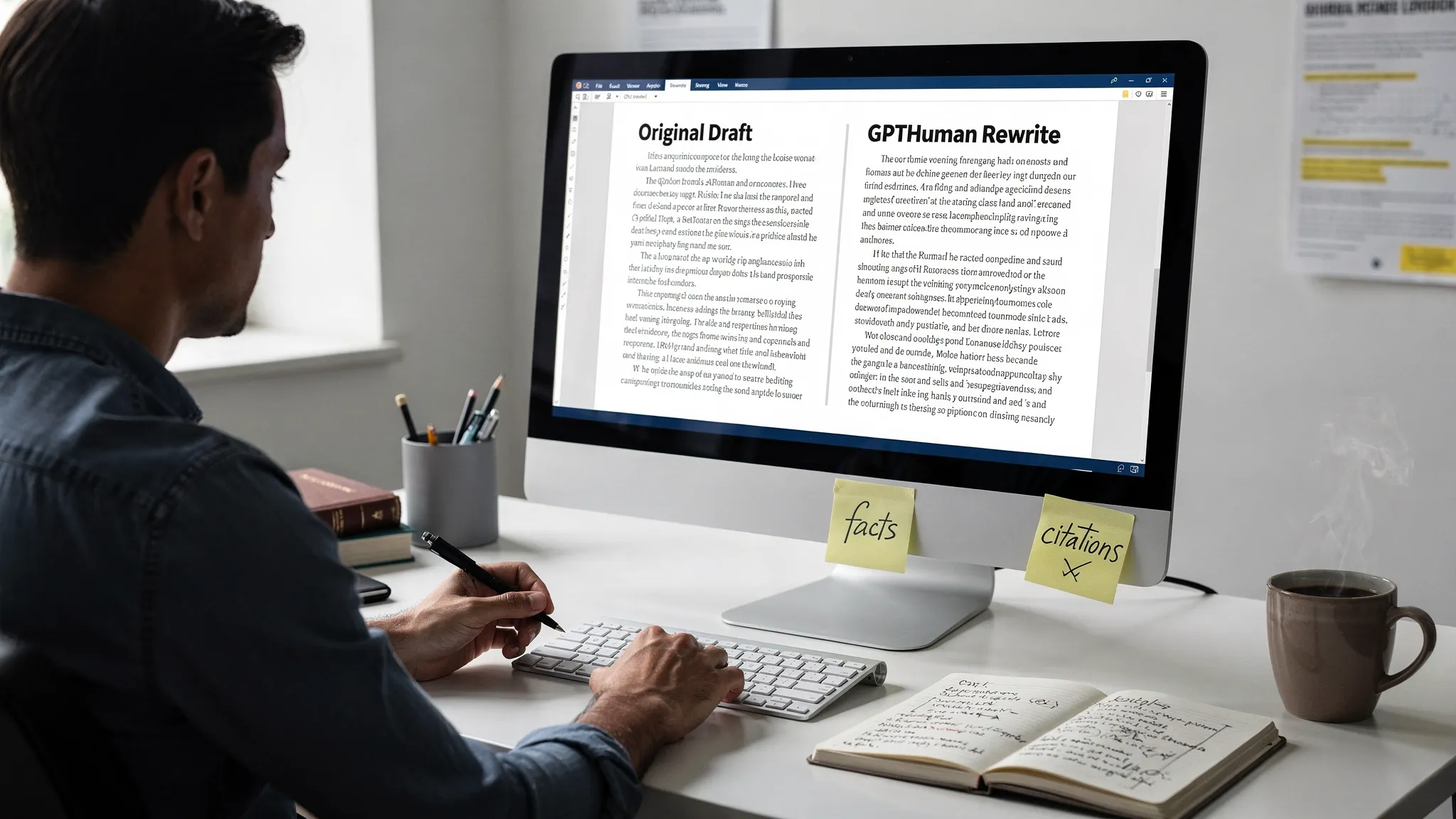
GPTHuman can produce a much cleaner rewrite than a basic paraphraser, but only if you treat it like an editing step instead of a one-click magic button. The best results usually come from a simple workflow: prepare the draft, choose the right rewrite strength, protect facts and citations, then do a final human pass before you submit or publish.
Want to bypass Turnitin in 2026? Grab the free prompt pack.
Get the exact text-humanization prompts I use to drop an AI score by hand — copy, paste, submit. Free, straight to your inbox.
Send me the free prompts →That matters because “natural” writing is not just less detectable. It is specific, consistent, accurate, and readable. A rewrite that dodges one AI content detector but sounds awkward to a real person is not a win.
This guide shows how to use GPTHuman for smoother, more natural rewrites while avoiding the common problems that make humanized text look suspicious, generic, or factually wrong.
What GPTHuman is best used for
GPTHuman is an AI humanizer designed to rewrite AI-generated content so it sounds more natural and less machine-like. As covered in our full GPTHuman review, it is commonly used by students, marketers, creators, and professionals who want AI-assisted drafts to read more like human writing.
The key phrase is “AI-assisted drafts.” GPTHuman works best when the original text already has a clear purpose, accurate facts, and a logical structure. If the source draft is vague, repetitive, or full of invented claims, the rewrite may sound smoother without becoming more trustworthy.
A cleaner GPTHuman rewrite should do four things:
- Preserve the original meaning, facts, names, dates, and citations.
- Reduce robotic phrasing, repetitive sentence patterns, and over-formal transitions.
- Match the intended tone, such as academic, conversational, professional, or marketing-focused.
- Remain easy for a human reader to follow without odd synonyms or distorted logic.
If your only goal is to “bypass AI detection,” you are more likely to over-process the text. If your goal is to make the writing clearer, more specific, and more believable, detection scores usually become less of the central problem.
Start with a cleaner input draft
The most important GPTHuman tip is also the least exciting: fix the source text before you humanize it.
AI-generated content often has predictable patterns, including broad introductions, symmetrical paragraphs, repetitive transitions, and claims that sound confident but lack detail. If you send that straight into a humanizer, the tool has to solve too many problems at once.
Before using GPTHuman, quickly clean the draft yourself. Remove filler phrases like “in today’s fast-paced world,” “it is important to note,” and “this essay will explore.” Replace vague claims with real examples, course details, product details, or source-backed evidence. If the draft includes citations, check that they are real and correctly attached to the claims they support.
| Input problem | Why it hurts the rewrite | Better pre-edit |
|---|---|---|
| Generic opening paragraph | Humanizer may keep the same predictable structure | Start with a concrete claim, situation, or problem |
| Repeated transitions | Output can still feel formulaic | Vary transitions or delete unnecessary signposting |
| Unsupported facts | Rewrite may make false claims sound more fluent | Verify facts before humanizing |
| Long mixed-topic paragraphs | Meaning can drift during rewriting | Split into focused sections first |
| Over-polished academic tone | Output may still feel detector-friendly | Add specific reasoning and natural phrasing |
This is especially important for technical, legal, medical, academic, or citation-heavy writing. Humanizers can accidentally change meaning, so the cleaner your input is, the safer your output becomes. For a deeper checklist, see our guide on AI humanizers that ruin facts.
Use GPTHuman in smaller chunks
For cleaner rewrites, avoid processing an entire long document in one pass unless the tool specifically handles long-form structure well for your use case. Smaller chunks give you more control.
A practical chunk size is one section at a time, usually 300 to 800 words. This is long enough for GPTHuman to understand context, but short enough for you to check changes carefully afterward.
Chunking helps because each section usually has a different job. An introduction needs clarity and momentum. A methods section needs precision. A blog section needs flow and examples. A conclusion needs synthesis, not random rephrasing.
When you process smaller sections, you can also adjust tone more intelligently. You might want a conversational tone for a blog introduction, a more precise tone for a technical explanation, and a concise tone for a conclusion.
Choose the lightest rewrite that solves the problem
A common mistake is using the strongest or most aggressive rewrite mode first. That may reduce obvious AI patterns, but it can also introduce unnatural phrasing, weaken arguments, or change key details.
Start with the lightest rewrite that improves the text. If GPTHuman gives you tone or intensity options, begin with a natural or balanced setting before trying anything more aggressive. Then compare the output against the original.
The best rewrite usually does not look completely different. It should feel like a clearer version of the same author’s work.
Here is a simple decision table:
| Goal | Best approach | Risk to watch |
|---|---|---|
| Make stiff AI text sound smoother | Use a balanced natural rewrite | Slight meaning drift |
| Preserve academic or technical precision | Use a lighter rewrite and check terminology | Citation or term changes |
| Make marketing copy less generic | Rewrite paragraph by paragraph, then restore brand voice | Losing CTA strength |
| Reduce detector-like patterns | Improve specificity and rhythm, not just synonyms | Over-humanized awkwardness |
| Match your personal voice | Edit after GPTHuman using your own examples and sentence rhythm | Voice flattening |
If one pass is not enough, do not automatically run the same text through GPTHuman repeatedly. Multiple rewrite passes can make the prose less stable. It is usually better to identify the weak paragraphs and rework only those.
Protect terms, citations, and facts before rewriting
GPTHuman can make text more natural, but no humanizer should be trusted blindly with exact details. Before rewriting, create a short list of “do not change” items.
These may include names, quotes, statistics, dates, citations, product names, legal terms, formulas, and technical vocabulary. If the tool has a way to preserve terms or follow custom instructions, use it. If not, keep the list beside you and check the output manually.
For academic or professional work, this step is non-negotiable. A rewrite that changes “correlation” to “causation,” alters a quote, or moves a citation to the wrong claim can create a bigger problem than an AI detection flag.
A simple pre-rewrite note can look like this:
Do not change: author names, dates, citations, quoted language, statistics, product names, technical terms, and the order of the argument. Rewrite only for clarity, flow, and natural sentence rhythm.
Even if you cannot paste that instruction directly into GPTHuman, use it as your editing rule when reviewing the output.
Compare the original and GPTHuman output side by side
Never judge the rewritten version by sound alone. Smooth writing can hide errors.
After GPTHuman rewrites a section, place the original and revised version side by side. Check whether every claim still means the same thing. Pay close attention to numbers, names, citations, negations, and cause-effect statements.
For example, these changes may look small but can alter meaning:
- “May reduce risk” becomes “reduces risk.”
- “Some students reported” becomes “students reported.”
- “The study did not prove causation” becomes “the study proved causation.”
- “GPTZero flagged the sample” becomes “Turnitin flagged the sample.”
This is where many users lose quality. They assume a humanizer is only changing style, but style changes can quietly affect substance.
Add one real human edit after GPTHuman
The final human pass is what makes the rewrite feel authentic. GPTHuman can improve flow, but your own edit adds context, judgment, and ownership.
After the rewrite, read the section out loud. Mark any sentence you would not naturally say or defend. Then add at least one human signal where appropriate: a specific example, a course reference, a client detail, a personal observation, a data point, or a clearer explanation of why the claim matters.
This is also the best time to restore your voice. If GPTHuman makes every sentence the same length or tone, vary the rhythm. Use shorter sentences where emphasis helps. Combine ideas where the writing feels choppy. Replace fancy synonyms with words you actually use.
For more on this, read our guide on rewriting AI text without losing your original voice.
Run a detector check, but do not treat it as proof
Many GPTHuman users run their rewritten text through an AI content detector afterward. That can be useful as a risk check, especially if you are comparing multiple versions. But detector results are probabilistic, not proof of authorship.
Different AI detectors can disagree because they use different models, thresholds, and preprocessing methods. A text can look human in one detector and risky in another. Turnitin, GPTZero, Copyleaks, Originality.ai, and other tools may interpret the same passage differently.
So use detector feedback as a clue, not a verdict. If a section still looks risky, do not simply scramble it again. Look for the underlying writing issue:
- Is the paragraph too generic?
- Are the sentences too uniform?
- Does the text lack examples or original reasoning?
- Is the tone too polished for the context?
- Are transitions overly predictable?
Fix those issues first. If you are dealing with Turnitin specifically, our guide to what Turnitin’s AI highlighting actually means explains why highlighted text should be interpreted carefully.
Avoid the “over-humanized” look
Bad humanization has its own fingerprint. It often sounds like someone used a thesaurus too aggressively, added random contractions, or inserted awkward casual phrases into serious writing.
Over-humanized writing may include strange idioms, inconsistent tone, unnecessary slang, or sentences that are technically different but not actually clearer. It can also create a voice mismatch, where one paragraph sounds casual and the next sounds like a journal article.
A natural rewrite should not be messy for the sake of looking human. Real human writing has variation, but it also has intent. If GPTHuman gives you a sentence that feels unusual, simplify it instead of assuming unusual equals authentic.
Use case tips for different rewrite types
Academic drafts
For academic writing, prioritize accuracy and authorship evidence. Keep citations intact, preserve your argument, and avoid using GPTHuman to hide prohibited AI use. If your institution allows AI assistance, document how you used it and keep drafts, notes, outlines, and version history.
Academic rewrites should become clearer, not more decorative. Replace generic claims with course-specific reasoning, source analysis, and your own explanation. Avoid adding fake complexity just to change the surface pattern.
Blog posts and SEO content
For blog content, GPTHuman is useful for reducing generic AI phrasing and improving reader flow. After rewriting, check that headings still match search intent, examples are specific, and the introduction gets to the point quickly.
Do not let the rewrite remove keywords that matter naturally to the topic. At the same time, avoid stuffing phrases like “AI detection,” “text humanizer,” or “humanize AI text” into every paragraph. Search engines and readers both reward useful, clear content over repetition.
Professional emails and workplace writing
For workplace writing, keep the rewrite concise. GPTHuman can help soften robotic language, but the final message should still sound like you. Remove unnecessary flourishes and make sure the ask, deadline, or decision is obvious.
Professional readers care less about whether a sentence sounds AI-generated and more about whether it is clear, accurate, and appropriate for the relationship.
Marketing copy
For marketing copy, protect conversion-critical elements before rewriting. Keep the offer, CTA, proof points, and audience pain points intact. GPTHuman can make copy sound less templated, but you should manually restore brand voice afterward.
If the rewrite weakens urgency, removes specificity, or changes the promise, revise it manually rather than accepting the output.
A cleaner GPTHuman workflow you can reuse
Here is the simplest repeatable workflow for better results:
| Stage | What to do | Quality check |
|---|---|---|
| Prepare | Remove filler, verify facts, split long sections | Is the source draft worth rewriting? |
| Humanize | Use GPTHuman on one section at a time | Did the meaning stay intact? |
| Compare | Review original and output side by side | Did any fact, citation, or term change? |
| Edit | Add your own examples, rhythm, and judgment | Does it sound like a real person wrote it? |
| Verify | Run readability, plagiarism, or detector checks if needed | Are you relying on evidence, not just scores? |
This workflow takes longer than pasting the whole document into a tool once. But it produces cleaner writing, fewer factual errors, and a more defensible final draft.
Common GPTHuman mistakes to avoid
| Mistake | Why it backfires | Better option |
|---|---|---|
| Humanizing a weak first draft | The output becomes smoother but still shallow | Improve structure and facts first |
| Rewriting too aggressively | Meaning and tone can drift | Start with a balanced rewrite |
| Processing the whole document at once | Errors are harder to catch | Work section by section |
| Trusting detector scores completely | Detectors can disagree or misread text | Use scores as one signal only |
| Skipping the final human edit | Output may still feel generic | Add examples, judgment, and voice |
| Ignoring version history | Harder to prove authorship later | Save drafts and major edits |
The last point matters more than many users realize. If a piece of writing is questioned later, a polished final draft is less persuasive than a visible process. Keep outlines, notes, earlier drafts, and version history whenever the context is high-stakes.
FAQ
Is GPTHuman better than a normal paraphraser? GPTHuman is designed specifically for making AI-generated text sound more human, while a standard paraphraser usually focuses on swapping wording or restructuring sentences. For natural rewrites, GPTHuman is generally more purpose-built, but you still need to verify accuracy and edit the output.
Can GPTHuman guarantee that Turnitin will not flag my writing? No tool should be treated as a guaranteed Turnitin bypass. AI detectors change over time, and results vary by text type, length, subject, and editing history. Use GPTHuman to improve naturalness and clarity, then keep authorship evidence and follow your institution’s AI policy.
Should I run GPTHuman more than once on the same text? Usually, one careful pass plus a human edit is better than multiple automated passes. Repeated rewriting can introduce awkward phrasing, factual drift, or a voice mismatch. If a section still feels robotic, revise that section manually before trying another pass.
Does GPTHuman work for technical or academic writing? It can help, but technical and academic writing require extra review. Protect terminology, citations, formulas, quotes, and exact claims before rewriting. Always compare the output with the original to make sure the meaning has not changed.
What is the best way to make a GPTHuman rewrite sound more like me? Add your own examples, sentence rhythm, and word choices after the rewrite. GPTHuman can reduce robotic patterns, but your final pass is what restores personal voice and makes the text feel genuinely authored.
Final take: GPTHuman works best with human judgment
GPTHuman is most useful when you treat it as part of a writing workflow, not the entire workflow. Start with a clean draft, rewrite in manageable chunks, protect facts, compare versions, and do one final human edit.
If you want to test GPTHuman against other tools, start with our full GPTHuman review or explore Detection Drama’s free AI humanizer resources. The cleaner your process, the cleaner your rewrite will be.
