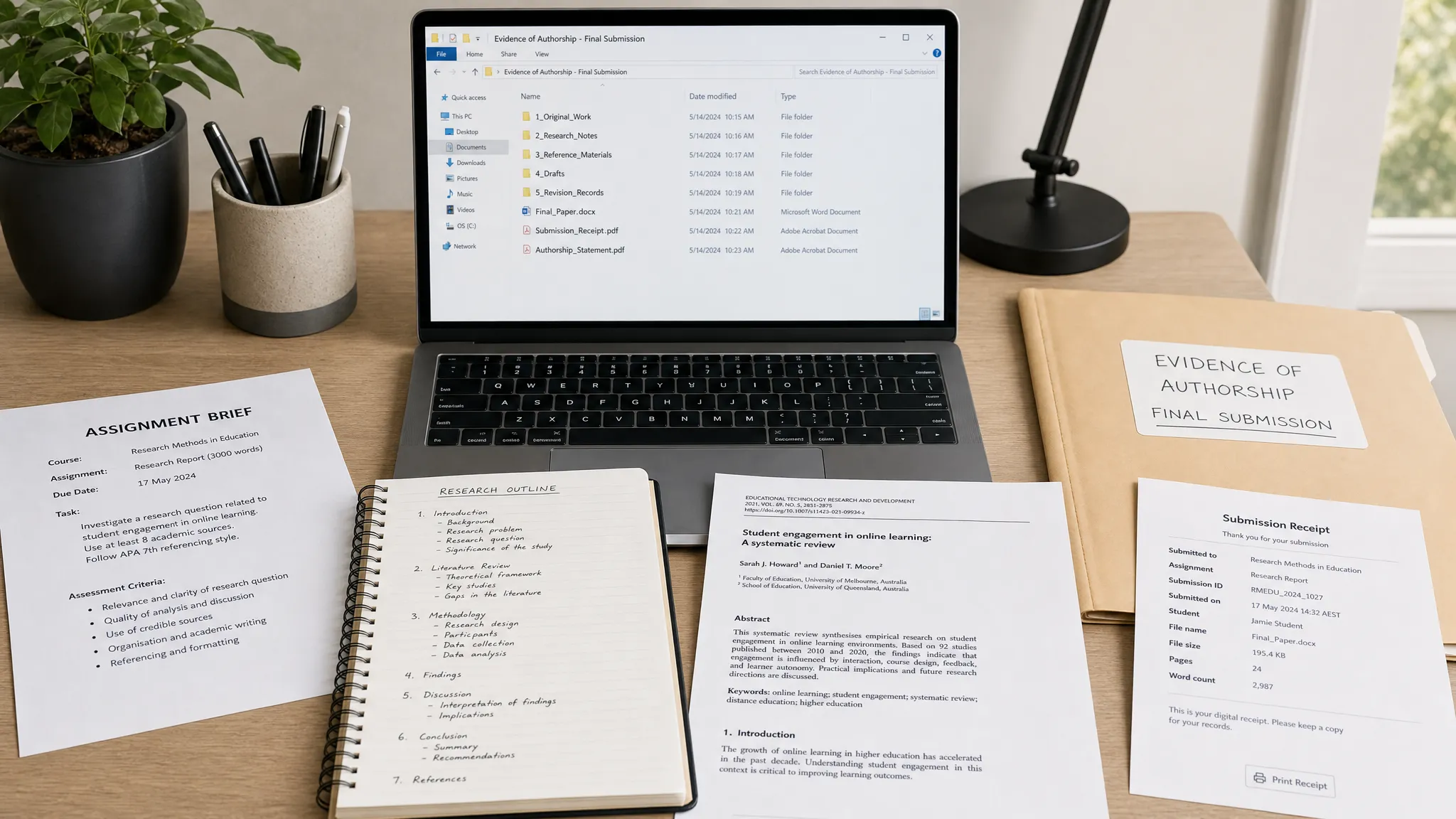
By the time an AI content detector flag appears, the most useful evidence is often already scattered across browser tabs, notebooks, downloads, and half-forgotten drafts. That is why the smartest time to build an authorship packet is before you submit, not after someone questions your work.
Want to bypass Turnitin in 2026? Grab the free prompt pack.
Get the exact text-humanization prompts I use to drop an AI score by hand — copy, paste, submit. Free, straight to your inbox.
Send me the free prompts →An authorship packet is a small, organized folder that shows how your assignment was created. It does not need to be dramatic or huge. It simply preserves the trail of your thinking: the assignment prompt, outline, research notes, draft milestones, version history, citations, editing decisions, and any permitted AI or writing-tool use.
This is not a trick for bypassing AI detection. It is a defensible writing habit for a world where Turnitin, GPTZero, Copyleaks, plagiarism checkers, and internal school policies may all shape how your work is reviewed. If your writing is ever questioned, a clean authorship packet gives you something better than panic: a calm, dated record of your process.
What Is an Authorship Packet?
An authorship packet is a collection of evidence that supports a simple claim: “I can explain how this work was created.”
It is not supposed to prove every keystroke. It is not a legal filing. It is closer to a lab notebook, design log, or research folder. The goal is to show a reasonable, chronological path from prompt to final submission.
A strong packet usually includes:
- The original assignment instructions and rubric
- A dated outline or planning document
- Research notes and source records
- Draft versions or named version-history milestones
- A source-to-claim map for important citations
- A brief writing log with major work sessions
- A tool-use log if you used AI, Grammarly, citation tools, translators, or paraphrasers
- A final submitted copy and timestamped submission receipt
You probably will not submit the whole packet with your assignment. Most of it stays private unless an instructor asks questions later. The value comes from having it ready, organized, and timestamped before there is a dispute.
Why Build One Before You Submit?
AI detectors analyze text. They do not know your intent, your research process, your outline, your struggle with a paragraph, or the three times you changed your thesis. As Detection Drama explains in its guide on whether AI detectors can read Google Docs history or ChatGPT logs, detection systems generally evaluate the submitted text, not your entire writing history.
That creates a gap. A polished human-written essay can look statistically “AI-like,” especially if it uses standard academic structure, smooth transitions, or generic phrasing. Research concerns are not theoretical either. Stanford HAI has reported that AI detectors can be biased against non-native English writing, which is one reason many institutions are moving toward process evidence rather than detector-only judgments.
Turnitin itself presents AI writing detection as an indicator for review, not a complete authorship verdict. A detector score can start a conversation, but your authorship packet gives that conversation context.
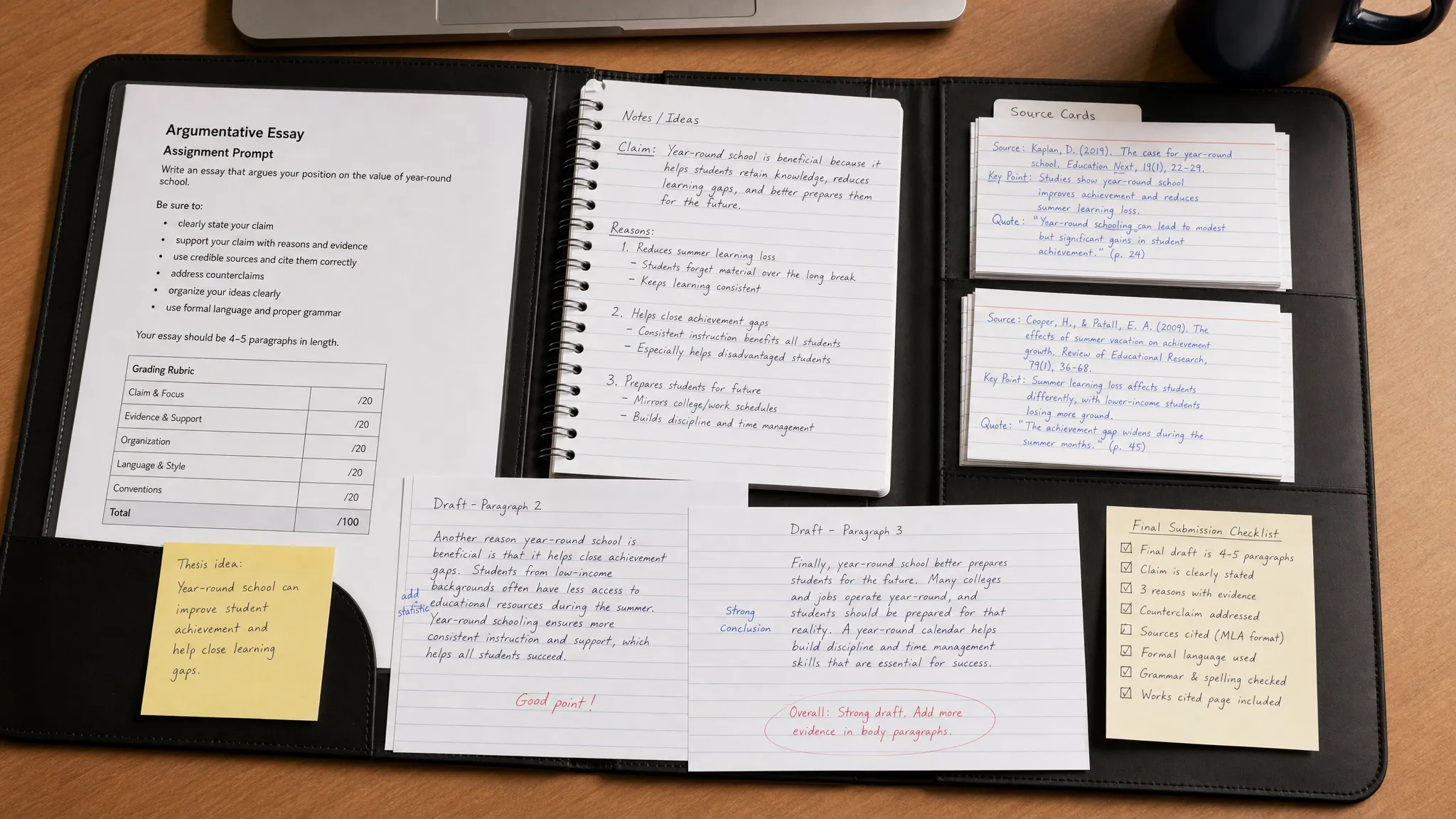
The Core Authorship Packet Checklist
Use this table as your baseline. You do not need perfection for every assignment, but the more high-stakes the submission, the more complete your packet should be.
| Packet item | What to save | Why it helps |
|---|---|---|
| Assignment brief | Prompt, rubric, due date, allowed AI policy | Shows what you were responding to and what rules applied |
| Planning document | Outline, thesis options, question list, concept map | Shows early thinking before the final prose existed |
| Research trail | Notes, source links, PDFs, screenshots of database records | Connects your claims to real sources |
| Draft milestones | Rough draft, middle draft, revised draft, final draft | Shows development over time instead of a sudden final text |
| Version history | Google Docs or Word version history with timestamps | Supports gradual authorship and editing patterns |
| Source map | Claim, source, page or section, citation format | Helps defend citations and explain research choices |
| Tool-use log | AI, grammar, translation, citation, or editing tools used | Shows transparency and policy compliance |
| Feedback evidence | Instructor comments, peer review, writing center notes | Confirms human interaction and revision history |
| Final snapshot | Submitted file, timestamp, receipt, LMS confirmation | Proves what you actually submitted |
| Process memo | One-page summary of how you wrote the work | Makes the evidence easy to understand if questioned |
The goal is not to bury anyone in documents. The goal is to make your process legible.
Step 1: Start With the Policy, Not the Detector
Before you write, check the assignment’s AI policy. This matters more than any AI content detector score.
Some instructors ban generative AI entirely. Others allow it for brainstorming, outlining, grammar, translation, or citation formatting. Some require disclosure. Some have no clear rule, which creates its own risk.
Save the policy inside your authorship packet. If the policy is in a syllabus, screenshot or download that page. If it is in the assignment instructions, save the prompt. If the instructor clarified rules by email or LMS announcement, save that too.
If the policy is unclear, ask before submitting. A short message is enough:
Hi Professor [Name],

I am working on [assignment name] and wanted to confirm the AI/tool policy before I submit. Are tools like Grammarly, citation managers, or AI brainstorming allowed if disclosed? I want to make sure my process matches the course expectations.

Thank you,
[Your name]
This one email can become part of your packet. It also shows good faith.
Step 2: Create a Simple Folder Structure
Your packet should be easy to understand six weeks later. Use a folder name that includes the course, assignment, and date.
Authorship_Packet_ENG201_Research_Essay_2026-06-02

01_Assignment_and_Policy
02_Planning_and_Outline
03_Research_Notes_and_Sources
04_Drafts_and_Version_History
05_Tool_Use_Log
06_Final_Submission
07_Process_Memo
You can use Google Drive, OneDrive, Dropbox, iCloud, or a local folder. Cloud storage is useful because it preserves timestamps, but do not rely on cloud sync alone. For major submissions, export a backup copy of key files as PDFs.
If you write in Google Docs or Microsoft Word, keep the main draft in one document instead of constantly copying into new blank files. Continuous drafting makes version history more useful. Detection Drama has a separate breakdown of whether Google Docs or Word version history is enough as proof, but the short version is simple: version history is helpful, especially when paired with notes, outlines, and source evidence.
Step 3: Save Draft Milestones on Purpose
A strong authorship packet shows evolution. A weak packet only shows the final file.
You do not need to save a new file every five minutes. Instead, preserve meaningful milestones:
- Outline complete
- First rough draft complete
- Evidence added
- Major revision after feedback
- Citation and formatting pass complete
- Final submitted version
Name versions clearly. In Google Docs, you can use named versions. In Word, you can use AutoSave with OneDrive or manually save milestone copies.
Good version names look like this:
Draft 1 - rough structure and thesis
Draft 2 - evidence added from sources
Draft 3 - revised intro and counterargument
Final - submitted version
This matters because a version history full of vague timestamps is harder to interpret. Named milestones tell the story for you.
Step 4: Build a Source-to-Claim Map
A source-to-claim map is one of the most underrated parts of an authorship packet. It shows that your paper was built from research, not pasted from nowhere.
Create a simple table while drafting. You can keep it in a spreadsheet or document.
| Claim in your paper | Source used | Page, paragraph, or section | How you used it | Citation done? |
|---|---|---|---|---|
| Main claim or statistic | Article, book, report, lecture, dataset | Page 12, table 2, section heading | Paraphrase, quote, background, counterpoint | Yes or no |
| Supporting example | Source title or URL | Timestamp, page, section | Example, comparison, case detail | Yes or no |
| Definition or concept | Textbook, lecture slide, scholarly source | Chapter, slide, page | Definition, framework, terminology | Yes or no |
This helps with both plagiarism and AI concerns. If a plagiarism checker flags a phrase, your source map helps you locate whether it is quoted, paraphrased, or accidentally too close to the original. If an AI detector flags a polished section, your source map helps you explain where the ideas came from and how you built the paragraph.
For citation-heavy assignments, this is much more persuasive than saying “I did the research.” It shows the research trail.
Step 5: Keep a Tool-Use Log
If you used any writing tool, log it. That includes AI writing tools, grammar checkers, paraphrasers, translators, citation generators, summarizers, and plagiarism checkers.
A tool-use log does not mean you did something wrong. It means you can separate permitted assistance from authorship.
| Date | Tool | Purpose | What changed in the assignment? | Disclosure needed? |
|---|---|---|---|---|
| 2026-06-01 | Grammarly | Grammar and punctuation review | Accepted comma and clarity suggestions only | Check course policy |
| 2026-06-01 | Zotero or citation manager | Citation formatting | Generated bibliography entries, manually checked them | Usually no, but check policy |
| 2026-06-02 | ChatGPT or similar tool | Brainstormed possible counterarguments | Used ideas as prompts, wrote final wording myself | Depends on policy |
| 2026-06-02 | AI detector or plagiarism checker | Pre-submission review | Reviewed risk areas, did not rely on score as proof | Usually no, but check policy |
Be specific enough to be credible. “Used AI” is vague. “Asked for three counterarguments, used one as a planning prompt, wrote the paragraph myself” is much clearer.
If your course bans AI entirely, do not use generative AI and then try to hide it with a packet. An authorship packet should document a real process, not manufacture a cover story. If you accidentally used a tool that might violate policy, ask for guidance before submitting or disclose according to the rules.
Step 6: Save Feedback and Human Interaction
Feedback is authorship evidence because it shows a real revision process.
Save peer review comments, writing center appointment notes, instructor feedback, email questions, office-hour notes, and draft annotations. If you discussed the paper verbally, write a quick dated note afterward:
Office hour note - 2026-06-01

Discussed narrowing the thesis from social media broadly to TikTok recommendation systems. Professor suggested adding one counterargument about user agency. I revised paragraph 4 and added a source on algorithmic personalization.
This kind of note is simple, but it gives your writing process texture. It shows decisions, not just output.
Step 7: Take a Final Submission Snapshot
Before you submit, save exactly what you are submitting. This protects you if a file is converted, reformatted, rescanned, or resubmitted later.
Your final snapshot should include:
- The final document in the submitted file format
- A PDF copy if allowed
- The file name used for submission
- A screenshot or receipt from the LMS submission page
- The date and time of submission
- Any similarity or originality report available through the official course workflow
Be careful with unofficial Turnitin pre-checks. Depending on storage settings, resubmitting to third-party or unofficial repositories can create self-matching problems later. Detection Drama covers this risk in its guide on whether Turnitin pre-checks reduce risk or increase flags.
If your class provides an official draft check, use it according to the rules. If not, do not upload your paper everywhere just to chase a score.
Step 8: Write a One-Page Process Memo
The process memo is the front page of your authorship packet. It turns a folder of files into a readable story.
You do not need to submit it unless asked. But writing it before submission forces you to check whether your evidence makes sense.
Use this template:
Process Memo for [Assignment Name]
Student: [Your Name]
Course: [Course Name]
Submission date: [Date]

1. Assignment and policy
The assignment asked me to [briefly describe task]. The AI/tool policy stated [summarize rule or say unclear if unclear].

2. Research process
I began by reviewing [types of sources]. My main sources were [brief list]. I kept notes in [location or file name].

3. Drafting timeline
I created an outline on [date]. I completed a rough draft on [date]. I revised for evidence, structure, and citations on [dates].

4. Feedback and revision
I used feedback from [peer, instructor, writing center, self-review]. The biggest changes were [briefly describe].

5. Tools used
I used [tool names] for [specific purposes]. I did not use tools for [if relevant, final prose generation, citation invention, etc.].

6. Final check
Before submitting, I checked citations, formatting, and the final file. The submitted version is saved as [file name].
Keep the tone factual. Do not sound defensive. You are documenting your process, not arguing a case.
Strong Packet vs Weak Packet
The difference between a strong and weak authorship packet is usually not technical. It is whether the evidence tells a coherent story.
| Weak evidence | Stronger evidence |
|---|---|
| Final PDF only | Final PDF plus rough draft, revised draft, and version history |
| “I wrote it myself” | Timeline showing outline, research, draft, feedback, and final edits |
| Random AI detector screenshot | Source map, tool-use log, and official course report if available |
| Browser history only | Saved sources with notes explaining how each source was used |
| ChatGPT denial with no context | Clear tool-use log showing no AI use or permitted limited use |
| Version history showing one large paste | Version history showing gradual drafting and named milestones |
| Citations copied at the end | Source-to-claim map built during drafting |
A detector screenshot that says “human” is not the strongest proof of authorship. Detectors disagree, and scores can change. Process evidence is usually more useful than score-chasing.
Special Cases That Need Extra Documentation
If you are an ESL or multilingual writer
Keep early drafts, outlines, and notes in whatever language you naturally use. If you translate your own ideas, document that. If you use a translation tool, log it and check whether your course allows it.
Because AI detection can misread certain language patterns, your process evidence matters. Save vocabulary notes, translated source notes, and instructor feedback. These artifacts help show that your writing style reflects your language background and revision process, not necessarily AI-generated content.
If you used Grammarly or another grammar tool
Grammar tools can make prose smoother and more uniform. That does not automatically mean misconduct, but you should document what the tool did.
Save your original draft before accepting major suggestions. Log whether you accepted spelling fixes, clarity rewrites, tone changes, or full-sentence rewrites. The more the tool changes sentence structure, the more important it is to preserve the before-and-after record.
If you worked on a group project
Group work needs a contribution log. Save who wrote which section, when files were merged, and what each person edited. If one member uses AI in a way that violates policy, you need evidence of your own section and process.
For group submissions, create a shared authorship packet folder from the start. Detection Drama also has a dedicated guide on group project Turnitin AI flags if you need a more detailed workflow.
If your assignment is short
Short essays, discussion posts, reflections, and summaries can be more vulnerable to unreliable AI detection because there is less text to analyze. For short work, preserve planning notes and course-specific details. A two-page paper may not have many drafts, but it can still have a prompt, outline, source notes, and final snapshot.
What Not to Do
An authorship packet helps only if it is honest and consistent. Avoid these mistakes:
- Do not create fake drafts after the fact.
- Do not backdate files, screenshots, or notes.
- Do not delete AI chats or tool logs if the policy requires disclosure.
- Do not rely on hidden-character tricks or formatting hacks.
- Do not submit detector screenshots as if they are definitive proof.
- Do not rewrite the entire paper after a flag without preserving the flagged version.
- Do not upload private instructor materials or confidential work to random tools.
If you made a policy mistake, the best response is usually transparency and correction, not fabrication. A false packet can create a bigger problem than the original writing issue.
The 10-Minute Pre-Submission Authorship Packet Routine
Once you have the system set up, the final routine is quick.
- Save the assignment prompt and policy in your packet folder.
- Name the current version “Final – submitted version.”
- Export or download a copy of the final document.
- Save a PDF copy if formatting matters.
- Confirm your version history shows meaningful drafting activity.
- Update your source-to-claim map for major claims and citations.
- Update your tool-use log, including grammar, translation, AI, and citation tools.
- Add submission receipt or LMS screenshot after uploading.
- Write or update the one-page process memo.
- Back up the packet somewhere you can access later.
That is it. You are not preparing for a fight. You are protecting the normal work you already did.
Frequently Asked Questions
Does an authorship packet prove I did not use AI? Not by itself. It supports your authorship by showing process evidence, drafts, notes, sources, and tool use. It is stronger than a bare denial, but it does not magically prove every sentence was written without assistance.
Is Google Docs or Word version history enough? Version history is helpful, but it is stronger when combined with outlines, research notes, source maps, and a tool-use log. A single large paste into a document is weaker than gradual drafting with named milestones.
Should I submit my authorship packet with every assignment? Usually no. Keep it for your records unless the instructor asks for process evidence or the assignment requires drafts, notes, or logs. You can submit selected items if requested.
Should I run my paper through an AI detector before submitting? Be cautious. AI detectors can disagree, and unofficial uploads may create privacy or self-matching risks. If your course provides an official review workflow, follow that. Otherwise, focus on specificity, citations, drafting evidence, and policy compliance.
What if I used ChatGPT only for brainstorming? Log the date, tool, purpose, and how the output influenced your work. If the policy requires disclosure, disclose it. If the policy is unclear, ask before submitting.
Can a plagiarism checker replace an authorship packet? No. A plagiarism checker focuses on text overlap with existing sources. An authorship packet shows how you planned, researched, drafted, revised, and submitted the work. They answer different questions.
What should I do if I already submitted without a packet? Preserve what you still have immediately: version history, notes, browser downloads, source PDFs, drafts, emails, and submission receipts. Then write a process memo while the timeline is fresh.
Before You Submit, Protect the Process
AI detection disputes are stressful because they often start with a score and force you to reconstruct your writing process under pressure. An authorship packet flips that timeline. You build the evidence first, calmly, while the work is still fresh.
If you want to understand how AI detection reports, Turnitin flags, similarity scores, and writing-tool risks fit together, explore the free guides and resources on Detection Drama. Start with process evidence, not panic, and make your next submission easier to defend if anyone ever asks how it was written.
