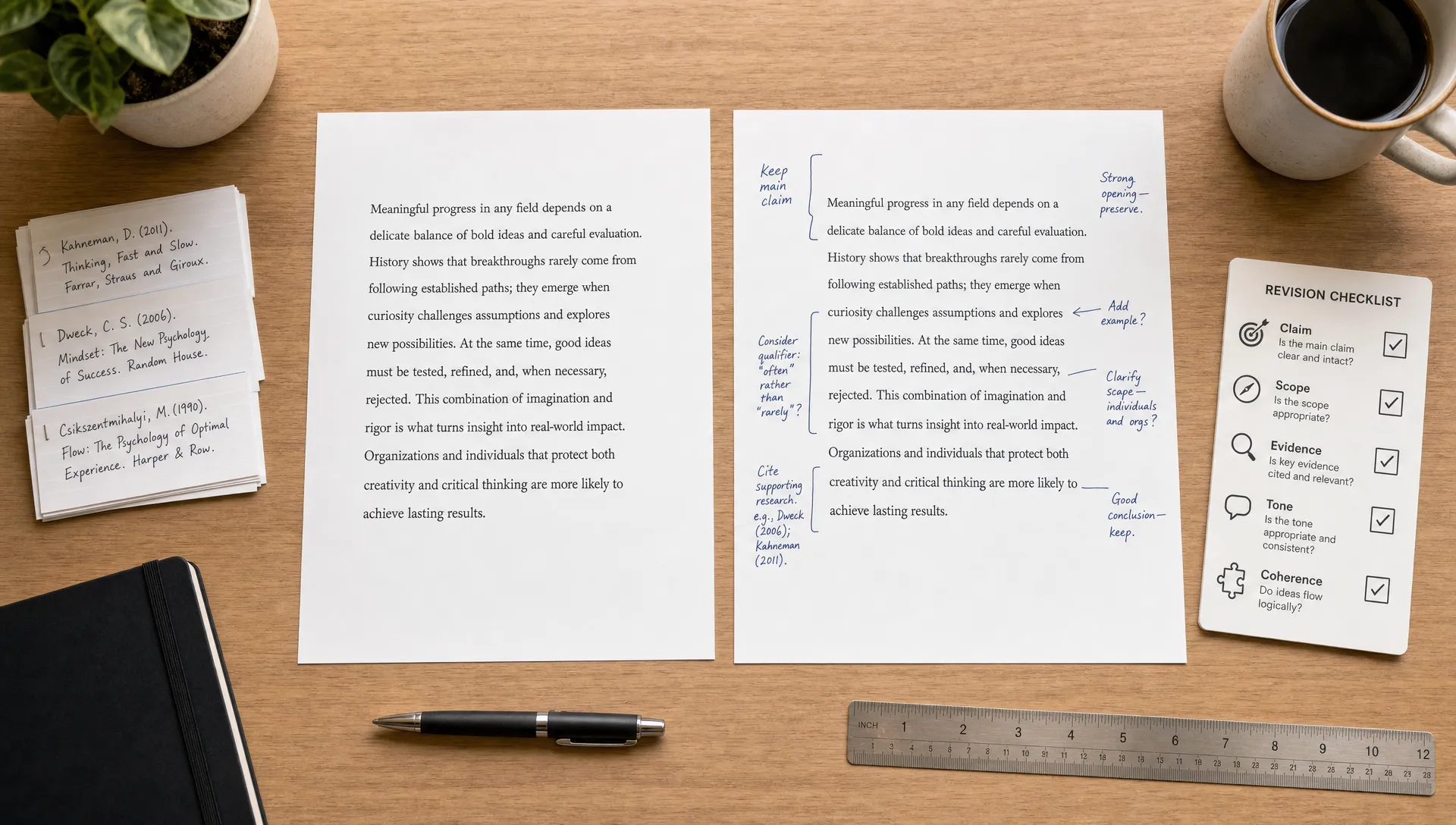
An AI humanizer is useful only if the final text still says what you meant. If the tool makes your writing sound more natural but quietly changes your claim, weakens your argument, invents details, or breaks citations, you have not improved the draft. You have created a new problem.
The right approach is to treat a text humanizer like an editing assistant, not a magic rewrite button. Your job is to protect the meaning first, then improve rhythm, sentence variety, and human-like flow. That matters whether you are revising an email, a discussion post, a blog draft, a report, or an academic paragraph.
This guide shows a practical workflow for using an AI humanizer without changing meaning, including what to protect before rewriting, how to review the output, and when to ignore the detector score if the rewrite starts drifting away from your original point.
Want to bypass Turnitin in 2026? Grab the free prompt pack.
Get the exact text-humanization prompts I use to drop an AI score by hand — copy, paste, submit. Free, straight to your inbox.
Send me the free prompts →What “meaning” actually includes
Most people think meaning means “the topic stayed the same.” That is not enough. A rewritten paragraph can keep the same topic while changing the author’s position, the strength of the claim, the cause-and-effect relationship, or the evidence.
For example, “remote work can improve retention in some teams” does not mean the same thing as “remote work improves retention.” The second version is broader, stronger, and easier to challenge. A humanizer may make that kind of change because it tries to simplify phrasing or smooth out hesitation.
Before you humanize AI text, know what must remain stable. Meaning includes the core claim, the scope of the claim, the order of logic, the evidence, the tone, and any required terminology.
| Meaning element to protect | What can go wrong during humanizing | Quick check |
|---|---|---|
| Main claim | The rewrite makes the argument stronger, weaker, or different | Can you underline the same central point in both versions? |
| Scope | Words like “some,” “often,” “may,” or “in this study” disappear | Did any limits or qualifiers vanish? |
| Evidence | Numbers, names, dates, sources, or examples change | Do all factual details match the original? |
| Logic | Cause, contrast, or sequence gets rearranged | Does the paragraph still prove the same thing in the same way? |
| Tone | A cautious, formal, or personal voice becomes too casual or too absolute | Would the intended reader react the same way? |
This is why the best humanizing process starts before you paste anything into a tool.
Create a “meaning lock” before using the humanizer
A meaning lock is a short list of details the tool is not allowed to change. You can make one in less than two minutes, and it prevents most rewrite problems.
Read your original paragraph and mark anything that must survive exactly or nearly exactly. This includes thesis statements, technical terms, named sources, statistics, legal or policy language, quoted wording, assignment keywords, and conclusions. If you are working with research or citations, protect those separately before rewriting.
A simple meaning lock can include:
- The main claim in one sentence
- Required keywords or terms that should not be replaced
- Names, dates, numbers, citations, and quoted phrases
- Any limits, such as “may,” “in most cases,” “for this sample,” or “according to the study”
- The intended tone, such as professional, conversational, academic, persuasive, or neutral
This step matters because many AI writing tools are optimized for fluency. They are not always optimized for semantic precision. If the original sentence is awkward but accurate, a tool may trade accuracy for smoothness.
For a deeper look at fact-level risks, Detection Drama has a separate guide on how AI humanizers can ruin facts and how to rewrite without errors. Use that when your draft contains research findings, statistics, citations, or technical claims.
Choose a lighter rewrite when meaning matters
Most meaning drift happens when the rewrite is too aggressive. If a tool offers different modes, start with the lightest or most balanced option. Heavy rewriting can help with stiff or repetitive AI-generated content, but it also increases the chance that the final version will add, remove, or reinterpret ideas.
A lighter humanizer pass usually focuses on sentence rhythm, transitions, word choice, and natural variation. A heavy pass may restructure paragraphs, replace key terms, and introduce phrasing that sounds confident but does not match the original.
The goal is not to make every sentence unrecognizable. The goal is to make the writing read naturally while preserving the same message. If the text is already clear, you may only need small edits, such as contractions in casual writing, varied sentence openings, or more direct verbs.
This is especially important because AI content detectors do not judge meaning. They look for patterns that may be associated with machine-written text. As Detection Drama explains in its article on how AI humanizers work and why detectors still flag text, rewriting can reduce some detectable patterns, but no tool can guarantee that every detector will interpret the result the same way.
That means you should not chase an AI detection score so hard that you sacrifice accuracy. A lower score is not worth a distorted argument.
Use the three-pass method
The safest way to use an AI humanizer without changing meaning is to separate the job into three passes: protect, humanize, verify. Do not paste a full document, accept the output, and move on. Work in sections so you can catch drift early.
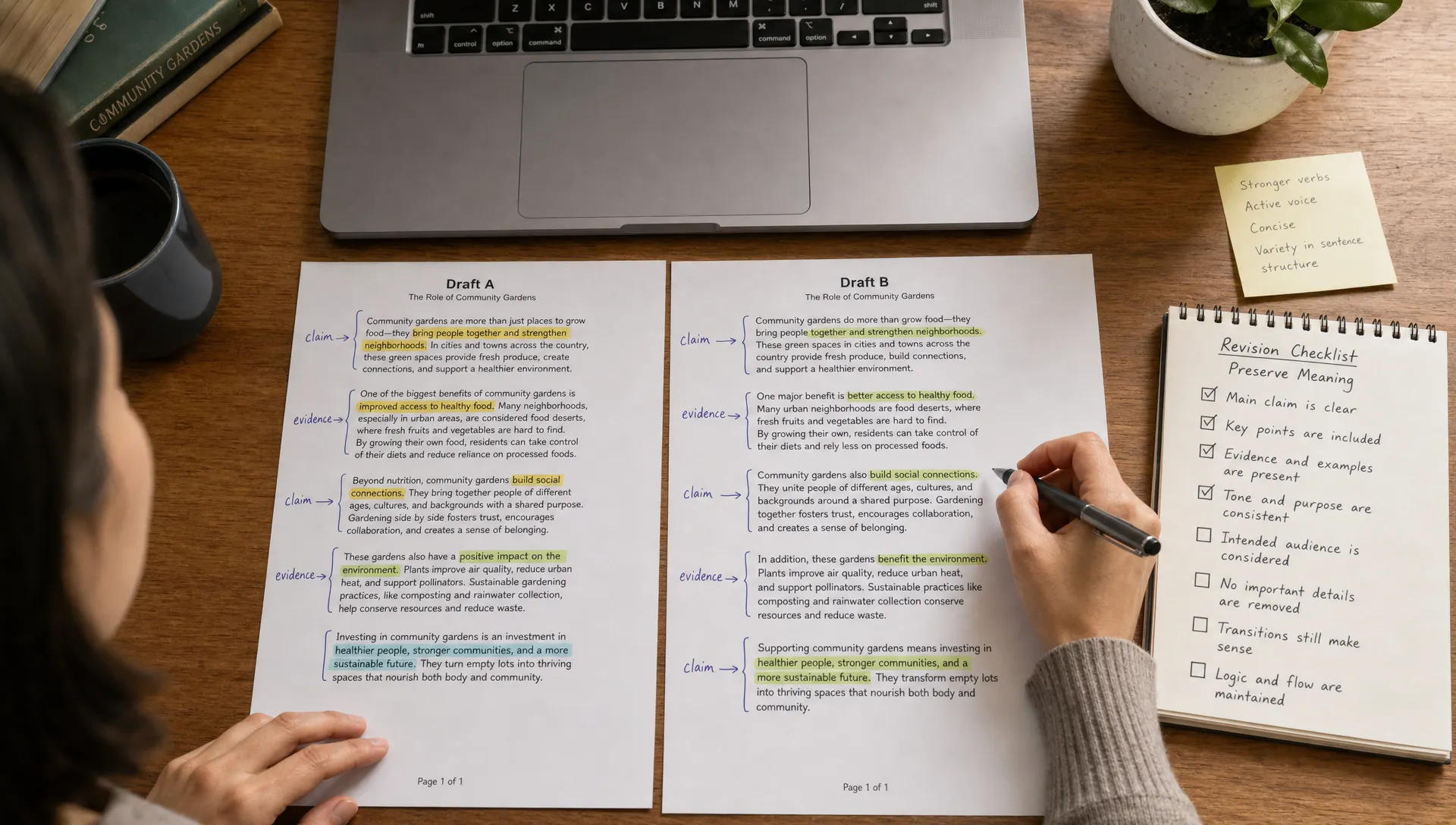
- Pass one, protect the original meaning: Break the draft into paragraphs and identify the core point of each one. Save a copy of the original text so you can compare it later. Mark terms, citations, numbers, and claims that should not change.
- Pass two, humanize in small chunks: Run one paragraph or short section at a time. Smaller inputs make it easier to spot changes, and they reduce the chance that the tool will reorder the logic across multiple paragraphs.
- Pass three, verify sentence by sentence: Compare the original and rewritten version. Do not just ask, “Does this sound better?” Ask, “Does this still say the same thing?” If not, restore the original wording or rewrite manually.
- Final polish, edit like a human: Read the revised text aloud. Fix unnatural transitions, repeated phrasing, and sentences that sound overly polished. Human writing is usually clear, but it is not always perfectly symmetrical.
- Final check, use detectors as feedback only: If you run an AI content detector, treat the result as one signal, not a verdict. If a detector pushes you toward changes that damage meaning, keep the accurate version.
This workflow is slower than one-click rewriting, but it is much safer. It also gives you a better final draft because you are controlling the message rather than letting the tool decide what matters.
Compare the output like an editor, not a detector chaser
After humanizing, put the original and revised text side by side. This is where most people rush, but it is the most important part of the process.
Start with the main claim. If the rewritten paragraph argues something slightly different, fix that before checking style. Then move to evidence, scope, and tone. Only after meaning is confirmed should you polish for flow.
Here is a quick review framework:
| Review question | Good sign | Warning sign |
|---|---|---|
| Does the main claim match? | The same point can be summarized in one sentence | The rewrite sounds more extreme or more vague |
| Are qualifiers preserved? | Words like “may,” “often,” and “in some cases” remain when needed | The rewrite turns cautious claims into universal claims |
| Did any facts change? | Numbers, names, titles, and citations are identical | The tool rounded, replaced, or removed details |
| Is the logic the same? | Each sentence supports the same conclusion | The rewrite adds a new cause, contrast, or example |
| Does the tone fit the context? | The voice feels natural for the reader | The text becomes too casual, dramatic, or generic |
One useful trick is the reverse-summary test. Cover the original and summarize the humanized version in one sentence. Then compare that summary to your original meaning lock. If the summary does not match, the rewrite has drifted.
Another trick is the “could someone disagree differently?” test. If the new version would attract a different objection from a teacher, client, editor, or reader, it probably changed the meaning.
Protect thesis statements and topic sentences
Thesis statements, topic sentences, and conclusions are high-risk areas. Humanizers often soften or generalize them because broad statements sound smoother. Unfortunately, that can weaken the entire piece.
For example, a draft might say, “The city’s bus redesign failed because it prioritized route speed over neighborhood access.” A risky rewrite might say, “The city’s bus redesign faced challenges related to speed and access.” The second sentence is smoother, but it removes the causal argument.
When a sentence carries the argument, do not let the tool freely rewrite it. Either humanize the surrounding sentences first or manually edit the thesis yourself. If you are worried about this specific issue, review Detection Drama’s guide on whether AI humanizers can ruin thesis statements before revising an essay or argumentative draft.
A good rule is simple: the more important the sentence is, the less automatic rewriting you should allow.
Be careful with citations, quotations, and formatting
If your text includes citations, references, footnotes, or quoted language, protect them before using a text humanizer. Citation formats are rule-based, and a rewrite tool may accidentally move punctuation, alter author names, change dates, or paraphrase a phrase that should remain quoted.
For academic writing, this matters even more. A humanizer should not be used to hide prohibited AI use or misrepresent authorship. Follow your school, publisher, or client’s AI disclosure rules. Use the tool for clarity and revision, not for dishonest submission.
If you are working in APA or MLA, keep citations out of the rewrite when possible. Humanize the surrounding prose, then reinsert the citations exactly where they belong. Detection Drama’s guide on humanizing AI text without breaking APA or MLA covers that workflow in more detail.
The same caution applies to direct quotations. Do not humanize quoted text unless you are intentionally paraphrasing it and removing the quotation marks. The Purdue OWL guide to paraphrasing is a useful reference for understanding the difference between quoting, paraphrasing, and summarizing.
Use input instructions when the tool allows it
Some AI writing tools allow custom instructions. If yours does, give the tool a clear constraint before humanizing. Tell it to preserve meaning, keep technical terms unchanged, avoid adding new claims, and maintain the original level of certainty.
A useful instruction might look like this:
“Rewrite this paragraph to sound more natural and human, but do not change the meaning. Keep all names, numbers, citations, technical terms, and qualifiers exactly the same. Do not add new facts or make the claim stronger.”
If your humanizer does not accept instructions, you can still prepare the input carefully. Humanize shorter sections, remove citations temporarily if safe, and manually protect exact phrases. The less ambiguity you give the tool, the better the output tends to be.
Avoid asking for vague transformations like “make this sound completely human” or “rewrite this so it passes every detector.” Those prompts encourage over-editing. A better goal is “make this clearer and more natural while preserving the original meaning.”
Know when not to use a humanizer
An AI humanizer is not always the right tool. If the original text is already precise and the stakes are high, manual editing may be safer. This includes legal language, medical content, technical documentation, research summaries, policy statements, and anything where a small wording change could create a real error.
You should also avoid humanizing text you do not understand. If you cannot tell whether the output changed the meaning, you cannot safely approve the rewrite. In that case, slow down, research the topic, or ask a qualified person to review it.
Humanizing works best when you already know what the paragraph should say and you want help making it less stiff, repetitive, or obviously machine-patterned. It works poorly when you expect the tool to preserve accuracy without supervision.
Frequently Asked Questions
Can an AI humanizer change the meaning of my text? Yes. It can change meaning by removing qualifiers, replacing technical terms, altering tone, rearranging logic, or making claims stronger than the original. Always compare the output against the original before using it.
How do I humanize AI text without losing important details? Work in small sections, create a meaning lock, use a lighter rewrite setting, and verify the result sentence by sentence. Protect names, numbers, citations, thesis statements, and key terms before rewriting.
Should I prioritize passing an AI content detector or preserving meaning? Preserve meaning first. AI detection tools can be useful feedback, but they are not worth damaging accuracy, clarity, or the integrity of your argument.
Can I use a humanizer on academic writing? You can use editing tools when your institution allows them, but you should follow all AI disclosure and academic integrity policies. Be especially careful with citations, quotations, and thesis statements.
Do I need to check for plagiarism after humanizing? It is a good idea, especially for academic, professional, or published work. A plagiarism checker and an AI content detector measure different risks, so one does not replace the other.
Use the humanizer, then keep control of the final draft
The safest way to use an AI humanizer is to stay in charge. Let the tool improve flow, reduce robotic phrasing, and make the writing sound more natural, but do not let it decide what your text means.
If you want a fast place to test and revise AI-generated content, try Detection Drama’s free humanizer. You can use it as part of the workflow above, then compare the result against your original meaning lock before you publish, submit, or send the final version.
