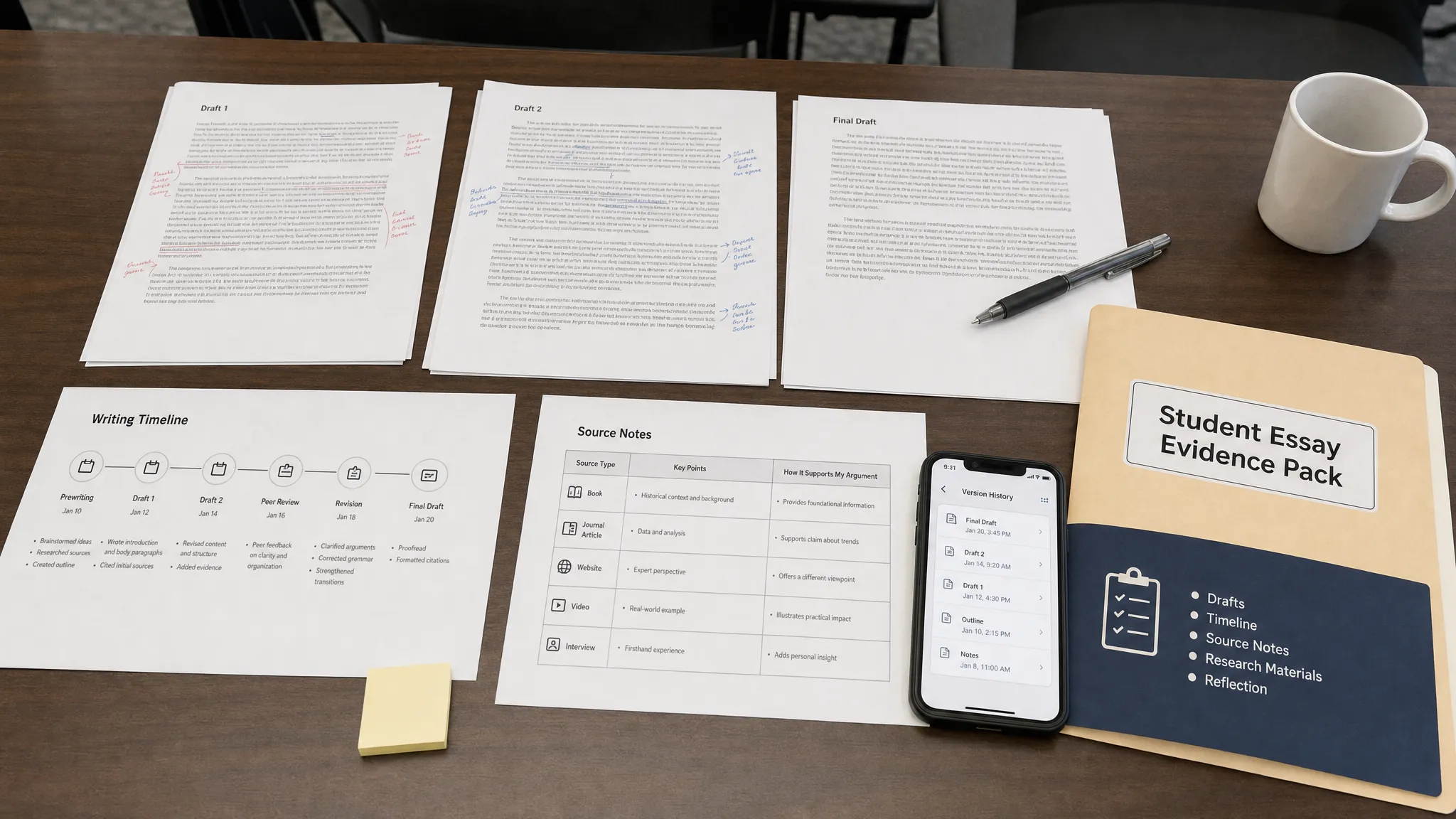
A Turnitin flag after using Grammarly feels unfair because, in many courses, Grammarly is treated as a normal proofreading tool. But the first thing to understand is this: Turnitin does not know that Grammarly edited your essay. Turnitin’s AI writing indicator evaluates patterns in the final text. It does not see your Grammarly account, your accepted suggestions, or whether a sentence began as your own draft.
Want to bypass Turnitin in 2026? Grab the free prompt pack.
Get the exact text-humanization prompts I use to drop an AI score by hand — copy, paste, submit. Free, straight to your inbox.
Send me the free prompts →That means your job is not to argue that “Grammarly caused it” in the abstract. Your job is to show a clear, verifiable writing process: drafts, notes, edits, sources, and a reasonable explanation of which Grammarly features you used.
Here is the evidence-first way to respond if Turnitin flags your essay after Grammarly.
First, identify what Turnitin actually flagged
Before you panic, confirm what kind of Turnitin result you are dealing with. Students often mix up three different things:
| Turnitin result | What it means | What to ask for |
|---|---|---|
| AI writing percentage | Turnitin estimates that some eligible prose resembles AI-generated writing | Ask for the AI percentage and highlighted passages, if your instructor can share them |
| Similarity percentage | Turnitin found text overlap with sources, student papers, websites, or databases | Ask for the Similarity Report and matched sources |
| Filtered or adjusted similarity view | Quotes, bibliography, small matches, or sources may have been excluded | Ask whether exclusions were applied |
If your instructor only says “Turnitin flagged it,” reply politely and ask which report they mean. A high Similarity score is handled differently from a high AI writing indicator. Detection Drama has a full breakdown of the difference in Turnitin AI % vs Similarity %.
For a Grammarly-related issue, the concern is usually the AI writing indicator, not plagiarism. But you should verify before preparing your response.
Know why Grammarly-edited essays can look suspicious
Basic Grammarly corrections, such as spelling, punctuation, comma fixes, and grammar suggestions, are usually easy to explain. The risk increases when an essay becomes heavily polished in a way that removes your natural drafting patterns.
Grammarly-style edits can sometimes make writing more uniform by:
- Replacing rough wording with smoother academic phrasing
- Shortening or standardizing sentences
- Removing informal voice, hesitation, or personal phrasing
- Making transitions more predictable
- Changing tone to sound more polished than your earlier drafts
- Rewriting sentences so they no longer match your usual style
This does not mean Grammarly automatically causes AI flags. It means extensive editing can push writing toward the kind of clean, low-variation prose that AI detectors often treat as suspicious.
Turnitin describes its AI writing detection as a model-based indicator, not a direct record of how text was produced. Independent research has also shown that AI detectors can misclassify human writing, especially for some student groups and writing styles. Stanford HAI, for example, reported concerns about detector bias against non-native English writers in its article on AI detectors and non-native English writing.
The practical takeaway is simple: a flag is not the same thing as proof. But you still need to respond with evidence, not just frustration.
Do this immediately: freeze the evidence
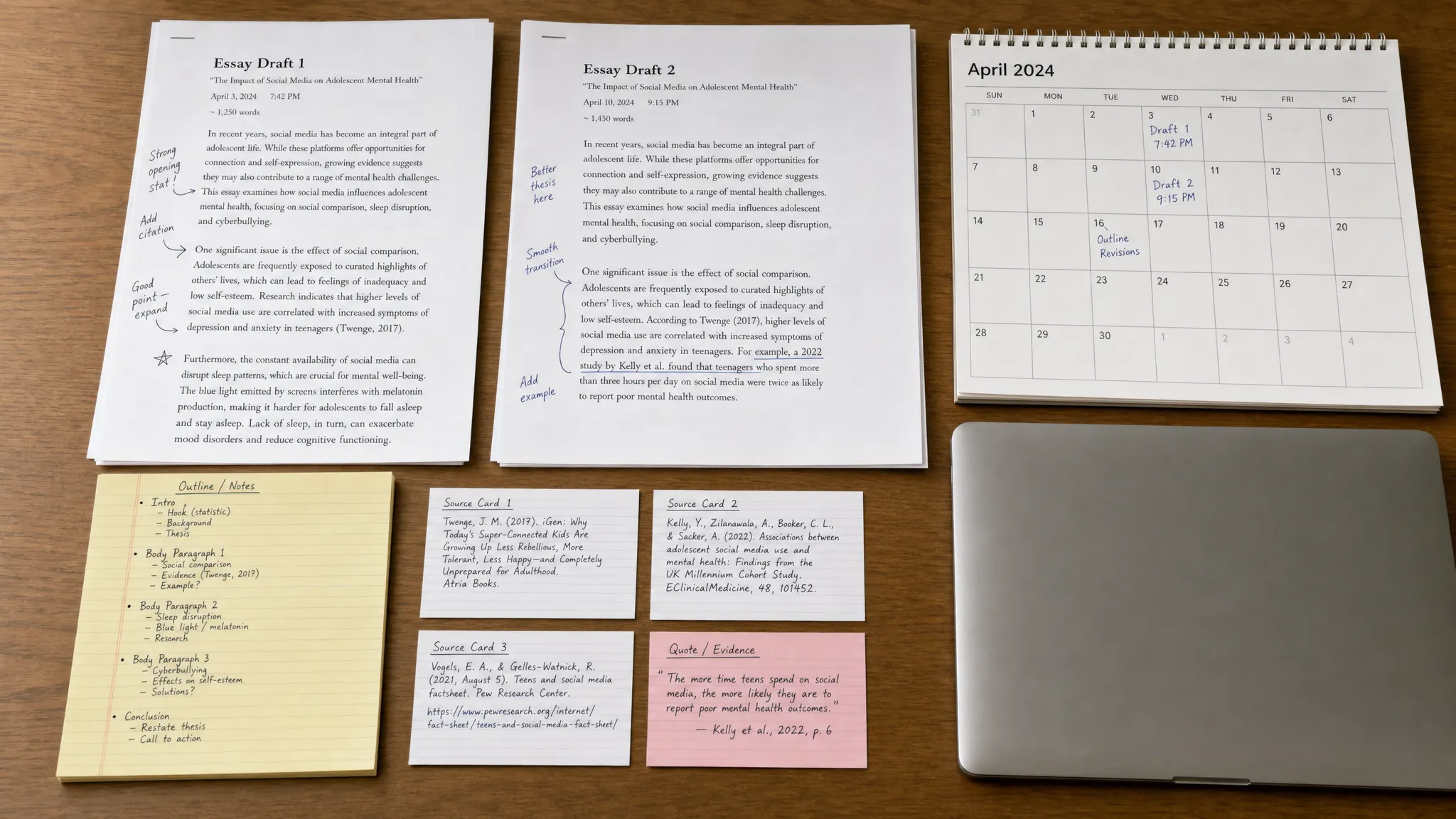
The biggest mistake students make after a Turnitin flag is editing, deleting, or replacing files in a panic. Do not do that. Preserve the writing trail exactly as it exists now.
Save the following before changing anything:
- The submitted essay file, exactly as uploaded
- The version before Grammarly edits, if you still have it
- Google Docs, Word, or OneDrive version history screenshots
- Draft files, outlines, notes, and research summaries
- Assignment prompt and rubric
- Sources you used, including PDFs, library links, and notes
- Any instructor or tutor feedback you incorporated
- Screenshots or records of Grammarly suggestions, if available
- A short note describing when and how you used Grammarly
If you wrote in Google Docs or Word, do not rely on memory. Open version history and identify the stages of the paper: outline, rough draft, source integration, revision, proofreading, final submission. If you need a deeper explanation of what version history can and cannot prove, read Is Google Docs or Word Version History Enough as Proof?.
The goal is to show progression. A believable authorship trail usually shows messy development over time: inserted evidence, moved paragraphs, changed thesis wording, deleted weak claims, fixed citations, and final proofreading.
Build a Grammarly use timeline
Because the flag happened after Grammarly, create a simple timeline focused on tool use. This should be factual, not defensive.
A strong timeline answers five questions:
| Question | Good answer style |
|---|---|
| When did you use Grammarly? | “I used it after completing my second full draft on May 8.” |
| Which features did you use? | “Spelling, punctuation, clarity suggestions, and a few concision edits.” |
| Did you use generative AI features? | “No,” or “Yes, only for brainstorming titles,” depending on the truth and policy |
| What changed after Grammarly? | “Mostly comma corrections, wordiness reductions, and sentence-level clarity edits.” |
| What stayed yours? | “The thesis, structure, source selection, argument, and examples came from my drafts and notes.” |
If you used Grammarly’s generative AI features, do not pretend you only used spellcheck. Many schools distinguish between grammar correction and AI-generated rewriting. Your best position depends on honesty, the course policy, and whether the tool use was allowed.
If your course permits grammar tools but restricts AI text generation, explain the difference clearly. For example, “I used Grammarly to correct grammar and clarity after drafting the essay myself. I did not ask it to generate paragraphs, create arguments, or add sources.”
If you did use a generative feature, explain exactly how and where. A limited, disclosed use is usually easier to discuss than a vague denial that conflicts with your edit history.
Match the flagged passages to your drafting process
If your instructor can share the highlighted passages, review them carefully. Do not just say, “Those are mine.” Show where they came from.
For each highlighted section, try to connect it to evidence:
| Highlighted area | Evidence that helps |
|---|---|
| Thesis or introduction | Earlier outline, rough thesis attempts, instructor feedback |
| Literature review or background paragraph | Source notes, annotated PDFs, citation manager records |
| Analysis paragraph | Class notes, discussion posts, handwritten argument map |
| Conclusion | Previous draft ending, revision notes, rubric checklist |
| Polished transitions | Grammarly suggestion screenshots or final proofreading pass |
This step is powerful because it moves the conversation away from a detector score and toward your actual writing process. If you can explain why a sentence exists, which source supports it, and how it changed between drafts, you are in a stronger position.
For a full evidence checklist, use Detection Drama’s guide on Turnitin AI false positives.
Write a one-page authorship memo
An authorship memo is a short explanation of how you created the essay. It should be calm, specific, and organized. Do not make it sound like a legal threat. Do not accuse your instructor of bad faith. You are asking for a fair review.
Use this structure:
| Memo section | What to include |
|---|---|
| Assignment context | Course, assignment, due date, topic |
| Writing timeline | Dates for outline, drafting, research, revision, proofreading |
| Tool use | Grammarly features used, whether generative AI was used, and whether policy allowed it |
| Source process | How you found, read, and used sources |
| Draft evidence | Where version history, drafts, and notes can be reviewed |
| Verification offer | Willingness to discuss sources, explain argument, or complete a short live writing check |
Keep it to one page unless your school asks for more. The memo is not supposed to overwhelm the instructor. It should make your process easy to inspect.
You can also create a more complete file using the process in How to Build an Authorship Packet Before You Submit.
Email your instructor without sounding defensive
Your first message matters. A rushed, angry email can make the situation harder. Aim for calm, transparent, and evidence-focused.
Here is a template you can adapt:
Hi Professor [Name],
Thank you for letting me know about the Turnitin concern. I take the course policy seriously and would like to provide context for my writing process.
I drafted the essay myself and used Grammarly during the final proofreading stage for grammar, punctuation, and clarity edits. I have preserved my drafts, version history, research notes, source materials, and the submitted file. I can also provide a short timeline showing when I drafted, revised, and proofread the paper.
Would it be possible to review the highlighted passages or the relevant Turnitin report so I can respond specifically? I am also willing to discuss my argument, sources, and revision process in a meeting if that would help.
Best, [Your Name]
If you used Grammarly generative AI features, modify the tool-use sentence. For example: “I used Grammarly for grammar corrections and used its generative feature once to rephrase a sentence in the introduction. I can identify that sentence and explain the original wording.”
That may feel uncomfortable, but it is better than being vague if your edit history or writing pattern suggests heavy rewriting.
What not to do after a Turnitin AI flag
A Turnitin flag creates pressure, but certain reactions can make you look less credible.
Avoid these mistakes:
- Do not rewrite the essay after submission and present the new version as the original
- Do not delete Grammarly history, drafts, browser history, notes, or source files
- Do not submit screenshots from random AI detectors as “proof” that Turnitin is wrong
- Do not use a humanizer on the already-submitted essay to create an alternate version
- Do not claim Turnitin is always fake or useless
- Do not accuse the instructor before you understand the report
- Do not falsely deny permitted or actual AI-assisted editing
You can say Turnitin is probabilistic. You can cite research about false positives. You can ask for human review. But the strongest defense is still your own process evidence.
Also remember that AI detectors cannot independently access your private Google Docs history or ChatGPT logs. They analyze submitted text, not your accounts. However, your school may separately ask you to provide version history or writing evidence. Detection Drama explains this distinction in Can AI Detectors Read Google Docs History or ChatGPT Logs?.
If the instructor says Grammarly is the problem
Some instructors allow spellcheck but dislike advanced rewriting tools. Others may not realize how many students use Grammarly as a normal writing aid. Your response should depend on the policy.
If the syllabus clearly allows grammar tools, point to that policy politely. Say that you used Grammarly within that boundary and can show the original draft.
If the policy is unclear, ask how the course distinguishes proofreading from AI-assisted rewriting. You might write: “I understood grammar and clarity checking to be permitted, but I understand there may be a concern about the extent of editing. I’m happy to clarify exactly what I used.”
If the policy prohibits all AI-assisted tools, including Grammarly, you may need to acknowledge the policy issue while still explaining that the essay was not generated for you. In that situation, your goal may shift from “clear me completely” to “make sure the response is proportionate to what actually happened.”
That difference matters. A grammar-tool violation is not the same as submitting a fully AI-generated essay, but your school’s policy controls how it is handled.
Ask for a fair verification method
If the instructor remains concerned, offer verification that tests authorship better than a detector score.
Reasonable options include:
| Verification option | Why it helps |
|---|---|
| Oral explanation | You explain your thesis, sources, and reasoning in real time |
| Source-to-claim review | You connect specific claims in the essay to notes and sources |
| Draft comparison | Instructor reviews development from rough draft to final version |
| Short live rewrite | You revise or expand a paragraph under supervision |
| Reflection memo | You explain choices, challenges, and revisions in your own words |
These methods are not perfect, but they give instructors more context than an AI percentage alone. They also show that you are not trying to hide from review.
Turnitin itself presents AI detection as part of an academic integrity workflow, not a magical authorship detector. The public Turnitin AI writing detection page describes the feature as a way to surface potential AI writing for review. In a dispute, that review step is where your evidence matters.
Should you run your essay through another AI detector?
You can, but be careful. Different AI detectors often disagree because they use different models, thresholds, preprocessing, and text-length requirements. A “0% AI” result from a public detector does not automatically cancel a Turnitin flag.
If you use other tools, treat them as diagnostic, not definitive. They may help you identify passages that sound unusually generic or over-polished, but they are weak as standalone proof.
A better use of pre-check tools is to ask: “Where does my writing sound vague, overly smooth, or disconnected from my actual research process?” Then revise ethically by adding clearer reasoning, course-specific details, and source-grounded analysis.
If you want a practical diagnostic workflow, see Best Pre-Submission Check for Turnitin AI Risk.
Should you use a text humanizer after the flag?
Not on the submitted essay. Once a paper is under review, your priority is preserving evidence, not producing a cleaner-looking alternate version. A new “humanized” version can create confusion because it will not match the file Turnitin evaluated.
For future writing, a text humanizer can be useful only if you use it within your course policy and treat it as an editing aid, not a way to disguise authorship. The safest approach is to keep your original draft, compare changes carefully, and make sure the final essay still reflects your sources, argument, and voice.
Detection Drama’s free tools can help you inspect AI-like passages, improve naturalness, and compare rewrite quality without requiring email access. But for academic work, the rule is simple: never let a tool replace your thinking, sources, or ability to explain what you wrote.
How to prevent this next time you use Grammarly
The best defense is built before submission, not after the accusation.
Use this workflow for future essays:
- Draft before polishing: Write your outline, thesis, and body paragraphs before opening Grammarly or any rewriting tool.
- Save a pre-Grammarly copy: Name it clearly, such as “Essay Draft Before Grammarly.”
- Use light edits first: Accept spelling, punctuation, and grammar corrections before considering clarity rewrites.
- Reject edits that change meaning: If a suggestion alters your claim, evidence, tone, or citation relationship, rewrite it yourself.
- Keep a tool-use note: Write one sentence like, “Used Grammarly for punctuation and concision on June 9.”
- Add your own specificity: Include class concepts, source details, examples, and reasoning that only you can explain.
- Download the final submission copy: Save exactly what you uploaded, with the timestamp if possible.
The goal is not to make your writing worse so it looks “human.” The goal is to make your authorship visible. Strong student writing can be polished and still defensible if the process is documented.
Frequently Asked Questions
Can Grammarly cause Turnitin to flag my essay as AI? Grammarly does not directly “cause” a Turnitin flag in the sense that Turnitin sees your Grammarly account. But heavy rewriting, smoothing, or generative suggestions can make the final text look more uniform or AI-like to a detector.
Can Turnitin tell that I used Grammarly? Turnitin generally analyzes the submitted text. It does not automatically access your Grammarly history or know which suggestions you accepted. Your instructor may ask you to explain your editing process separately.
Is using Grammarly considered cheating? It depends on your school, course, and assignment policy. Many instructors allow grammar and spelling help but restrict generative rewriting. Check the syllabus and be specific about which Grammarly features you used.
What proof should I send if I am accused? Send a concise authorship packet: version history, rough drafts, outline, research notes, source materials, submitted file, Grammarly-use timeline, and a one-page process memo. Offer to explain your argument and sources in a meeting.
Should I delete Grammarly or rewrite the essay before responding? No. Do not delete evidence or create a new version to replace the submitted paper. Preserve the original file and drafting history, then respond calmly with documentation.
What if I actually used Grammarly’s AI rewriting feature? Be honest and precise. Explain what you used, where you used it, and whether you believed it was allowed. A limited editing disclosure is usually easier to evaluate fairly than a broad denial.
Bottom line
If Turnitin flags your essay after Grammarly, do not treat the score as the final verdict and do not panic-edit your paper. Treat it as a documentation problem.
Preserve the submitted file. Build a timeline. Show your drafts. Explain exactly how Grammarly was used. Ask for the highlighted passages. Offer a fair verification method.
A detector score may start the conversation, but your writing process is what can actually defend your work.
