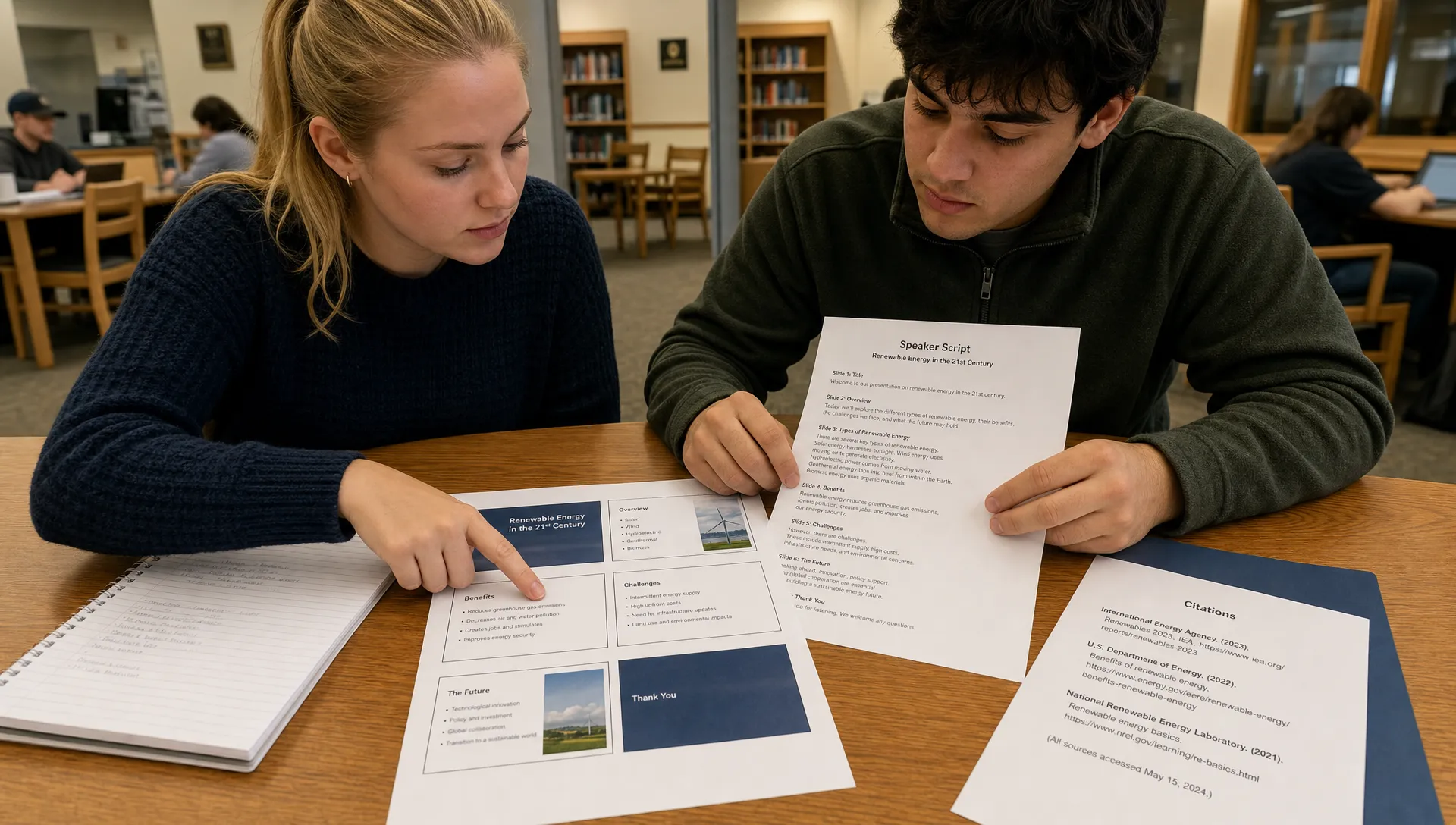
Turnitin can detect some AI-generated writing in PowerPoint-related submissions, but not in the simple yes-or-no way many students expect. The real answer depends on the file format, what text is extractable, whether speaker notes are included and whether the assignment is processed by Turnitin’s AI writing feature or only by its similarity checker.
If your question is whether putting AI-generated content into a slide deck makes it invisible, the answer is no. PowerPoint is not a magic wrapper. If your question is whether Turnitin’s AI detector is as consistent on slide bullets as it is on a prose essay, the answer is also no. Slide decks are messy because they contain fragments, titles, images, charts, notes, embedded objects and sometimes very little continuous prose.
Want to bypass Turnitin in 2026? Grab the free prompt pack.
Get the exact text-humanization prompts I use to drop an AI score by hand — copy, paste, submit. Free, straight to your inbox.
Send me the free prompts →The safest way to think about it is this: Turnitin can only analyze the text it can access and extract, and its AI detection is built mainly for longer prose. Speaker notes can change the risk because they often contain full sentences, transitions and a presentation script, which look much more like the writing Turnitin’s AI model was designed to evaluate.
Turnitin similarity checking and AI detection are not the same thing
Turnitin is often described as a plagiarism checker, but institutions may use several Turnitin features at once. The Similarity Report compares submitted text against internet pages, student paper repositories, publications and other sources. The AI writing indicator is a different layer that estimates whether submitted text appears to be AI-generated.
That difference matters for PowerPoint slides. A deck might produce a Similarity Report if Turnitin can extract text from the file, but that does not automatically mean the AI writing indicator will run or produce a meaningful result. Turnitin’s own support materials separate general file requirements from AI writing detection capabilities, and the AI feature has additional limits around language, word count and prose structure.
A slide title like Climate Policy Impacts or a bullet like reduce emissions by 40 percent is not enough context for an AI content detector to judge authorship. A 1,200-word speaker script inside the notes field is a different situation.
Can Turnitin detect AI in PowerPoint slide text?
Sometimes, but with limits. Turnitin can accept PowerPoint files in many submission workflows, and visible text in slides may be extracted for similarity checking. That includes text boxes, titles and bullet points that are stored as actual text rather than images.
AI detection is less straightforward. Turnitin’s AI model is intended to evaluate longer passages of prose, not isolated bullets, labels or chart captions. If a deck contains only sparse slide text, it may fall below the amount or type of writing needed for AI analysis. Even if the text is extracted, the result may be less useful than it would be for an essay because slide writing is naturally compressed and formulaic.
A typical academic presentation has many features that complicate detection:
- Slide bullets often omit subjects, verbs and transitions.
- Titles and section headers repeat common phrases.
- Charts, diagrams and screenshots may contain non-extractable text.
- Speaker meaning often lives in the oral explanation, not on the slide.
- Group presentations may combine multiple writing styles in one file.
This is why a slide deck can look suspicious to a human reviewer without producing a clear AI report, or produce a partial report that does not reflect the whole assignment. If you want the broader context on how Turnitin estimates AI authorship, Detection Drama’s guide on whether Turnitin detects AI or just guesses patterns explains why these results should be treated as probabilistic signals rather than proof.
Can Turnitin detect AI in speaker notes?
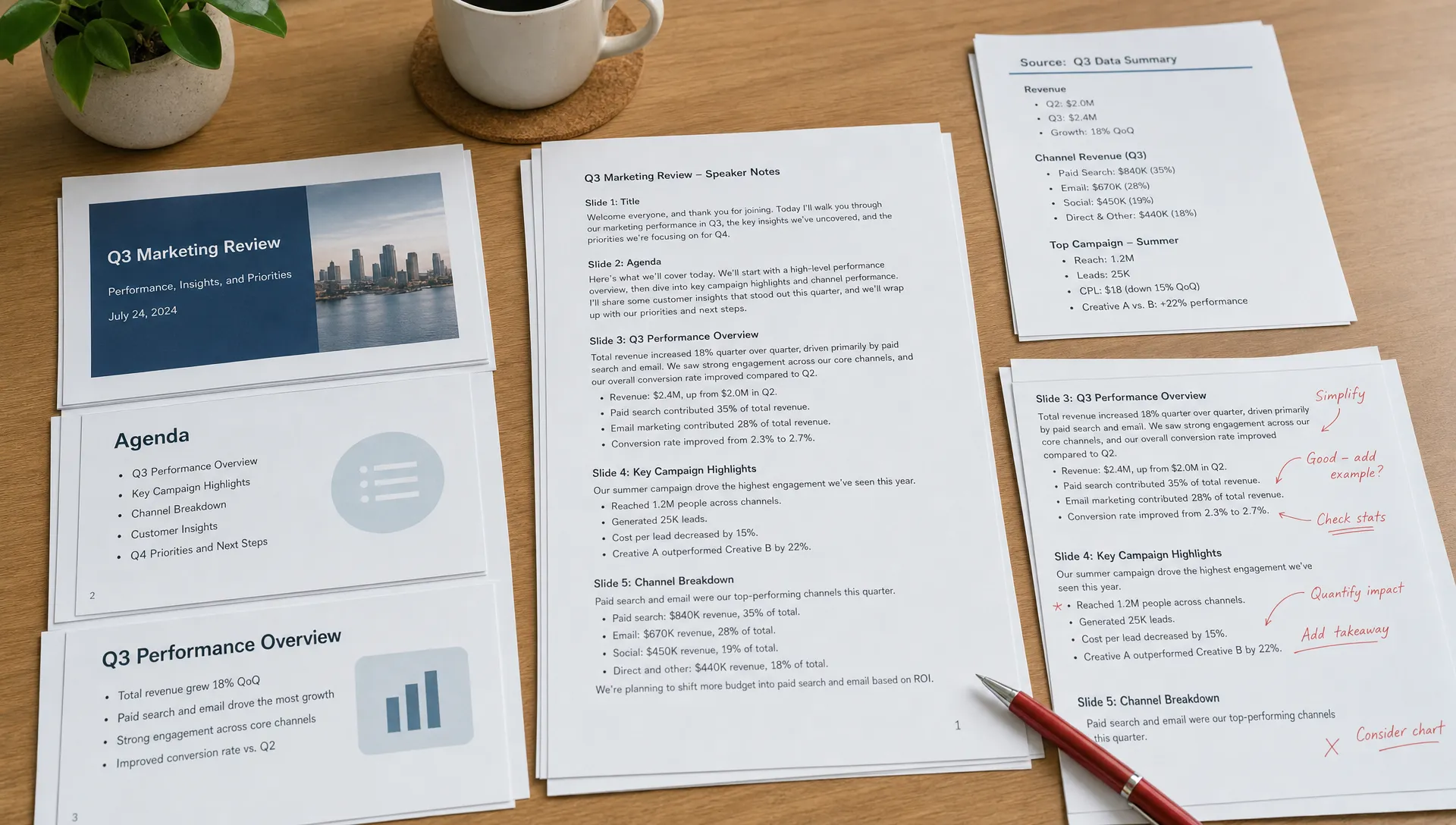
Speaker notes are more likely to matter because they can contain full prose. If your notes are included in the submitted file, exported into a notes-page PDF or pasted into a separate document, they may be available for review and may be processed as text.
The key detail is that speaker notes are not simply private thoughts once you submit the presentation file. Notes are saved inside the PowerPoint file unless removed. An instructor who downloads the file may be able to open the notes panel even if Turnitin’s interface does not display those notes in the same way. If the instructor asks students to submit speaker notes separately, the notes may be scanned like any other text document.
The technical outcome depends on the submission path. A native PPTX file, a PDF of slides only and a PDF exported with notes pages can expose different text to Turnitin. Learning management systems can also handle files differently before they reach Turnitin.
| Submission format | What may be visible or extractable | AI detection risk |
|---|---|---|
| PPTX with short slide bullets only | Slide titles and text boxes may be extracted for similarity checking | Lower, because bullets are often too short or fragmented for useful AI analysis |
| PPTX with detailed speaker notes | Notes may be reviewable by the instructor and may be extractable depending on processing | Higher if the notes contain long, fluent prose |
| PDF exported as slides only | Visible slide text may be extracted if it is selectable text | Depends on word count and prose structure |
| PDF exported with notes pages | Slide text plus speaker notes may be included as selectable text | Higher if the notes read like an essay or script |
| Separate script or notes document | Full text is submitted directly | Similar to any essay or written assignment |
| Screenshots of text inside slides | Text may not be reliably extracted if it is only an image | Do not use this as a workaround, it can violate assignment rules and accessibility expectations |
The practical point is simple: if the AI-generated material exists as real text in the submitted package, assume it can be found, copied, reviewed or scanned.
Speaker notes can trigger different concerns than slide bullets
A slide deck often uses abbreviated language by design. Speaker notes usually contain the argument, evidence and transitions that the presenter plans to say out loud. That makes notes more similar to essays, and it also makes them easier for an AI writing tool to generate in a polished but generic style.
For example, a slide might say renewable energy adoption, costs and grid stability. The notes might say a full paragraph explaining the relationship between renewable infrastructure, short-term capital expense and long-term price stability. Turnitin’s AI detection, if applied to the notes, has more linguistic material to evaluate.
This does not mean every polished speaker note is AI-written. Strong students often write clean scripts. International students, neurodivergent students and students following a presentation template may also produce text that looks unusually structured. Turnitin’s AI indicator does not know your writing process. It analyzes patterns in the submitted text.
That is why the context around notes matters. Drafts, outlines, research notes, source annotations and revision history can help show how the script developed. If an instructor questions your presentation, those materials are usually more persuasive than arguing about the detector in the abstract.
What if the slides were made with ChatGPT or another AI writing tool?
If ChatGPT helped produce your presentation, Turnitin’s ability to detect that help depends on how much AI-generated language remains in the final submitted text. A deck that uses AI only to brainstorm slide structure is different from a deck that copies AI-written bullets and a full AI-written script into the notes field.
The highest-risk version is usually not the slide design itself. It is the speaker-note script, because it can contain enough continuous prose for an AI content detector to evaluate. Generic phrasing can also stand out to a human instructor, especially when the presentation lacks personal analysis, course-specific evidence or citations that match the student’s research trail.
If you are trying to understand the broader question of AI-generated writing and Turnitin, this related guide on whether Turnitin can detect ChatGPT covers the evidence and limitations in more detail.
A text humanizer may make language sound less mechanical, but it does not solve the academic problem if the ideas, evidence and explanation are not yours. It can also introduce awkward phrasing, factual drift or citation mismatches. The defensible approach is to use AI only in ways your course allows, then revise the content through your own research, examples and reasoning.
Does Turnitin scan hidden slide content, comments or metadata?
Do not assume hidden content is invisible. Presentation files can contain speaker notes, comments, alt text, embedded objects and metadata. Whether Turnitin extracts each element is a narrower technical question, and the answer can vary by file type and workflow.
For AI detection, the most relevant material is still readable text. Metadata is not usually how AI writing detection works. Turnitin’s AI feature does not need to know that a document came from ChatGPT, Google Slides or PowerPoint. It evaluates the language it can process.
Comments and hidden slides are more of an instructor-review issue. If the file is downloaded, a human reviewer may inspect parts of the deck that were not visible during the live presentation. If those areas contain copied, AI-generated or uncited text, they can still create problems.
The lesson is not to hide text better. The lesson is to clean the file before submission, follow the assignment instructions and keep only the material you are prepared to stand behind.
Why PowerPoint AI detection can produce confusing results
PowerPoint sits between written work and visual communication. That makes automated judgment harder. A slide deck with 600 words spread across 25 slides may not have 600 words of coherent prose. It may have headings, labels, fragments and repeated section markers.
Turnitin’s AI report can also be limited by access. Students often cannot run Turnitin’s AI scanner themselves before submitting. Access depends on the institution, course settings and instructor permissions. Detection Drama’s breakdown of the Turnitin AI scanner explains why the student view and instructor view can differ.
Even when an AI indicator appears, it should not be read like a simple plagiarism match. Similarity reports point to matched sources. AI reports estimate whether text has patterns associated with AI writing. Those are different claims. A high similarity score can often be checked against a source. An AI score requires more context because it does not identify an original source.
For slides, that context includes how the assignment was written, whether the deck was group-authored, whether the notes were scripted for accessibility and whether templates or course-provided language shaped the final wording.
How to prepare a PowerPoint submission safely
The best defense is a transparent writing process, not a file-format trick. If you used AI in an allowed way, be ready to explain what it did and what you changed. If your instructor banned AI assistance, do not use AI to draft slides or notes.
For a presentation that includes speaker notes, keep a basic process record:
- Save an outline before drafting slides.
- Keep research notes with source links, page numbers or timestamps.
- Use course concepts and readings directly rather than generic claims.
- Revise speaker notes in your own voice and remove unsupported filler.
- Check that citations on slides match the claims in the notes.
- Export the file exactly as the instructor requested.
If you use AI for brainstorming, treat its output as raw material, not final language. Verify facts, replace generic explanations with your own analysis and cite real sources you actually used. This is especially important in speaker notes, where AI tools often produce smooth transitions without enough evidence.
Avoid tactics like turning text into images, hiding AI-written notes, deleting obvious metadata while leaving the same prose or running the script through multiple paraphrasers. Those choices can make the work harder to grade, less accessible and harder to defend if questions arise.
What to do if Turnitin flags your slides or notes as AI
First, find out what was flagged. Was it the similarity report, the AI writing indicator or an instructor’s own concern after reading the notes? Each situation calls for a different response.
If the concern is AI detection, ask which text was included in the report. Was Turnitin looking at the visible slide text, the speaker notes, a separate transcript or a PDF export? This matters because a presentation file may contain more text than the slides shown during class.
Then gather evidence of your process. Useful materials include early outlines, version history, source notes, drafts of speaker notes, library searches, handwritten planning pages and feedback from classmates or instructors. If you wrote the notes in stages, that timeline can help show authorship.
Do not respond by claiming that Turnitin is always wrong or always right. A better response is specific: identify the flagged passage, explain how it was created, provide drafts and show the sources behind the claims. If you believe the flag is incorrect, Detection Drama’s Turnitin AI false positives checklist gives a structured way to organize that evidence.
Quick answer by scenario
| Scenario | Likely outcome |
|---|---|
| You submit a PPTX with only short bullets | Turnitin may check extractable text for similarity, but AI detection may be limited or unhelpful |
| You submit a PPTX with a full AI-written script in speaker notes | The notes may be reviewable and could be scanned if extracted or submitted as text |
| You submit a PDF of slides only | Only included, selectable slide text is likely relevant |
| You submit a PDF with notes pages | Speaker notes become part of the submitted text and may be analyzed |
| You paste the script into the LMS submission box | The script is plain submitted text and should be treated like an essay |
| You present orally without submitting notes | Turnitin cannot scan speech unless a transcript or script is submitted |
Frequently Asked Questions
Can Turnitin read speaker notes in PowerPoint? It may be able to access or extract speaker notes depending on how the file is submitted and processed. Even if Turnitin does not display them clearly, an instructor who downloads the PPTX may be able to open and review the notes.
Does Turnitin’s AI detector work on PowerPoint files? Turnitin can process many presentation files for text extraction and similarity checking, but AI detection is designed mainly for longer prose. Short slide bullets may not produce a reliable AI result.
Can Turnitin detect AI if I export PowerPoint to PDF? It depends on what the PDF contains. A slides-only PDF may include only visible slide text. A notes-page PDF may include your full speaker notes, which can be scanned if the text is selectable and meets Turnitin’s AI detection requirements.
Are slide bullets less likely to be flagged than speaker notes? Usually yes, because slide bullets are shorter and less like prose. Speaker notes often contain full sentences and paragraphs, so they are more likely to provide enough material for AI analysis.
Can images of text in slides bypass Turnitin? You should not use images of text to avoid detection. It can violate assignment rules, reduce accessibility and make the work harder to defend. Instructors may still review the content manually.
What should I do if my presentation was wrongly flagged? Preserve drafts, outlines, source notes, version history and earlier versions of the speaker notes. Ask which text was flagged and respond with evidence of your writing process rather than relying only on a denial.
Need a clearer read on Turnitin and AI reports?
Detection Drama publishes practical guides on AI detection, Turnitin reports and how AI-generated content is evaluated. Use these resources to understand the risks, strengthen your writing process and avoid submitting work you cannot explain or defend. Start with the latest guides at Detection Drama.
