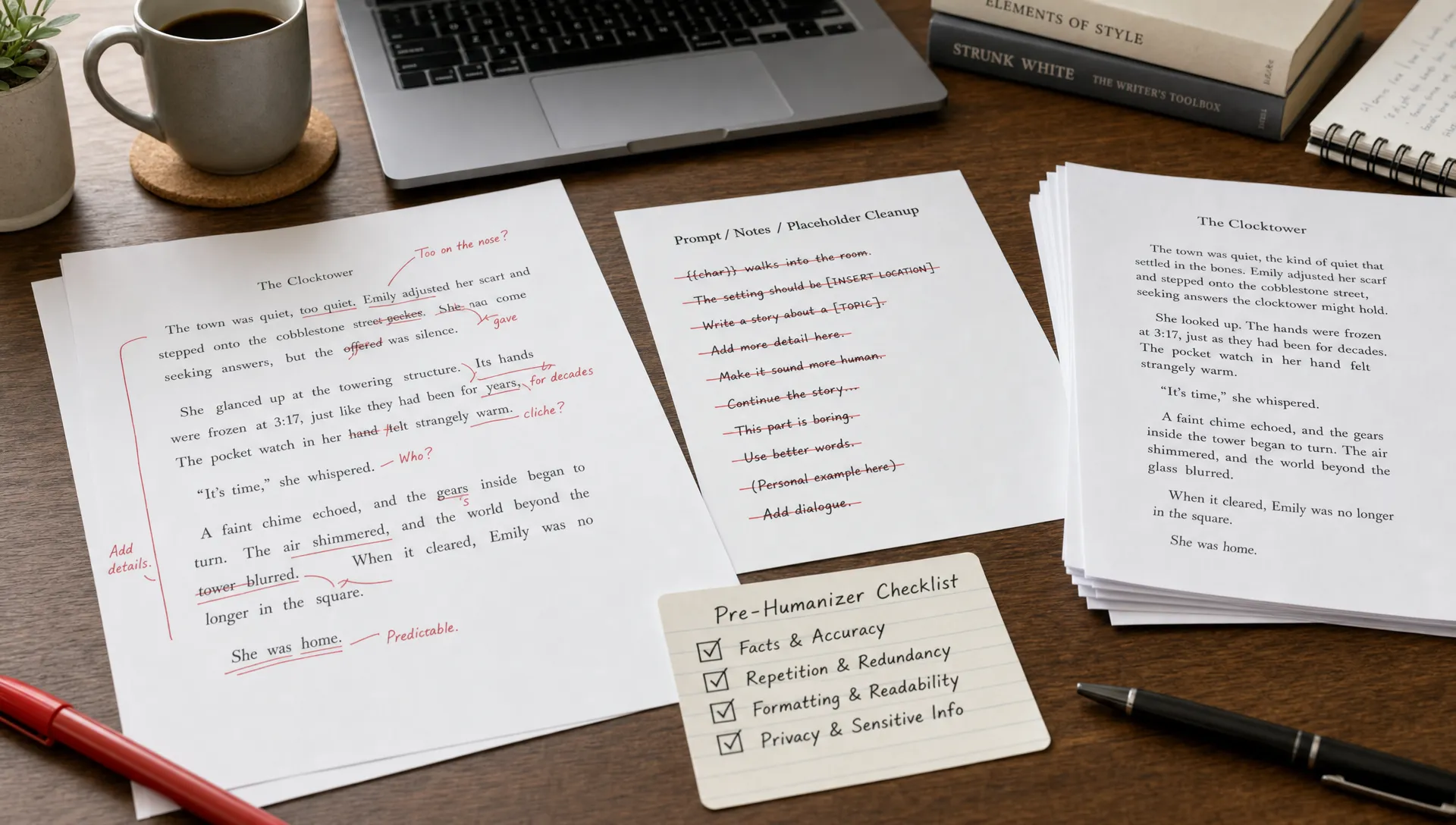
An AI humanizer can only improve what you give it. If the draft still contains prompt leftovers, fake citations, placeholder notes, repeated AI phrasing, or copy-paste artifacts, the tool may polish those problems instead of removing them. That is how you end up with text that sounds smoother but still feels synthetic, inaccurate, or risky to submit.
The best workflow is simple: clean the draft first, then humanize it. A text humanizer works better when the input is already focused, factual, and free of obvious machine-generated clutter. This also helps preserve meaning, because the tool is not forced to rewrite around noise that should have been deleted in the first place.
Below is a practical cleanup guide for what to remove before using an AI humanizer, what to keep, and what to check manually before running the final version through an AI content detector.
Want to bypass Turnitin in 2026? Grab the free prompt pack.
Get the exact text-humanization prompts I use to drop an AI score by hand — copy, paste, submit. Free, straight to your inbox.
Send me the free prompts →Why cleanup matters before using an AI humanizer
AI humanizers are rewriting tools, not quality-control systems. They may change sentence rhythm, vary word choice, simplify phrasing, or make text sound more conversational, but they do not always know which parts of your draft are intentional and which parts are accidental leftovers.
If your input contains “As an AI language model,” the humanizer might rewrite it as “As a digital assistant,” which is still a problem. If your input includes a fake citation, the humanizer may make it look more natural instead of flagging it. If your draft repeats the same thesis three times, the rewritten version may still feel padded.
Pre-cleaning helps with three things:
- Accuracy: You remove unsupported claims before they become harder to spot.
- Readability: You reduce repetition, generic transitions, and stiff structure.
- Detection risk: You eliminate obvious AI-generated content signals before humanization begins.
This does not mean deleting the substance of the writing. It means removing anything that does not belong in the final piece.
Quick checklist: remove, fix, or keep?
Use this table before pasting anything into a humanizer tool.
| Draft element | What to do before humanizing | Why it matters |
|---|---|---|
| Prompt instructions | Remove from the text input | Humanizers may rewrite instructions as if they are part of the article |
| “As an AI” phrases | Remove completely | They are obvious AI-generated text markers |
| Fake citations | Delete or replace with verified sources | Humanizers can make false references harder to detect |
| Repeated paragraphs | Merge or remove | Repetition often survives rewriting |
| Placeholder notes | Remove or complete them | “Insert example here” can become embarrassing final text |
| Hidden characters | Strip them out | They can break formatting and create detection issues |
| Personal or confidential info | Remove or anonymize | Humanizer tools should not receive sensitive data |
| Core argument | Keep | Removing the main point causes meaning drift |
| Required citations | Keep, but verify | Citations should not be rewritten into inaccurate references |
| Technical terms | Keep when necessary | Over-simplifying can weaken accuracy |
1. Remove prompt residue and AI self-references
The first thing to delete is anything that came from the prompt or the AI assistant’s response format. This includes instructions, role labels, system-like language, and self-references.
Common examples include phrases like:
- “As an AI language model”
- “I cannot browse the internet”
- “Here is a revised version”
- “Certainly, here’s your essay”
- “The following response will discuss”
- “Based on your prompt”
These lines do not belong in the final draft. A humanizer might soften them, but it may not remove them. Worse, it may turn them into natural-sounding nonsense.
For example, “As an AI language model, I do not have personal opinions” could become “As a digital writing assistant, I do not hold personal views.” That is cleaner, but it still announces that the text came from an AI system.
Delete this material manually before using any AI humanizer.
2. Remove assignment instructions, briefs, and notes to yourself
Many people paste the full AI output into a humanizer without separating the actual writing from the surrounding instructions. This is a mistake.
Remove anything that tells the writer what to do rather than being part of the final text. That includes assignment prompts, grading criteria, SEO briefs, audience notes, and your own comments.
For example, do not paste this into a humanizer:
Write in a persuasive tone for a college audience. Include three body paragraphs and avoid contractions.
The tool may rewrite that instruction into the draft instead of ignoring it. Keep the instructions in a separate document, then use them as a checklist after humanizing.
This is especially important for academic or professional writing. If the final document accidentally contains leftover instructions, it can look careless even if the actual content is strong.
3. Remove unsupported facts, fake citations, and invented statistics
Humanizing text does not make it true. If the original AI-generated content includes made-up statistics, incorrect dates, invented book titles, or fake journal references, a humanizer may preserve those errors while making them sound more confident.
Before rewriting, check every factual claim that would matter if challenged. Pay extra attention to:
- Names, dates, and locations
- Legal, medical, financial, or scientific claims
- Quotes attributed to real people
- Statistics without a source
- Citations that look real but do not exist
- URLs, DOIs, journal names, and page numbers
A good rule is to verify anything specific. If a sentence says “studies show,” it needs a real study. If it names a court case, article, author, or dataset, confirm that the source exists.
For academic references, compare the reference list against the source itself and use a trusted citation guide such as the APA Style reference guidelines when needed. If you are working with claims that must survive close review, read Detection Drama’s guide to AI humanizers that ruin facts before rewriting.
4. Remove placeholders, TODOs, and unfinished sections
AI drafts often contain hidden rough edges. They may look complete at a glance but still include unfinished material.
Search your draft for terms like “TODO,” “insert,” “example,” “citation needed,” “expand,” “add source,” “placeholder,” and brackets such as “[source]” or “[insert statistic].” These should be completed or removed before humanizing.
Do not expect a humanizer to understand that a placeholder is not final text. It may turn “insert example here” into “an example can be included at this point,” which still leaves the work unfinished.
The same applies to half-written transitions and empty section summaries. If a paragraph does not add meaning, remove it before using the tool.
5. Remove generic AI scaffolding
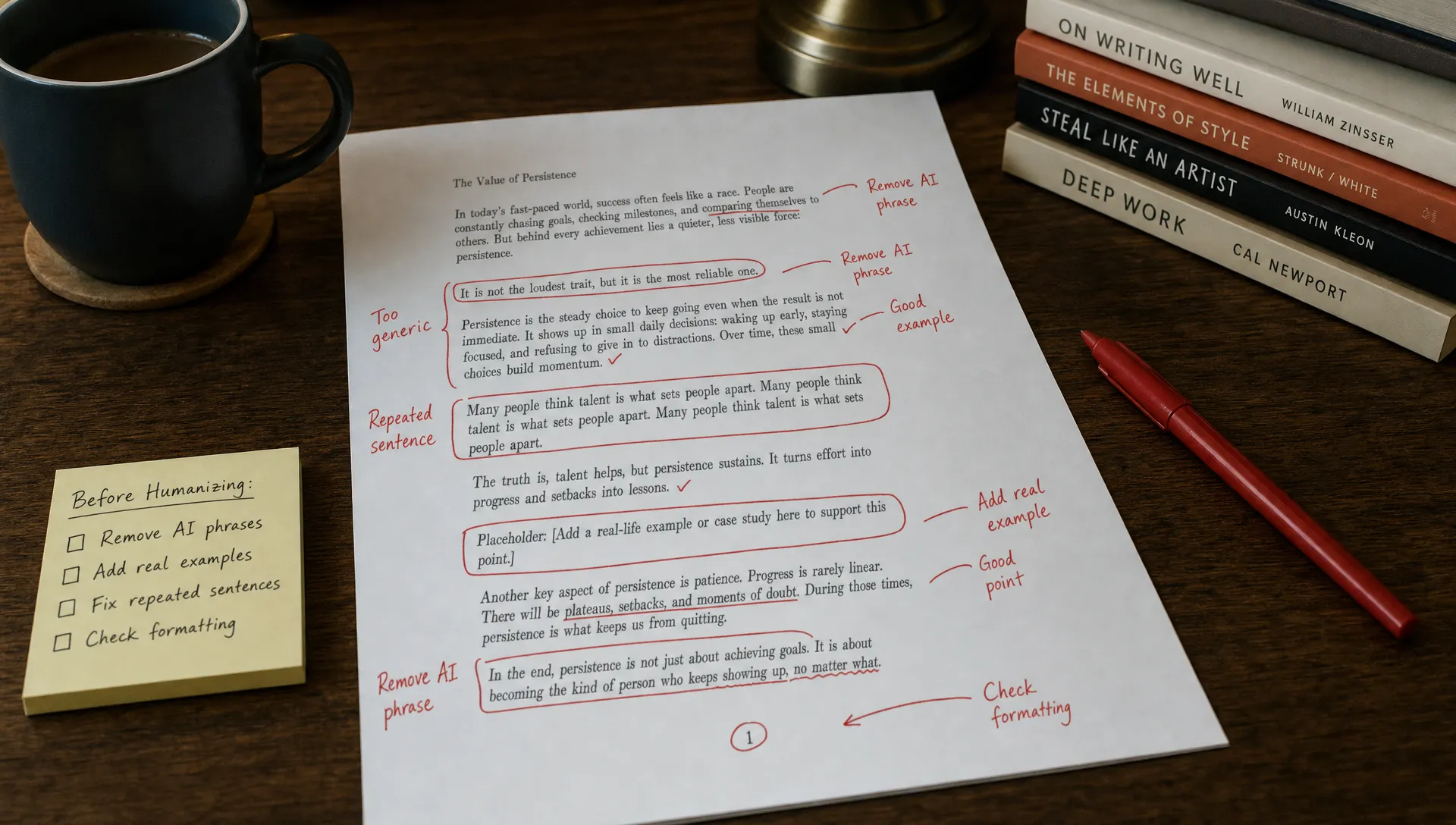
AI-generated content often has a recognizable structure: broad introduction, evenly balanced sections, generic transition phrases, and a conclusion that repeats the introduction. A humanizer can improve sentence-level flow, but it may preserve the same predictable skeleton.
Look for generic scaffolding such as:
- “In today’s fast-paced world”
- “It is important to note that”
- “This essay will explore”
- “In conclusion”
- “Overall, this highlights the importance of”
- “There are several key factors to consider”
These phrases are not always wrong, but they are often filler. Remove them when the sentence works without them.
For example, instead of keeping “It is important to note that social media affects communication,” use “Social media affects communication.” The second version is cleaner before it ever reaches a text humanizer.
6. Remove repetition and summary loops
Many AI drafts say the same thing in multiple ways. This happens because AI writing tools often try to be thorough, even when the idea has already been covered.
Before using a humanizer, read the draft paragraph by paragraph and ask one question: does this paragraph add something new? If it only restates the previous point, cut it or merge it.
Repetition can appear as:
- Multiple introductions to the same idea
- A conclusion sentence after every paragraph
- Repeated definitions of the same term
- Several examples that prove the same point
- Thesis statements repeated with slightly different wording
This matters because AI detection is not only about individual words. Overly predictable structure, padded transitions, and repeated ideas can make writing feel machine-produced even after sentence-level rewriting.
A stronger input gives the humanizer less clutter to preserve.
7. Remove formatting that makes the draft look machine-generated
Humanizers mostly work with text. They may not fix strange formatting, and some can make formatting worse. Before pasting your draft into a tool, clean up the layout.
Remove excessive bold text, unnecessary headings, repeated numbered lists, random capitalization, broken markdown, and decorative symbols. Also check whether the draft is too perfectly symmetrical, with every section having the same number of sentences or every paragraph following the same rhythm.
Over-formatting can make a document feel generated even if the wording is natural. If the piece is an essay, article, report, or email, the layout should match that format naturally.
For example, a blog post can use headings and short paragraphs. A formal essay should not look like a marketing landing page. A business email should not include a five-part outline unless that is actually useful to the reader.
8. Remove hidden characters and copy-paste artifacts
Hidden characters are invisible formatting marks that can appear when text is copied from AI tools, PDFs, web pages, or word processors. Some people also use invisible Unicode characters as a shortcut to bypass AI detection, but that tactic is unreliable and can create new problems.
Before using an AI humanizer, remove hidden characters, odd spacing, nonstandard punctuation, and broken line breaks. These artifacts can cause the humanizer to rewrite text unevenly or leave strange formatting in the final version.
Watch for signs such as:
- Words that will not delete normally
- Random spaces inside words
- Strange line breaks after copying text
- Punctuation that looks slightly different from normal punctuation
- Text that displays differently across Google Docs, Word, and web editors
If hidden characters are part of your concern, Detection Drama has a separate breakdown of AI humanizer hidden characters and why invisible edits are not a dependable strategy in 2026.
9. Remove private, sensitive, or identifying information
Never paste sensitive information into a humanizer unless you fully trust the tool and understand its privacy practices. This matters for students, employees, freelancers, researchers, and anyone handling client work.
Remove or anonymize:
- Full names that do not need to appear
- Student IDs or employee IDs
- Client names
- Internal company data
- Private emails or messages
- Addresses, phone numbers, and account details
- Medical, legal, or financial information
If the information is necessary, replace it with a neutral label before humanizing, such as “[Client A]” or “[Company X].” After the rewrite is complete, you can restore the correct details manually.
This protects privacy and reduces the chance that a rewriting tool changes important identifying information.
10. Remove detector-chasing edits that hurt the writing
Some drafts get worse because the writer keeps changing words only to satisfy an AI content detector. The result may be awkward, choppy, or inaccurate.
Before using a humanizer, remove edits that were made only to “trick” detection tools and do not improve the writing. This includes random synonyms, unnatural sentence fragments, forced slang, unnecessary typos, and exaggerated personal anecdotes that do not fit the topic.
Human writing is not the same as messy writing. A natural draft can still be clear, organized, and grammatically correct. If an edit makes the text harder to read, it probably should not be there.
For a deeper explanation of why rewritten text can still be flagged, read Detection Drama’s guide on how AI humanizers work and why detectors still flag text.
What not to remove before using an AI humanizer
Cleaning your draft does not mean stripping out everything that gives it meaning. Some elements should stay because they protect accuracy and voice.
Keep your central argument. If the thesis or main point disappears, the humanized version may become vague. Keep verified citations and source names, but check them after rewriting to make sure they were not altered. Keep technical terms that are necessary for the subject. A humanizer should not turn precise language into casual wording if precision matters.
Also keep authentic personal insight when it is relevant. A short observation, real example, or specific opinion can make writing feel more human than any synonym swap. Just make sure it is true and appropriate for the context.
The goal is not to erase the draft’s identity. The goal is to remove the junk around it.
A simple pre-humanizer workflow
Use this process before running your draft through any AI humanizer:
- Separate the final draft from the prompt: Copy only the actual writing into a clean document.
- Delete AI self-references: Remove assistant-style language, refusals, and response labels.
- Verify facts and citations: Check every specific claim before rewriting.
- Cut repetition: Remove paragraphs that repeat the same idea without adding value.
- Clean formatting: Fix broken markdown, spacing, headings, and list structure.
- Protect meaning: Save a copy of the original so you can compare it after humanizing.
After that, rewrite in smaller sections instead of pasting a long document all at once. Smaller sections are easier to check, and they reduce the chance of meaning drift. If preserving meaning is your main concern, Detection Drama’s guide on how to use an AI humanizer without changing meaning is a useful next step.
Before and after: what a clean input looks like
Here is a simple example of how to prepare text before humanizing it.
| Stage | Example |
|---|---|
| Messy AI draft | “Certainly, here is your paragraph. In today’s fast-paced world, it is important to note that remote work has many benefits. [Insert statistic here.] In conclusion, remote work is beneficial.” |
| Cleaned input | “Remote work can help employees save commuting time and give companies access to a wider hiring pool. However, it also requires clear communication habits and reliable performance expectations.” |
| Why it is better | The cleaned version removes prompt residue, filler phrases, placeholders, and repetition before the humanizer rewrites it. |
Notice that the clean input is not “more human” because it has random mistakes. It is better because it says something specific.
Final check after humanizing
Once the text has been rewritten, do not submit or publish it immediately. Compare it against your original draft and check for meaning changes.
Look closely at names, dates, quotes, citations, numbers, and technical claims. Then read the text aloud. If a sentence sounds unnatural, too dramatic, or different from your usual voice, revise it manually.
You can also run the final version through an AI content detector or plagiarism checker if that is part of your workflow. Just remember that detectors are not perfect. Treat the result as a signal, not a final verdict. The best protection is still strong writing, accurate sourcing, and a clean revision process.
Frequently Asked Questions
Should I remove citations before using an AI humanizer? No. Keep real citations, but verify them before and after rewriting. If a citation is fake, incomplete, or irrelevant, replace it before using the humanizer.
Should I remove all AI-sounding words? Not necessarily. Words like “important,” “effective,” or “complex” are not automatically bad. Remove empty filler, repeated phrasing, and generic transitions rather than chasing individual words.
Can an AI humanizer fix fake sources? Usually no. A humanizer may rewrite fake sources in a more convincing way, which makes the problem worse. Always fact-check sources manually.
Should I add typos before using an AI detector? No. Intentional typos make writing look careless and can hurt credibility. Natural writing can be polished and grammatically correct.
Is it better to humanize the whole document at once? Smaller sections are usually safer. They are easier to compare against the original, and you can catch meaning changes before they spread across the full draft.
What is the most important thing to remove before humanizing AI text? Remove anything that was never meant to be part of the final draft, especially prompt residue, AI self-references, placeholders, fake citations, and repeated filler.
Clean first, then humanize smarter
An AI humanizer works best when the draft is already clean. Remove the obvious AI fingerprints, verify the facts, protect private information, and simplify the structure before rewriting. The result will be easier to edit, easier to trust, and more likely to sound like a real person wrote it.
If you want free guides, tool comparisons, and practical workflows for AI detection and text humanization, start with Detection Drama and build your process around clean inputs, careful checks, and responsible rewriting.
