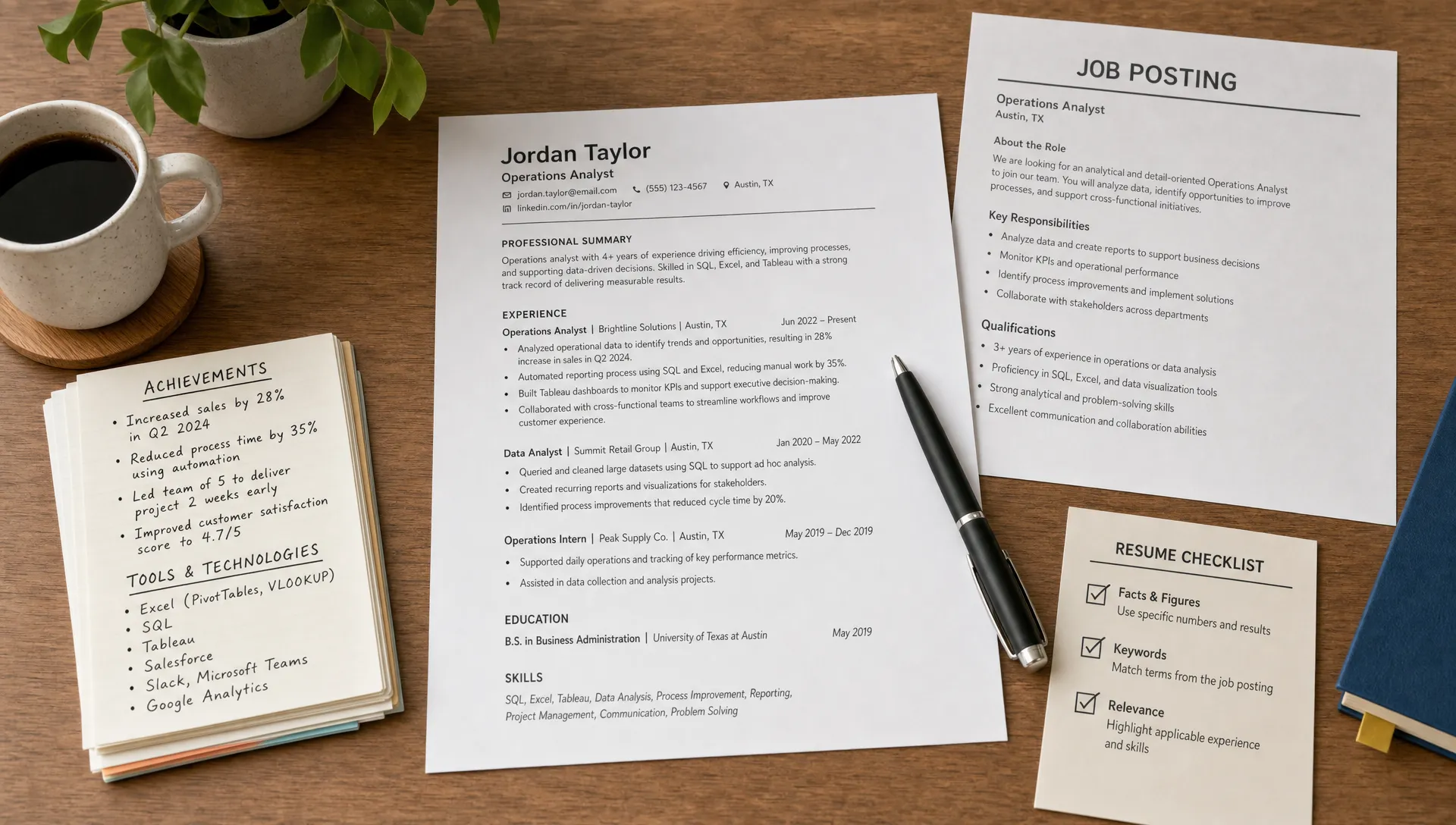
A resume is one of the worst places to use raw AI text. ChatGPT, Claude, Gemini, and other AI writing tools can help you draft faster, but their first pass often sounds too polished, too vague, or too similar to thousands of other resumes. That is why job seekers are searching for the best free AI humanizer for resumes with no sign up: they want a faster way to make AI-assisted bullet points sound credible without handing over an email address or creating another account.
Want to bypass Turnitin in 2026? Grab the free prompt pack.
Get the exact text-humanization prompts I use to drop an AI score by hand — copy, paste, submit. Free, straight to your inbox.
Send me the free prompts →The short answer for 2026 is this: the best free AI humanizer for resumes is the one that preserves your facts, keeps ATS keywords intact, and rewrites generic AI phrasing into specific, recruiter-friendly language. For most job seekers, Detection Drama is the strongest place to start because it focuses on humanizing AI-generated content, offers instant access, and does not require an email before you can test a rewrite.
But a resume humanizer is not magic. If the original content has no numbers, no role-specific details, and no proof of impact, the output will still feel thin. The winning workflow is to combine a text humanizer with your real achievements, then review every line like a recruiter would.
Why resumes need a different kind of AI humanizer
A resume is not a blog post or college essay. It is a compressed proof document. Every line has to answer three questions quickly: what did you do, what skill did it show, and what changed because of it?
That makes resume humanization tricky. A normal paraphrasing tool may replace words, smooth sentences, or make the tone more casual. That can be useful for long-form content, but it can damage a resume if it removes hard skills, changes metrics, or makes accomplishments sound less precise.
A good resume humanizer should improve how the text reads while protecting the details recruiters and applicant tracking systems care about. It should remove robotic patterns like “successfully leveraged,” “played a pivotal role,” and “demonstrated exceptional ability,” but it should not erase keywords like Salesforce, Python, GA4, QuickBooks, OSHA, HIPAA, Kubernetes, or B2B sales.
This matters because most recruiters are not reading your resume for literary style. They are scanning for fit. AI detection can be a concern, especially if your resume and cover letter read like a generic template, but the bigger risk is sounding interchangeable. If ten candidates submit the same AI-shaped bullet points, the resume with concrete evidence wins.
Best free AI humanizer for resumes with no sign up: what to look for
The best option is not simply the tool that changes the most words. For resumes, aggressive rewriting can be a liability. You want controlled humanization, not creative rewriting.
Use this checklist when testing any free AI humanizer for resume content:
| Resume humanizer criterion | Why it matters | What to check before using the output |
|---|---|---|
| No sign up or email gate | Saves time and reduces friction when you only need a quick rewrite | You can paste text and get a result immediately |
| Preserves facts and metrics | Resume claims must be accurate and defensible | Numbers, tools, job titles, and dates stay unchanged |
| Keeps ATS keywords | Applicant tracking systems may match exact skills from the job description | Technical skills and industry terms are not replaced with vague synonyms |
| Reduces generic AI phrasing | Recruiters notice over-polished, template-like language | Bullets sound specific, direct, and grounded in real work |
| Allows quick iteration | Resume edits often require several versions | You can test one section at a time without a long setup process |
| Supports AI authenticity review | Useful if you want to check whether text still reads like AI-generated content | The final version feels natural without becoming informal |
Detection Drama fits this use case because it is built around AI content detector concerns and humanizing AI text, not just grammar correction. For resumes, that distinction matters. A grammar checker can make your writing cleaner, but it will not always fix the robotic structure that AI drafts tend to produce.
If you are comparing multiple quick tools, Detection Drama also has a broader guide to no email AI humanizer tools that still work. That comparison is useful when you want alternatives, but for a resume, your main test should always be accuracy first.
How to use an AI humanizer on a resume without weakening it
The safest approach is to humanize your resume in small sections. Do not paste your entire resume with your full name, phone number, address, private employer details, and references. Even with no sign-up tools, you should treat resume text as sensitive personal information.
Start with 3 to 5 bullet points at a time. Remove personal identifiers if they are not needed for the rewrite. Keep the job title and target role in mind, because the best version of a bullet for a data analyst role may not be the best version for an operations manager role.
A simple workflow looks like this:
- Draft the bullet with AI if needed: Ask your AI writing tool for a first draft based on your real responsibilities, results, tools, and target job.
- Add real evidence before humanizing: Insert actual numbers, project names, tools, team sizes, budgets, time saved, revenue influenced, or error reductions where you can verify them.
- Paste only the bullet section into the humanizer: Use a no-sign-up text humanizer to reduce robotic phrasing while keeping the content focused.
- Compare the original and rewritten versions: Check that the humanizer did not invent results, remove keywords, or make the tone too casual.
- Edit for the job description: Restore exact hard skills from the posting if the rewrite changed them.
- Read it out loud: If it sounds like something you could comfortably explain in an interview, it is probably closer to a strong resume line.
This workflow is especially useful for people who used AI to draft a resume from scratch. AI often creates polished but hollow bullets. Humanization improves tone, but your proof points create trust.

Before and after: what a good resume humanizer should do
The easiest way to understand resume humanization is to compare weak AI-style bullets with stronger humanized ones. The goal is not to make the writing sound “fancier.” The goal is to make it sound like a real person describing real work.
| AI-sounding resume bullet | Better humanized version | Why the rewrite works |
|---|---|---|
| Successfully leveraged cross-functional collaboration to enhance operational efficiencies. | Worked with sales and support teams to cut ticket handoff delays by 22%. | It replaces vague language with teams, action, and a measurable result. |
| Utilized data-driven insights to optimize marketing performance across multiple channels. | Analyzed email and paid search data to identify low-performing campaigns and reallocate spend. | It names the channels and explains the decision made from the data. |
| Played a key role in improving customer satisfaction and streamlining workflows. | Updated onboarding checklists and reduced new customer setup time from 5 days to 3 days. | It shows ownership and a concrete operational improvement. |
| Demonstrated strong leadership skills in a dynamic environment. | Led a team of 4 associates during peak season and maintained daily order accuracy above 98%. | It proves leadership with team size, context, and outcome. |
Notice that the strongest rewrites are not just less detectable as AI-generated content. They are more useful to the recruiter. They give the reader something to believe.
If you do not have numbers, you can still humanize the bullet by adding scope. For example, mention the type of customers, the tools used, the frequency of the task, the department involved, or the business problem. “Managed weekly inventory checks for a 12,000-square-foot retail location” is stronger than “responsible for inventory management,” even if you do not have a percentage improvement.
Resume humanizer vs ATS optimizer vs plagiarism checker
Job seekers often mix up AI humanizers, ATS scanners, AI content detectors, and plagiarism checkers. These tools solve different problems. Using the wrong one can lead you to over-edit the wrong thing.
| Tool type | What it does | Resume use case | Main limitation |
|---|---|---|---|
| AI humanizer | Rewrites AI-generated content to sound more natural | Improves resume bullets, summaries, LinkedIn sections, and recruiter messages | Can change meaning if you do not review carefully |
| ATS optimizer | Compares your resume to a job description | Helps identify missing skills, job titles, and keywords | Can encourage keyword stuffing if used carelessly |
| AI content detector | Estimates whether text may be AI-generated | Helps you spot robotic patterns before sending | False positives and false negatives are possible |
| Plagiarism checker | Finds copied or highly similar text | Useful if you reused templates or public examples | It does not measure whether your writing sounds human |
| Grammar checker | Fixes spelling, punctuation, and clarity issues | Polishes final wording | It may make resume text more generic if you accept every suggestion |
For a resume, the best order is usually: build accurate content, optimize for the job description, humanize the tone, then proofread. If you humanize too early, you may spend time polishing a bullet that does not match the role. If you optimize too late, you may accidentally remove important keywords.
What to avoid when humanizing AI-written resume text
A text humanizer can improve your draft quickly, but it can also create problems if you accept the output without judgment. The biggest resume mistakes usually come from over-editing.
Avoid these common issues:
- Changing exact tools into generic phrases: If the job asks for Excel, SQL, HubSpot, Tableau, or AWS, do not let the rewrite turn those into “technical platforms.”
- Adding claims you cannot defend: If a humanizer makes your role sound bigger than it was, revise it back to the truth.
- Making every bullet the same length: Human resumes have rhythm. A mix of concise and slightly detailed bullets often feels more natural.
- Replacing strong verbs with corporate filler: “Built,” “reduced,” “trained,” “analyzed,” and “resolved” often beat “facilitated the successful execution of.”
- Removing context: A bullet with action but no setting can feel impressive yet unclear.
The best humanized resume still sounds like you. If you would be uncomfortable explaining a line in an interview, it should not be on your resume.
How to make resume bullets sound human before using a tool
A humanizer works better when the input is already grounded in reality. Before pasting a bullet into any tool, ask yourself what detail is missing.
Most weak AI resume bullets are missing one of four things: scale, method, outcome, or context. Scale tells the reader how big the work was. Method explains how you did it. Outcome shows what changed. Context explains why the work mattered.
For example, “Improved reporting process” is too thin. A stronger input would be: “Improved weekly sales reporting by rebuilding the spreadsheet template, reducing manual copy-paste work for 3 account managers.” After that, a humanizer can refine the language without needing to guess.
If you want more recruiter-specific examples beyond resumes, Detection Drama’s guide on making AI writing sound human for recruiters goes deeper into cover letters, LinkedIn summaries, and outreach messages.
When a no-sign-up resume humanizer is the right choice
A no-sign-up AI humanizer is ideal when you need speed. Maybe a recruiter just sent you a role and you want to tailor your resume before the end of the day. Maybe you have a strong draft, but the summary section still sounds like a generic AI profile. Maybe your cover letter and resume use the same phrases, and you want the resume to sound more direct.
It is also useful when you do not want to create an account just to rewrite a few bullet points. Job searching already involves enough logins, portals, and forms. A free no-sign-up workflow lets you test a rewrite quickly and decide whether it improves the document.
Still, no sign up does not mean “paste everything without thinking.” Remove contact information, personal addresses, employee IDs, salary data, references, and confidential company information before using any web-based writing tool. You can replace company names with placeholders, then add them back manually after the rewrite.
Final verdict: the best resume humanizer is the one that protects your evidence
The best free AI humanizer for resumes with no sign up is not the tool that produces the most dramatic rewrite. It is the tool that makes your resume sound more human while preserving the facts that make you qualified.
Detection Drama is a strong choice for job seekers because it gives you a fast way to humanize AI text without an email gate, while staying focused on AI-detection and authenticity issues. Use it on resume sections, not blindly on your entire career history. Then check every bullet for accuracy, ATS relevance, and interview readiness.
A strong resume does not hide that you used AI. It shows that a real person has done real work and can explain the results clearly.
Frequently Asked Questions
Can I use an AI humanizer for my resume? Yes, you can use an AI humanizer to improve the tone of AI-assisted resume text. The key is to review every line carefully so the final version stays accurate, specific, and true to your experience.
Will a resume humanizer hurt my ATS score? It can if it removes exact keywords from the job description. To avoid that, keep hard skills, software names, certifications, job titles, and industry terms intact while humanizing the surrounding language.
Is a no-sign-up AI humanizer safe for resumes? It is more convenient, but you should still avoid pasting sensitive personal information. Remove your phone number, email, address, references, and confidential employer details before using any online tool.
Do recruiters use AI content detectors on resumes? Some may, but many rely more on judgment, ATS filters, and interview consistency. Even if no AI content detector is used, generic AI-generated content can still make your resume less persuasive.
Should I humanize my cover letter too? Usually, yes. Cover letters are more conversational than resumes, so raw AI text can stand out even more. If you are working on both documents, see Detection Drama’s guide to the best AI humanizer for cover letters for a separate cover-letter workflow.
Try a faster resume humanization workflow
If your resume started as an AI draft and still sounds too generic, test a cleaner version before you send it. Use Detection Drama to humanize AI-generated resume sections with no email required, then review the output for accuracy, keywords, and real career evidence before applying.
