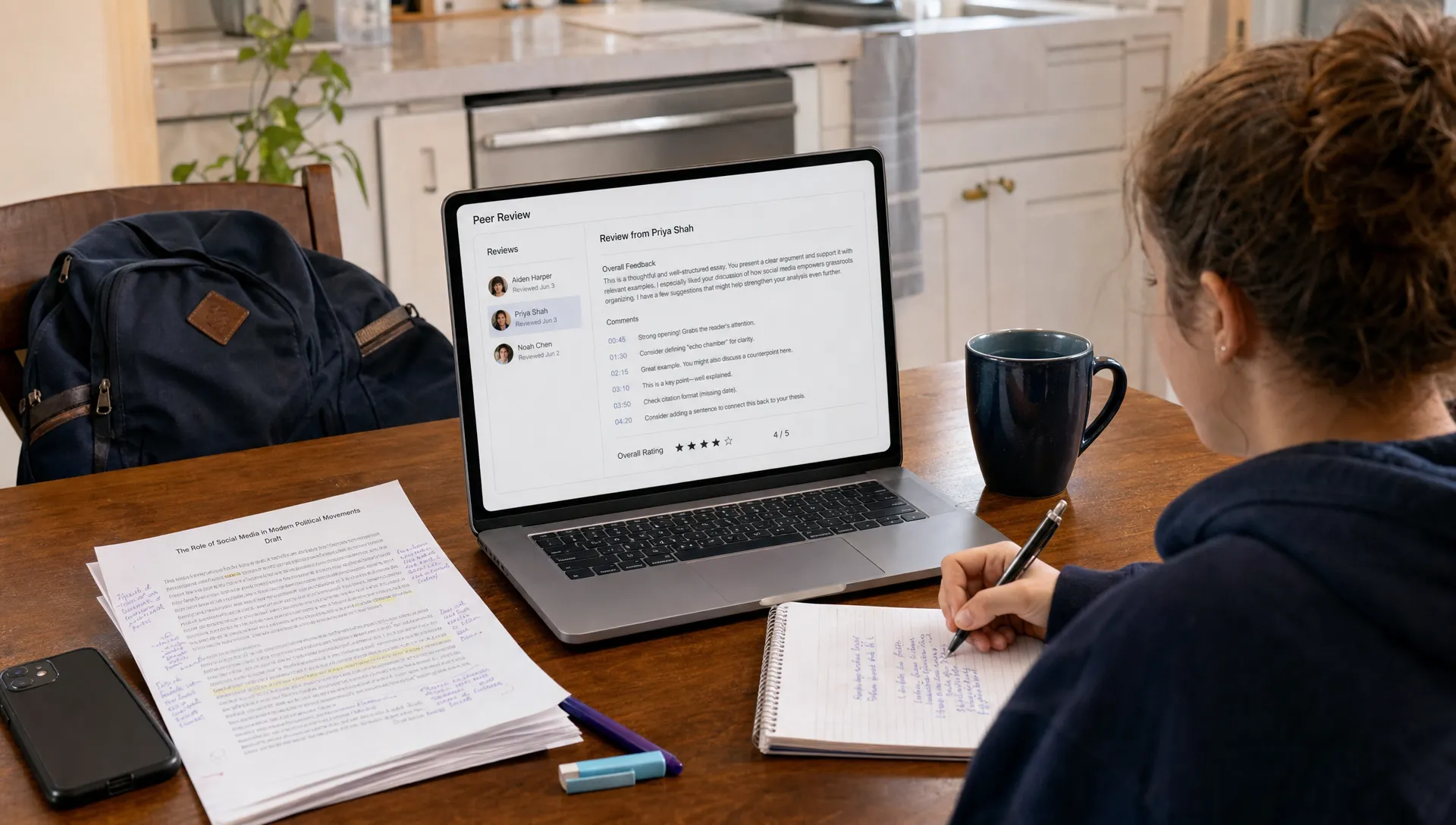
Turnitin PeerMark is Turnitin's peer review workflow for classes that already submit work through Turnitin. Instead of collecting drafts, assigning partners, chasing comments and matching feedback to final papers by hand, instructors can build a peer review activity inside the same environment students use to submit writing.
That matters because peer review is often a great idea with a messy execution problem. Students need clear prompts, fair distribution, enough time to read carefully and a simple way to see what their classmates said. Instructors need proof that reviews happened, a way to guide feedback quality and a process that does not consume an entire week of admin time. PeerMark is designed to handle those practical parts so the class can focus on revision.
Why Turnitin PeerMark makes peer reviews easier
The biggest advantage is consolidation. A peer review assignment involves several moving parts: the original submission, the review questions, the review pairings, due dates, student comments and instructor monitoring. When those parts sit in email threads, shared folders or paper packets, small issues multiply quickly.
With PeerMark, the peer review stage is connected to the submitted paper. Students access the assigned work, respond to instructor-created questions and leave feedback in a structured format. Instructors can set expectations before students begin, then review participation without manually sorting files.
This does not make peer review automatic in a teaching sense. Students still need training on what useful feedback looks like. The tool simply removes a lot of friction from the workflow, which gives instructors more room to teach evaluation, evidence and revision.
What the PeerMark workflow does
Turnitin PeerMark generally sits after a writing submission. Students submit a paper, then complete peer reviews based on rules the instructor sets. The exact options available can depend on the institution's Turnitin setup, but the basic idea is consistent: create a peer review assignment, assign papers and collect structured responses.
Submission and review stages
A typical workflow has two deadlines. The first is for the draft or paper submission. The second is for completing assigned peer reviews. This separation helps students understand that review is its own activity, not an afterthought attached to the original upload.
Instructors can usually decide how many papers each student reviews and whether reviews are distributed automatically or adjusted manually. That makes Turnitin PeerMark useful for small seminars where the instructor wants precise pairings as well as larger classes where manual matching would take too long.
Prompts, scales and written comments
Peer review is strongest when students answer specific questions. A vague prompt like provide feedback often produces shallow comments. A question like identify the thesis, explain one place where the evidence is strong and suggest one revision for clarity gives students a task they can actually complete.
PeerMark supports that kind of structure through review questions. Depending on the assignment design, students may answer open-ended questions, respond to rating scales or add comments connected to the paper. The benefit is not only organization, but consistency. Every reviewer is responding to the same core expectations.
How it helps instructors manage peer review
For instructors, Turnitin PeerMark reduces the clerical work that can make peer review hard to repeat. Instead of building separate spreadsheets, sending reminders and tracking who reviewed whom, the review activity lives with the writing assignment.
That visibility matters in two ways. First, instructors can see whether students completed their assigned reviews. Second, they can evaluate the substance of the feedback if participation or grading is tied to quality. This is especially helpful when peer review counts as part of the writing process grade rather than a casual classroom activity.
PeerMark can also make expectations more transparent. If the instructor builds questions aligned with the rubric, students see the same criteria before the final version is due. That turns the review process into a rehearsal for revision rather than a one-time exchange of comments.
| Peer review task | Manual process | With PeerMark |
|---|---|---|
| Collecting drafts | Students email files or bring printed copies | Drafts are connected to the Turnitin assignment |
| Assigning reviewers | Instructor matches students manually | Review distribution can be managed inside the tool |
| Guiding feedback | Students may receive loose instructions | Review questions give a shared structure |
| Tracking completion | Instructor checks messages or paper forms | Participation is easier to monitor |
| Returning comments | Feedback can be scattered across files | Reviews stay linked to the activity |
The table shows why the tool is most valuable in courses where peer review happens more than once. A single workshop can survive some manual messiness. Repeated drafting cycles need a system.
How it helps students give better feedback
Students often struggle with peer review because they are unsure what authority they have. They may feel uncomfortable criticizing a classmate's draft or they may focus only on grammar because sentence-level corrections feel safer than talking about argument, evidence or organization.
Turnitin PeerMark helps by narrowing the task. When students see targeted questions, they do not have to invent a review strategy from scratch. The prompt tells them what kind of reading to do and what kind of response is expected. That can lead to more balanced feedback, especially in first-year writing courses or classes where students are new to a discipline.
Good prompts also protect students from unhelpful extremes. A review that only says good job does not support revision. A review that rewrites the paper for the author can cross a line. Structured questions encourage students to explain what they noticed, point to evidence in the draft and suggest next steps without taking over the work.
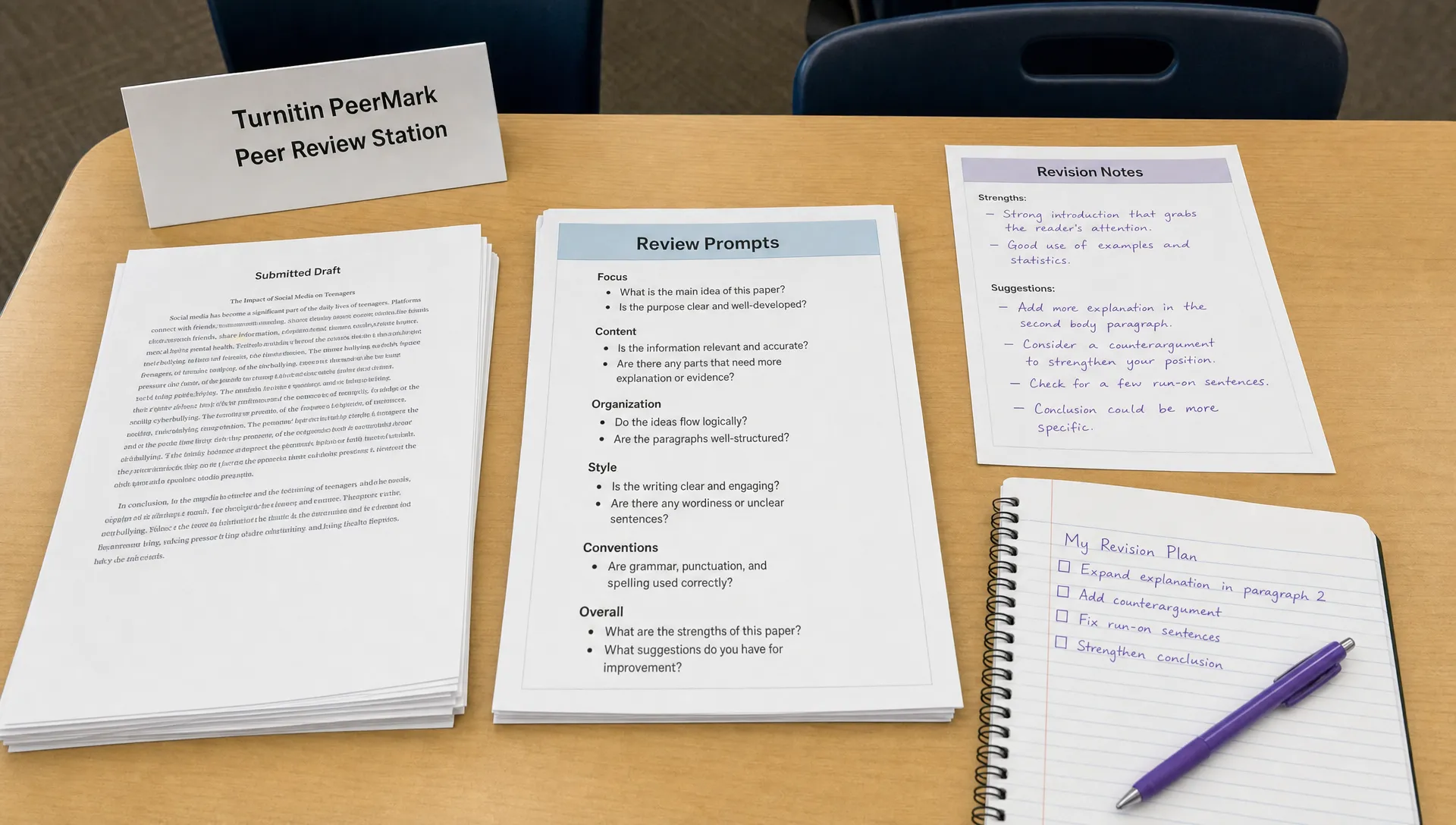
For students receiving feedback, the centralized format can make revision easier. Instead of comparing handwritten notes or separate files, they can review comments in one place and look for patterns. If two classmates both find the thesis unclear, that is a stronger signal than a single isolated comment.
Where PeerMark fits with Similarity and AI reports
Turnitin PeerMark is not the same thing as a Similarity Report or an AI writing indicator. PeerMark is a peer review workflow. Similarity and AI-related tools are separate parts of the broader Turnitin ecosystem, and institutions may use them differently.
That distinction helps students avoid confusion. A peer review assignment may be attached to a submitted paper, but PeerMark itself is about classmates reading and responding. It is not designed to lower a score, bypass a detector or replace instructor judgment. If you want a broader explanation of what Turnitin checks, the guide to Turnitin software and its two major scores is a better starting point.
There is also a repository question worth understanding. Some Turnitin submissions may be stored for future similarity comparisons depending on institutional settings. If a class uses drafts, revisions and peer review in the same writing cycle, students should know how draft storage works. The explanation of what the Turnitin repository does to your paper covers that issue in more detail.
Best practices for better PeerMark assignments
Turnitin PeerMark works best when the instructor treats peer review as a designed learning activity, not just a feature to switch on. The setup should match the writing goal. A literature review, lab report, reflection paper and argumentative essay need different review questions.
A strong PeerMark activity usually starts with a small number of focused prompts. Too many questions can lead to rushed answers. Too few can produce vague comments. Three to five well-written prompts often work better than a long checklist, especially when students are expected to read carefully.
Helpful prompts often ask students to do one of these things:
- Identify the main claim or purpose of the draft
- Point to one section where evidence is used effectively
- Explain where the organization becomes hard to follow
- Suggest one specific revision the writer can make before final submission
- Comment on whether the conclusion matches the argument developed in the paper
Model feedback can also make a big difference. Before the activity opens, instructors can show examples of weak, acceptable and strong peer comments. Students learn faster when they see what quality looks like. This is especially useful for comments that need to be specific without sounding harsh.
Common limitations to keep in mind
PeerMark makes the logistics easier, but it cannot guarantee thoughtful feedback by itself. Students may still rush, give overly polite comments or misunderstand the assignment criteria. Instructors should plan for a short debrief after reviews are complete so students can decide which suggestions to use.
Access can also vary. Some schools use Turnitin Feedback Studio with certain features enabled, while others configure assignments differently. If a student cannot see the review assignment or has trouble accessing an assigned paper, the practical fix is usually through the instructor or the school's learning management system support, not through a writing workaround.
Privacy expectations should be clear too. Instructors may use anonymous reviews in some settings, but anonymity is not a substitute for respectful language. Students should assume their instructor can review participation and should write comments they can stand behind.
Finally, students should not confuse peer feedback with permission to submit unreviewed AI-generated work. Peer comments can strengthen a draft, but authorship and source use remain the writer's responsibility. If AI-related concerns are part of the course context, focus on transparent drafting, assignment-specific thinking and authentic revision. The guide on how to lower a Turnitin AI score without humanizer tricks explains that more directly.
Who benefits most from PeerMark?
Turnitin PeerMark is especially useful in writing-intensive courses where revision is part of the grade. First-year composition, upper-level seminars, research methods classes and courses with major term papers can all benefit from structured peer exchange.
It also helps instructors who want peer review but have avoided it because the management burden feels too high. In a class of 25 students, assigning two peer reviews per student creates 50 separate review tasks. In a class of 100, it creates 200. A centralized workflow can make the difference between a review process that happens consistently and one that gets dropped when the semester becomes busy.
Students benefit when the assignment is framed well. Peer review should not be sold as free editing from classmates. It is a way to see how real readers respond to a draft before the instructor is the only audience that matters. When students understand that purpose, they tend to read their own writing differently too.
Frequently Asked Questions
Is Turnitin PeerMark the same as Turnitin Similarity? No. PeerMark is for peer review, while Similarity compares submitted text against sources and other submissions. They may appear within the same Turnitin environment, but they serve different purposes.
Can students see who reviewed their paper? That depends on how the instructor configures the activity and how the institution uses Turnitin. Some peer review settings may allow anonymous review, but students should follow the same respectful standards either way.
Does PeerMark grade the quality of peer feedback automatically? PeerMark can help collect and organize feedback, but the quality of comments still depends on the students and the instructor's criteria. Instructors can review responses when participation or feedback quality counts toward the grade.
Does using PeerMark affect AI detection results? The peer review tool itself is not an AI detector. A paper may still be processed through other Turnitin tools depending on the assignment settings, but PeerMark is focused on review, comments and revision.
What makes a good peer review question? A good question is specific, tied to the assignment goal and answerable from the draft. For example, asking students to identify the thesis and explain whether the body paragraphs support it will usually produce better feedback than asking whether the paper is good.
