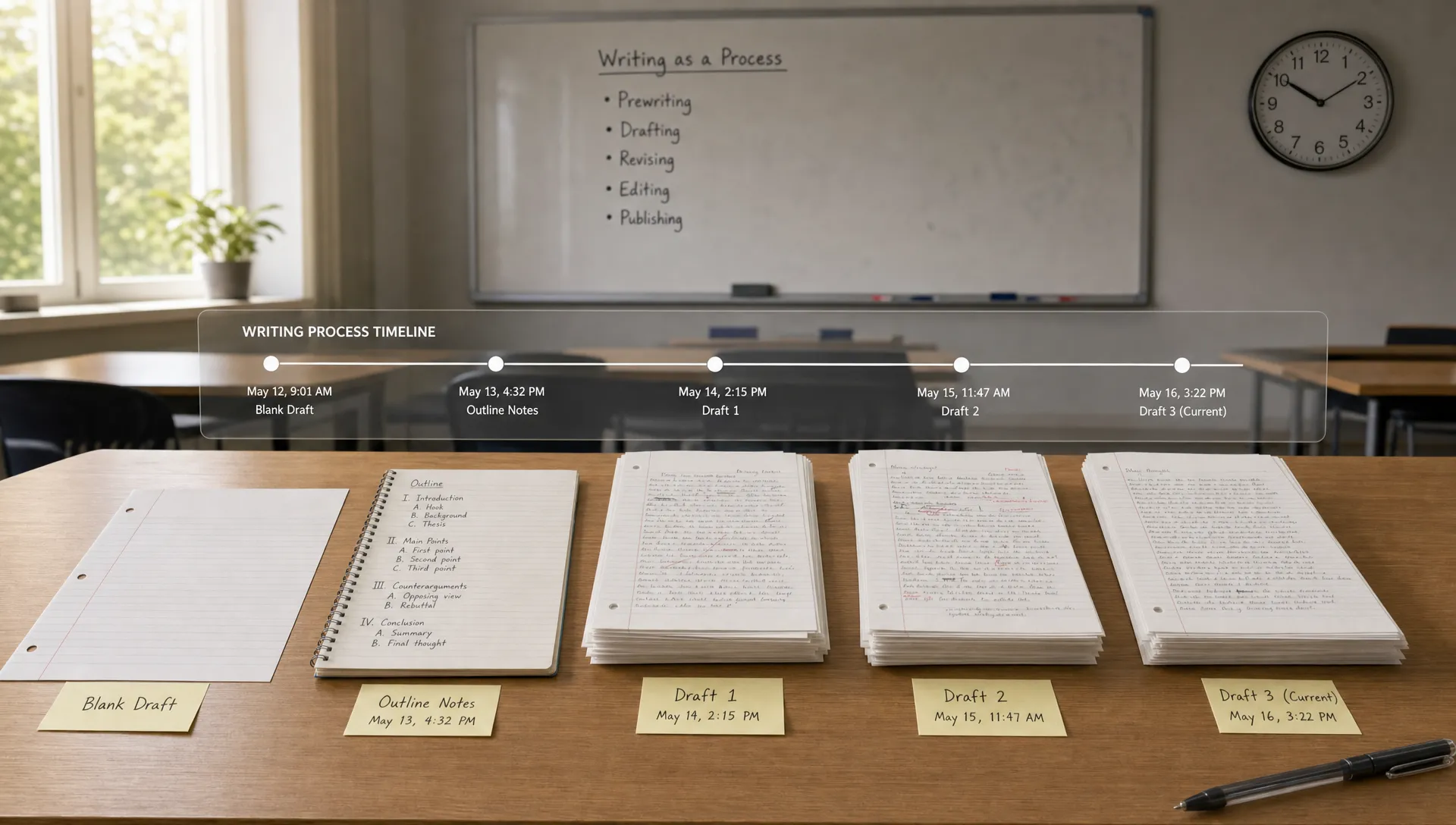
Turnitin Clarity matters because it changes the question from “Does the final text look AI-generated?” to “Does the writing process look consistent with real authorship?”
For years, most students thought about Turnitin as a submission checkpoint. You uploaded a paper, then Turnitin compared it against databases for similarity and, more recently, analyzed the finished prose for possible AI writing. Clarity adds a different layer: process visibility. Instead of only looking at the final document, it can help instructors review how the writing came together.
That does not mean every pause, typo, or pasted sentence is automatically suspicious. It also does not mean Clarity can read your mind or prove misconduct by itself. But it does mean that the path from blank page to final draft may matter more than it used to.
Want to bypass Turnitin in 2026? Grab the free prompt pack.
Get the exact text-humanization prompts I use to drop an AI score by hand — copy, paste, submit. Free, straight to your inbox.
Send me the free prompts →What Turnitin Clarity is designed to show
Turnitin Clarity is a writing-process tool. Its purpose is to give instructors more context around student authorship by showing activity that happened during drafting and revision. In plain English, it helps answer questions like:
- Was the document built gradually or inserted all at once?
- Did the student revise, restructure, and develop the argument over time?
- Were large blocks pasted into the document?
- Does the writing timeline match normal drafting behavior?
- Is there enough process evidence to support the student’s authorship claim?
This is separate from the traditional Turnitin Similarity score and AI Writing indicator. If you need a broader breakdown of those systems, Detection Drama’s guide to what Turnitin software checks explains the difference between similarity checking, AI detection, and other Turnitin tools.
Clarity is best understood as an authorship context layer. It does not simply ask whether the prose resembles AI. It asks whether the creation history looks like the work of a person composing, editing, and revising.
The main things Turnitin Clarity can track while you write
Exact dashboards and settings can vary by institution, assignment setup, and integration. Still, process-writing tools like Turnitin Clarity generally focus on several categories of activity.
1. Writing timeline and session activity
Clarity can track when writing activity happens inside the assignment environment. That may include the start of a writing session, periods of inactivity, bursts of writing, and the time between major changes.
This matters because a normal paper often develops unevenly. A student may outline for a while, add a rough introduction, delete a paragraph, revise a thesis, and return later to add citations. That pattern creates a visible trail.
By contrast, a document that goes from blank to polished in a few seconds or minutes may raise questions, especially if the assignment expected original drafting in the platform. It does not prove AI use by itself, since a student might paste work from an offline draft, but it does create a gap the student may need to explain.
2. Text insertions, deletions, and revisions
Clarity can show how text was added, removed, or changed over time. This is one of the most important process signals because revision is a strong authorship marker.
A student-written draft often contains visible development. Sentences get tightened. Paragraphs move. Sources are integrated. Awkward wording becomes clearer. Counterarguments appear after the first pass. Even strong writers usually leave some evidence of thinking through the assignment.
Large insertions with little or no revision can look different. A finished essay pasted into an empty document may have a clean final surface, but a weak process record. Again, that does not automatically mean cheating. It does mean the final text may not be the only thing an instructor reviews.
3. Copy-and-paste behavior
One of the biggest Clarity-related concerns is pasted text. Process tools can often identify when text appears through typing versus when a chunk is pasted into the document.
This does not mean all pasting is suspicious. Students paste quotations, citation details, notes from a research document, feedback from a tutor, and paragraphs from earlier drafts. Pasting becomes more sensitive when it involves large sections of polished prose, especially if the assignment instructions required writing directly in the platform.
A key limitation is important: a tool may know that text was pasted into the document, but that does not necessarily mean it knows where the text came from. It may not know whether the source was ChatGPT, Google Docs, Microsoft Word, a notes app, a school library database, or a previous draft unless that information is captured elsewhere in the workflow.
4. Draft development and version history
Clarity is closely connected to the idea of draft evidence. It can help instructors see whether a paper developed in stages or appeared close to final form immediately.
That matters because AI misuse often leaves a thin development trail. If a student generates an essay elsewhere, edits it lightly, and pastes it into a school assignment, the submitted file may look complete but lack the intermediate stages that usually accompany authentic work.
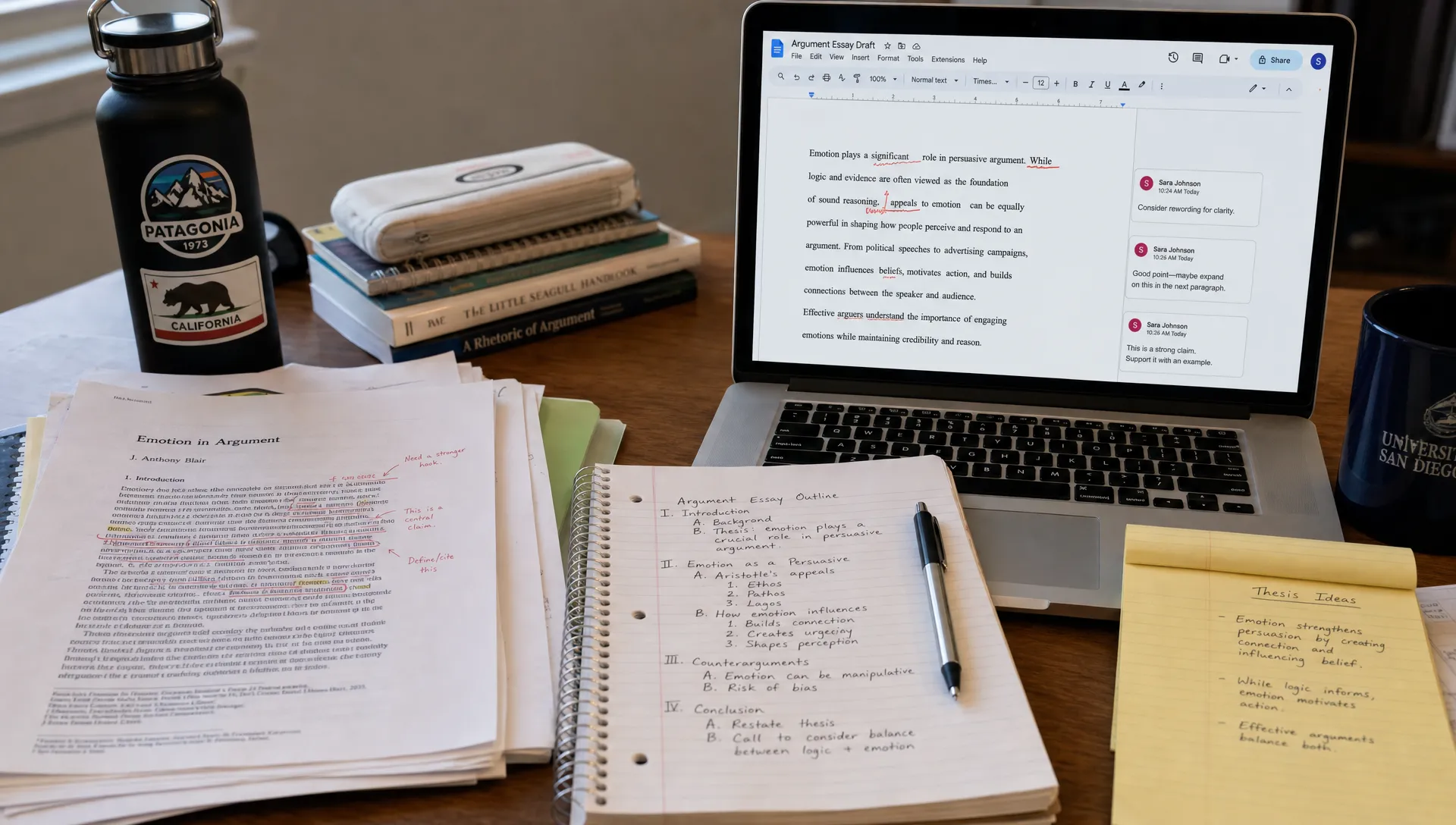
On the other hand, students who draft outside the platform can run into trouble even when they did the work honestly. If you wrote in a private document, then pasted the final version into the assignment area, Clarity may only see the final paste, not the real drafting history. The safest approach is to preserve drafts, notes, outlines, and timestamps that can explain your workflow.
5. Assignment environment activity
Turnitin’s newer direction is not just about the detector. It is about where writing happens. When Turnitin tools are embedded into classroom workflows, process data can become part of the assignment record.
That is why the Google Classroom connection matters. Detection Drama covered this shift in detail in its article on how Turnitin is now inside Google Classroom, including why process monitoring feels different from checking only the submitted file.
If an assignment asks you to write in a specific connected environment, activity in that environment may carry more weight than drafts created somewhere else. Students should read the instructions carefully before assuming that any final upload is enough.
What Clarity signals can mean, and what they do not prove
Clarity-style tracking is useful because it gives instructors context. But context is not the same as proof. A process signal can point to a question without fully answering it.
| Clarity signal | Why it may matter | Legitimate explanation |
|---|---|---|
| Large amount of text appears at once | Could suggest pasted AI-generated or outsourced writing | Student pasted from an offline draft or previous version |
| Very little revision history | May not show normal drafting development | Student revised on paper, in another app, or before entering the platform |
| Sudden polished final draft | Can look inconsistent with in-platform writing expectations | Student worked elsewhere and copied the final draft in |
| Long pauses followed by rapid insertion | May suggest outside generation or copying | Student researched, read sources, or took a break before pasting notes |
| Many deletions and rewrites | Usually supports active drafting, but can also show uncertainty | Normal revision, language learning, or major restructuring |
The key point is that Clarity does not eliminate the need for human judgment. It can show a writing trail, but instructors still need to interpret that trail fairly.
Does Turnitin Clarity detect AI directly?
Clarity should not be confused with a standard AI content detector. Turnitin’s AI writing detection focuses on the linguistic patterns of the final submitted text. Clarity focuses on the process behind the writing.
Those two layers can interact. For example, if a final paper receives an AI-related concern and the process history also shows one large paste with no drafting trail, an instructor may see that as more concerning than either signal alone. If the same paper has notes, outlines, revisions, source integration, and a clear timeline, that process evidence may help support the student’s authorship.
Turnitin has publicly discussed AI writing detection as one part of its academic integrity tools, but institutions decide how to use reports and how much weight to give them. Students should check their course policy, because “AI use” can mean different things in different classrooms. One instructor may allow brainstorming with AI if disclosed, while another may ban generative AI entirely.
What Clarity probably does not track
Students often imagine the most extreme version of monitoring. In most normal assignment settings, Clarity is not the same as spyware installed across your entire device.
Based on how writing-process systems generally work, Clarity is focused on activity inside the connected writing or assignment environment. It is not usually about reading your private messages, recording your room, capturing passwords, or watching everything you do on your computer.
However, privacy details depend on institutional configuration, software agreements, and the platform used. If your school requires a particular browser extension, locked writing environment, plagiarism system, or proctoring product alongside Turnitin, that may introduce additional monitoring outside Clarity itself.
The practical rule is simple: ask what tool is being used, what data it collects, who can view it, and how long it is retained. Schools should be able to explain this clearly.
How students should write when Clarity is active
The safest response is not to panic or try to game the system. The safest response is to make your real process visible.
If you write honestly, your goal is to avoid creating a misleading record. A student can do original work and still look suspicious if the only thing the platform sees is a polished essay pasted at the end.
Here are sensible habits that help protect authorship evidence:
- Start the assignment in the required writing space when possible.
- Keep your outline, notes, and early thesis work.
- Save earlier drafts if you write in another app.
- Add citations and source notes as you work instead of all at once at the end.
- Avoid pasting a fully finished essay into a blank assignment unless your instructor allows that workflow.
- If AI assistance is permitted, document what you used it for and follow the disclosure policy.
If you are revising AI-assisted text for a class where AI use is allowed, focus on substance rather than cosmetic “humanizing.” Improve the argument, verify sources, add course-specific analysis, and make sure the work reflects your own thinking. Detection Drama’s guide on rewriting AI text for Turnitin Clarity checks covers that distinction in more depth.
What educators should remember when reviewing Clarity data
For educators, Clarity can be valuable because it shifts conversations away from a single score. Instead of relying only on an AI indicator, teachers can review drafting behavior and ask better questions.
But process data should be interpreted carefully. Students have different writing habits. Some compose slowly and revise heavily. Some draft in bursts. Some write by hand before typing. Some use assistive technology. ESL writers may revise sentence-level wording more often than native speakers. Students with unreliable internet may write offline and paste later.
A fair review should consider the assignment instructions, the student’s explanation, available drafts, prior writing samples, and any accessibility or language-learning factors. Clarity can support an academic integrity conversation, but it should not replace that conversation.
Why Clarity changes the AI detection conversation
The biggest change is that AI detection is becoming less about the final text alone. A detector can be wrong. A polished paragraph can be human-written. A clunky paragraph can be AI-assisted. A similarity score can flag properly quoted material. A low AI score does not prove the absence of AI use.
Process evidence gives schools another angle. It can show whether the student engaged with the assignment over time. That makes authorship harder to fake with a simple rewrite or text humanizer, because the issue is no longer only whether the final prose sounds human. The issue is whether the writing history supports the claim that the student produced the work.
For students, that means your drafts matter. Your notes matter. Your revision trail matters. For educators, it means process data should be used with care, transparency, and room for legitimate explanations.
Frequently Asked Questions
Can Turnitin Clarity see me typing in real time? It is designed to capture writing-process activity within the assignment environment, such as text changes and drafting history. Whether an instructor sees live activity or a report afterward depends on the specific setup.
Does Turnitin Clarity know if I used ChatGPT? Clarity may show process signals that raise questions, such as a polished essay pasted all at once, but pasted text alone does not identify the source. Turnitin’s separate AI detection tools analyze the final text for AI-like patterns.
Is pasting text into a Clarity assignment always bad? No. Students paste quotations, citations, notes, and material from earlier drafts. Large pasted sections of finished prose can be harder to explain if the assignment expected in-platform drafting.
Can I write in Google Docs or Word and paste later? Maybe, but it depends on your instructor’s rules. If Clarity is being used to review process, you should keep version history, outlines, and drafts so you can show where the work came from.
Can Clarity falsely make honest work look suspicious? Yes, process data can be misunderstood. Offline drafting, assistive tools, poor internet, unusual writing habits, or last-minute copying from a personal draft can all create confusing signals. That is why human review matters.
What should I do if my instructor questions my Clarity report? Stay calm and provide evidence of your process. Share outlines, notes, source records, earlier drafts, version history, and a clear explanation of where and how you wrote the paper.
The bottom line
Turnitin Clarity tracks the writing process, not just the finished paper. It can show timeline activity, edits, revisions, pasted text, and draft development inside the assignment environment. Those signals can help instructors evaluate authorship, especially when AI use is suspected.
The safest approach is simple: make your real work visible. Write in the required space when possible, keep drafts when you work elsewhere, document permitted AI use, and build a revision trail that matches your actual effort.
Detection Drama continues to track how AI detection, Turnitin, and writing-process tools are changing. If your school uses Clarity, understanding what it records is the first step toward avoiding unnecessary confusion and protecting legitimate authorship.
