Verdict up front: PISA Editor is the best-designed writing-process tracker I’ve examined, and it is the only one that hands the evidence to the student instead of the school. It is also, by its own honest admission, measuring something that does not prove what most teachers think it proves. Both of those things are true at once, and that’s the whole review.
Every process tracker in wide use — Draftback, Grammarly Authorship, Turnitin Clarity and GPTZero — shares one design assumption: the institution owns the record. The student writes, the platform watches, and the log lands somewhere the student cannot see, edit, or withhold. PISA Editor inverts that. No accounts. No servers holding your draft. The revision history is encrypted in your own browser and downloaded to your own machine as a .pisa file that nobody sees until you decide to submit it.
Want to bypass Turnitin in 2026? Grab the free prompt pack.
Get the exact text-humanization prompts I use to drop an AI score by hand — copy, paste, submit. Free, straight to your inbox.
Send me the free prompts →That’s a genuinely different product philosophy in a category that badly needed one. Whether it survives contact with the thing everyone actually wants it to do — prove a human wrote the words — is the harder question, and I’ll get to it.
What PISA Editor actually is
PISA stands for Platform for Iterative Student Authorship. Not the OECD international assessment programme — that name collision is the single biggest reason this tool has almost no search footprint, and it’s worth naming early so you don’t spend twenty minutes searching the wrong thing.
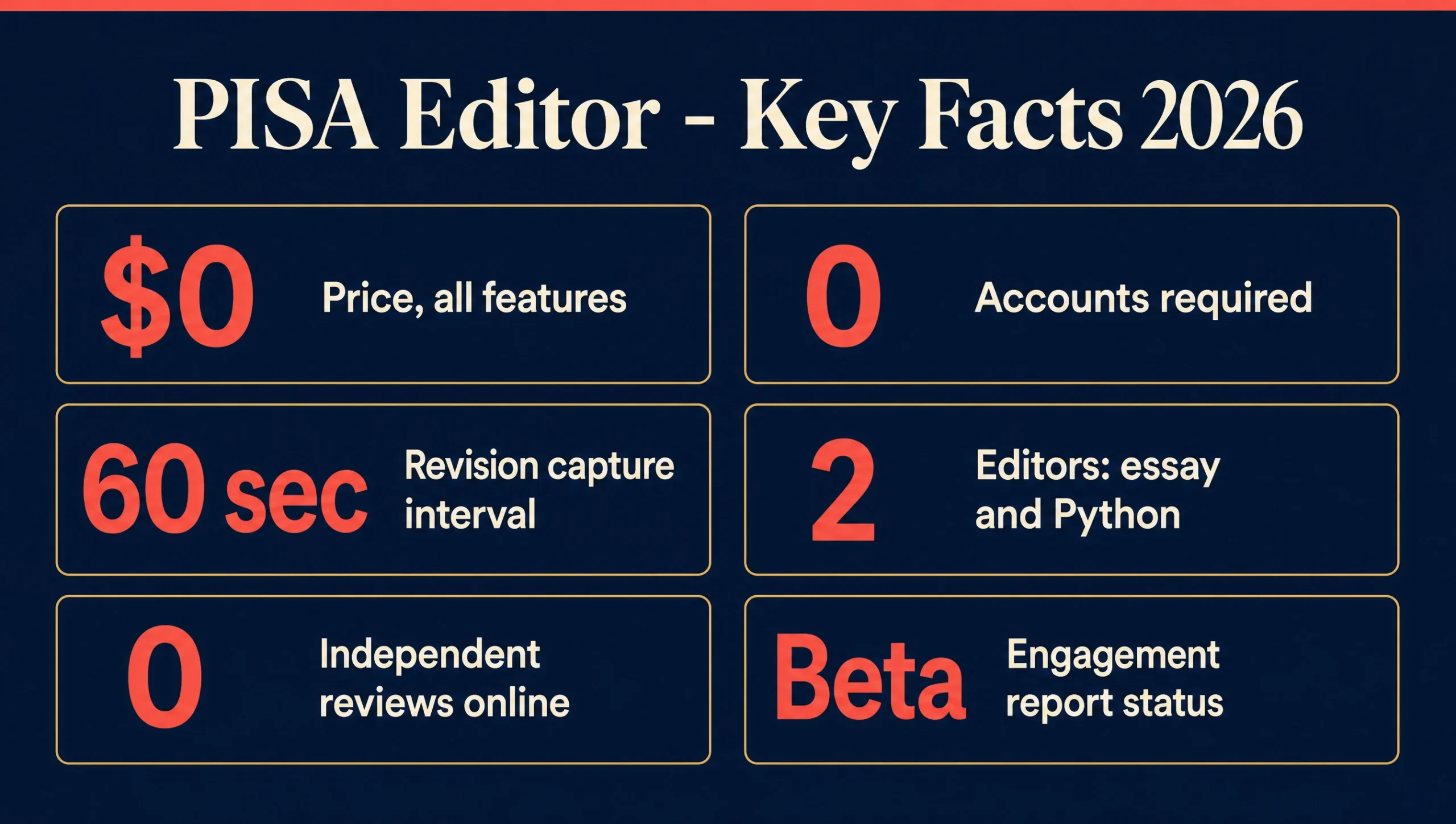
It’s a free, browser-based assignment editor with two modes: an essay editor and a Python editor. There is no installation, no login, no account, and no paid tier. As you write, it records revision history, copy-and-paste activity, and keystroke timing. When you hit Save, that data is encrypted in the browser and downloaded to your computer.
It was built by one working educator who uses it in his own programming classes, and who publishes a contact address (contact@pisaeditor.com) rather than a support portal. That’s relevant to the verdict in both directions, and I’ll come back to it.
Who it’s for
- Students who have already been accused, or expect to be. This is the strongest use case. If you’re building an authorship packet before you submit, the
.pisafile is exactly that artifact, generated automatically. - Teachers who want process evidence without deploying surveillance. You don’t buy anything, you don’t onboard anything, and you never hold student data.
- Students who write outside Google Docs. If your instructor’s whole policy is “type it in the Doc so I can see version history,” this is the alternative that produces comparable evidence.
Interface and design
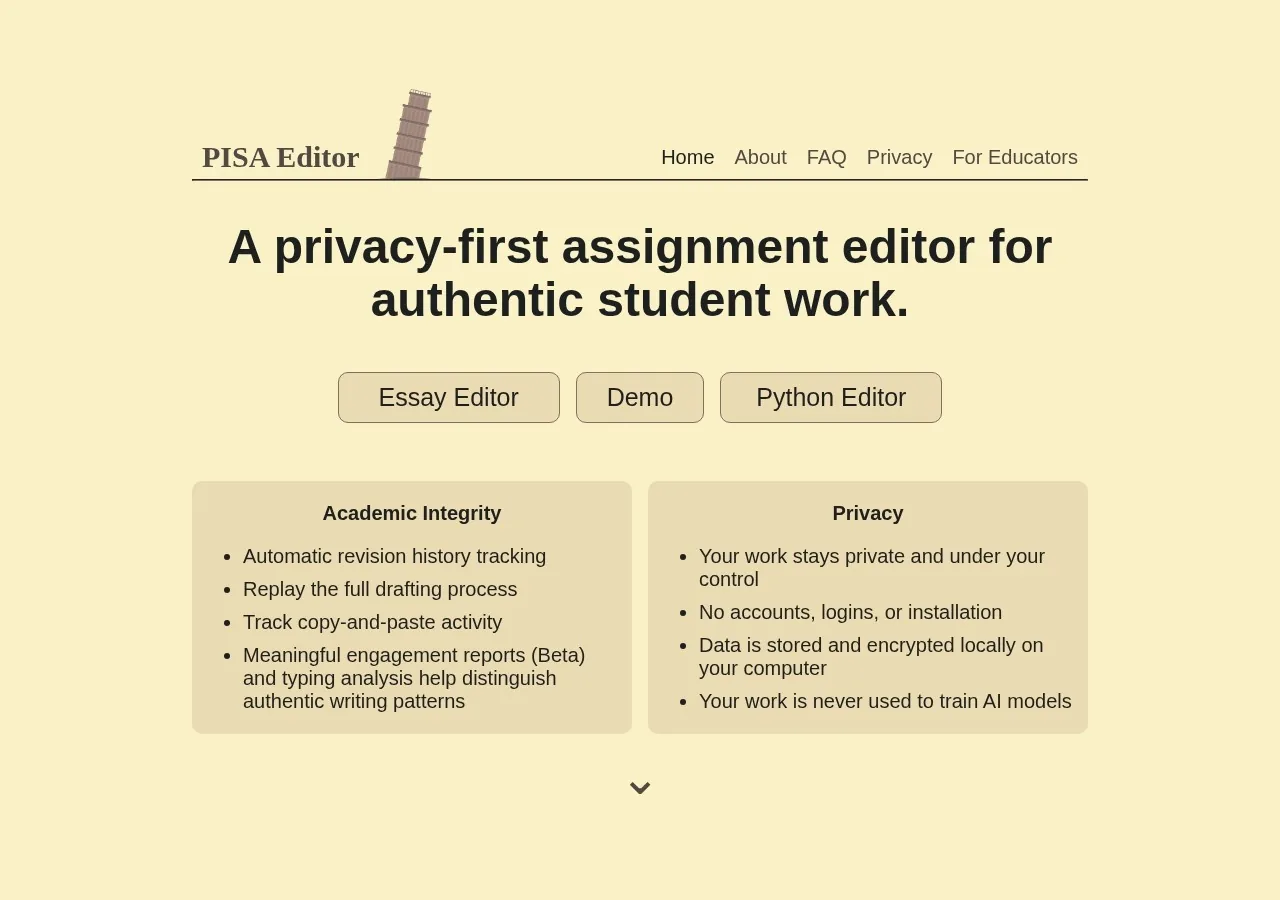
The interface is plain in a way I’ve come to read as a good sign. Cream background, brown serif headings, a leaning-tower logo, and no marketing furniture anywhere. The homepage is two columns — Academic Integrity on the left, Privacy on the right — and then it stops.
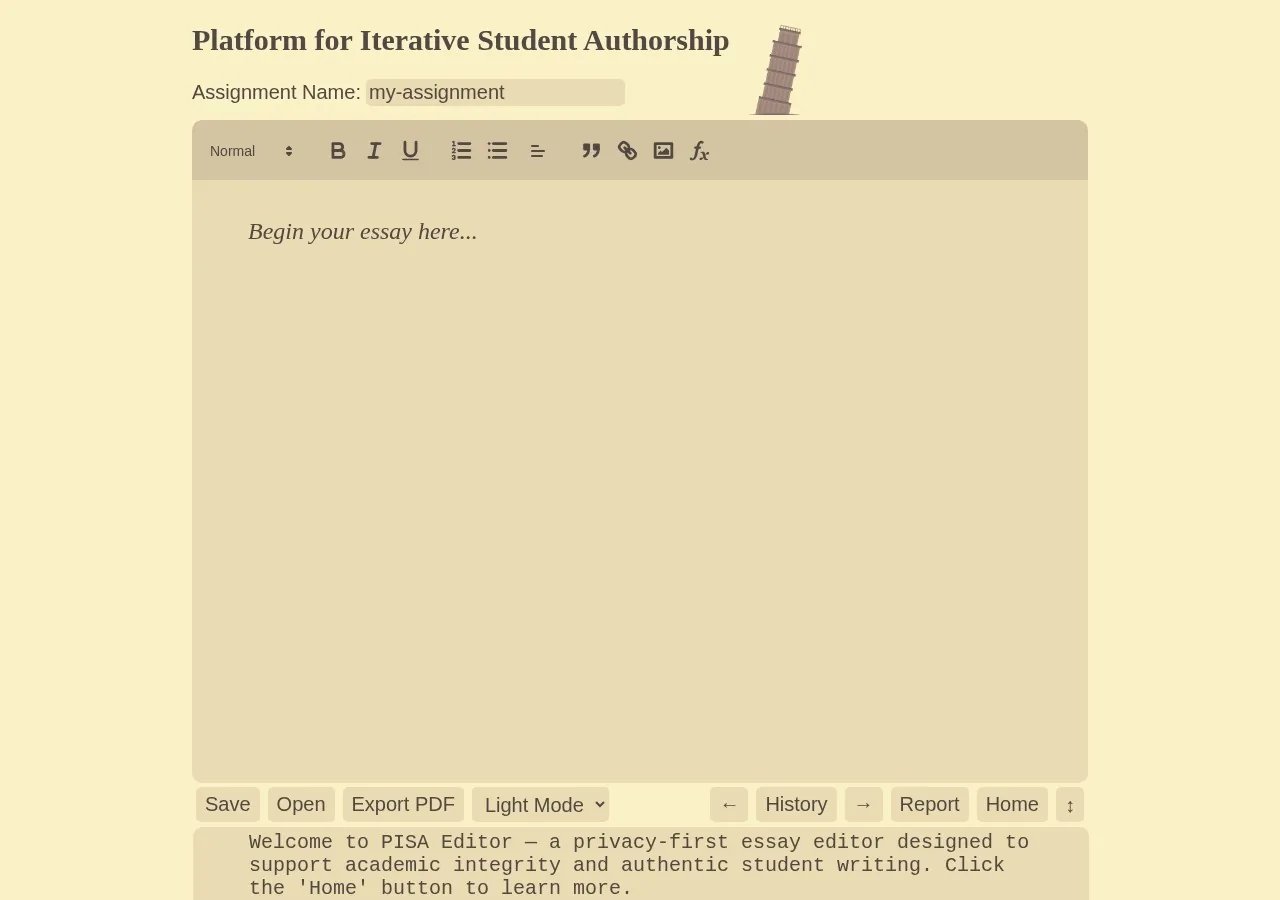
The essay editor is a Quill-based rich text field with a conventional toolbar and, along the bottom, the row that matters: Save · Open · Export PDF · History · Report. That’s the entire product surface. History replays your drafting. Report generates the copy-paste log, the keyboard entropy score, and the engagement estimate.
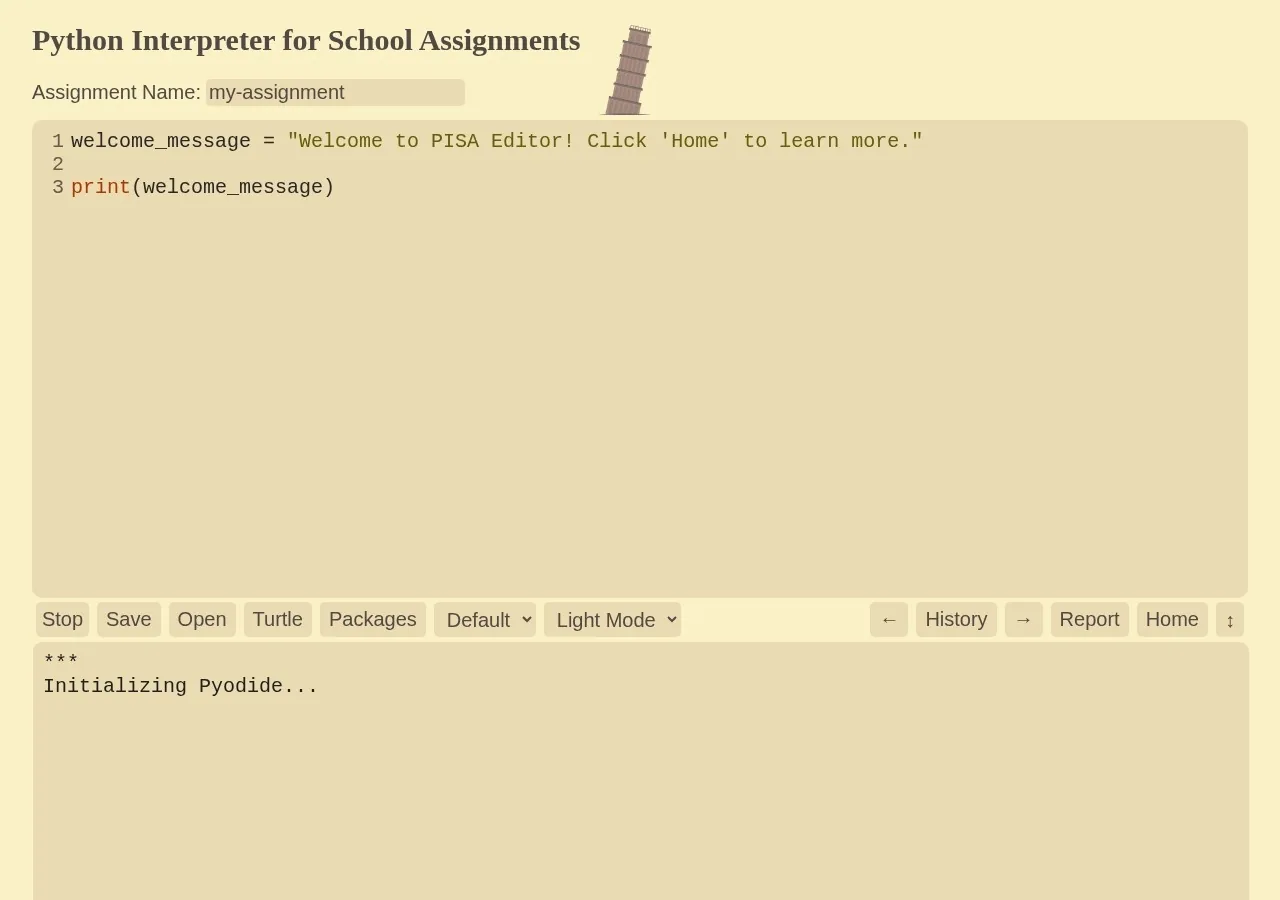
The Python editor runs Pyodide by default and switches to Skulpt when turtle graphics are active. Revisions that correspond to a code run are highlighted green in the history — a small touch that shows the tool was built by someone actually grading programming assignments.
What it actually records
Four signals, and they are not equally strong. This is where most coverage of process trackers goes soft, so let me be specific about what each one can and cannot support.
| Signal | What it captures | What it can support | Strength |
|---|---|---|---|
| Revision history | A snapshot once per minute, replayable | That the document grew incrementally over time | Strong |
| Copy-and-paste log | All text insertion, not just pastes (since March 2026) | That a large block did or didn’t arrive at once | Strong |
| Keyboard entropy | Variability in inter-keystroke timing | That typing looked organic rather than machine-even | Contested |
| Engagement report | Edit-type variety and movement through the document | That the writing was iterative, not linear | Beta — unversioned |
The one honest caveat about entropy. The site defines keyboard entropy as a measure of “how varied and unpredictable your typing pattern is,” based on timing between keystrokes, used to “distinguish between natural typing and pasted or automated text.” That is a timing signal. And as this site has already documented, Undetectable.ai and Phrasly both sell Google Docs auto-typers that explicitly advertise “natural pauses, typos & revision history.” A synthetic typer that varies inter-keystroke delay defeats an entropy check in principle.
To be clear about what I am and am not claiming: I found no evidence that anyone has demonstrated an auto-typer defeating PISA Editor specifically. This is a structural weakness in the signal class, not a documented break of this product. Nobody should read it as “PISA Editor has been cracked.”
The bar that actually matters
Here’s the uncomfortable part, and PISA Editor’s own Terms of Use says it before I do: the tool “does not determine academic misconduct or grading decisions; it only provides supporting information to students and instructors.”
That sentence is more honest than most of this category manages. Process data proves a human typed the words. It does not prove a human composed them. A student reading from a second screen produces a flawless revision history — and several teachers in the Reddit threads that surfaced this tool said exactly that about their own students. If you want the fuller version of that argument, it’s the same reason Google Docs version history isn’t sufficient proof on its own.
User experience
Student workflow: open the URL, type, click Save, submit either the .pisa file or a PDF with an embedded history link. There’s no setup step because there’s no account. The learning curve is a single concept — save the file, keep the file.
Teacher workflow: click Open, upload the student’s .pisa file, click History to replay, click Report for the paste log and entropy score. No admin console, no roster, no procurement.
Friction to know about: the .pisa format can only be opened on pisaeditor.com. If your instructor has never heard of the tool, they’ll receive a file they can’t double-click. The site’s own guidance is to export a PDF instead unless told otherwise — sensible, and a sign the developer has hit this problem in practice. There’s also no autosave to a server, so a student who closes the tab without saving loses the work. The editor shows a 15-minute reminder, which mitigates but doesn’t eliminate that.
Support is one person’s email address. Response quality is unknown to me and I’m not going to guess at it.
How it compares
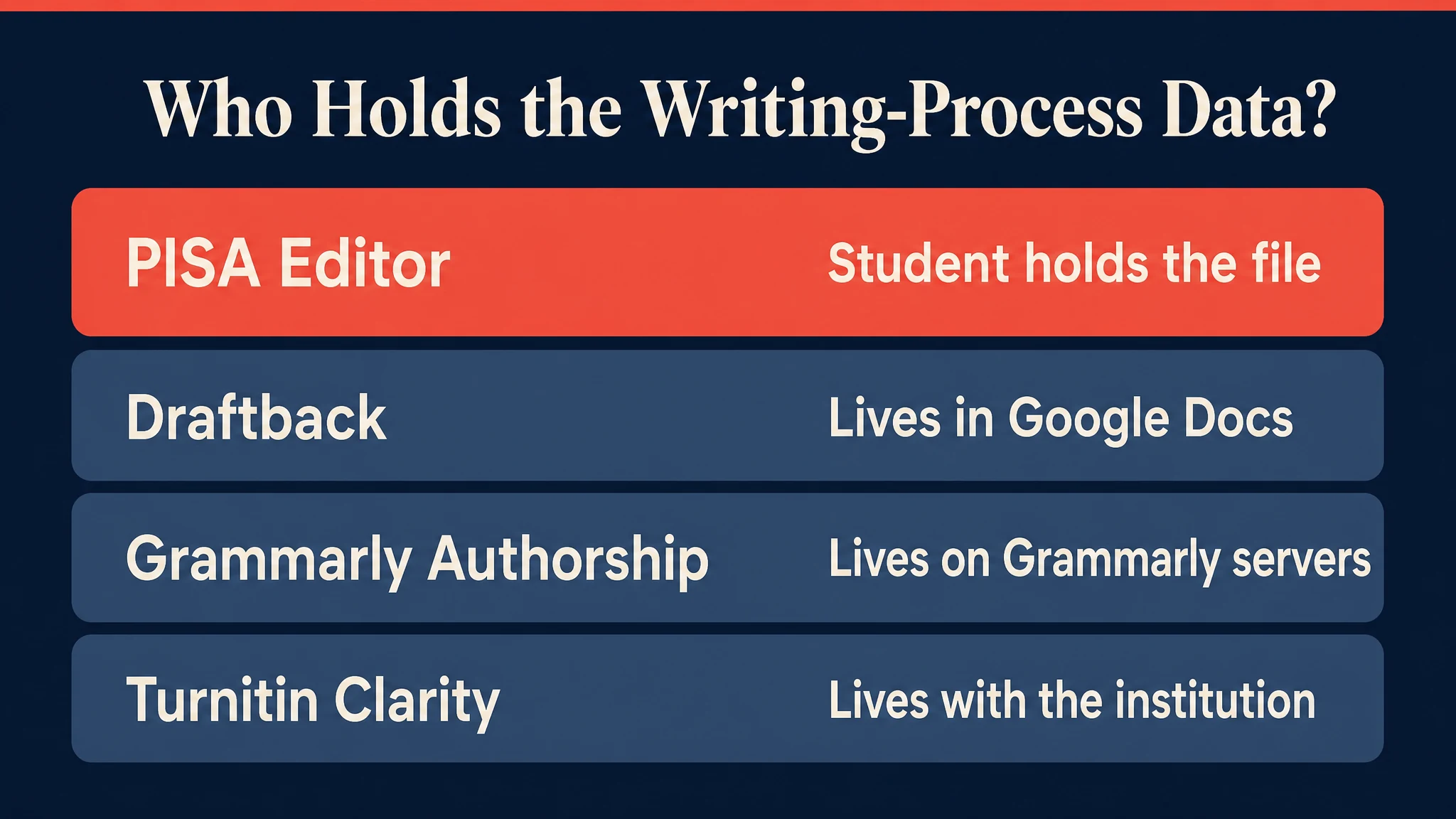
| Tool | Cost to student | Who holds the data | Records entropy | Works outside Google Docs |
|---|---|---|---|---|
| PISA Editor | Free | The student | Yes | Yes |
| Draftback | Paid subscription | Google Docs | No | No |
| Grammarly Authorship | Freemium | Grammarly | No | Partly |
| Turnitin Clarity | Institutional add-on | The institution | No | No |
Two of those rows changed recently and are worth flagging: Draftback, the free extension most teachers started with, moved its core features behind a paid subscription, and Turnitin Clarity is a paid institutional add-on that a student has no way to opt into independently. PISA Editor is currently the only option in this table a student can adopt unilaterally, for free, today.
If you’re comparing on detection accuracy rather than process evidence, that’s a different category entirely — see the Pangram review and how much detectors disagree with each other.
Pros and cons
Pros
- Genuinely free — no tier, no trial, no upsell anywhere on the site
- Student holds the evidence; nothing is visible to anyone until submitted
- Client-side encryption added March 2026; the server cannot read assignment content
- Designed with FERPA principles in mind; no personal identifiers collected at all
- Google Analytics was removed in April 2026 for privacy-friendly tracking — a receipt, not a claim
- Records all text insertion, not only clipboard pastes
- Actively maintained, with a dated public changelog
- The developer documents the tool’s limits himself, including the fairness problem for fast students
Cons
- Keyboard entropy is a timing signal, and timing signals are spoofable in principle by auto-typers already sold commercially
- Engagement reports are Beta with formulas that “may be refined over time” — an unversioned score that can shift under a student’s feet
- Keystroke timing is the one thing that leaves the browser (to a serverless function), so “fully local” isn’t quite accurate
.pisafiles only open on pisaeditor.com — awkward if your instructor doesn’t know the tool- Bus factor of one; no institution stands behind it
- No LMS integration, no roster, no bulk workflow for large classes
- Name collides with the OECD PISA assessment, making it near-unsearchable
- No independent reviews or third-party audit of the entropy method exists yet
What changed in 2026
The changelog is public and dated, which is more than most tools in this space offer. The 2026 entries that matter:
- March 7 — detection extended to all text insertion, not just pastes. This closes an obvious workaround.
- March 9 — client-side encryption added. The privacy claim becomes structural rather than a policy promise.
- March 24 — PDF export for the essay editor, which is what makes teacher adoption practical.
- April 15 — Google Analytics replaced with privacy-friendly anonymous tracking.
- May 2 — meaningful engagement reports added, in Beta.
- June 12 — improved Python package support.
Terms of Use were last updated April 22, 2026; the Privacy Policy on May 3, 2026. The trajectory is consistent: every significant 2026 change either tightened privacy or closed an evasion gap.
Should you use it?
Use it if
- You want process evidence you control, not evidence your school controls
- You’ve been accused before and want an artifact ready next time — pair it with a defence checklist
- You’re a teacher who wants the signal without deploying surveillance infrastructure or a budget line
- You write in a language, format, or style that gets falsely flagged more often than average, and you want a second line of defence that isn’t another detector
Skip it if
- You need LMS integration, rosters, or a workflow that scales past a handful of classes
- You’re expecting it to prove authorship — it can’t, and it says so itself
- Your institution requires a specific tool; this won’t substitute for whatever Turnitin reports about you
- You need a vendor with support SLAs and a company behind it
Where to get it
It’s at pisaeditor.com — free, all features, no account. There’s no purchase, no refund policy, and no affiliate program; the only monetisation surface is a voluntary “Support PISA Editor” link. I have no financial relationship with this tool, which is worth stating plainly given how much of this niche is affiliate-driven.
Final verdict
The right idea, honestly built, measuring a contested signal. PISA Editor is the only writing-process tracker that treats the student as the owner of their own evidence rather than the subject of a log, and it executes that idea cleanly: free, encrypted, no accounts, actively maintained, and unusually candid about its own limits.
It loses points not for what it does badly but for what its category cannot yet do. Keyboard entropy is spoofable in principle, engagement scoring is unversioned Beta, and a bus factor of one is a real risk for something a student might need to rely on a year from now.
Use it as corroboration you control — not as proof. On that basis it’s the best free option available, and the only one in this table you can start using in the next thirty seconds.
How this review was done
Verified for this review: the live product pages, essay editor, and Python editor (screenshotted here, captured 31 July 2026); the published Privacy Policy (updated 3 May 2026) and Terms of Use (updated 22 April 2026); the full public changelog; the developer’s own “For Educators” notes; the Reddit threads where the tool surfaced organically; and the SERP and YouTube coverage landscape.
Not verified, and deliberately not claimed: I have not run a multi-week classroom deployment, and I have not run an adversarial auto-typer against the entropy score. Where this review discusses entropy spoofing it argues from the signal class, not from a test I performed. If and when someone runs that test — including me — this page gets updated.
No affiliate relationship. There is no affiliate programme for this tool, and no link on this page pays anything.
Frequently asked questions
Is PISA Editor free?
Yes, entirely. Every feature is free, there is no paid tier, no trial, and no account. The only money involved is a voluntary donation link.
Is PISA Editor related to the OECD PISA test?
No. Here PISA stands for Platform for Iterative Student Authorship. The name collision with the OECD Programme for International Student Assessment is coincidental, and it’s the main reason the tool is hard to find in search.
Can my teacher see my work before I submit it?
No. The site states that assignments are stored only on your computer and never sent to anyone until you choose to submit. There are no accounts or servers holding your draft, so there is nothing for anyone to look at.
What is keyboard entropy?
It measures how varied and unpredictable your typing rhythm is, based on the timing between keystrokes. It’s used to distinguish organic typing from pasted or automated text. Note that keystroke timing data is the one thing sent off-device — to a serverless function that computes the score — though the site says it isn’t permanently stored.
Does PISA Editor prove I wrote my essay?
No, and the tool’s own Terms of Use say it “does not determine academic misconduct or grading decisions.” It shows that a document was typed incrementally rather than pasted in one block. Someone copying from a second screen would still produce a clean history. Treat it as corroboration, not proof.
Can an AI auto-typer fake a PISA Editor history?
In principle, yes — tools that type AI text into a document with simulated pauses and typos are already sold commercially, and entropy is a timing signal. No public test has demonstrated this against PISA Editor specifically, so treat it as a known structural weakness rather than a proven break.
How often does it save a revision?
Once per minute while you’re actively making changes. Revisions are stored inside the encrypted .pisa file you download with the Save button.
What’s the difference between PISA Editor and Turnitin Clarity?
Both record the writing process, but Clarity is a paid institutional add-on where the data sits with your school, while PISA Editor is free and the file stays with you. A student can adopt PISA Editor independently; Clarity has to be bought and deployed by the institution.

Runs Detection Drama, where he has reviewed 90+ AI humanizers and detectors since 2025, and the Words At Scale channel (26K+ subscribers). Reviews here are methodology-first: every claim is sourced, and what wasn’t tested is stated plainly.
